
Why overlooked systems are one of the biggest ransomware risks for Austin businesses.
 It usually starts with a surprise.
Not a flashy phishing email.
Not a loud system outage.
Not a warning sign anyone noticed.
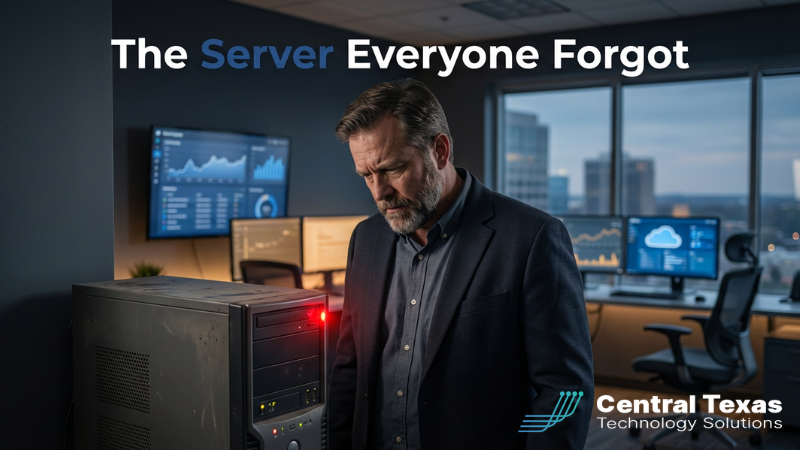
Just one old server that quietly kept running long after everyone stopped thinking about it.
That is exactly what opened the door in a recent ransomware attack tied to SmarterTools. An old virtual machine running SmarterMail had been left out of normal patching routines. A known vulnerability allowed attackers to reset the admin password, log in, and begin encrypting systems.
One forgotten server turned into a company wide crisis.
For many Central Texas business owners, this story hits close to home. Not because you know which servers are running where, but because you do not. And that is what attackers count on.
The real risk is not what you see every day
Most business leaders assume ransomware starts with something obvious. A bad email. An employee mistake. A suspicious download.
In reality, many attacks start much quieter.
Old on-prem servers that never got decommissioned
Test virtual machines created years ago and never tracked
Applications that fell off the patching list during a migration
Systems nobody owns anymore but nobody shut down either
These systems are not top of mind for leadership. They do not show up in daily dashboards. They still hum along in the background until someone else notices them first.
Attackers actively scan for exactly this kind of environment. They look for systems that have not been patched, monitored, or reviewed because those are the easiest doors to open.
When one of those systems gets hit, the fallout spreads fast. Ransomware does not respect boundaries between old and new. Once attackers are inside, they move laterally, escalate privileges, and encrypt what actually matters.
By the time leadership hears about it, the damage is already done.
What this kind of breach really costs a business
The financial hit is only part of the story.
Yes, there is downtime.
Yes, there is lost productivity.
Yes, there are recovery costs.
But the bigger impact shows up in harder places.
Leadership is pulled into crisis mode instead of growth
Employees lose confidence in the systems they rely on
Clients start asking uncomfortable questions about trust and security
Regulatory and insurance conversations get complicated fast
For many Central Texas businesses, especially professional services, healthcare, manufacturing, and nonprofits, a data exposure can hurt more than a short outage. Contracts, client records, financials, and internal communications all become potential liabilities overnight.
And the most frustrating part is this.
It often comes from something nobody even realized was still there.
Where CTTS steps in as your guide
At CTTS, we see this pattern over and over. Not because business owners are careless, but because IT environments grow faster than documentation and ownership.
Servers get spun up for a project
Applications get installed for a temporary need
Infrastructure changes hands over the years
Without a clear plan, those systems turn into ghosts.
This is where we guide Central Texas businesses back to clarity and control.
Our role is not just to keep things running. It is to eliminate blind spots before they become headlines.
We help business leaders answer three critical questions.
What systems do we actually have
Which ones still belong in the business
Who is responsible for keeping them secure
When those answers are clear, ransomware risk drops dramatically.
Five CEO-level best practices to prevent the forgotten server problem
You do not need to be technical to reduce this risk. You just need the right habits and the right partner.
1. Maintain a living inventory
Every server, virtual machine, and business application should be documented and reviewed regularly. If it exists, it should be known, owned, and justified.
2. Assign ownership
Every system needs a clear owner. If nobody is responsible for patching and monitoring it, that system is already a risk.
3. Patch or retire with intention
Old does not automatically mean bad, but unpatched always does. Systems should be actively maintained or cleanly decommissioned. There is no safe middle ground.
4. Monitor for abnormal behavior
Missed updates happen. Monitoring ensures that one oversight does not turn into a full ransomware event.
5. Review your environment annually
Technology changes. Businesses evolve. An annual infrastructure review helps ensure yesterday’s solutions are not today’s vulnerabilities.
These steps are not about buying more tools. They are about visibility, discipline, and follow through.
Why local context matters in Central Texas
Austin and the surrounding Central Texas region are full of growing businesses. Growth brings opportunity, but it also brings complexity.
We regularly work with companies that have outgrown their original IT setup without realizing it. What worked at ten employees does not scale cleanly to fifty or one hundred.
Local businesses also face unique pressures. Insurance carriers are raising security requirements. Clients are asking tougher questions. Regulators expect more documentation and proof of controls.
Having a local IT partner who understands both the technical side and the business realities makes a measurable difference. It means faster response, clearer communication, and guidance that aligns with how Central Texas companies actually operate.
A clear next step
If you are not confident you know every server and system running in your environment, that is normal.
What matters is what you do next.
At CTTS, we offer a free strategy session focused on uncovering blind spots, not selling fear. We review your servers, virtual machines, and critical systems to identify what needs attention and what does not.
No jargon.
No pressure.
Just clarity.
If you want a second set of eyes on your environment, reach out and schedule a risk review.
Your clients may never know about the server everyone forgot.
But they will feel it if it goes down.
Frequently Asked Questions
How do forgotten servers usually get missed?
They are often created for short term projects, testing, or migrations and never formally retired or documented.
Does moving to the cloud eliminate this risk?
It reduces some risks but does not eliminate them. Cloud systems still need visibility, patching, and ownership.
How often should businesses review their servers and systems?
At least once a year, or anytime there is a major change in staff, software, or infrastructure.
Contact CTTS today for IT support and managed services in Austin, TX. Let us handle your IT so you can focus on growing your business. Visit CTTSonline.com or call us at (512) 388-5559 to get started!