
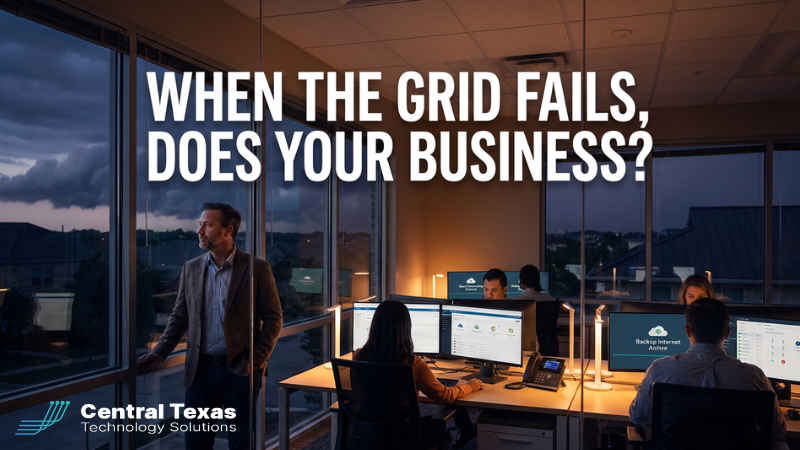
 Last week’s North American storm system was a reminder of how fragile our modern world can feel.
Over the course of a few days, more than 500,000 homes and businesses lost power across the central U.S. Blizzards, ice, and high winds knocked out lines, overwhelmed crews, and left people sitting in the dark, waiting.
If you run a business in Central Texas, it’s easy to scroll past that headline and think, “That’s up there, not here.”
But we don’t have to think very far back, Winter Storm Uri, summer brownouts, localized fiber cuts, to remember that the grid and the internet are not guarantees.
The question isn’t if the power or internet will go out again. It’s:
The Hidden Fragility in “Cloud-First” Businesses
Most organizations we meet in Central Texas are more dependent on a few invisible services than they realize.
On a normal day, everything feels great:
- Email, Teams, and SharePoint in Microsoft 365 just work.
- Your VoIP phones ring on desk phones and mobile apps.
- Files live safely in OneDrive or your line-of-business app.
- New AI tools like Microsoft Copilot are helping with proposals, emails, and reporting.
But underneath that productivity is a simple truth: if power or internet disappear, all of that disappears too.
The very tools that make you more efficient, cloud apps, remote work, AI, also mean your business stops faster when the grid hiccups.
That’s not an argument against cloud or AI. It’s an argument for intentional resilience.
The Central Texas Business Leader
Picture a business owner in Round Rock or Georgetown.
They’ve invested in good tools. They care about their customers. Their team is spread across the office and a few remote locations. Everything from sales to billing depends on Microsoft 365, their CRM, their VoIP system, and a handful of key apps.
Then a storm rolls through. Or a car takes out the wrong utility pole. Or a nearby construction project hits the wrong fiber bundle.
Power flickers. Internet dies. Phones go quiet.
- Customers can’t reach you.
- Staff don’t know whether to stay, go, or work from home.
- Invoices and proposals that “just needed a quick edit” are stuck in the cloud.
Externally, the problem is simple: no power, no internet, no phones.
Internally, the problem is more painful: you feel exposed.
You’re suddenly aware that your business may not be as resilient as you thought.
You Don’t Have to Figure This Out Alone
This is where a good IT partner steps in, not just to fix things when they break, but to design your environment for continuity.
At CTTS, we’ve walked Central Texas businesses through:
- Extended grid issues
- Localized ISP and fiber outages
- Hardware failures that took key systems offline
The pattern is always the same: the businesses that ride out these events well aren’t “lucky.” They’re prepared.
A Simple 3-Step Plan for Outage Resilience
You don’t need a 100-page disaster recovery binder that nobody reads. You need a clear, practical plan that your team actually understands.
Here’s a three-step framework we use with clients:
1) Map Your Dependencies
Start by asking, “What absolutely has to stay online for us to serve customers?”
For most organizations, that list includes:
- Internet and Wi‑Fi
- Core business apps (Microsoft 365, line-of-business systems, payment platforms)
- Phones and conferencing (VoIP, Teams, Zoom)
- Access to critical files and backups
Document which services depend on which pieces of infrastructure, power circuits, switches, firewalls, ISPs, Wi‑Fi, and so on. This becomes your resilience blueprint.
2) Build Smart Redundancy
Next, design redundancy where it matters most.
That might include:
- Backup internet via a secondary ISP, fiber + cable combination, or LTE/5G failover.
- Protected power with UPS systems and, for some sites, generators, sized to keep critical gear (firewalls, switches, access points, key servers) alive, not every light bulb.
- Resilient cloud and backup configurations so you can still get to data from alternate locations/devices when your main office is down.
The goal isn’t perfection. It’s to make sure that when something big happens, you can still communicate, access data, and keep core operations moving.
3) Practice the Playbook
Even the best design fails if nobody knows what to do.
Create concise runbooks that answer questions like:
- Who is in charge of declaring “we’re in an outage”?
- Who calls the ISP and power company?
- When do we shift to remote work, and how do we notify the team?
- Which systems do we shut down gracefully, and which do we keep running on backup power?
Then, practice. A short tabletop exercise once or twice a year can expose gaps in minutes — not during a real crisis.
Where AI and Productivity Tools Fit In
Leaders are understandably excited about tools like Microsoft Copilot, AI-driven marketing platforms, and smarter CRMs. These tools really can:
- Speed up proposal and email writing
- Improve reporting and forecasting
- Help small teams punch above their weight in marketing and sales
But none of that matters if your team is sitting in a dark office, unable to get online.
Think of AI and advanced cloud tools as the performance upgrade… and power/internet resilience as the suspension and brakes. You want both, but you absolutely can’t skip the basics.
Pressure-Test Your Plan
You don’t have to figure this out alone, and you don’t need to become a power or networking engineer.
If you’re a business leader in Central Texas and you’re not 100% confident in your outage plan, let’s talk.
CTTS can help you:
- Map your real-world dependencies
- Design practical, budget-appropriate redundancy
- Build and test a simple outage playbook your team can actually follow
Send me a message with the word GRID, and we’ll schedule a short continuity review.
The next storm, fiber cut, or grid hiccup is coming eventually.
Now is the time to make sure that when the grid fails… your business doesn’t.
Frequently Asked Questions
1. What happens to my business if the power or internet goes out?
If your business relies on cloud tools like Microsoft 365, VoIP phones, or online applications, operations can come to a complete stop without power or internet. This can impact communication, customer service, billing, and internal workflows almost immediately.
2. How can I keep my business running during an outage?
The most effective approach is to plan ahead with a resilience strategy that includes backup internet, protected power sources like UPS systems or generators, and the ability for employees to work remotely when needed. Preparation allows you to continue core operations even during disruptions.
3. Do cloud-based tools make my business more vulnerable during outages?
Cloud tools improve productivity, but they also increase dependency on reliable power and internet. Without those, access to critical systems disappears. That is why businesses need to pair cloud adoption with a strong continuity and redundancy plan.
Contact CTTS today for IT support and managed services in Austin, TX. Let us handle your IT so you can focus on growing your business. Visit CTTSonline.com or call us at (512) 388-5559 to get started!