
When a new employee joins your company, their first few days shape how productive, confident, and connected they will feel moving forward.
Unfortunately, many businesses treat IT onboarding as an afterthought.
A laptop gets handed out at the last minute. Passwords are emailed around. Software access is delayed. Nobody is fully sure which systems the employee needs.
The result is frustration, lost productivity, and unnecessary security risks.
For businesses in Austin, Round Rock, Georgetown, and Cedar Park, a strong IT onboarding process is not just about setting up computers. It is about helping employees succeed while protecting the business from avoidable problems.
For industries like Healthcare, Legal, Professional Services, Construction, Manufacturing, and Nonprofits, those risks become even more serious because onboarding directly affects compliance, data security, communication, and operational efficiency.
A well-structured onboarding process creates consistency, improves security, and helps your team get to work faster.
Why IT Onboarding Matters More Than Most Businesses Realize
Many companies focus heavily on hiring the right person but overlook the systems and processes needed to support them once they arrive.
That gap creates real business problems.
Without a clear onboarding process, businesses often experience:
- Delayed employee productivity
- Missing or inconsistent security settings
- Improper access to sensitive data
- Increased help desk requests
- Confusion around communication tools
- Compliance concerns
- Shadow IT and unauthorized software use
In Healthcare organizations, onboarding mistakes can expose protected patient information.
In Legal firms, improper permissions can create confidentiality risks.
Construction companies often struggle with onboarding field employees who need secure mobile access.
Manufacturing businesses rely on fast access to systems that support operations and production schedules.
Professional Services firms need employees connected immediately to maintain client responsiveness.
Nonprofits frequently operate with limited internal IT resources, making a structured onboarding process even more important.
A strong onboarding process reduces these risks before they become costly problems.
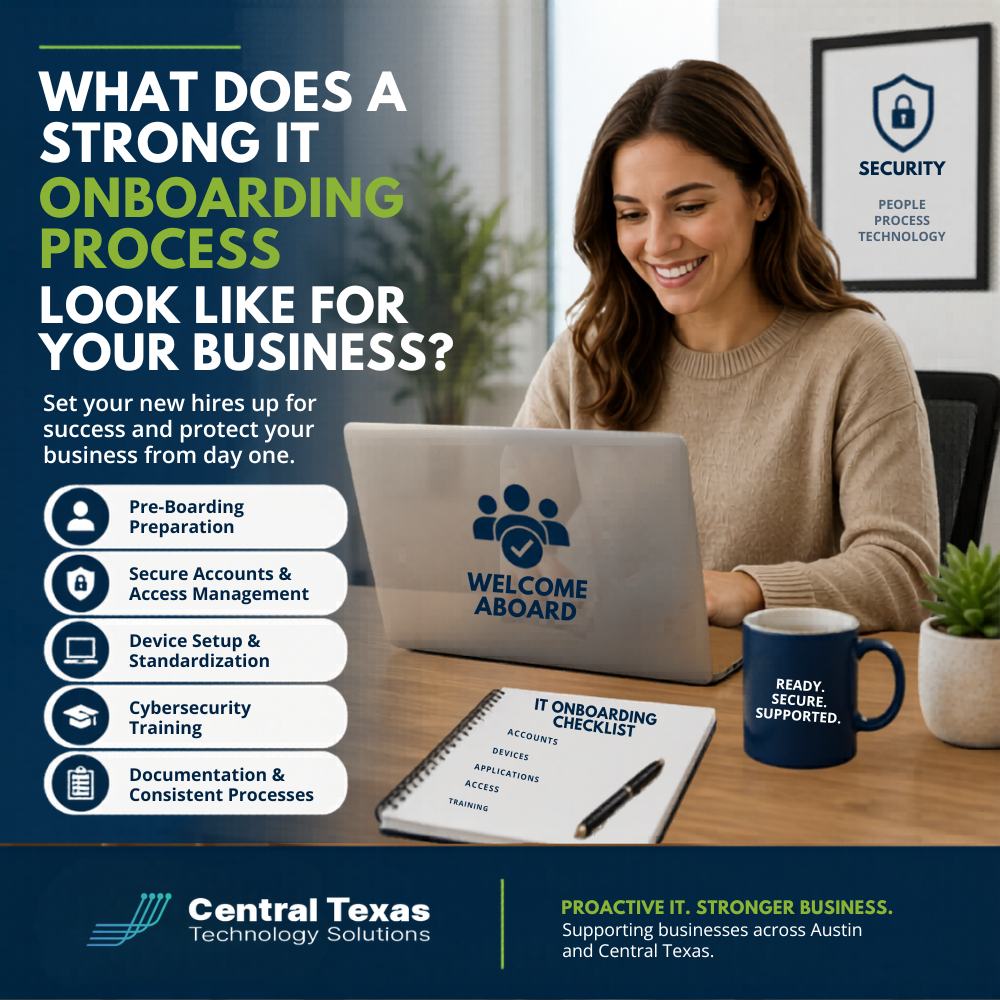
What a Strong IT Onboarding Process Should Include
Every business is different, but the best onboarding processes follow a consistent framework that balances productivity, security, and user experience.
Pre-Boarding Before the Employee Starts
Strong onboarding begins before day one.
Your IT team should already know:
- The employee’s role
- Required software and applications
- Necessary security permissions
- Hardware requirements
- Communication tools needed
- Remote or hybrid work requirements
This preparation allows employees to start working immediately instead of waiting days for setup and approvals.
At CTTS, proactive preparation is one of the biggest differences we see between organized businesses and businesses constantly dealing with IT chaos.
Secure Account Creation and Access Management
User accounts should never be created manually without a clear process.
A strong onboarding workflow includes:
- Microsoft 365 or Google Workspace setup
- Multi-factor authentication enrollment
- Password policy enforcement
- Role-based access permissions
- VPN and remote access configuration
- Email security policies
- Endpoint protection deployment
Employees should only have access to the systems they truly need.
Too many businesses accidentally create security risks by giving employees excessive permissions simply because it is faster in the moment.
That shortcut creates long-term exposure.
Device Preparation and Standardization
A strong onboarding process also ensures devices are properly configured before they are handed to employees.
This includes:
- Operating system updates
- Security patches
- Antivirus and endpoint protection
- Backup configuration
- Company-approved applications
- Device encryption
- Monitoring tools
- Mobile device management settings
Standardized systems reduce troubleshooting issues later and make long-term IT management significantly easier.
For growing businesses in Austin and across Central Texas, consistency becomes critical as teams expand.
Employee Cybersecurity Training
One of the most overlooked parts of onboarding is security awareness training.
Employees are often the first target attackers look for when attempting phishing, credential theft, or social engineering attacks.
A strong onboarding process teaches employees:
- How to recognize phishing emails
- Proper password practices
- Safe file sharing procedures
- Remote work security expectations
- How to report suspicious activity
- Company cybersecurity policies
This is especially important for Healthcare, Legal, and Nonprofit organizations that regularly manage sensitive information.
Technology alone is not enough to protect your business.
Your employees need clear guidance from the beginning.
Documentation and Process Consistency
Strong onboarding processes are documented and repeatable.
That means your business should have:
- Standard onboarding checklists
- Approval workflows
- Role-based setup templates
- Device inventory tracking
- Offboarding procedures
- Security documentation
Without documentation, onboarding becomes inconsistent and heavily dependent on individual employees remembering every step.
That inconsistency often creates security gaps.
Why Reactive IT Onboarding Creates Bigger Problems
Many businesses operate reactively.
Someone gets hired unexpectedly, and the IT process becomes rushed.
That usually leads to:
- Temporary passwords never being updated
- Missing security configurations
- Shared accounts
- Employees using personal devices
- Missing software licenses
- Improper access permissions
Over time, these small issues create larger operational and cybersecurity risks.
A proactive IT partner helps eliminate those problems before they impact your business.
How CTTS Helps Businesses Build Better IT Onboarding Processes
At CTTS, we help businesses across Austin, Round Rock, Georgetown, and Cedar Park create onboarding processes that improve productivity while strengthening security.
We work with organizations in Healthcare, Legal, Professional Services, Construction, Manufacturing, and Nonprofits to build onboarding systems that scale with growth and support long-term business goals.
Instead of reacting to onboarding problems after employees are frustrated, we help businesses create a repeatable process that works from the start.
That includes:
- Secure user provisioning
- Device preparation
- Microsoft 365 management
- Cybersecurity configuration
- Access management
- Documentation
- Employee training
- Ongoing IT support
The goal is simple.
New employees should feel ready to work on day one without putting your business at risk.
Build a Stronger IT Foundation for Your Team
A strong IT onboarding process improves productivity, reduces frustration, and protects your business from unnecessary risk.
If your onboarding process feels inconsistent, rushed, or reactive, it may be time to reevaluate your systems.
Schedule a consultation with CTTS to learn how a proactive IT strategy can help your business grow with confidence.
Frequently Asked Questions
What is an IT onboarding process?
An IT onboarding process is the structured setup of employee technology, accounts, permissions, devices, and security access when someone joins a company.
Why is IT onboarding important for cybersecurity?
Poor onboarding can create security gaps through weak passwords, excessive permissions, missing security tools, and inconsistent processes that attackers can exploit.
How long should an IT onboarding process take?
Most onboarding preparation should be completed before the employee’s first day so they can begin working immediately with secure access to the tools they need.
Contact CTTS today for IT support and managed services in Austin, TX. Let us handle your IT so you can focus on growing your business. Visit CTTSonline.com or call us at (512) 388-5559 to get started!
Not sure what to look for in IT services? Start here:
How to Choose the Right IT Consulting Firm in Austin
Questions to Ask Before Hiring an IT Support Company
What Makes a Managed Services Provider a True Business Partner?
Red Flags to Watch for When Evaluating IT Consulting Companies