

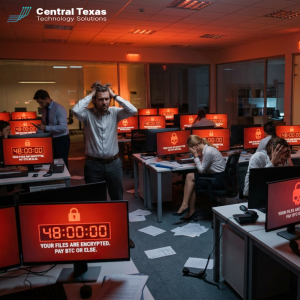
 If your business got hit with ransomware tomorrow morning, would your backups actually be there when you went looking for them. It is the first question most IT support companies ask a new Central Texas client, and in 2026 it has gotten harder to answer honestly, because attackers no longer just lock your files. They go hunting for your backups first, and new research shows most companies are not ready for that fight.
What Is at Stake
Ransomware used to follow a fairly predictable pattern. An attacker got in, encrypted your files, and left a note demanding payment. You restored from backup, dusted yourself off, and moved on with a bruised week. That playbook still exists, but it is no longer the whole story, and treating it as the whole story is what gets Central Texas businesses in real trouble.
A widely cited 2026 industry report found that 89 percent of organizations hit by ransomware had their backup repositories specifically targeted by the attackers, and in the large majority of those cases the attackers succeeded in damaging or disabling the backups themselves.
Canada's Centre for Cyber Security has issued guidance warning that many current ransomware variants are purpose built to search a network for connected backup systems and delete or encrypt them before the ransom note ever appears. The Fortinet 2026 Threat Landscape Report separately documented a 389 percent year over year jump in ransomware victims, and the CrowdStrike 2026 Global Threat Report clocked the average attacker breakout time, the time it takes to move from initial access to spreading across your network, at just 29 minutes.
Put those numbers together and the picture is simple. Attackers are moving faster, they are more numerous, and they are specifically engineering their tools to take your safety net away before you know you need it. A backup that lives on the same network as the systems it protects, that nobody has tested in six months, or that is not actually immutable is not much of a backup anymore. It is a false sense of security, and false senses of security are expensive when the invoice comes due in the form of a ransom demand, a week of downtime, or both.
Why Central Texas Businesses Face This Challenge
Owners in New Braunfels, San Marcos, Buda, and Round Rock are not naive about ransomware. Most have heard the headlines. Where the gap actually shows up is in the space between knowing backups matter and knowing whether the specific backup running in the server closet right now would survive a targeted attack.
Growing companies in the 25 to 250 employee range tend to accumulate backup systems the way they accumulate software licenses, a little at a time, added by whoever was solving the most urgent problem that quarter. A file server got backed up to an external drive in 2021. A cloud backup tool got layered on top in 2023 when someone read a scary article. Nobody circled back to ask whether those backups are segmented from the production network, whether they are immutable, or whether anyone has actually run a restore drill this year. That patchwork approach is exactly what today's ransomware is built to exploit, because a backup that is reachable from the same credentials and the same network as your live systems is a backup an attacker can find in the same 29 minutes it takes to find everything else.
There is also a Central Texas specific pressure. Many local businesses run lean IT, sometimes a single internal person or a part time contractor, and that person is already stretched across help desk tickets, vendor calls, and whatever fire is burning that day. Backup validation is exactly the kind of quiet, unglamorous work that gets pushed to next week when the inbox is full, and next week has a way of turning into next year.
How IT Support Companies Like CTTS Ransomware-Proof Your Backups
This is where working with IT support companies that specialize in managed services, rather than trying to stitch backup coverage together internally, changes the outcome. At CTTS, ransomware resilience is not a single product we sell once. It is a standing part of how we manage a client's environment.
We start by mapping every place data actually lives, servers, workstations, cloud file shares, line of business applications, so nothing is backed up by accident or missed entirely. From there we build backup architecture around the 3-2-1 rule, three copies of data, on two different types of media, with one copy kept offsite and logically separated from the production network, so a single compromised credential cannot reach every copy at once. We prioritize immutable backups wherever the underlying platform supports it, meaning that once a backup is written, it cannot be altered, deleted, or encrypted for a defined retention window, even by someone with administrator access on the compromised network. That single feature is often the difference between a bad week and a business-ending event.
We also treat recovery, not just backup, as the actual product. A backup nobody has tested is a hypothesis, not a plan. Our team runs scheduled restore tests so that when we tell a client their recovery time objective is measured in hours rather than days, that number reflects something we have actually verified rather than something written into a contract and never checked again.
Backup Best Practices Central Texas Companies Should Put in Place This Quarter
Segment Your Backups From Your Production Network
If an attacker who compromises your main network can also reach your backup storage using the same login credentials, you do not have a separate backup, you have a second copy sitting next to the first one. Backup systems should sit on their own network segment with their own access controls, so that compromising the production environment does not automatically hand over the keys to the recovery environment as well. This single architectural choice defeats a large share of the automated backup-hunting behavior built into current ransomware.
Make at Least One Copy Immutable and Offsite
The 3-2-1 rule exists because it works, and the offsite, immutable copy is the piece most small and midsize businesses skip. That copy should be untouchable for a set retention period, whether it lives with a cloud provider that supports write once storage or an offsite appliance configured for immutability. When every other copy is compromised, this is the one that lets you say no to a ransom demand.
Actually Test Your Restores, Not Just Your Backups
A backup job completing successfully tells you data was copied. It tells you nothing about whether that data can be restored, how long the restore will take, or whether the restored systems will actually boot and run your applications. Schedule restore drills on a real calendar, at minimum quarterly for critical systems, and treat a failed drill as more urgent than a failed backup, since it means you were about to find out the hard way during a real incident.
Know Your Recovery Time and Recovery Point Objectives Before You Need Them
Recovery time objective is how long you can tolerate being down. Recovery point objective is how much data you can tolerate losing, measured backward from the moment of the incident. Every system in your business does not need the same answer to those two questions, and pretending they do usually means overspending on backup infrastructure for low priority systems while underprotecting the ones that actually keep the lights on. Set those numbers deliberately, system by system, with input from the people who actually run the business, not just the people who run the servers.
Run a Tabletop Exercise With Your Leadership Team
Backup technology only pays off if the humans around it know what to do. A tabletop exercise walks your leadership team through a simulated ransomware event, who gets called first, who is authorized to make a payment decision, how you communicate with employees and customers, and how you decide when systems are safe to bring back online. Businesses that have rehearsed this conversation before an actual incident recover measurably faster than businesses having that conversation for the first time under real pressure.
Take the Next Step
You do not have to figure out whether your backups would survive a targeted ransomware attack on your own. Unlike generalist IT support companies that treat backup as a checkbox, CTTS works with Central Texas businesses to audit existing backup architecture, close the gaps that current ransomware is specifically built to exploit, and put a tested, documented recovery plan behind the promise that your business can get back up and running.
Schedule a free strategy session with CTTS today and let us show you exactly where your current backup plan would hold and where it would not.
Frequently Asked Questions
How is ransomware backup targeting different from a normal ransomware attack?
In a normal ransomware attack, the attacker encrypts your live systems and demands payment for the decryption key, counting on the fact that restoring from backup is slow or incomplete. Backup targeting goes a step further. Before the ransom note ever appears, the attacker actively searches your network for connected backup systems and attempts to delete, encrypt, or otherwise disable them, so that restoring from backup is not just slow, it is impossible. This is why backup segmentation and immutability have become essential rather than optional.
What does it mean for a backup to be immutable, and do we really need it?
An immutable backup cannot be altered, deleted, or encrypted for a set retention period, even by someone using valid administrator credentials on your network. If your current backup can be modified or erased by whoever has admin access, an attacker who gains that access can erase it too. For any Central Texas business with 25 or more employees and systems it genuinely cannot afford to lose, at least one immutable, offsite copy should be considered a baseline requirement, not an upgrade.
How often should we actually test our disaster recovery plan?
Quarterly restore testing for critical systems is a reasonable baseline for most small and midsize businesses, with a full tabletop exercise involving leadership at least once or twice a year. The right cadence depends on how quickly your systems and data change, businesses adding new applications or moving data frequently should test more often. What matters most is that testing happens on a real calendar rather than an intention, since an untested backup is a guess about your recovery time, not a fact about it.
Contact CTTS today for IT support and managed services in Austin, TX. Let us handle your IT so you can focus on growing your business. Visit CTTSonline.com or call us at (512) 388-5559 to get started!