
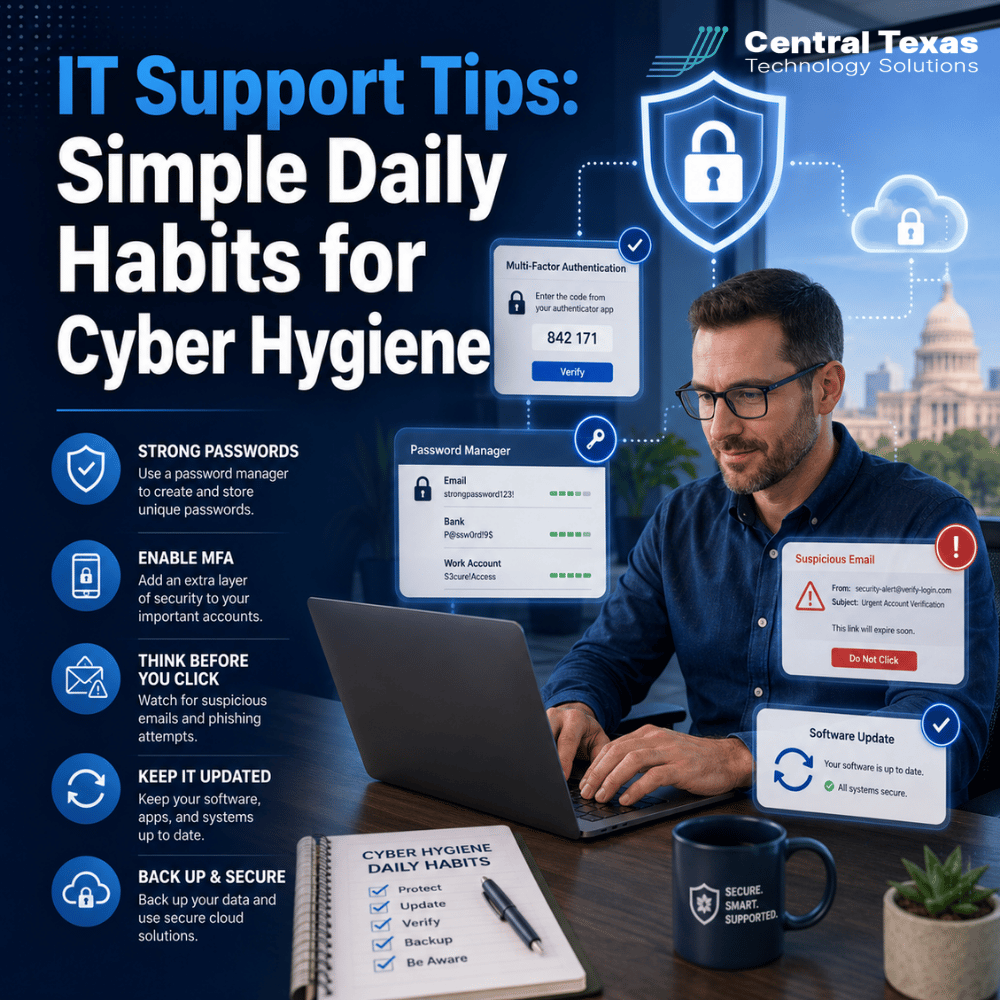
Most people think cybersecurity requires expensive software or advanced technical knowledge, but in 2026 the data tells a different story. A recent industry report found that more than 85 percent of cyber losses in the first half of this year traced back to human error, not sophisticated hacking. That means the best IT support advice for most businesses is not a bigger budget. It is a handful of daily habits, called cyber hygiene, practiced consistently by everyone on the team.
What Is at Stake
Small daily habits close the same gap that expensive software often cannot, because most successful attacks target people, not firewalls.
Cyber hygiene is the routine practice of protecting your accounts, devices, and data the same way you protect your health or your home. Just like brushing your teeth or locking your front door, the key is consistency, not intensity. The numbers explain why this matters so much. Cyber insurer Resilience found that losses tied to phishing, social engineering, and transfer fraud jumped from 17.7 percent of incurred losses in the first half of 2024 to 85.3 percent in the same period this year, the single largest increase among all loss categories tracked. Attackers are not necessarily getting more technically sophisticated. They are getting better at exploiting the small, everyday decisions people make without thinking.
Passwords remain one of the clearest examples. Nearly half of people had a password stolen in a recent year, and more than a third of those thefts were blamed directly on weak passwords. Even more telling, a survey of IT professionals found that 92 percent admit to reusing passwords themselves, the exact habit they warn everyone else against. If the people who understand the risk best still fall into the habit, it says something about how hard these habits are to build without a system.
The financial stakes keep climbing too. Industry reporting puts the average cost of a data breach at nearly five million dollars, with AI driven attacks now adding roughly one million dollars on top of that figure because attackers use AI tools to write more convincing phishing emails, generate voice deepfakes for verification calls, and professionalize social engineering that used to require real skill. None of that changes the underlying lesson. The habits that stop a phishing email or a stolen password from turning into a full blown breach are still the same simple ones people have been told about for years. The difference in 2026 is how much more expensive it has become to skip them.
Why Central Texas Businesses Face This Challenge
A 30 person firm in Round Rock faces the same phishing emails and password attacks as a national bank, but rarely has the same built in habits or training to catch them.
Attackers do not need to target a specific company by name. Automated phishing campaigns and credential stuffing tools hit thousands of businesses at once, and small and midsize companies across Austin, New Braunfels, and the surrounding area are just as exposed as any large enterprise, often more so because there is no dedicated security team watching for the warning signs. Multi-factor authentication is one of the simplest habits available, and it stops 96% of bulk phishing attempts and 76% of targeted attacks, yet adoption at small businesses still sits far below where it should be, especially among companies with fewer than 25 employees.
The gap is not usually about caring. Most business owners in Central Texas care a great deal about protecting their customers and their reputation. The gap is that nobody has ever laid out which daily habits actually matter, so employees are left guessing, and guessing under time pressure usually loses to convenience.
This shows up across every industry in the area, from professional services firms in Georgetown managing sensitive client files to healthcare practices in Buda handling patient records. Each of those businesses has employees checking email on personal phones, reusing a familiar password because it is easier to remember, and clicking through routine looking messages without a second thought. None of that makes anyone careless. It makes them human, working the way most people work when nobody has ever walked them through a better default.
How CTTS Helps You Build Better Cyber Hygiene Habits
Habits stick when they are simple, repeated, and reinforced, not when they are explained once during onboarding and never mentioned again.
CTTS treats cyber hygiene the same way a good coach treats fundamentals, as something worth practicing on purpose rather than assuming everyone already knows.
First, we set up multi-factor authentication across your critical accounts and help you enforce it, so this single highest impact habit is not left optional.
Second, we roll out a business grade password manager so employees can use strong, unique passwords everywhere without relying on memory or sticky notes.
Third, we build short, recurring security awareness reminders into your team's routine instead of a once a year training video nobody remembers by spring.
Fourth, we monitor for the warning signs of compromised credentials and unusual account activity, so a slip in someone's daily habits gets caught by a system instead of by luck.
IT Support Best Practices for Daily Cyber Hygiene
What Counts as Good Cyber Hygiene?
Good cyber hygiene is the set of small, repeatable habits, like using unique passwords, turning on multi-factor authentication, and pausing before clicking a link, that together reduce your chances of becoming a victim without requiring deep technical knowledge. It is less about any single tool and more about consistency, the same way brushing your teeth twice a day matters more than an expensive dentist visit once a year.
Why Do Password Managers Matter More Than Memory?
Password managers matter more than memory because the average person now has well over one hundred accounts, far more than anyone can safely remember with unique passwords for each one, which is exactly why 63 percent of people only change a password when forced to and more than a third rely on memory alone. A password manager removes the tradeoff between convenience and security by generating and storing a strong, different password for every account automatically, so a breach at one company does not hand an attacker the keys to everything else a person uses. Employees only need to remember one strong master password, and CISA's current guidance recommends any password be at least sixteen characters long, which is exactly the kind of length nobody can realistically memorize dozens of times over.
Turn On Multi-Factor Authentication Everywhere You Can
Add a second verification step, like a code from your phone or an authentication app, to email, banking, and any system holding customer data. This single habit blocks the overwhelming majority of automated account takeover attempts before they ever succeed, which is exactly why it should be the very first habit any business tackles rather than something left for later.
Pause Before You Click
Slow down for five seconds before clicking a link or opening an attachment in an unexpected email, especially anything urging immediate action. Most phishing attempts rely on urgency to short circuit exactly this pause.
Keep Software and Devices Updated
Install updates on your phone, laptop, and browser as soon as they are available rather than snoozing them for a more convenient time. Updates frequently patch the exact vulnerabilities attackers are actively exploiting that week.
Take the Next Step
Good cyber hygiene is not about buying more software. It is about making a small number of habits automatic across your entire team. If you are not sure where your business stands today, from MFA coverage to password practices, that is a quick assessment worth having. CTTS can walk through your current setup and show you exactly which daily habits would close the most risk first.
Schedule a free Cyber Strategy session with CTTS today!
Frequently Asked Questions
How long does it actually take to build good cyber hygiene habits?
Most of the core habits, like turning on multi factor authentication or installing a password manager, take less than fifteen minutes to set up once, and the daily maintenance afterward, like pausing before clicking a suspicious link, adds only seconds to a person's normal routine rather than requiring ongoing effort.
Do we still need cyber hygiene training if we already have antivirus and a firewall?
Yes, because more than 85 percent of recent cyber losses trace back to human error like phishing and social engineering rather than a technical failure that antivirus or a firewall would catch, so software alone leaves the largest share of your actual risk unaddressed.
What is the single most important cyber hygiene habit to start with?
If you can only tackle one habit first, turn on multi factor authentication everywhere it is available, since it blocks the large majority of both bulk and targeted account takeover attempts and takes only minutes to enable on most accounts.
Contact CTTS today for IT support and managed services in Austin, TX. Let us handle your IT so you can focus on growing your business. Visit CTTSonline.com or call us at (512) 388-5559 to get started!