
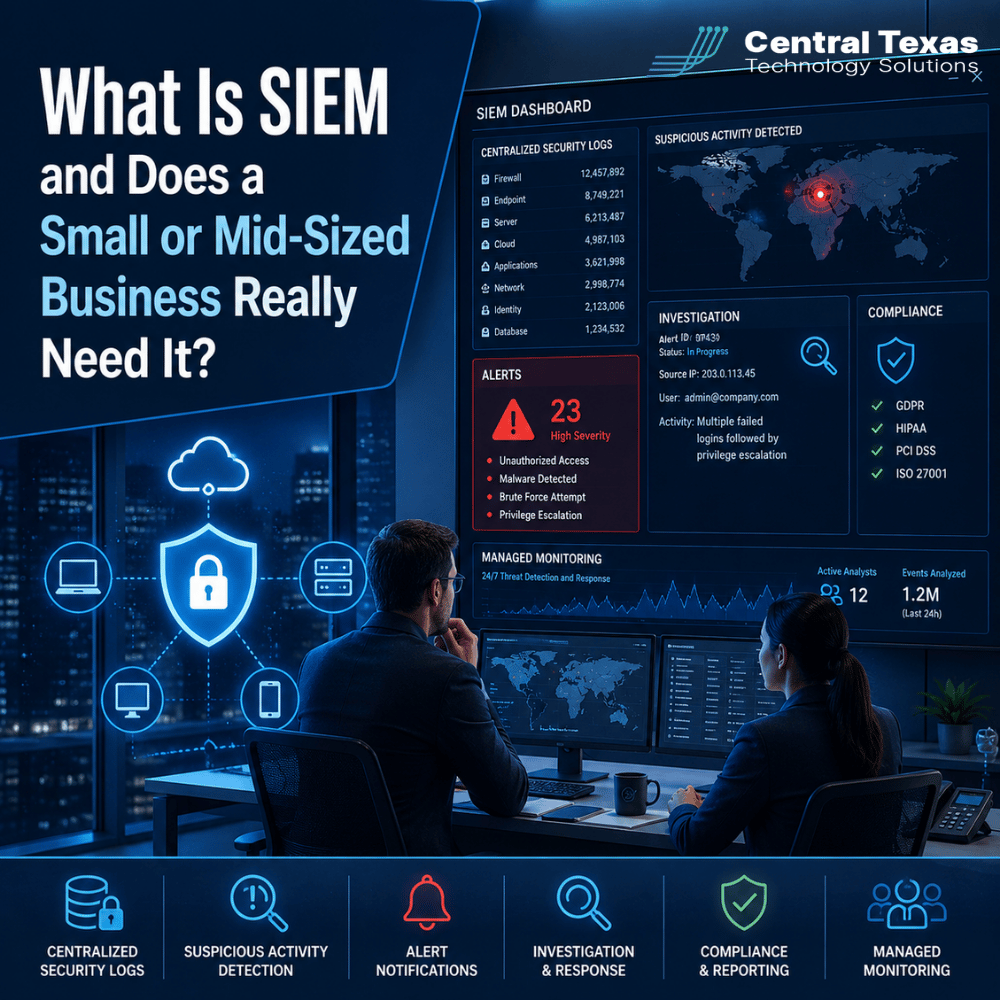
Cybersecurity tools generate a constant stream of information.
Firewalls record connections. Microsoft 365 logs sign-ins. Endpoint security tools watch laptops and servers. Cloud applications track user activity. Network equipment records traffic and configuration changes.
The problem is not a lack of security data. The problem is knowing what all that data means.
That is where SIEM comes in.
SIEM helps businesses collect security information in one place, identify suspicious activity, investigate incidents, and respond before a small warning becomes a serious security problem.
For many small and mid-sized businesses, especially those handling sensitive information or facing compliance requirements, SIEM can provide visibility that individual security tools cannot provide on their own.
What Is SIEM in Cybersecurity?
SIEM stands for Security Information and Event Management.
A SIEM platform collects logs and security events from technology throughout your organization. Instead of requiring someone to check each system separately, SIEM brings that information together so security activity can be reviewed in context.
A SIEM may collect information from:
- Firewalls and network equipment
- Servers and workstations
- Microsoft 365 and other cloud platforms
- Endpoint detection and response tools
- Identity and authentication systems
- Business applications
- VPN and remote access systems
- Security appliances
Think of SIEM as a centralized security command center.
A failed login on one computer may mean very little. Hundreds of failed logins followed by a successful login from an unusual location could tell a very different story.
SIEM helps connect those events.
Why Centralized Security Logs Matter
Security problems often leave clues in several different systems.
Suppose an attacker gains access to an employee account. Your Microsoft 365 logs may show an unusual login. Your endpoint security platform may identify suspicious activity on the employee's laptop. Your firewall may record unexpected outbound traffic.
Viewed separately, those events might not appear urgent.
Viewed together, they could indicate an active compromise.
Centralized security logging gives your IT and security team a clearer picture of what is happening across the business. It also provides historical information that can help determine when an incident started, which systems were affected, and what actions occurred.
This can be especially important for businesses in healthcare, legal services, professional services, construction, manufacturing, and nonprofits, where sensitive information and operational systems may be spread across multiple applications, offices, and devices.
How SIEM Detects Suspicious Activity
Collecting logs is only part of the job.
A useful SIEM platform analyzes security events and looks for patterns that could indicate a threat.
Examples might include:
- Multiple failed login attempts
- Sign-ins from unexpected locations
- Accounts suddenly receiving elevated privileges
- Unusual access to sensitive files
- Malware or endpoint security alerts
- Unexpected changes to security settings
- Large amounts of data leaving the network
- Administrative activity outside normal hours
The goal is not simply to generate more alerts.
Good security monitoring helps distinguish meaningful activity from everyday background noise.
That matters because businesses already have enough notifications competing for attention. A security system that produces thousands of alerts without anyone reviewing them provides very little protection.
SIEM Alerts Help Security Teams Investigate Faster
When suspicious activity is identified, SIEM gives security professionals information they can use to investigate.
Instead of beginning with one isolated alert, an analyst may be able to see:
- Which user account was involved
- Which device was used
- Where the login originated
- What applications were accessed
- What happened before and after the event
- Whether similar activity occurred elsewhere
That context can significantly reduce investigation time.
For example, a law firm in Austin might receive an alert involving an unusual Microsoft 365 login. Looking at one login event may not reveal much. SIEM could show that the same account also downloaded an unusual number of files and created a suspicious email forwarding rule.
That additional context changes the situation from "something looks unusual" to "this needs immediate investigation."
Faster investigation can mean faster containment and less disruption.
Can SIEM Help With Compliance Requirements?
For many organizations, SIEM is also part of a broader compliance and risk management strategy.
Businesses may need to maintain security logs, document activity, investigate incidents, or demonstrate that security controls are being monitored.
Healthcare organizations may face HIPAA requirements. Professional services firms and legal practices may need to protect confidential client information. Manufacturers may have contractual cybersecurity obligations. Construction companies increasingly rely on cloud platforms containing project, employee, and financial data. Nonprofits may store donor and personal information that must be protected.
SIEM does not automatically make a company compliant.
It can, however, make it easier to collect records, review security activity, retain important logs, and produce information that may be needed during an audit or investigation.
It also helps answer a question auditors and insurance carriers increasingly care about:
Who is actually watching your security systems?
Does a Small or Mid-Sized Business Really Need SIEM?
Not every small business needs to purchase and operate its own enterprise SIEM platform.
But many businesses need the capabilities SIEM provides.
The decision usually depends more on risk than company size.
A business should strongly consider centralized security monitoring when it:
- Handles sensitive customer, patient, financial, or legal information
- Has compliance or contractual security requirements
- Uses Microsoft 365 and multiple cloud applications
- Supports remote or hybrid employees
- Operates multiple offices
- Has cyber insurance requirements
- Needs better visibility into security incidents
- Cannot afford extended downtime after an attack
A growing business in Round Rock, Georgetown, Cedar Park, or Austin may have dozens of security systems generating information every day. Without centralized monitoring, important warning signs can easily disappear among thousands of routine events.
The better question is not simply, "Are we large enough for SIEM?"
It is, "Would we recognize a serious security incident quickly enough to stop it?"
Managed SIEM Monitoring Makes the Technology Practical
Traditional SIEM platforms can be complicated.
Someone must configure the system, connect data sources, build detection rules, review alerts, investigate activity, tune false positives, and respond when something suspicious happens.
Buying the software without providing ongoing monitoring often creates a false sense of security.
This is why managed SIEM services can make more sense for small and mid-sized organizations.
A managed approach combines the technology with security professionals who review and investigate alerts. Instead of asking an internal employee to watch security logs all day, the business gains access to ongoing monitoring and expertise.
CTTS helps Central Texas businesses take a proactive approach to cybersecurity by combining security tools with monitoring, investigation, and practical guidance.
The goal is not to overwhelm business leaders with dashboards and technical alerts. It is to identify meaningful risks early and take action before they become larger business problems.
Improve Your Visibility Before a Security Incident Happens
Cyberattacks rarely begin with a flashing warning that says your business has been compromised.
They begin with small signals.
An unusual login. A security setting change. A suspicious download. A new administrator account.
The businesses that detect those signals early have a much better opportunity to contain the problem before it disrupts operations.
If you are unsure whether your current security tools provide enough visibility, CTTS can help evaluate your environment and identify gaps in monitoring, detection, and response.
Schedule a free strategy call with CTTS to discuss whether managed SIEM monitoring makes sense for your business.
Frequently Asked Questions About SIEM
Is SIEM the same as antivirus or endpoint security?
No. Endpoint security protects individual devices and helps detect threats such as malware or suspicious behavior. SIEM gathers information from multiple systems and analyzes those events together. The two technologies often work better as part of the same security strategy.
Does SIEM monitor activity 24 hours a day?
The technology can collect and analyze events continuously, but someone still needs to review meaningful alerts and investigate suspicious activity. That is why managed monitoring is important. A security platform that nobody is actively watching may provide limited value during a real incident.
Is SIEM only for large companies?
No. Modern managed security services have made SIEM capabilities accessible to smaller organizations. Businesses with sensitive information, compliance obligations, remote workers, multiple offices, or significant cybersecurity risk may benefit from SIEM even if they have relatively few employees.
Contact CTTS today for IT support and managed services in Austin, TX. Let us handle your IT so you can focus on growing your business. Visit CTTSonline.com or call us at (512) 388-5559 to get started!