
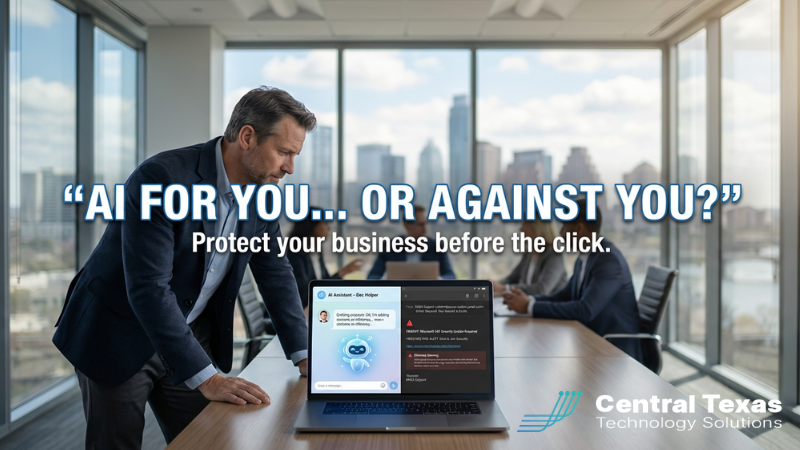
How Central Texas Businesses Can Lean Into AI Without Getting Burned
 If you lead a business in Central Texas, you’re hearing the same message from every direction right now:
Vendors are promising that tools like Microsoft 365 Copilot will write your emails, summarize meetings, and help your team do more with less. Marketing platforms are rolling out AI writing assistants and image generators that can crank out campaigns in minutes instead of days.
And honestly? A lot of that potential is real.
But there’s another side to the story that doesn’t make the keynote slides:
The same AI that helps you move faster is also helping cybercriminals move faster.
Over the last year, we’ve seen:
- Phishing emails that read like they were written by your best salesperson.
- Fake login pages that look exactly like your Microsoft 365 or banking portal.
- Malicious software disguised as “urgent” updates for tools you already trust.
Reports have shown AI‑driven phishing campaigns getting dramatically higher click‑through rates than traditional scams, and thousands of small and mid‑sized businesses getting hit by malware that pretended to be updates for everyday productivity apps.
So you’re stuck in a tension you didn’t ask for:
- You want your team to leverage AI to stay competitive.
- You do not want to be the next ransomware or data‑breach headline.
You shouldn’t have to choose between innovation and safety.
The Real Problem: AI On Both Sides of the Battlefield
At CTTS, we work with organizations across Central Texas that are excited about what AI can do. Leaders want to:
- Get proposals and quotes out the door faster.
- Automate repetitive documentation.
- Give their marketing teams more capacity without adding headcount.
But at the same time, attackers are:
- Using AI to write emails that perfectly mimic your vendors, your bank, or even your own leadership team.
- Generating voice and video deepfakes that sound and look like someone your staff knows.
- Moving quickly to exploit new vulnerabilities in the tools businesses rely on for remote support, data protection, and day‑to‑day operations.
The technology arms race isn’t just “AI vs. old‑school security” anymore. It’s AI vs. AI, and small and mid‑sized businesses are often caught in the middle.
That’s the external problem: AI is now a weapon on both sides of the battlefield.
The internal problem is the knot in your stomach—the sense that you’re saying “yes” to things your team doesn’t fully understand, while knowing that one wrong click could take you offline for days.
And underneath it all is a simple belief:
You Need a Guide, Not Just Another Tool
You don’t need one more dashboard or one more piece of software to “figure out.”
You need a guide who:
- Speaks the language of Central Texas business, not just security acronyms.
- Understands how tools like Microsoft 365, Copilot, and cloud apps actually show up in your day‑to‑day operations.
- Can help you say yes to the right AI opportunities and no to the noise and risk.
That’s the role we play at CTTS.
For more than two decades, we’ve helped organizations around Austin, Round Rock, Georgetown, Taylor, and beyond build technology environments that are both productive and secure. We bring that same approach to AI: practical, steady, and rooted in real‑world business outcomes.
A Simple 3‑Step Plan To Move Fast Safely
Here’s the framework we’re using with Central Texas clients who want to lean into AI without giving attackers a backstage pass.
1) AI & Security Readiness Review
First, we take a focused look at where you are today:
- How is your Microsoft 365 environment configured?
- Who has remote access, and from where?
- What protections are in place for email, identities, and endpoints?
- Where would an AI‑powered attacker most likely start?
This isn’t a months‑long audit. It’s a practical, no‑nonsense review designed to surface the 3–5 areas that would matter most in a real‑world attack.
2) Lock In the Non‑Negotiables
Next, we lock in the basics that dramatically lower your risk, especially against AI‑driven phishing and fake software:
- Patching and updates so you’re not exposed by known vulnerabilities.
- Multi‑factor authentication (MFA) everywhere it makes sense, especially for email, VPN, and admin access.
- Application allowlisting so employees can’t just install whatever looks “helpful” from the internet.
- Email and phishing protection tuned to catch look‑alike domains, suspicious links, and malicious attachments.
- Short, practical staff training that shows your team real examples of AI‑generated scams and what red flags to watch for.
When these non‑negotiables are in place, your people don’t have to be perfect. The environment is doing more of the heavy lifting for them.
3) Ongoing Monitoring & Quarterly Strategy
Finally, we stay in the loop with you.
Threats are changing monthly, and AI is evolving even faster. So we:
- Monitor for suspicious activity and important security alerts.
- Help you evaluate new AI‑driven tools before they go live.
- Meet regularly to align technology decisions with your business goals.
That way, when you decide to roll out something like Microsoft 365 Copilot or a new AI‑powered marketing platform, you’re doing it from a secure, well‑understood foundation—not as a desperate reaction after something goes wrong.
What’s at Stake
When you get this right, here’s what changes:
- Your team uses AI to move faster on proposals, service, and communication.
- You see fewer “urgent” security fires and mystery alerts.
- You have a clear picture of where your biggest risks are—and what’s being done about them.
When you ignore it, the downside is painful:
- An employee clicks on a “fake Copilot” email or bogus software update.
- Systems go down while you scramble to understand what happened.
- Data is exposed, compliance questions get raised, and you’re forced to have hard conversations with clients who trusted you.
That’s not a future any business owner wants.
A Next Step for Central Texas Leaders
If you’re a Central Texas business owner or leader who knows you need to lean into AI in 2026—but you want to do it wisely—I’d love to help.
Send me a message or comment “AI” and we’ll schedule a short, no‑pressure AI & Security Readiness Review. We’ll show you where AI is already working for you, where it might be working against you, and what it would look like to move forward with confidence.
You don’t have to choose between innovation and safety.
With the right plan, you can have both.
Frequently Asked Questions
1. How are cybercriminals using AI to target small and mid-sized businesses?
Cybercriminals are using AI to create more convincing phishing emails, fake login pages, and even voice or video deepfakes that impersonate trusted vendors, banks, or company leaders. These AI-generated attacks are harder to detect because they are well-written, personalized, and designed to bypass traditional red flags. This means small and mid-sized businesses in Central Texas face more sophisticated threats than ever before.
2. Can we safely use tools like Microsoft 365 Copilot without increasing our cybersecurity risk?
Yes, but only if the right security foundations are in place first. Before rolling out AI tools, businesses should ensure their Microsoft 365 environment is properly configured, multi-factor authentication is enabled, systems are regularly patched, and email security is tuned to detect advanced phishing attempts. With these protections in place, AI can increase productivity without dramatically increasing risk.
3. What is an AI and Security Readiness Review, and why does my business need one?
An AI and Security Readiness Review is a focused assessment of your current technology environment to identify gaps that AI-powered attackers could exploit. It evaluates areas like remote access, identity protection, email security, and endpoint defenses. The goal is not a lengthy audit, but a practical roadmap that highlights the most important improvements so your business can adopt AI confidently and securely.
Contact CTTS today for IT support and managed services in Austin, TX. Let us handle your IT so you can focus on growing your business. Visit CTTSonline.com or call us at (512) 388-5559 to get started!