
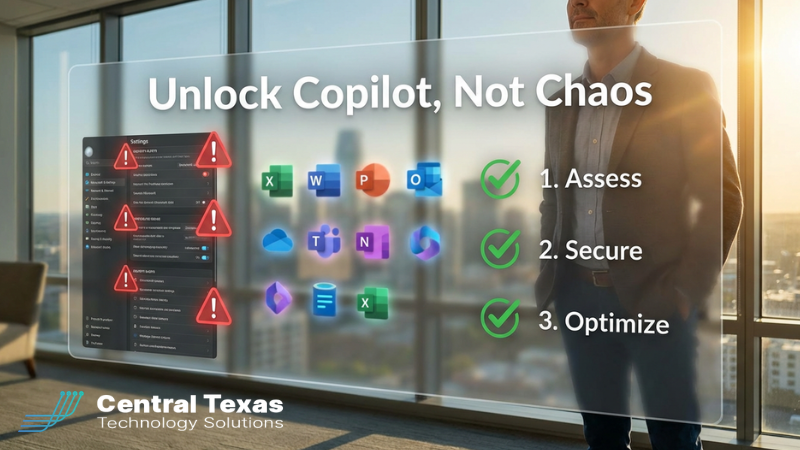
 Microsoft is pouring incredible innovation into Copilot and the broader Microsoft 365 ecosystem. For business leaders, especially here in Central Texas, it feels like the promise we’ve waited on for years:
- Emails summarized automatically.
- Meetings turned into action items.
- Documents drafted, updated, and organized with just a prompt.
- Data pulled together from across your tools so you can make decisions faster.
But there’s a problem most leaders don’t see coming.
If your Microsoft 365 tenant is messy, Copilot doesn’t just unlock productivity.
It can unlock chaos.
The Hidden Risk Behind the AI Hype
Recent research found that around 45% of large organizations have had security or compliance incidents tied to Microsoft 365 misconfigurations over the past year (source). That number should give every CEO, COO, and practice manager pause.
And that’s before adding powerful AI like Copilot into the mix.
Most businesses don’t wake up and decide to create a risky environment. It happens slowly over time:
- A SharePoint site created “just for a project” with broad access.
- A Teams channel spun up with external guests who never get removed.
- Old employees whose access wasn’t fully cleaned up.
- Third‑party apps connected into Microsoft 365 that no one really owns.
Individually, each shortcut is small. Together, they create a tenant where:
- Too many people can see too much data.
- No one is quite sure who has access to what.
- Policies exist on paper, not in actual configuration.
Now layer Copilot on top.
Copilot is designed to surface information users have access to so they can work faster. In a well‑designed environment, that’s fantastic. In a messy environment, it can unintentionally surface documents, emails, and data that someone technically has access to, but should never have seen in the first place.
That’s how an exciting AI rollout turns into a security, compliance, or even HR nightmare.
Meanwhile, Microsoft Is Pushing Forward Fast
Microsoft isn’t slowing down. With offerings like the newly announced Microsoft 365 E7 "frontier" suite, businesses can combine advanced security, identity, and Copilot‑powered AI in one powerful platform (source).
For Central Texas organizations, that can be a huge competitive advantage:
- Your team gets AI help in the tools they already use every day.
- Security features are stronger and more tightly integrated.
- You can automate more of the "busy work" that slows teams down.
But there’s a catch: these benefits only show up when the environment underneath is healthy.
Character: The Central Texas Leader Caught in the Middle
If you lead a business in Austin, Georgetown, Round Rock, Temple, or anywhere in Central Texas, you’re probably feeling the tension:
- On one side, you’re hearing about AI everywhere - competitors, vendors, media, maybe even your board.
- On the other, your team is already stretched thin just keeping systems running and tickets answered.
You want the upside of AI and Copilot.
You do not want to expose your company, your people, or your clients to unnecessary risk.
That tension is real. And you’re not alone.
CTTS as Your Local Guide
This is where having a local, experienced IT partner makes all the difference.
At CTTS, we work with Central Texas businesses that:
- Depend on Microsoft 365 every day.
- Can’t afford extended downtime from an outage or a breach.
- Need practical, business‑focused guidance, not hype.
We’ve seen what happens when organizations rush into new tools without cleaning up the foundation. We’ve also seen the payoff when leaders slow down just enough to put a simple plan in place first.
That’s why we use a straightforward 3‑step approach.
A Simple 3‑Step Plan: Assess, Secure, Optimize
1. Assess – Get the truth about your tenant.
We start with a structured review of your Microsoft 365 environment:
- Who has access to what?
- Where is data overshared?
- Which legacy settings, forwarding rules, or guest accounts are quietly increasing risk?
- Are your current policies actually enforced in the admin center?
This isn’t about blame. It’s about clarity. You can’t fix what you can’t see.
2. Secure – Close the gaps without breaking the business.
Next, we prioritize and fix the riskiest issues:
- Tighten sharing and permissions so the right people see the right data.
- Remove or limit old guest access and unused integrations.
- Align security settings with how your team really works (not just how the manual says it should work).
The goal is a tenant that’s safer and still usable. Security that constantly gets in the way doesn’t last.
3. Optimize – Roll out Copilot and AI with intention.
Only once the foundation is solid do we help you:
- Identify the best Copilot use cases for your team (email, documents, meetings, reporting, etc.).
- Train key leaders and early adopters on how to use Copilot effectively.
- Put guardrails in place so you can measure results and expand safely over time.
Instead of a random experiment, you get an intentional rollout that your leadership team can stand behind.
What Success Looks Like
When Central Texas businesses take this approach, a few things start to happen:
- Leaders feel more confident saying yes to AI initiatives.
- Employees feel empowered, not anxious, about new tools.
- Security and compliance conversations shift from fear to stewardship.
- IT stops being the department of “no” and becomes a strategic partner.
In other words, you truly unlock Copilot, not chaos.
Your Next Step
If you’re in Central Texas and:
- You’re paying for Microsoft 365 and considering Copilot, or
- You’ve already turned on Copilot but aren’t sure how safe your environment really is,
now is the time to get clarity.
Reach out to CTTS for a Copilot Readiness Review. We’ll walk through where you are today, where you want to go, and what needs to be cleaned up along the way.
You don’t have to choose between innovation and security.
With the right guide and a simple plan, you can have both.
Frequently Asked Questions About Microsoft Copilot
1. Is Microsoft 365 Copilot safe to use in my business environment?
Copilot is safe when your Microsoft 365 environment is properly configured. The risk comes from misconfigured permissions, overshared files, and outdated access settings. Copilot surfaces information users already have access to, so if your environment is not secure, it can unintentionally expose sensitive data. A readiness assessment ensures your system is safe before rolling out AI.
2. How do I know if my Microsoft 365 tenant is “messy” or misconfigured?
Many businesses do not realize their environment has issues until a problem occurs. Signs of a messy tenant include excessive file sharing, unknown guest users, outdated employee access, and unclear ownership of apps or data. A structured review of permissions, policies, and integrations can quickly identify these risks and give you a clear path forward.
3. What should I do before turning on Copilot for my team?
Before enabling Copilot, it is important to assess your current setup, secure any gaps, and then roll out AI intentionally. This includes tightening permissions, removing unnecessary access, and aligning security settings with how your team actually works. Once your foundation is solid, you can introduce Copilot in a way that improves productivity without increasing risk.
Contact CTTS today for IT support and managed services in Austin, TX. Let us handle your IT so you can focus on growing your business. Visit CTTSonline.com or call us at (512) 388-5559 to get started!