
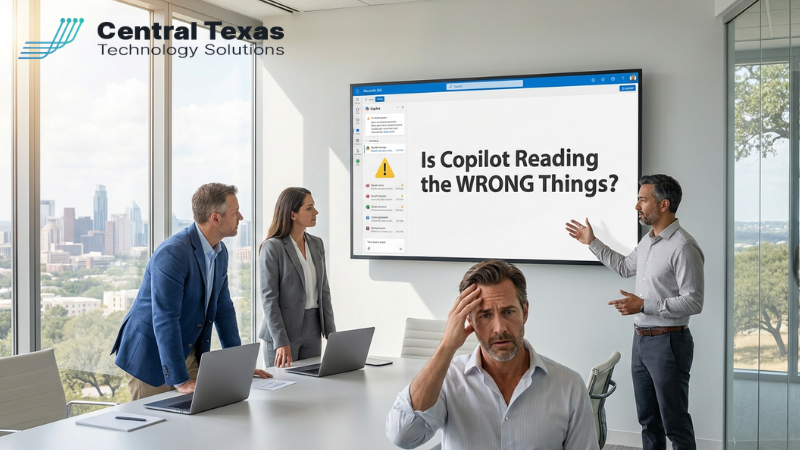
 A recent Microsoft Copilot bug quietly reminded business leaders of something uncomfortable: when you turn on AI inside your Microsoft 365 tenant, it doesn’t just see a few test documents.
It sees whatever your people can see.
In this case, Copilot was able to summarize emails that had been labeled “confidential” and surface that content for people who were never supposed to see it. Microsoft moved quickly to patch the issue, but the incident should be a wake‑up call for every business leader who has either turned on Copilot or is thinking about it.
The question isn’t just, “Is Copilot smart enough to help my team?”
The better question is, “Is Copilot reading the right things, for the right people, at the right time?”
For many small and mid‑sized businesses in Central Texas, the honest answer right now is: we don’t know.
The Real Problem Isn’t Copilot – It’s Your Tenant
AI tools like Microsoft Copilot are built to work on top of the permissions, files, and data you already have in Microsoft 365. That’s powerful… and dangerous.
If your tenant has:
- Old shared mailboxes that everyone still has access to
- “Temporary” folders full of payroll exports or HR notes that never got cleaned up
- Overly broad permissions like “Everyone in the company” on SharePoint or Teams sites
…then Copilot can use all of that as fuel.
That means a well‑meaning employee could ask Copilot a perfectly reasonable question and get back an answer built from:
- HR performance notes
- Confidential salary information
- Client NDAs or legal language that was never meant for them
Copilot isn’t being malicious. It’s just doing what it was designed to do: use everything it’s allowed to see.
The problem is that, in a lot of environments, “allowed to see” and “should see” are not the same thing.
What’s at Stake for Central Texas Businesses
For Central Texas business owners, CEOs, and leaders, this isn’t a theoretical tech problem. It’s a business problem with very real consequences:
- Reputation: One screenshot of a Copilot answer that includes salary details or private HR comments can damage trust with your team overnight.
- Client Confidentiality: If your contracts promise to protect client data, but that data is being casually summarized by AI for the wrong user, you’re taking on legal and financial risk you didn’t sign up for.
- Regulatory Exposure: In regulated industries, an uncontrolled AI rollout can look a lot like a data leak to auditors or regulators.
- Team Trust: Your people need to know leadership is taking data privacy seriously, especially around pay, performance, and sensitive conversations.
The good news: you don’t have to choose between innovation and security.
You just need a plan.
How a Trusted IT Partner Turns Copilot From Risk to Advantage
At CTTS, we work with Central Texas businesses that want the benefits of AI without putting their reputation on the line. We approach Copilot rollouts the same way we’d approach handing a new leader a key to the building.
Here’s the StoryBrand‑style journey we walk clients through:
1. Character – You, the business leader
You’re leading a growing organization. You’re responsible for people, customers, and the bottom line. You don’t have time to become an AI expert, but you also can’t afford to ignore it.
2. Problem – Confusing risk around AI and data
You’re hearing about AI everywhere. Your team is curious. Vendors are pushing new features. But behind the excitement is a knot in your stomach: “What if this thing exposes something it shouldn’t?”
The external problem is the speed of change. The internal problem is that uneasy sense that your current Microsoft 365 setup may not be as tight as you’d like.
3. Guide – A local partner who’s been here before
As a Central Texas IT partner, CTTS has walked other leaders through security, cloud, and now AI transitions. Our job is not to sell you Copilot. Our job is to make sure, if you use it, it becomes a strategic advantage instead of a surprise headline.
You get a guide who understands both the technology and the business impact.
4. Plan – A clear, believable path
We keep the plan simple and actionable:
- Risk Snapshot – We start with a focused review of your Microsoft 365 environment. Who can see what? Where is sensitive data stored today? What permissions or shared locations are the biggest red flags?
- Secure & Govern – We tighten access, apply sensitivity labels, and put basic governance in place around HR, finance, and client data. The goal is to make sure “allowed to see” and “should see” finally line up.
- Safe Copilot Rollout – We help you turn on Copilot for the right people, with clear usage policies, short training sessions, and ongoing monitoring so you can spot issues early.
No buzzwords, no magic. Just clear steps.
5. Call to Action – Take the first small step
Rather than flipping the AI switch and hoping for the best, we invite leaders to start with a simple conversation and a quick risk check. In 20 minutes, you can understand whether Copilot is likely to help, hurt, or just confuse your team in its current state.
6. Success vs. Failure – The story you get to tell later
When you do this well, you get to tell a very different story:
- Your team saves time in email and documents.
- Leaders get faster access to the information they need.
- Sensitive data stays in the right hands.
- You can look your board, partners, and employees in the eye and say, “Yes, we’re using AI – and we’re doing it responsibly.”
When you skip the planning and governance, you end up reacting instead of leading. In that world, the next Copilot bug or misconfiguration doesn’t just create an IT ticket – it creates an HR issue, a legal issue, or a client‑trust problem.
Your Next Move
You don’t have to become a Copilot expert. You don’t have to read every AI headline. You just have to decide whether you’re going to be intentional about how AI touches your data and your people.
If you’re a Central Texas business leader and you’re wondering whether Copilot is reading the right things in your environment, let’s talk. A short risk conversation today can prevent a much harder conversation later.
Frequently Asked Questions
1. Can Microsoft Copilot access confidential data in my organization?
Yes, Microsoft Copilot can access any data that users already have permission to view within your Microsoft 365 environment. If permissions are too broad or not properly managed, Copilot may surface sensitive information like HR records, financial data, or client documents to the wrong people.
2. What risks should businesses consider before enabling Copilot?
Businesses should evaluate risks related to data exposure, client confidentiality, regulatory compliance, and internal trust. Without proper governance, Copilot can unintentionally share sensitive information, leading to legal issues, reputational damage, or employee concerns.
3. How can we safely implement Microsoft Copilot in our organization?
A safe rollout starts with reviewing your Microsoft 365 environment, tightening permissions, applying data governance policies, and training employees. Working with an experienced IT partner ensures Copilot is deployed strategically, so your business benefits from AI without increasing risk.
Contact CTTS today for IT support and managed services in Austin, TX. Let us handle your IT so you can focus on growing your business. Visit CTTSonline.com or call us at (512) 388-5559 to get started!