
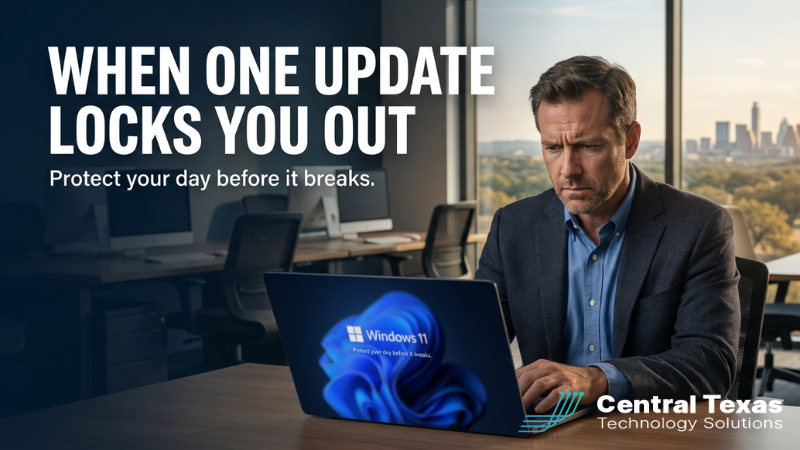
If your business runs on Microsoft 365 and Windows 11, the March 2026 update was a wake‑up call.
A cumulative Windows 11 update (KB5079473) rolled out on March 10. It was supposed to be routine. Instead, many users suddenly couldn’t sign into Microsoft accounts inside apps like Teams, OneDrive, and Microsoft 365 Copilot. They saw a message along the lines of, “You’ll need the Internet for this,” even though their connection was fine.
For the average home user, that’s frustrating.
For a Central Texas business that depends on Microsoft 365 and AI tools just to get through the day, it’s something else entirely.
Let’s unpack what this means for you as a business leader, and how to make sure a random patch never locks out your whole team again.
The Character: Central Texas Business Leaders Who Just Need Things to Work
Most of the business owners and leaders we serve across Central Texas don’t want to be Windows experts. They want:
- Email and Teams calls to work every time.
- Files to be available in OneDrive and SharePoint.
- Copilot and other AI helpers to pull up information fast.
- Their people serving customers instead of wrestling with error messages.
They’ve invested in Microsoft 365, modern hardware, and often new AI‑powered tools because they want speed, clarity, and reliability.
What they don’t want is to stay up at night wondering, “What if an update breaks everything tomorrow?”
The Problem: Hidden Risk in “Automatic” Updates
Updates are supposed to keep you safe and productive. They patch vulnerabilities, improve features, and enable new capabilities like Copilot Cowork and other agent‑style AI tools that can actually execute tasks for your team.
But automatic doesn’t mean risk‑free.
The recent Windows 11 update reminded us of three realities:
- One change in the wrong place can ripple through your whole stack.
- If Windows breaks account sign‑in, you lose access to Microsoft 365, Teams, OneDrive, and AI assistants in one shot.
- Most small and mid‑sized businesses don’t have a test environment.
- Updates roll out directly to production machines in the middle of the night. You find out something’s wrong at 8:00 AM when everyone is already on the clock.
- Downtime is more expensive than ever.
- When your people can’t reach files or apps, you lose billable hours, miss customer deadlines, and pile stress on your team.
There’s also an internal, emotional side to this problem: leaders feel out of control. An invisible process they don’t really understand can derail an entire day’s work.
The Guide: A Local IT Partner Who Has Seen This Movie Before
At CTTS, we’ve spent years helping Central Texas organizations ride out waves of Windows, Microsoft 365, and now AI‑driven change.
We’ve seen:
- Updates that quietly break line‑of‑business apps.
- Security patches that clash with legacy systems.
- Cloud outages and ISP issues that take down remote workers.
The good news is, there’s a reliable, repeatable way to reduce the risk without falling behind on updates.
Our role is simple: be the local guide who knows the trail, the weather, and the escape routes – so you don’t get stranded halfway up the mountain.
The Plan: An Approach to Safer Updates and Less Downtime
Here’s the high‑level plan we walk clients through:
- Assess how updates happen today.
-
We look at:
- Which versions of Windows and Microsoft 365 you’re running.
- How and when updates are applied now.
- Which systems are “mission‑critical” versus flexible.
- Build a staged, tested update process.
-
Instead of letting updates hit everyone at once, we:
- Create a small test group of machines.
- Apply new Windows and 365 updates to that group first.
- Watch for sign‑in issues, app conflicts, or performance hits before anything goes wide.
- Put continuity and rollback options in place.
-
If an update still misbehaves, we:
- Have documented steps to roll it back or work around it.
- Make sure people can temporarily reach key apps and data from alternate devices or paths.
- Communicate clearly with your team so they know what’s happening and what to do.
This isn’t about never having problems.
It’s about never being surprised and never being stuck without a plan.
The Stakes: What Happens If You Ignore This
If you keep running on “auto‑pilot” updates with no strategy, here’s what’s at risk:
- Lost productivity: Hours or days where your people can’t access Microsoft 365 or Copilot.
- Customer impact: Missed deadlines, delayed quotes, and shaky confidence.
- Security gaps: Skipping or delaying updates entirely because you’re scared they might break something – which can leave known vulnerabilities unpatched.
- Stress on your team: Employees feel helpless when systems fail for reasons they don’t understand.
On the other hand, when you put a solid plan in place, you get:
- Predictable, safer updates instead of surprises.
- Faster recovery times when something does go wrong.
- More value from AI and cloud tools because they’re available when you need them most.
- Peace of mind knowing someone local is watching your environment and staying ahead of the next “surprise update.”
The Call to Action: Don’t Wait for the Next Bad Patch
If this most recent Windows 11 update story made you think, “That could easily happen to us,” you’re not alone.
The businesses that come through incidents like this the best are the ones that prepare before it’s urgent.
If you’re a Central Texas business leader and you’d like a second set of eyes on how your updates are handled today, we’d be glad to help.
👉 Next step: Reach out to CTTS for a quick update and continuity review. We’ll walk through your current setup, identify where you’re exposed, and map out practical changes you can make in the next 30–60 days.
So when the next big Windows or Microsoft 365 update rolls out, or the next generation of AI tools lands, your business isn’t at the mercy of a random patch.
You’re ready, resilient, and still open for business.
Frequently Asked Questions
1. Why can a simple Windows update disrupt access to Microsoft 365 apps like Teams and OneDrive?
A Windows update can impact core authentication services that Microsoft 365 relies on. When sign-in processes are affected, users may suddenly lose access to apps like Teams, OneDrive, and Copilot, even if their internet connection is working properly.
2. How can businesses prevent updates from causing widespread downtime?
The most effective approach is to avoid pushing updates to every device at once. Instead, businesses should use a staged rollout process, test updates on a small group of systems first, and monitor for issues before deploying them company-wide.
3. What should a business do if an update breaks critical systems?
Businesses should have a continuity and rollback plan in place. This includes the ability to reverse updates, provide alternative access to key systems, and clearly communicate with employees so work can continue with minimal disruption.
Contact CTTS today for IT support and managed services in Austin, TX. Let us handle your IT so you can focus on growing your business. Visit CTTSonline.com or call us at (512) 388-5559 to get started!