
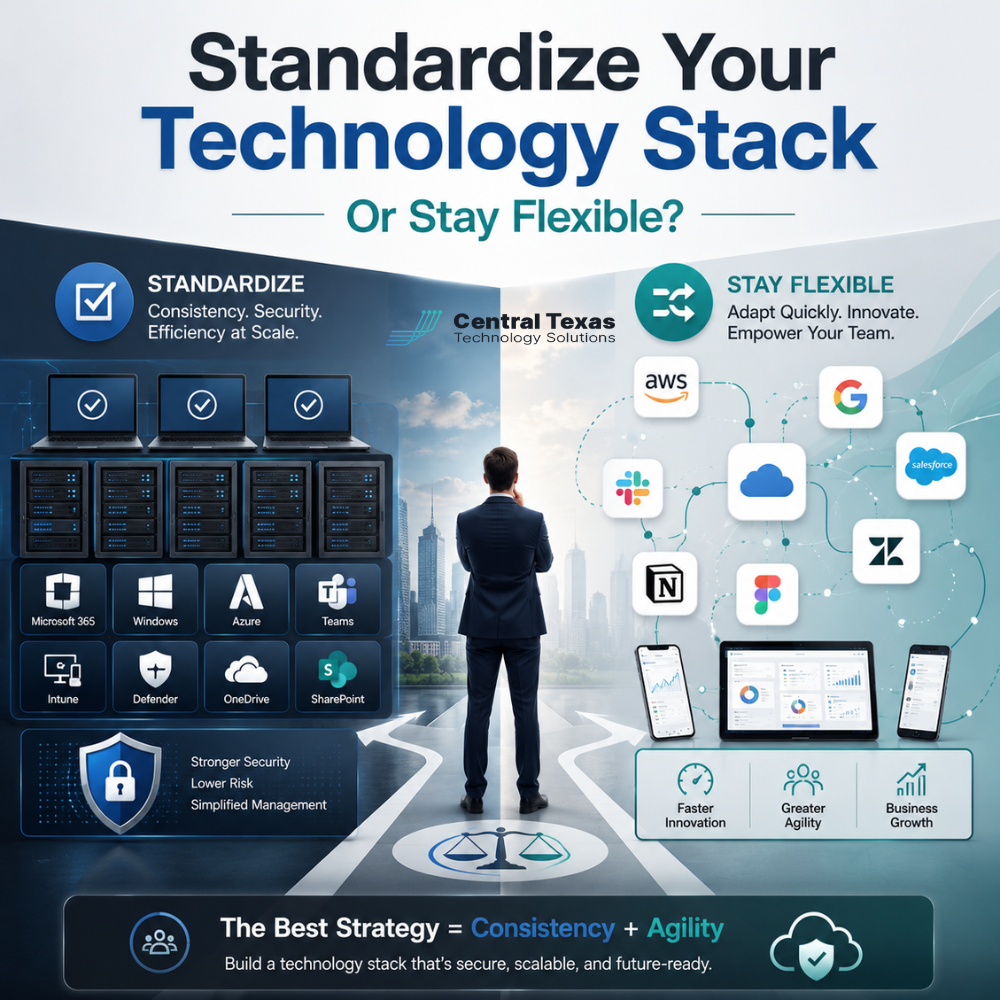
Technology should help your business move faster, serve customers better, and reduce risk. But for many growing companies, the opposite happens.
One team uses one software tool. Another department uses something different. A former employee set up a system no one fully understands. Devices were purchased as needed. Cloud apps were added without a clear plan. Before long, your technology stack becomes a patchwork of tools, logins, licenses, vendors, devices, and security gaps.
For business leaders in Austin, Round Rock, Georgetown, and Cedar Park, this creates a real question:
Should you standardize your technology stack, or should you stay flexible?
The answer is not always one or the other. The best approach is to standardize where consistency protects your business, while staying flexible where innovation and department-specific needs matter.
For organizations in healthcare, legal, professional services, construction, manufacturing, and nonprofits, the right technology strategy can improve security, productivity, compliance, and long-term growth.
What Is a Technology Stack?
Your technology stack is the collection of tools, systems, platforms, devices, and applications your business depends on every day.
This may include:
- Computers and mobile devices
- Microsoft 365 or Google Workspace
- Email and collaboration tools
- Cybersecurity platforms
- Cloud storage
- Backup and disaster recovery tools
- Line-of-business software
- Accounting and project management systems
- Phone systems
- Network equipment
- Help desk and remote support tools
When these tools work well together, your team can operate with confidence. When they are disconnected, outdated, or poorly managed, your business becomes harder to support and easier to disrupt.
Why Technology Stack Standardization Matters
Standardizing your technology stack means creating consistency across your business. Instead of every department choosing its own tools, your company uses approved systems that are easier to manage, secure, support, and scale.
This does not mean every employee must use the exact same software for every task. It means your core technology foundation is intentional.
For example, a healthcare practice may need secure communication tools that support compliance. A law firm may need reliable document storage and access controls. A construction company may need mobile-friendly systems for field teams. A manufacturer may need stable network infrastructure to keep operations moving. A nonprofit may need cost-effective tools that protect donor data. A professional services firm may need secure collaboration for client files and remote teams.
In each case, standardization helps reduce unnecessary complexity.
The Business Risks of Too Much Technology Flexibility
Flexibility sounds positive. In many ways, it is. Your team needs tools that fit their work. The problem happens when flexibility turns into technology sprawl.
Technology sprawl creates risks such as:
- Duplicate software costs
- Unused licenses
- Weak access controls
- Inconsistent cybersecurity protection
- Poor documentation
- Confusing support processes
- Data stored in too many places
- Increased downtime
- Harder employee onboarding and offboarding
One of the biggest risks is security. When employees or departments choose tools without IT oversight, your business may lose visibility into where sensitive data is stored, who has access, and whether the system is properly protected.
That can be a major issue for businesses that handle client, patient, financial, legal, operational, or donor information.
When Standardizing Your Technology Stack Makes Sense
Standardization is especially important for the systems that keep your business secure, connected, and operational.
Most businesses should standardize areas such as:
- Email and productivity platforms
- Password management
- Multi-factor authentication
- Endpoint protection
- Backup and disaster recovery
- Device purchasing and setup
- Network equipment
- File storage and sharing
- User access policies
- Remote work tools
These are not just technical preferences. They directly affect business continuity.
If your team cannot access files, communicate with clients, protect sensitive data, or recover from an outage, your business suffers. A standardized foundation makes it easier to prevent problems before they interrupt your work.
That is where CTTS helps businesses move from reactive IT to proactive technology planning.
When Technology Flexibility Is Still Valuable
Standardization does not mean your business should become rigid.
Some departments need specialized tools. A construction company may need estimating or project management software. A healthcare organization may need specific practice management systems. A manufacturer may rely on production or inventory platforms. A legal team may need case management software. A nonprofit may use donor management tools. A professional services firm may need industry-specific client management software.
The goal is not to block these tools. The goal is to evaluate them properly.
Before adding new technology, your business should ask:
- Does this tool meet our security requirements?
- Who will manage access?
- Does it integrate with our existing systems?
- How will data be backed up?
- What happens if the vendor has an outage?
- Is there a clear business reason for using it?
- Can IT support it effectively?
Flexibility works best when it happens inside a clear technology strategy.
The Hidden Cost of an Unmanaged Technology Stack
Many businesses do not realize how expensive an unmanaged technology stack has become.
Costs can show up in several ways:
- Paying for duplicate tools that do the same thing
- Losing time because employees switch between too many systems
- Calling IT support more often because devices and apps are inconsistent
- Delaying projects because systems do not communicate well
- Increasing risk because old software is still connected to the business
- Struggling to onboard new employees quickly
- Making audits more difficult because documentation is incomplete
The biggest cost is often lost productivity.
When your team has to work around technology instead of through it, your business slows down. Over time, small inefficiencies become major obstacles to growth.
How Standardization Improves Cybersecurity
Cybersecurity becomes much harder when every tool, device, and user account is managed differently.
A standardized technology stack allows your IT partner to apply consistent security policies across your business. That may include:
- Multi-factor authentication
- Endpoint detection and response
- Device encryption
- Email filtering
- Secure cloud storage
- Patch management
- Access control
- Backup monitoring
- Security awareness training
For regulated or risk-sensitive industries, this matters even more. Healthcare organizations need to protect patient information. Legal firms need to safeguard confidential case files. Professional services firms need to protect client data. Construction and manufacturing companies need to protect operational systems. Nonprofits need to protect donor records and financial information.
The more consistent your environment is, the easier it is to monitor, secure, and support.
How CTTS Helps Businesses Standardize Without Losing Agility
CTTS helps Central Texas businesses build technology environments that are easier to manage, easier to secure, and better aligned with business goals.
Instead of forcing every organization into the same template, CTTS looks at how your business actually works. The goal is to create a smart technology foundation that supports your team without creating unnecessary limitations.
That may include:
- Reviewing your current tools, devices, vendors, and systems
- Identifying duplicate or outdated technology
- Creating a standard device and software policy
- Improving cybersecurity protections
- Aligning cloud tools with business workflows
- Building a better onboarding and offboarding process
- Documenting systems and access
- Creating a roadmap for upgrades and growth
The right IT strategy does not simply fix problems after they happen. It prevents problems, reduces complexity, and helps your business make better decisions.
Standardization vs. Flexibility: The Best Answer Is Strategic Balance
The best technology stack is not random, and it is not rigid.
Your business needs standardization for security, support, reliability, and cost control. You also need flexibility to choose the right tools for specific departments, roles, and industries.
The key is having a trusted IT partner who can help you make smart decisions before tools are purchased, users are added, or risks are introduced.
For growing businesses in Austin, Round Rock, Georgetown, Cedar Park, and across Central Texas, CTTS provides proactive Managed IT Services designed to keep your technology aligned with your business goals.
When your technology stack is planned well, your team can work with confidence. Your systems become easier to support. Your data becomes easier to protect. Your business becomes easier to grow.
Ready to Bring Clarity to Your Technology Stack?
If your business is relying on disconnected tools, inconsistent devices, or too many unmanaged platforms, CTTS can help you create a smarter plan.
Schedule a consultation with CTTS today to simplify your technology, strengthen your security, and build an IT foundation that supports your next stage of growth.
Frequently Asked Questions About Technology Stack Standardization
What does it mean to standardize a technology stack?
Standardizing a technology stack means creating consistency in the core systems, devices, software, and security tools your business uses. This makes your technology easier to manage, support, secure, and scale.
Can my business still use specialized software if we standardize our technology stack?
Yes. Standardization does not mean eliminating specialized tools. It means evaluating those tools carefully and making sure they fit your security, support, integration, and business requirements.
How do I know if my technology stack has become too complicated?
Your technology stack may be too complicated if you have duplicate software, inconsistent devices, unclear vendor ownership, frequent support issues, unused licenses, or data stored across too many disconnected platforms.
Contact CTTS today for IT support and managed services in Austin, TX. Let us handle your IT so you can focus on growing your business. Visit CTTSonline.com or call us at (512) 388-5559 to get started!
Explore these expert insights before making your next IT decision:
Managed IT Services vs Break Fix IT Support: Which Is Right for Your Business?
Local IT Support in Austin vs National IT Providers
In House IT vs Outsourced IT Support: Pros and Cons for Growing Companies
Microsoft 365 Support Through a Partner vs Doing It Yourself
Cloud First IT Consulting vs Traditional IT Infrastructure
Fully Managed IT vs Co Managed IT: Which Model Fits Your Business Best?
IT Generalists vs IT Specialists: What Does Your Business Really Need?