
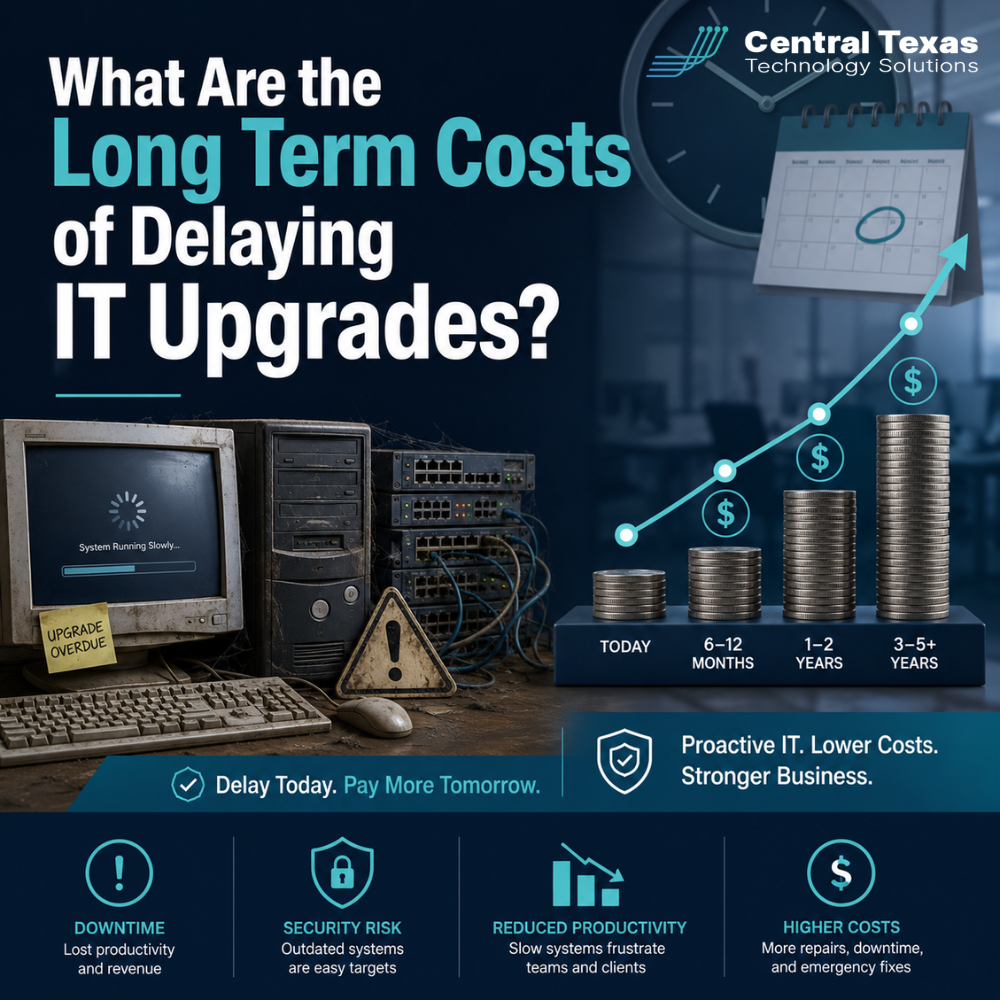
Technology upgrades are easy to postpone when everything seems to be working.
The computers still turn on. The software still opens. The network still connects most of the time. For many business leaders, that can make IT upgrades feel optional, especially when budgets are tight and other priorities seem more urgent.
But outdated technology has a way of becoming expensive at the worst possible time.
For businesses in Austin, Pflugerville, Georgetown, and across Central Texas, delaying IT upgrades can quietly increase risk, reduce productivity, create security gaps, and make future improvements more difficult. Whether you lead a healthcare practice, law firm, professional services company, construction business, manufacturing operation, or nonprofit, aging technology can hold your organization back long before it completely fails.
The real question is not, “Can we get one more year out of this system?”
The better question is, “What is this delay already costing us?”
Why Businesses Delay IT Upgrades
Most businesses do not delay IT upgrades because they are careless. They delay because the decision feels complicated.
Common reasons include:
- The current system appears to be “good enough”
- Leadership wants to avoid disruption
- The upgrade cost feels hard to justify
- Teams are too busy to manage a transition
- No one has clearly explained the business risk
- The company is relying on reactive IT support instead of a proactive technology plan
The problem is that technology rarely fails all at once. More often, it creates small daily frustrations that become normal.
Employees wait on slow computers. Staff find workarounds for outdated software. Security updates become harder to manage. Remote teams struggle with inconsistent access. Leadership loses visibility into systems that are no longer aligned with the way the business operates.
Those small issues add up.
The Hidden Productivity Cost of Outdated Technology
One of the biggest long term costs of delaying IT upgrades is lost productivity.
A slow workstation may only waste a few minutes at a time. A lagging application may only delay one task. A recurring printer, network, or login issue may seem minor. But across an entire team, those small interruptions can drain hours of productive work every week.
For a law firm, that can mean attorneys and staff lose billable time.
For a healthcare practice, it can slow down patient intake and documentation.
For a construction company, it can delay project coordination between the office and the field.
For a manufacturer, it can interrupt workflows that depend on reliable systems.
For a nonprofit, it can stretch an already limited team even thinner.
For professional services firms, it can impact client response times and service quality.
When technology slows your people down, your business pays for it twice. You pay for the employee’s time, and you lose the value of the work that could have been completed.
Delaying IT Upgrades Can Increase Cybersecurity Risk
Outdated systems are harder to protect.
Older computers, unsupported operating systems, legacy applications, and aging network equipment may not receive the same security updates as modern technology. That creates openings cybercriminals can exploit.
This is especially important for businesses that handle sensitive client, patient, financial, legal, employee, or donor information. Healthcare organizations have compliance obligations. Legal firms must protect confidential client data. Manufacturers may need to secure proprietary processes. Nonprofits must protect donor records. Construction and professional services companies often manage contracts, financial documents, and employee data.
A delayed upgrade can lead to:
- Missed security patches
- Unsupported software
- Weak endpoint protection
- Greater exposure to phishing and ransomware
- Poor access controls
- Compliance concerns
- Higher recovery costs after an incident
Many business leaders think cybersecurity is mainly about buying better tools. Tools matter, but they only work well when the technology foundation is current, monitored, and properly managed.
Old Systems Can Make Compliance More Difficult
Compliance is not just a concern for large corporations.
Businesses in healthcare, legal, finance, construction, manufacturing, professional services, and nonprofits often have requirements tied to data privacy, contracts, insurance, vendor relationships, or industry regulations.
When technology is outdated, compliance becomes harder to prove and maintain.
You may struggle to answer questions like:
- Are all devices patched and protected?
- Who has access to sensitive files?
- Are backups working and tested?
- Is data stored securely?
- Can we recover quickly after a disruption?
- Are former employees removed from systems?
- Are remote workers using approved tools?
If your IT environment is built on old systems and informal processes, audits and assessments become stressful. Instead of confidently showing that your systems are managed, secure, and documented, your team may have to scramble for answers.
That scramble costs time, creates risk, and can damage confidence with clients, partners, insurers, and regulators.
The Longer You Wait, the More Expensive Upgrades Become
Delaying upgrades may feel like saving money in the short term, but it often increases the final cost.
When upgrades are handled proactively, they can be planned in phases. Hardware can be refreshed on a schedule. Software can be evaluated before it becomes urgent. Employees can be trained before a major change. Budgets can be spread out more predictably.
When upgrades are delayed too long, businesses are often forced into rushed decisions.
That can lead to:
- Emergency hardware purchases
- Expensive downtime
- Compatibility problems
- Data migration issues
- Lost productivity during rushed rollouts
- Higher labor costs for urgent remediation
- Missed opportunities to choose better long term solutions
A business that waits until a server fails, a critical system becomes unsupported, or a cyber insurance renewal exposes major gaps usually has fewer options and less control over the timeline.
Proactive planning protects your budget because it gives you time to make smart decisions.
Outdated IT Can Limit Growth
Technology should support where your business is going, not just where it has been.
When companies grow, their technology needs change. More employees need secure access. More data needs to be protected. More locations may need to connect reliably. More clients may expect fast communication. More vendors and applications may need to integrate.
Old systems can make growth harder by creating bottlenecks.
For example:
- A healthcare practice may struggle to add providers or locations because systems are not standardized.
- A law firm may outgrow its file storage and permissions structure.
- A professional services company may lose efficiency because teams are using disconnected tools.
- A construction firm may need better mobile access for field teams.
- A manufacturer may need more reliable systems to support production and inventory.
- A nonprofit may need better donor management, collaboration, and security without adding unnecessary complexity.
Growth creates pressure. If your technology is already fragile, growth can expose every weakness.
Delayed IT Upgrades Can Hurt Employee Morale
Employees notice when technology gets in the way of their work.
They may not always describe it as an IT strategy problem, but they feel the impact. Slow computers, unreliable systems, repeated login problems, clunky software, and poor remote access all create frustration.
Over time, that frustration can lead to lower morale and higher turnover.
Good employees want to do good work. When technology creates unnecessary obstacles, they may feel like the company is not investing in their success. In a competitive labor market, outdated tools can make it harder to retain productive team members and attract new ones.
Modern, reliable technology sends a clear message: your work matters, your time matters, and the business is serious about operating well.
Business Continuity Becomes Harder With Aging Systems
Every business needs a plan for disruption.
That could be a cyberattack, power outage, hardware failure, internet outage, accidental deletion, natural disaster, or vendor issue. The question is not whether something will go wrong. The question is how quickly your business can recover when it does.
Delayed upgrades can weaken business continuity in several ways:
- Backups may not cover all critical systems
- Recovery processes may be untested
- Old hardware may be difficult to replace
- Legacy software may not move easily to modern environments
- Documentation may be incomplete
- Remote access may not be secure or reliable
For Austin area businesses that depend on uptime, the cost of downtime can be significant. Missed appointments, delayed projects, lost production, frustrated clients, and interrupted revenue can quickly exceed the cost of the upgrade that was postponed.
The Risk of Reactive IT Support
One of the most common misconceptions about IT is that support should focus mainly on fixing things when they break.
That approach may seem practical, but it often leads to higher long term costs.
Reactive IT support waits for problems. Proactive IT management looks for risk before it becomes disruption.
A proactive IT partner helps your business:
- Create a technology roadmap
- Identify aging equipment before it fails
- Plan upgrades around business priorities
- Strengthen cybersecurity
- Improve backup and recovery
- Standardize tools and processes
- Support remote and hybrid teams
- Prepare for audits, growth, and system changes
CTTS helps businesses move away from last-minute IT decisions and toward a strategic plan that supports security, productivity, and business continuity.
How to Know When It's Time to Upgrade
Not every system needs to be replaced immediately. The key is knowing what needs attention, what can wait, and what creates real risk.
It may be time to consider IT upgrades if:
- Computers are slow or frequently crashing
- Software is outdated or unsupported
- Employees rely on workarounds
- Security updates are inconsistent
- Backups have not been tested
- Remote access is unreliable
- Your business has grown but your IT has not
- You are preparing for an audit or compliance review
- You have recurring downtime or support tickets
- Your current provider only responds when something breaks
An IT upgrade should not be a random purchase. It should be part of a clear business strategy.
The Better Path: Plan IT Upgrades Before They Become Emergencies
Delaying IT upgrades may feel safe because it avoids immediate cost and disruption. But the long term costs can be far greater.
Outdated technology can reduce productivity, increase cybersecurity risk, complicate compliance, frustrate employees, limit growth, and make recovery harder when something goes wrong.
CTTS helps Central Texas businesses take a proactive approach to IT planning. Instead of waiting for systems to fail, CTTS helps you understand your current environment, identify risk, prioritize upgrades, and align technology with your business goals.
For business leaders in healthcare, legal, professional services, construction, manufacturing, and nonprofits, the goal is not simply to have newer technology. The goal is to build a more secure, efficient, and resilient business.
If your systems are aging, your team is frustrated, or your business is growing faster than your technology can support, now is the time to take a closer look.
Schedule an IT Assessment With CTTS
Do not wait for outdated technology to become an expensive emergency.
Schedule a consultation with CTTS to review your current IT environment, identify hidden risks, and create a practical upgrade plan that supports your business goals.
Frequently Asked Questions About Delaying IT Upgrades
What are the biggest risks of delaying IT upgrades?
The biggest risks include cybersecurity vulnerabilities, productivity loss, system downtime, compliance gaps, higher emergency repair costs, and difficulty supporting business growth. These risks often build gradually, which makes them easy to overlook until they become expensive problems.
How often should a business review its technology?
Most businesses should review their technology environment at least once a year. Fast-growing companies, regulated industries, and organizations with remote or hybrid teams may need more frequent reviews to make sure systems remain secure, reliable, and aligned with business goals.
Are IT upgrades always expensive?
Not always. A proactive IT upgrade plan can spread costs over time and prioritize the most important needs first. The most expensive upgrades usually happen when businesses wait too long and are forced to make urgent changes after a failure, security issue, or compliance concern.
Contact CTTS today for IT support and managed services in Austin, TX. Let us handle your IT so you can focus on growing your business. Visit CTTSonline.com or call us at (512) 388-5559 to get started!
If you're evaluating IT providers, these resources will guide you:
Why Do Managed IT Service Prices Vary So Much Between Providers in Austin?
What Is Included in a Typical Per User IT Support Pricing Model?
How Do IT Support Contracts Work and What Should You Expect to Sign?
How Much Does IT Support Cost in Austin in 2026? A Real World Breakdown
Managed IT Services in Austin: What Are You Actually Paying For?
Is Outsourced IT Cheaper Than Hiring an In House IT Team?
Hidden Costs Businesses Miss When Choosing a Managed Services Provider
Why the Cheapest IT Support in Texas Often Costs You the Most