
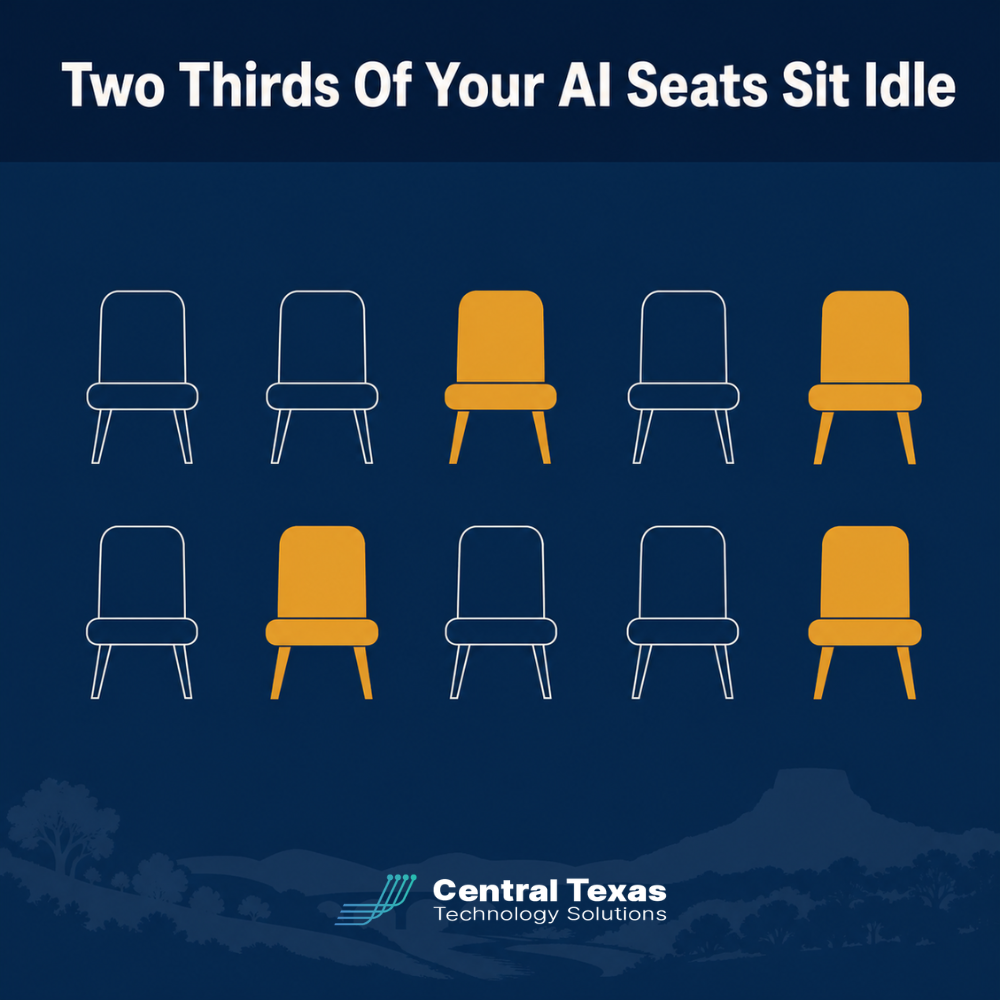
 In 2026, the cybersecurity companies Austin businesses trust are finding a new kind of waste sitting inside client networks: Microsoft Copilot licenses nobody uses. Central Texas companies are finally getting real answers about where that AI budget is going, and the answers are not flattering. Industry research now puts average enterprise Copilot adoption at roughly 36 percent, which means well over half of every dollar spent on AI seats sits idle. For a growing business in New Braunfels or Round Rock, that gap between what you bought and what your team actually opens is real money walking out the door every month, quietly, on autopilot, renewal after renewal.
Right-sizing your Copilot licenses means matching what you pay Microsoft each month to what your team genuinely uses, not what got purchased during last year's AI rush. For most Central Texas businesses, that means reviewing seat activity every quarter and reclaiming or reassigning any license nobody has opened in the past 30 days. The savings show up on the very next invoice, and the security review that goes with it closes gaps that unused accounts tend to leave open.
What's at Stake
Idle AI licenses cost real money every month and quietly widen your attack surface at the same time.
The numbers are not small. Recent industry data shows enterprises average just 35.8 percent weekly active use of paid Copilot seats, leaving nearly two thirds of licenses idle. On a modest 100 seat rollout at roughly 30 dollars a seat per month before the required Microsoft 365 base license is added in, that idle math alone can run tens of thousands of dollars a year. Some analyses put the fully loaded cost of an unused seat closer to 66 to 87 dollars a month once training, governance, and infrastructure are counted, and one widely cited example put a large enterprise's annual waste on unused seats in the millions of dollars. Only 16 percent of Copilot pilots ever reach full production use, according to Gartner research cited across multiple 2026 industry reports.
For a business owner, that is a budget problem. For the cybersecurity companies Austin businesses trust to protect their networks, it is also a security problem. Every unused license is often an unused or forgotten account, and forgotten accounts are exactly what attackers look for when they go hunting for a way into your systems. An account nobody logs into is an account nobody notices when something goes wrong with it, and that blind spot is precisely where credential theft and unauthorized access tend to hide the longest.
The two problems, wasted budget and expanded risk, share the same root cause: nobody is watching seat-level activity after the initial purchase. Fixing one tends to fix the other, which is why a license audit belongs in the same conversation as your security review, not a separate one that happens once a year if at all.
Why Central Texas Businesses Face This Challenge
Most owners in Austin, Georgetown, and Bastrop did not buy Copilot seats after a careful pilot. They bought them because a vendor, a board member, or a competitor made AI feel urgent, and the fastest path was to license everyone at once. That is an understandable decision under pressure, but it skips the step that actually determines whether the investment pays off: matching licenses to the people and workflows that will use them daily.
Without a plan for adoption, Copilot becomes another line item nobody reviews, sitting next to the software subscriptions your team stopped using two renewals ago. Small and midsize businesses with 10 to 250 employees rarely have a dedicated person whose job is to track seat level usage across Microsoft 365, so the waste compounds quietly until someone finally opens the invoice and asks hard questions.
This challenge hits growing companies hardest. A business scaling up in Central Texas is often adding staff, adding software, and adding AI tools all at once, and license hygiene is the first thing to slip when everyone is focused on growth. By the time anyone circles back to check who is actually using what, a full year of renewals may have passed, and the waste has become part of the baseline budget rather than a problem anyone questions.
How CTTS Helps You Right-Size AI Licensing
CTTS treats a Copilot license audit the same way we treat any other part of your Microsoft 365 environment: as both a cost question and a security question. Our team pulls actual usage data directly from your tenant, not guesses, and shows you exactly which seats are active, which are idle, and which belong to accounts that should have been offboarded months ago.
From there, we build a right sizing plan that reassigns active but unlicensed employees ahead of your next renewal, recommends reclaiming idle seats, and folds license review into the same quarterly cadence we already use for patching, backups, and access reviews. You get a clear number for what AI is actually costing you and a security posture that does not have loose accounts sitting around unused.
This is also part of the vCIO conversation we have with clients every quarter. Instead of treating AI spend as a mystery line item, we put it on the table next to your other technology costs so you can see, in plain numbers, whether the investment is earning its keep or quietly draining the budget.
Best Practices for Auditing Your Copilot License Spend
A quarterly license review catches waste and orphaned accounts before your Microsoft renewal locks in another year of overpaying.
How Do You Know If a Copilot License Is Actually Being Used?
You know a Copilot license is being used when Microsoft's own usage reports show regular weekly activity tied to that user, not just an assigned license. Admins can pull this directly from the Microsoft 365 admin center or ask their IT provider to run the report, and any account with no meaningful activity in 30 days is a strong candidate for reassignment.
What Counts as an Idle Seat?
An idle seat is a license assigned to a user who has opened Copilot rarely or never in a full billing cycle, not simply someone having a slow week. Most frameworks use 30 days of inactivity as the trigger point for review, which gives employees a fair runway while still catching waste before it compounds across multiple renewal cycles.
Reassign Before You Renew
The best time to fix license waste is a few weeks before your Microsoft renewal date, not after the invoice arrives. Moving an idle seat to an employee who has been asking for access costs you nothing extra and turns a wasted license into one that is finally paying for itself.
Build a Quarterly License Review Into Your IT Budget
Treat AI license spend the same way you treat any other recurring cost: review it on a schedule, not just when the bill feels high. A quarterly check tied to your existing IT and security reviews keeps waste from building back up between renewals, and it gives you a running record of adoption trends instead of a single snapshot.
Watch for Orphaned Accounts, Not Just Idle Ones
An idle seat tied to a departed employee is worse than ordinary waste because the account itself is a lingering security risk. Every offboarding checklist should include a step that confirms Copilot and other AI licenses were removed along with email and network access, so a former employee's credentials cannot become someone else's way in.
Take the Next Step
You don't need to guess whether your AI investment is paying off, and you do not need to wait for the next renewal notice to find out. Our Microsoft 365 management services page walks through how CTTS handles license and tenant health for Central Texas businesses, and our vCIO strategy services page covers how we turn technology spend into a plan instead of a pile of subscriptions. For an outside look at how analysts are tracking Copilot adoption industry wide, Gartner's research on AI pilot to production rates is a useful benchmark.
If you have not looked at your Copilot seat report since it was purchased, that is the fastest place to start. A short conversation with CTTS can tell you within days whether you are paying for licenses your team actually uses, and whether any of those idle accounts need to be closed for security reasons as much as budget ones.
Frequently Asked Questions
How much money do businesses typically waste on unused Copilot licenses?
Businesses with no active review process often see roughly two thirds of their Copilot seats sit idle, and depending on seat count and pricing tier that can mean tens of thousands of wasted dollars a year, even before governance and training costs are added in.
How often should we audit our Microsoft 365 AI licenses?
A quarterly review is enough for most Central Texas businesses, timed a few weeks ahead of your Microsoft renewal so idle seats can be reassigned or reclaimed before the next billing cycle locks in.
Does CTTS handle Copilot license audits along with regular IT support?
Yes. CTTS folds AI license review into the same Microsoft 365 management and security work we already do for clients, so you get one team tracking cost, adoption, and security together instead of three separate conversations.
Contact CTTS today for IT support and managed services in Austin, TX. Let us handle your IT so you can focus on growing your business. Visit CTTSonline.com or call us at (512) 388-5559 to get started!