
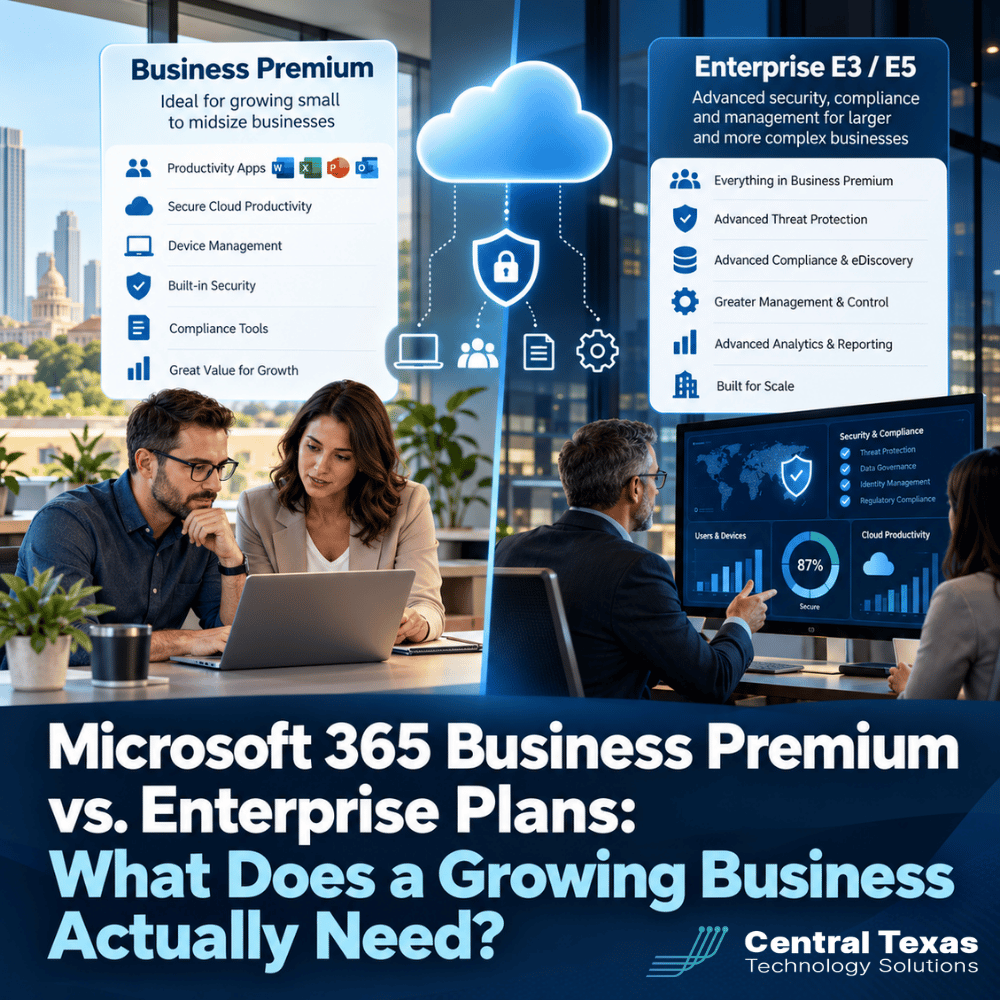
As your business grows, your technology needs become more complicated. You hire employees, add locations, manage more devices, and handle increasingly sensitive information. Eventually, someone asks whether your Microsoft 365 licensing is still the right fit.
For many businesses, Microsoft 365 Business Premium provides an excellent combination of productivity, security, and device management. But larger organizations or those with more demanding security and compliance requirements may need Microsoft 365 Enterprise plans.
The challenge is knowing when an upgrade makes sense.
Choosing the wrong plan can leave your business paying for features it never uses or, worse, operating without protections it actually needs. Understanding the differences between Microsoft 365 Business Premium and Enterprise plans helps you make licensing decisions based on business needs rather than assumptions about company size.
What Is Microsoft 365 Business Premium, and Who Is It For?
Microsoft 365 Business Premium is designed for small and midsize organizations that need more than email, Word, Excel, and Teams. It combines everyday productivity tools with security and management capabilities that help businesses protect employees, devices, and company information.
Business Premium includes:
- Microsoft 365 applications: Word, Excel, PowerPoint, Outlook, and other familiar tools.
- Business email and collaboration: Exchange Online, SharePoint, OneDrive, and Teams, depending on the subscription offering.
- Microsoft Defender for Business: Protection against malware, ransomware, and suspicious activity on computers and other supported devices.
- Microsoft Intune: Centralized management of company computers, smartphones, and tablets.
- Microsoft Entra ID P1: Identity management and Conditional Access policies that help control who can access company systems.
- Microsoft Defender for Office 365 Plan 1: Additional protection against malicious links, attachments, and phishing attempts.
These capabilities make Business Premium a strong starting point for companies that want to improve security without purchasing multiple separate products. Consider a 75-person professional services firm with employees working in Austin, Round Rock, and remotely. Business Premium can provide the tools needed to manage devices, protect email, and enforce access policies across the organization.
The important distinction is that these protections must be configured and managed. Simply purchasing Business Premium does not automatically make a business secure.
Microsoft 365 Business Premium vs. Enterprise E3 and E5
Microsoft offers several Enterprise licensing options, but Microsoft 365 E3 and E5 are two of the most common plans businesses evaluate as they grow. Here is a practical comparison.
| Capability | Business Premium | Microsoft 365 E3 | Microsoft 365 E5 |
|---|---|---|---|
| Microsoft 365 productivity apps | Included | Included | Included |
| Maximum Business plan seats | 300 combined | No Business plan seat cap | No Business plan seat cap |
| Device management with Intune | Included | Included | Included |
| Conditional Access | Included | Included | Included |
| Endpoint protection | Defender for Business | Defender for Endpoint P1 | Defender for Endpoint P2 |
| Email threat protection | Defender for Office 365 P1 | Additional license generally needed | Defender for Office 365 P2 |
| Advanced identity risk protection | Additional licensing | Additional licensing | Included |
| Advanced compliance and investigation tools | Limited or add-ons | Expanded, with add-ons available | Extensive |
Comparison reflects core plan capabilities. Specific features, Teams availability, and add-on eligibility can vary by agreement and subscription.
One important point often gets overlooked: Microsoft 365 E3 is not automatically an upgrade in every security category.
Business Premium includes certain email security capabilities that E3 does not include by default. Moving to E3 without reviewing those differences could create an unexpected security gap.
That is why comparing license names or monthly prices is not enough.
When Does a Growing Business Outgrow Microsoft 365 Business Premium?
There are several situations where an organization should evaluate Enterprise licensing.
1. Your organization approaches 300 users
Microsoft's Business licensing family has a combined limit of 300 provisioned seats across Business Basic, Business Standard, and Business Premium. A company approaching that limit should begin planning its next licensing strategy before expansion creates complications. However, reaching 300 users does not necessarily mean every employee must immediately receive the same Enterprise license. Microsoft supports mixing eligible Business and Enterprise subscriptions within an organization.
2. Your security requirements become more demanding
A manufacturing company with multiple facilities may need advanced threat investigation across hundreds of devices. A healthcare organization may need more sophisticated identity protection, security monitoring, and investigation capabilities. Microsoft 365 E5 provides advanced tools for these situations, including enhanced endpoint detection, identity risk capabilities, and broader security investigation features. But advanced tools only provide value when someone is responsible for using them.
3. Compliance requirements become more complex
Healthcare providers, law firms, financial professionals, and other organizations may have specific obligations involving data retention, audit trails, or electronic discovery. Microsoft 365 Enterprise plans can provide expanded capabilities through Microsoft Purview, particularly with E5 or eligible compliance add-ons. For example, a legal practice handling extensive electronic discovery requests may benefit from advanced search, preservation, and investigation tools. Licensing alone does not establish compliance with HIPAA, contractual requirements, or other regulations. Proper configuration, policies, training, and oversight remain essential.
4. Your IT operations require more sophisticated management
As organizations expand into additional offices or support remote employees, they may need more advanced administration, reporting, security integration, and governance. A growing construction company with office staff, project managers, and field personnel may also benefit from assigning different licenses based on actual job responsibilities. Enterprise licensing can support these requirements, but the decision should begin with an operational assessment rather than an assumption that a larger organization needs the most expensive plan.
Why Microsoft 365 Licensing Should Follow Your Security Strategy
One of the most common mistakes businesses make is treating Microsoft 365 licensing as a purchasing decision instead of a technology strategy.
The finance department compares monthly prices. Someone selects a plan. Employees receive accounts. But nobody asks whether the selected licenses support the company's security policies. That approach creates avoidable risks.
For example, a nonprofit organization may purchase Business Premium to improve security but never configure Conditional Access or device compliance requirements.
The organization is paying for capabilities that could reduce risk, yet those capabilities are not protecting its operations as intended. Before selecting licenses, business leaders should understand:
- What sensitive information does the organization store?
- Which employees need access to that information?
- Are company devices centrally managed?
- What happens when an employee leaves?
- Can the business investigate suspicious account activity?
- Are retention, audit, and recovery requirements documented?
These questions reveal the capabilities the business actually needs. They also help determine whether existing licenses are sufficient, additional security tools are appropriate, or an Enterprise upgrade would deliver meaningful benefits.
How CTTS Helps Central Texas Businesses Make Better Licensing Decisions
Businesses in Georgetown, Cedar Park, Leander, and throughout the Austin area need Microsoft 365 environments that support their operations without unnecessary expense.
At CTTS, we believe licensing decisions should begin with how your business works, the information it protects, and the risks it faces.
Our approach focuses on understanding your existing environment and identifying where licensing, configuration, or management changes can improve results. That includes evaluating employee roles, device management, identity protection, email security, and business continuity requirements. Sometimes the right answer is moving to Microsoft 365 E3 or E5. Other times, a business already has the tools it needs through Business Premium but is not taking full advantage of them.
The goal is not to sell more expensive licenses. It is to make sure your technology investment supports a secure, productive, and growing business.
Make Sure Your Microsoft 365 Licensing Fits Your Business
Your Microsoft 365 environment should help your business grow without introducing unnecessary costs or security risks. Whether you are approaching the Business Premium user limit, evaluating Enterprise licensing, or questioning whether your current subscriptions provide enough protection, CTTS can help you make an informed decision. Schedule a Microsoft 365 consultation with CTTS to review your licensing, security configuration, and business requirements.
Frequently Asked Questions About Microsoft 365 Business Premium and Enterprise
Is Microsoft 365 Business Premium secure enough for most small businesses?
Business Premium offers substantial security capabilities, including endpoint protection, email threat protection, device management, and Conditional Access. For many small and midsize businesses, it can provide a strong security foundation. However, those tools must be properly configured, monitored, and maintained. Businesses with specialized compliance or advanced investigation requirements may need additional licensing or services.
Can a business use Microsoft 365 Business Premium and Enterprise licenses together?
Yes. Microsoft allows organizations to combine eligible Business and Enterprise subscriptions. This can be useful when different employees have different security, productivity, or compliance requirements. However, organizations must consider the combined 300-seat limit for Business family licenses and verify that security policies and shared capabilities are properly licensed across the environment.
Is Microsoft 365 E5 worth the additional cost?
E5 can be worthwhile for organizations that need advanced security monitoring, identity protection, compliance tools, and investigation capabilities. However, not every business needs those features for every employee. An assessment of existing licenses, business risks, and operational requirements can help determine whether E5, E3 with add-ons, or Business Premium provides the best value.
Contact CTTS today for IT support and managed services in Austin, TX. Let us handle your IT so you can focus on growing your business. Visit CTTSonline.com or call us at (512) 388-5559 to get started!