
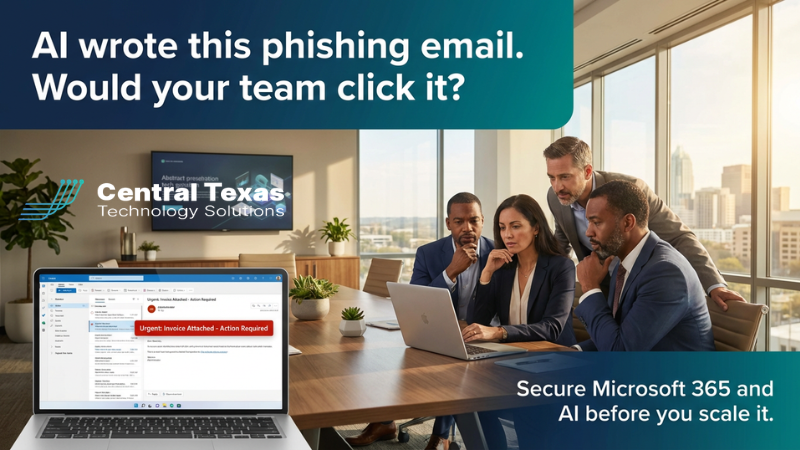
 Last week, an accounts payable manager at a mid‑sized business opened an email that looked perfect.
The logo matched one of their regular vendors. The writing was polished and professional. The sender’s name was familiar. The invoice number even lined up with recent orders.
There was just one problem:
The email, and the invoice, were completely fake.
Behind the scenes, an attacker had used AI to generate a convincing phishing email, clone branding, and personalize the message based on publicly available data. One click could have sent thousands of dollars to a criminal’s account or installed malware across the network.
Stories like this aren’t rare anymore. They’re becoming the norm.
A recent report from Kaseya found that 83% of phishing emails are now AI‑generated, and those messages are getting over 4x more clicks than the old, error‑filled scams we used to joke about. Attackers are using the same AI tools that legitimate businesses use, just pointed in the opposite direction.
At the same time, Microsoft 365 and tools like Copilot are transforming the way Central Texas businesses work. Leaders are leaning into automation, faster communication, and easier access to data so their teams can do more with less.
That combination, more AI, more data in the cloud, and more automation, creates a new kind of risk.
The New Face of Phishing
For years, training employees to spot phishing emails was relatively straightforward. Look for bad grammar, strange formatting, and obvious red flags. If it felt off, it probably was.
AI changed that playbook.
Modern phishing emails can:
- Use perfect grammar and natural‑sounding language
- Reference real vendors, executives, and recent activity
- Mimic the look and feel of Microsoft 365, banks, shipping providers, and more
To a busy employee scanning their inbox between meetings, these messages feel normal. That’s exactly what attackers are counting on.
Why Microsoft 365 and AI Make You a Bigger Target
If you’re like many businesses in Central Texas, Microsoft 365 is where your work lives:
- Email and calendars in Outlook
- Files in SharePoint and OneDrive
- Collaboration in Teams
- Data feeding into Power BI and line‑of‑business apps
Add Copilot or other AI assistants on top, and suddenly you have tools that can draft emails, summarize documents, and help people act faster.
That’s a huge productivity win—but only if your security keeps up.
When a phishing email slips through and someone clicks, attackers aren’t just getting into one workstation. They’re often getting into the system that touches everything: identities, files, communication, and sometimes even finance systems.
Texas is taking this seriously. The state recently launched the Texas Cyber Command, the largest state‑based cybersecurity department in the country, to help defend against rising threats.
If the state sees the risk, it’s wise for local businesses to do the same.
Common Gaps We See in Central Texas Businesses
When we sit down with business owners and leaders, we often find a similar pattern:
- Microsoft 365 was set up quickly by a vendor years ago and never revisited.
- Basic protections like multi‑factor authentication or conditional access are inconsistent.
- Employees had one round of security training - once.
- New AI tools and automations have been added without re‑evaluating security.
Individually, each gap might feel small. Together, they create an easy path for an AI‑powered phishing email to turn into a major incident.
A Simple Plan to Get Ahead of AI‑Powered Phishing
You don’t need to become a cybersecurity expert to protect your business, but you do need a clear plan. Here’s a straightforward approach we use with clients at CTTS:
- Review Your Microsoft 365 Security Posture
- Start with the basics: identity protection, email filtering, and access to sensitive data. Make sure multi‑factor authentication is enforced everywhere it should be, and that advanced phishing protection features are actually turned on and tuned for your environment.
- Run an AI‑Style Phishing Simulation
- Instead of lecturing your team about what might happen, show them. Send realistic test emails that mirror what attackers are using today, then review the results together. The goal isn’t to shame anyone—it’s to build awareness, confidence, and clear next steps.
- Build a Copilot‑Ready Security Roadmap
- As you roll out tools like Copilot, review which data they can access, who can use them, and how you’ll train staff. The right guardrails can help you get the productivity benefits of AI without opening doors you didn’t mean to.
What Happens If You Ignore the Problem
Doing nothing might feel easier in the short term. Everyone is busy. Budgets are tight. There’s always another project on the list.
But the reality is that AI isn’t going away—and neither are the attackers using it.
Ignoring the problem can mean:
- Costly wire fraud incidents
- Ransomware or data‑theft events that shut down operations
- Damage to hard‑earned customer trust
- Long nights and weekends for your leadership and IT teams
What Happens If You Take It Seriously
On the other hand, leaders who get ahead of AI‑powered phishing see a different story:
- Employees who pause and question suspicious requests
- Microsoft 365 environments that are tuned for both productivity and protection
- Confidence to adopt tools like Copilot without wondering what you might be exposing
Most importantly, they sleep better knowing they’ve done the wise thing for their people, customers, and community.
You Don’t Have to Figure This Out Alone
If you lead a business in Central Texas and you’re wondering whether your Microsoft 365 environment is ready for this new wave of AI‑driven attacks, you don’t have to guess.
At CTTS, we help local organizations secure their systems, train their teams, and build practical roadmaps for adopting tools like Copilot safely.
If you’d like a short, no‑pressure review of your Microsoft 365 security posture—and a look at how AI‑generated phishing might target your business—reach out and mention “AI PHISHING.” We’ll walk you through what we see, where the gaps are, and what to do next.
You’ve worked too hard to let one AI‑written email undo it.
Frequently Asked Questions
1. How has AI changed the way phishing attacks work?
AI has made phishing attacks far more convincing and harder to detect. Modern phishing emails now use perfect grammar, mimic trusted brands, and reference real business activity. This removes the traditional red flags employees were trained to spot, making it easier for attackers to trick even experienced professionals.
2. Why does using Microsoft 365 increase cybersecurity risk?
Microsoft 365 centralizes email, files, communication, and business data in one place. While this improves productivity, it also means that if an attacker gains access through a phishing email, they can potentially reach sensitive data, financial systems, and internal communications all at once.
3. What steps should businesses take to protect against AI-powered phishing?
Businesses should start by reviewing their Microsoft 365 security settings, enforcing multi-factor authentication, and enabling advanced phishing protections. Regular phishing simulations and employee training are also critical. As AI tools like Microsoft Copilot are introduced, companies should build a security roadmap to ensure data access and permissions are properly controlled.
Contact CTTS today for IT support and managed services in Austin, TX. Let us handle your IT so you can focus on growing your business. Visit CTTSonline.com or call us at (512) 388-5559 to get started!