
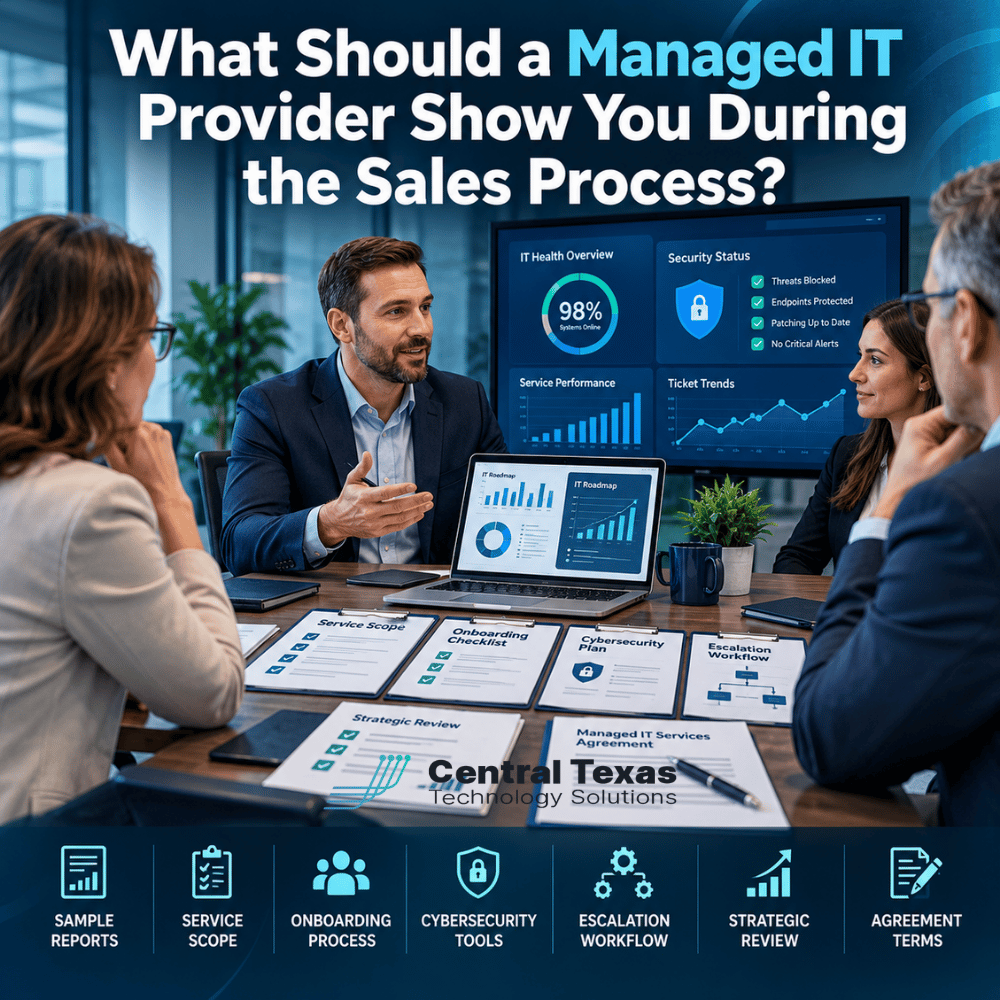
Choosing a managed IT provider is an important business decision. You're trusting another company to protect your data, support your employees, maintain your technology, and help prevent costly disruptions.
But how can you tell whether a provider can actually deliver what they're promising?
A polished sales presentation and a competitive monthly price aren't enough. Before signing an agreement, you should see evidence of how the provider operates, what services are included, and how they'll support your business when something goes wrong.
Whether you're evaluating managed IT services in Austin, Georgetown, Round Rock, or Cedar Park, a qualified provider should be willing to show you how they work before asking you to commit.
Here's what to request during the sales process and why each item matters.
1. Ask Your Managed IT Provider to Show You Sample Reports
One of the best ways to evaluate a managed IT provider is to ask what information you'll receive after becoming a client. You shouldn't have to wonder whether your systems are healthy, your security tools are working, or recurring problems are being addressed.
Ask to see examples of the reports they provide to existing clients, with confidential information removed. A useful managed IT report might include:
- System health: Server, workstation, and network performance.
- Security status: Threats detected, vulnerabilities identified, and remediation progress.
- Patch management: Updates installed and systems requiring attention.
- Backup monitoring: Backup success rates, failures, and recovery testing.
- Help desk performance: Ticket volume, response times, resolution trends, and recurring issues.
- Technology recommendations: Equipment approaching replacement and opportunities to improve operations.
Pay particular attention to how the provider explains the information. A report containing dozens of technical statistics isn't necessarily valuable. Business leaders need to understand what the numbers mean, which risks deserve attention, and what actions the IT provider recommends.
What to ask: "Can you show me an example of the reports we'll receive and explain how you use that information to improve our IT environment?"
A provider focused on prevention should be able to demonstrate how reporting leads to meaningful action.
2. Request a Clear Managed IT Service Scope
Not all managed IT agreements cover the same services. Two providers might offer similar monthly pricing while delivering dramatically different levels of support, cybersecurity protection, and strategic guidance. Before comparing prices, ask each provider to explain exactly what's included.
What should your managed IT agreement cover?
Request a written breakdown of:
- Remote help desk support and availability.
- Onsite technical support and any additional charges.
- Server, network, and workstation monitoring.
- Microsoft 365 administration and support.
- Cybersecurity services and security monitoring.
- Data backup and disaster recovery responsibilities.
- Software updates and patch management.
- Vendor coordination and third-party support.
- New employee setup and employee offboarding.
- Technology planning and consulting.
Also ask what's specifically excluded. For example, does the monthly agreement cover replacing a failed workstation? Is the hardware purchase separate from the labor required to install it? Are major projects billed separately?
Neither pricing approach is automatically wrong. The important thing is understanding your responsibilities before an unexpected expense appears.
At CTTS, we believe businesses should know exactly what they're purchasing. Clear expectations help prevent disagreements and make it easier to build a productive, long-term relationship.
3. Have the IT Provider Walk You Through Their Onboarding Process
Switching IT providers can feel risky, particularly when your employees depend on technology throughout the workday. A poorly managed transition can create unnecessary downtime, missed security settings, and confusion about where employees should request support. That's why onboarding deserves serious attention during the sales process. Ask the provider to walk you through the steps they'll take during your first 30 to 90 days.
What does a professional IT onboarding process include?
A well-organized onboarding plan should address several important areas.
- Initial discovery: The provider inventories your computers, servers, network equipment, software, cloud services, and existing security tools.
- Access and documentation: Administrative credentials, licensing information, vendor contacts, and network documentation are securely collected and verified.
- Security assessment: The provider identifies vulnerabilities, unsupported systems, missing protections, and other immediate concerns.
- Tool deployment: Monitoring, management, and security tools are installed and configured.
- Employee communication: Your team learns how to request assistance, report problems, and contact support.
- Transition coordination: The new provider works with your existing IT company or internal staff to reduce disruption.
Ask who will manage the transition and how progress will be communicated.
For a manufacturing company, even a brief interruption to production systems can be expensive. A healthcare practice may need to protect patient access and sensitive records throughout the transition. A strong onboarding process accounts for those business realities instead of treating every organization exactly the same.
4. Ask to See the Cybersecurity Tools and Protection Included
Cybersecurity is frequently mentioned in managed IT sales presentations, but the term can mean very different things. Some providers include basic antivirus software and call it comprehensive protection. Others deliver multiple layers of security designed to prevent, detect, investigate, and respond to threats.
Ask your prospective provider to explain its cybersecurity stack, meaning the collection of tools and services used to protect your business.
Key capabilities to discuss include:
| Cybersecurity Capability | What You Should Understand |
|---|---|
| Endpoint protection | How computers and servers are protected against malicious activity |
| Email security | How phishing, malicious attachments, and suspicious messages are addressed |
| Multifactor authentication | How additional verification protects employee accounts |
| Identity and access management | How access is controlled based on users, devices, and risk |
| Vulnerability management | How security weaknesses are identified and corrected |
| Security monitoring | Who investigates suspicious activity and when |
| Backup and recovery | How critical information can be restored after an incident |
| Security awareness training | How employees learn to recognize common threats |
The provider should explain which protections are included, which cost extra, and who responds when a security alert requires attention.
For legal firms and professional services companies, protecting confidential client information is essential. Nonprofits must also protect donor records, financial information, and employee accounts. What to ask: "If one of our employee accounts is compromised at 10 p.m., what happens next, and who's responsible for responding?" A credible provider should explain the process without relying on vague promises or technical jargon.
5. Understand Help Desk Support and Escalation Procedures
Most managed IT providers promise responsive technical support. But what happens when the first technician can't resolve your problem? That's where escalation procedures become important. An escalation process defines how unresolved or serious technical problems move to technicians with additional expertise, management, or specialized support teams.
During the sales process, ask the provider to explain:
- How employees submit support requests.
- How tickets are prioritized.
- What response times are included in the agreement.
- When an issue gets escalated to another technician.
- How critical outages are handled.
- Who communicates updates during extended incidents.
- How you reach management when a problem isn't being resolved.
Consider a construction company whose project management platform becomes unavailable during a busy workday. The company needs more than confirmation that a ticket was opened. It needs to know who's working on the problem, how serious it is, and when to expect another update.
Also distinguish between response time and resolution time. A provider might promise to respond within 30 minutes, but that doesn't mean every issue will be resolved within that period. Ask for clear definitions and realistic expectations.
6. Find Out How Strategic IT Reviews Work
A managed IT provider shouldn't only contact you when something breaks or an invoice is due. Your technology needs change as your company hires employees, expands locations, adopts new software, and faces new security risks. Regular strategic reviews help connect technology decisions with business priorities. These meetings are often called Quarterly Business Reviews (QBRs) or Technology Business Reviews (TBRs). Ask the provider to show you a sample meeting agenda or technology roadmap. A meaningful strategic review should address:
- Current technology performance and unresolved concerns.
- Cybersecurity risks and recommended improvements.
- Upcoming hardware and software replacements.
- Technology budgets and anticipated expenses.
- Business growth and staffing changes.
- Opportunities to improve productivity.
- Progress on previously agreed recommendations.
The most important question is whether the provider uses these meetings to make decisions or simply presents historical reports.
For example, a growing professional services firm may plan to open another office next year. Its IT provider should help evaluate connectivity, cloud access, equipment needs, security, and costs before the expansion. That's the difference between maintaining technology and helping a business plan for its future.
At CTTS, we view strategic technology planning as an essential part of a successful managed IT relationship.
7. Review Managed IT Agreement Terms Before Signing
Even when the technical services look excellent, the agreement deserves careful review. Don't assume every managed IT contract follows the same structure. Before signing, request a complete agreement and ask the provider to explain its important terms.
Pay particular attention to:
- Contract length: Is the agreement month-to-month, annual, or multi-year?
- Renewal provisions: Does the agreement automatically renew, and how much notice is required to cancel?
- Pricing adjustments: Can monthly fees increase during the agreement or at renewal?
- Covered devices and users: How are charges adjusted when your business adds or removes employees or equipment?
- Additional services: Which projects, hardware purchases, and specialized services require separate approval?
- Service commitments: What response times, support hours, and escalation procedures are contractually defined?
- Termination and transition: What happens to your documentation, administrative access, configurations, and business data if you change providers?
You should also understand how your business retains control of its technology assets and accounts. A trustworthy provider should be willing to explain these provisions and address concerns before the agreement is signed. The goal isn't to negotiate every possible risk out of existence. It's to establish a relationship where both parties understand their responsibilities.
Choose a Managed IT Provider That Can Demonstrate Its Value
You shouldn't have to sign a contract to discover how your IT provider operates. The right provider should be prepared to show you what you're buying, explain how your business will be protected, and demonstrate how its services support your goals.
At CTTS, we help businesses throughout Austin, Georgetown, Round Rock, Cedar Park, and Central Texas take a proactive approach to IT management, cybersecurity, and long-term technology planning.
If you're considering a new managed IT provider, we'd welcome the opportunity to discuss your needs, answer your questions, and explain how we approach supporting your business.
Schedule a consultation with CTTS today or call (512) 388-5559 to speak with our team.
Frequently Asked Questions About Choosing a Managed IT Provider
Should a managed IT provider offer a free assessment before giving a quote?
Many providers offer an initial consultation or preliminary assessment to understand your business and estimate service needs. A more detailed technical assessment may require additional access or carry a fee. The important thing is that pricing reflects your actual environment rather than an unsupported guess about your requirements.
Can I ask a managed IT provider for references from existing clients?
Yes. Ask for references from organizations with similar business needs, company sizes, or industries. When speaking with a reference, focus on communication, responsiveness, onboarding, and how the provider handles difficult situations. Keep in mind that providers must respect client confidentiality, and some clients may not be available to serve as references.
How many managed IT providers should I compare before deciding?
Comparing two or three qualified providers is often enough to identify meaningful differences. Evaluate each using the same questions about service scope, cybersecurity, onboarding, reporting, strategic planning, and agreement terms. A consistent evaluation process helps you avoid choosing a provider based primarily on the lowest monthly price.
Contact CTTS today for IT support and managed services in Austin, TX. Let us handle your IT so you can focus on growing your business. Visit CTTSonline.com or call us at (512) 388-5559 to get started!