
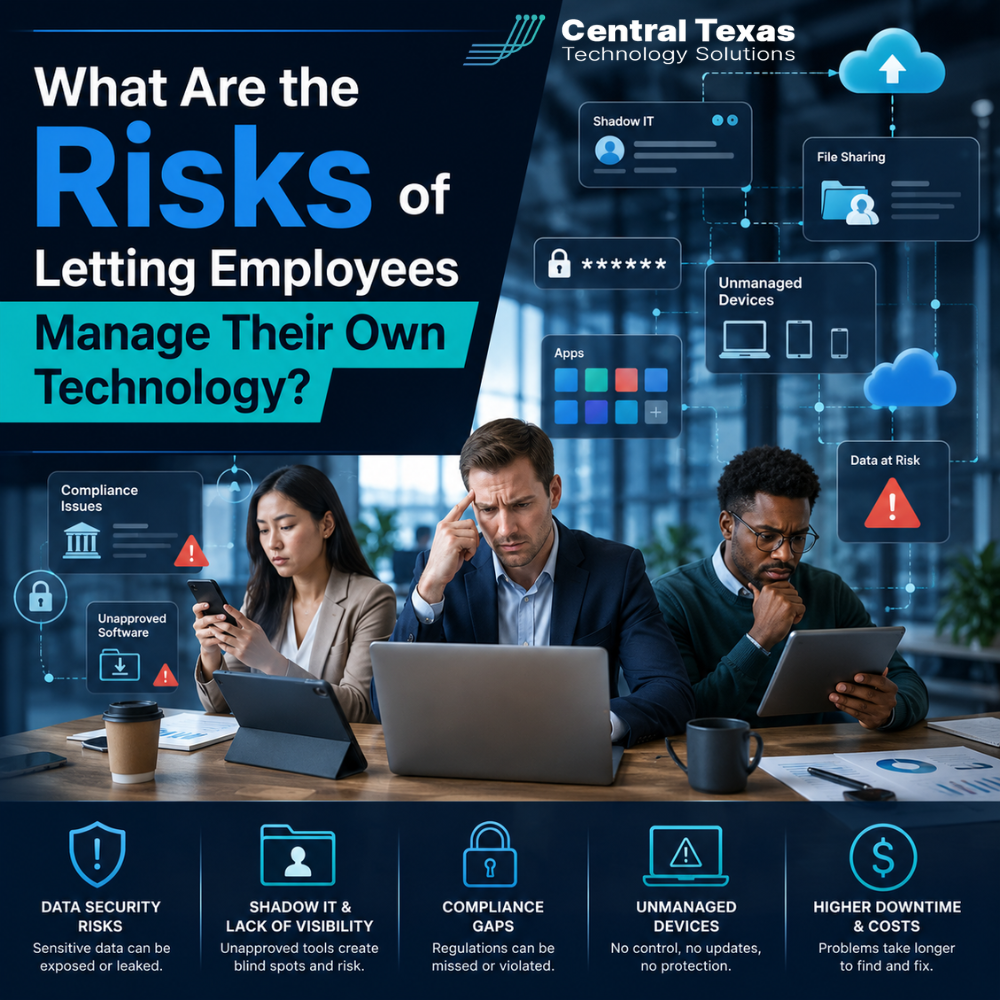
When a business is growing, technology decisions often happen fast.
One employee signs up for a project management tool. Another downloads an app to share files. A department starts using its own communication platform. Someone else stores passwords in a browser because it is convenient.
At first, this may feel harmless. Your team is trying to stay productive, solve problems, and keep work moving.
But when employees manage their own technology without oversight, your business can quickly lose control of its data, security, costs, and compliance.
For business leaders in Austin, especially in Healthcare, Legal, Professional Services, Construction, Manufacturing, and Nonprofits, this is more than an IT inconvenience. It can become a serious business risk.
The good news is that your team does not need to be slowed down by technology rules. They need a clear, secure, and well managed technology strategy that helps them work with confidence.
Why Employee Managed Technology Creates Hidden Business Risk
Most employees do not create technology problems on purpose.
They usually make decisions because they need a faster way to get work done. Maybe a file needs to be shared with a client. Maybe a team needs a better way to manage a project. Maybe someone is working from home and needs quick access to a system.
The problem is not that employees are trying to be productive.
The problem is that technology decisions made without IT oversight can create gaps the business cannot see.
These gaps may include:
- Unapproved software
- Weak password practices
- Sensitive files stored in personal accounts
- Lack of data backup
- Poor device security
- Duplicate software subscriptions
- Unknown access permissions
- Compliance issues
For a growing company in Austin, Round Rock, Georgetown, or Jarrell, one small shortcut can turn into a major operational problem.
The Security Risks of Letting Employees Choose Their Own Tools
Cybersecurity depends on visibility.
If your company does not know what tools your employees are using, where files are stored, or who has access to company data, it becomes much harder to protect the business.
Unapproved tools may not meet basic security standards. Some may lack multi-factor authentication. Others may not encrypt data properly. Some may store information in locations that violate client agreements or industry regulations.
This matters for every industry.
A Healthcare practice may expose protected patient information. A Legal firm may lose control of confidential client files. A Professional Services company may put financial or strategic data at risk. A Construction firm may lose access to project documents. A Manufacturing company may expose vendor or production information. A Nonprofit may put donor data in the wrong hands.
When employees manage technology on their own, your business may not discover the risk until something goes wrong.
Shadow IT Can Lead to Data Loss
Shadow IT refers to technology used inside a company without approval or management from the IT team.
It often includes cloud storage apps, messaging tools, personal email accounts, AI tools, file sharing platforms, browser extensions, or software purchased by individual departments.
The risk is simple. If your business does not control the tool, your business may not control the data.
For example, an employee may save important client files in a personal cloud account. If that employee leaves the company, your business may lose access to those files. If the account is hacked, your company may not even know data was exposed.
This can also create problems during audits, legal disputes, staff turnover, or system upgrades.
Business continuity depends on knowing where your data lives, who can access it, and how it can be recovered.
Employee Managed Technology Can Increase Compliance Problems
Compliance is not only a concern for large companies.
Businesses in Healthcare, Legal, Professional Services, Construction, Manufacturing, and Nonprofits often have requirements tied to data security, privacy, contracts, insurance, or financial controls.
When employees choose and manage their own technology, it becomes difficult to prove that your systems are secure and properly managed.
Common compliance concerns include:
- No clear access control
- No documentation of approved systems
- No consistent password policy
- No reliable data retention process
- No audit trail
- No backup verification
- No process for removing access when employees leave
This can create issues with cyber insurance, client requirements, legal obligations, and regulatory expectations.
A business may believe it is compliant because its core systems are secure. But one unapproved tool can create a weak point that undermines the entire environment.
Unmanaged Devices Create Another Layer of Risk
Employees often use personal laptops, tablets, or phones to access company systems.
This may seem convenient, especially for remote or hybrid teams. But unmanaged devices can create serious security concerns.
An unmanaged device may not have:
- Current security updates
- Business grade antivirus protection
- Encryption
- Strong password settings
- Remote wipe capability
- Secure access controls
- Proper backup protection
If a personal laptop is stolen, infected, or shared with family members, company data may be exposed.
For businesses in Austin and Central Texas, this is especially important as more teams work across offices, job sites, client locations, and home workspaces.
Your employees need flexibility, but that flexibility should not come at the cost of security.
Technology Costs Can Get Out of Control
Employee managed technology does not only create security risk. It can also waste money.
When departments buy their own software, businesses often end up with duplicate tools, unused licenses, overlapping subscriptions, and disconnected systems.
One team may use one project management app. Another team may use a different one. Multiple employees may purchase separate licenses for tools the business already owns.
Over time, this creates unnecessary spending and confusion.
It also makes it harder to answer basic questions like:
- What software are we paying for?
- Who is using each tool?
- Which tools are approved?
- Which licenses can be removed?
- Which platforms create security risk?
- Which systems should be standardized?
Technology should support business goals. It should not become a hidden expense that grows without oversight.
Poor Technology Management Hurts Productivity
Employees often choose their own tools because they want to work faster.
But without a consistent technology strategy, productivity can actually suffer.
Disconnected systems create extra steps. Employees waste time searching for files, moving information between platforms, or asking coworkers where something is stored. New employees struggle to learn unclear processes. Managers lose visibility into projects and workflows.
When technology is managed properly, your team has a clear path.
They know where to find information. They know which tools to use. They know how to request help. They know that systems are secure, supported, and aligned with the way the business works.
That clarity helps your team move faster with fewer mistakes.
Staff Turnover Becomes More Complicated
When employees manage their own technology, offboarding becomes risky.
If someone leaves the company, do you know every system they used? Do you know what files they had access to? Do you know whether they stored business data in personal accounts? Do you know whether shared passwords need to be changed?
Without centralized technology management, former employees may keep access longer than they should.
This can create security, legal, and operational problems.
A strong IT process makes onboarding and offboarding cleaner. New employees get the right access from day one. Departing employees have access removed quickly and completely. Company data stays with the company.
Why Business Leaders Should Not Treat IT as an Employee Preference
Technology decisions affect the whole business.
That means they should not be treated as individual preferences.
Employees can and should provide input. They know what slows them down. They understand daily workflows. They often have useful ideas for better tools.
But final technology decisions should be guided by a clear strategy.
The right approach balances:
- Employee productivity
- Cybersecurity
- Compliance
- Cost control
- Data protection
- Business continuity
- Long term scalability
This is where a proactive Managed IT partner can make a major difference.
How CTTS Helps Businesses Regain Control of Their Technology
CTTS helps businesses in Austin and across Central Texas move away from reactive, employee managed technology and toward a safer, more strategic approach.
Instead of waiting for problems to happen, CTTS helps identify risks before they disrupt your business.
That includes reviewing your current systems, identifying shadow IT, standardizing tools, improving access controls, securing devices, and aligning technology decisions with your business goals.
For growing businesses in Healthcare, Legal, Professional Services, Construction, Manufacturing, and Nonprofits, CTTS acts as a strategic partner, not just an IT provider.
The goal is not to make technology more complicated.
The goal is to make it easier for your team to work securely, efficiently, and confidently.
Practical Steps to Reduce Employee Managed Technology Risk
If your employees are already using tools outside your approved systems, start with visibility.
You do not need to shut everything down overnight. You need a clear plan.
Here are practical steps to begin:
- Create a list of all software and apps used across the company
- Identify where business files are stored
- Review who has access to sensitive data
- Require multi-factor authentication for key systems
- Establish an approved software policy
- Standardize file sharing and communication tools
- Secure company owned and personal devices
- Create a clear onboarding and offboarding process
- Review recurring software subscriptions
- Work with an IT partner to assess risk
The sooner you understand your technology environment, the easier it becomes to protect your business.
The Real Risk Is Not Knowing What You Do Not Know
Letting employees manage their own technology may feel flexible, but unmanaged flexibility creates risk.
Your business may be exposed to security threats, data loss, compliance issues, unnecessary costs, and productivity problems without realizing it.
You do not need to take control away from your team. You need to give them better systems, clearer guidance, and stronger protection.
CTTS helps Central Texas businesses build proactive technology strategies that support growth, reduce risk, and keep teams moving forward.
If you are unsure what tools your employees are using or whether your systems are properly protected, now is the right time to find out.
Schedule a consultation with CTTS today to review your technology environment and identify hidden risks before they become expensive problems.
Frequently Asked Questions About Employee Managed Technology
What is employee managed technology?
Employee managed technology refers to software, devices, apps, or online tools that employees choose, install, or use without approval or oversight from the business or IT provider. This may include cloud storage, communication apps, personal devices, browser extensions, or subscription tools.
Why is shadow IT dangerous for businesses?
Shadow IT is dangerous because it creates technology gaps your business may not know about. These gaps can expose sensitive data, increase cybersecurity risk, create compliance problems, and make it harder to recover files or remove access when employees leave.
How can a Managed IT provider help control employee technology use?
A Managed IT provider can help by assessing current tools, securing devices, standardizing approved software, improving access controls, monitoring systems, and creating policies that help employees work safely without slowing them down.
Contact CTTS today for IT support and managed services in Austin, TX. Let us handle your IT so you can focus on growing your business. Visit CTTSonline.com or call us at (512) 388-5559 to get started!
Make your next IT decision with confidence. Start with these insights:
What Happens When Businesses Wait Too Long to Fix Their IT Problems?
The Most Common IT Support Mistakes Austin Businesses Make
How Poor IT Network Support Puts Your Business at Risk
Why Ransomware Attacks Target Small and Mid Sized Texas Businesses