
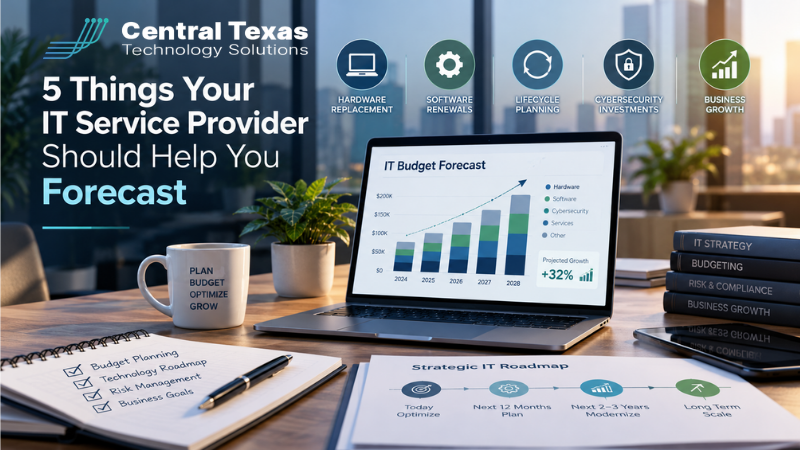
Planning next year's technology budget shouldn't feel like a guessing game. Yet many businesses find themselves estimating IT expenses without knowing which computers need replacing, which software licenses are renewing, or what unexpected costs might be around the corner.
Your IT service provider should be able to eliminate much of that uncertainty.
A proactive IT partner has valuable information about your equipment, software, recurring expenses, and potential technology risks. When that knowledge is combined with your business plans, you can create a more accurate budget and avoid costly surprises.
Here are five important things your IT service provider should help you forecast before you finalize your annual technology budget.
1. Which IT Equipment Is Approaching Replacement
Computers, servers, networking equipment, and other technology won't last forever. As equipment ages, performance can decline, maintenance costs can increase, and the likelihood of unexpected failures often grows.
Your IT service provider should maintain an accurate inventory of your technology assets, including their age, warranty status, performance history, and expected replacement timelines.
Rather than waiting for equipment to fail, your provider should help answer several important questions:
-
Which computers and servers are approaching the end of their useful lives?
-
Are any devices experiencing recurring performance problems?
-
Which warranties are expiring within the next 12 to 24 months?
-
Can certain equipment remain in service safely and reliably?
-
What should replacement equipment cost?
This information allows you to spread technology purchases across multiple budget periods instead of replacing everything at once.
For example, if your company purchased 20 computers during the same year, those devices may also reach their recommended replacement window around the same time. Planning ahead allows you to prioritize replacements based on employee needs, equipment condition, and available funds.
Businesses throughout Austin and Central Texas can benefit from this approach, especially when growth and hiring create additional demands on existing technology.
The goal isn't to replace equipment simply because it's getting older. It's to make informed decisions before aging technology becomes an operational problem.
2. Which Software and Systems Are Approaching End of Support
Just because software continues working doesn't mean it's safe or practical to keep using.
Technology manufacturers eventually discontinue support for older operating systems, applications, and hardware platforms. Once a product reaches its end-of-support date, the manufacturer may stop providing security patches, bug fixes, and technical assistance.
That creates risks for businesses that continue relying on outdated technology.
For example, Windows Server 2016 reaches the end of extended support on January 12, 2027. Microsoft Office 2021 reached the end of support on October 13, 2026.
Businesses still using these products should already be evaluating their replacement or upgrade options.
Your IT service provider should maintain a technology lifecycle calendar that identifies approaching support deadlines and recommends appropriate actions.
These recommendations might include upgrading operating systems, replacing incompatible hardware, migrating applications, or transitioning to supported cloud-based solutions.
For organizations handling sensitive information, outdated software can also create compliance concerns. Healthcare practices, law firms, and financial or other professional services businesses may face additional responsibilities related to protecting confidential records.
A proactive cybersecurity services strategy should account for these risks well before support ends.
An important budgeting principle is that technology can still function properly while becoming increasingly expensive or risky to maintain.
3. Which Technology Renewals and Subscription Costs Are Coming
Technology expenses extend well beyond purchasing computers and servers.
Most businesses now rely on recurring software subscriptions, cloud platforms, security tools, equipment warranties, and other services. These expenses may be billed monthly, annually, or through multiyear agreements.
Without a clear renewal calendar, businesses can easily overlook upcoming charges or miss opportunities to adjust services before contracts renew.
Your IT service provider should help maintain a consolidated view of recurring technology expenses, including:
-
Microsoft 365 and other productivity software licenses
-
Cybersecurity subscriptions and protection services
-
Cloud hosting and storage expenses
-
Backup and disaster recovery subscriptions
-
Hardware warranties and maintenance agreements
-
Business communications and phone services
Your provider should also identify known price increases, contract expiration dates, and opportunities to eliminate unnecessary licenses.
For example, a company may continue paying for software accounts assigned to former employees. Another may be maintaining multiple applications that perform essentially the same function.
Reviewing these expenses before renewal can uncover savings without sacrificing productivity or security.
Businesses using cloud computing services should pay particular attention to how storage, licensing, and usage changes can affect recurring costs.
For growing companies in Georgetown, having a predictable picture of technology subscriptions makes it easier to distinguish essential operating expenses from optional investments.
Your IT provider shouldn't simply remind you when something is due. They should help determine whether you're still getting appropriate value from what you're paying for.
4. Where Recurring IT Problems Could Become Larger Expenses
Some technology problems are relatively inexpensive to resolve individually but become costly when they happen repeatedly.
Consider a computer that requires frequent troubleshooting, a server that regularly slows down, or networking equipment that causes recurring connectivity problems.
Each incident may seem manageable. However, repeated support requests, employee downtime, and temporary repairs can eventually cost more than addressing the underlying problem.
Your IT service provider should analyze recurring issues and help identify where continued repairs no longer make financial sense.
This requires looking beyond the cost of individual support tickets.
For example, if employees regularly lose productivity because of an unreliable network, the real business expense includes more than technical labor. It also includes interrupted work, missed opportunities, and employee frustration.
A proactive provider should evaluate:
-
How frequently the same problems occur
-
How much time employees lose because of recurring issues
-
Whether temporary fixes are becoming more expensive
-
What a permanent solution would cost
-
How replacing or upgrading equipment could reduce future disruptions
This is one reason businesses benefit from ongoing managed network services rather than waiting until a major failure forces an expensive decision.
For businesses in Round Rock, manufacturing facilities, and construction companies that depend on reliable connectivity, even brief interruptions can affect daily operations.
The objective is to identify patterns early enough to budget for lasting improvements.
A good IT forecast accounts for the cost of continuing with unreliable technology, not just the price of replacing it.
5. How Your Business Growth Plans Will Change Technology Costs
Your IT service provider may understand your current technology environment, but they cannot accurately forecast future needs without understanding your business plans.
Hiring additional employees, opening another location, introducing new services, or changing how your team works can all affect technology spending.
Consider a business planning to hire five employees.
The budget may need to include more than five computers. Each new employee could also require Microsoft 365 licensing, cybersecurity protection, communications tools, access to business applications, and ongoing technical support.
Similarly, opening a second office may require network equipment, internet connectivity, wireless infrastructure, security systems, and additional support resources.
Your IT provider should participate in business planning discussions early enough to identify these expenses before commitments are made.
This is particularly important for organizations expanding into new markets or adding operational capabilities.
For example, a nonprofit opening an additional service location may need to account for new equipment, secure access to donor information, and connectivity between offices.
Businesses expanding in Cedar Park or elsewhere in Central Texas can benefit from discussing technology requirements before signing leases, purchasing equipment, or establishing hiring timelines.
Your provider should also help evaluate whether existing systems can accommodate growth or whether additional investments will be necessary.
Technology planning works best when it supports your business strategy instead of reacting to decisions after they've already been made.
How a Proactive IT Service Provider Makes Budgeting Easier
Forecasting these five areas requires more than reviewing last year's IT expenses.
It requires an ongoing understanding of your technology environment, your operational challenges, and your business objectives.
A strategic IT partner should bring that information together through regular technology reviews and planning discussions.
At CTTS, our Complete Care Coverage approach focuses on proactive management, ongoing visibility, and helping businesses make informed technology decisions.
An effective annual IT budget should distinguish between predictable operating expenses, planned improvements, and potential risks.
It should also prioritize spending according to business impact. Replacing a critical server may deserve greater urgency than upgrading computers that continue to perform reliably.
When your IT service provider helps identify these priorities, technology spending becomes easier to explain, approve, and manage.
Instead of responding to unexpected expenses throughout the year, leadership can make decisions based on a clearer understanding of what lies ahead.
Build a More Confident IT Budget With CTTS
Your annual technology budget shouldn't be filled with unexpected expenses and unanswered questions.
CTTS helps businesses throughout Central Texas understand their current technology environment, anticipate upcoming costs, and make smarter decisions about future investments.
Whether you're preparing next year's budget or evaluating your current technology expenses, our team can help you identify what's coming and where your priorities should be.
Schedule a 10-minute discovery call with CTTS and start planning your technology investments with greater confidence.
Frequently Asked Questions About IT Budget Forecasting
How far in advance should a business plan its IT budget?
Businesses should begin reviewing major technology expenses at least three to six months before their next budget year. However, hardware replacement schedules, software support deadlines, and major infrastructure projects should ideally be forecast 12 to 24 months ahead. This provides time to compare options, prioritize purchases, and avoid rushed decisions. Your IT service provider should update these forecasts throughout the year as business needs and technology conditions change.
What percentage of a business budget should go toward IT?
There is no universal percentage that works for every business. Technology spending depends on company size, industry, cybersecurity requirements, existing infrastructure, and growth plans. A healthcare organization handling sensitive patient information may have different needs than a small construction company. Rather than relying exclusively on industry averages, businesses should build an IT budget around actual operating requirements, known expenses, and future business objectives.
Can an IT service provider help reduce technology expenses?
Yes. A proactive IT service provider can identify unused software licenses, overlapping subscriptions, aging equipment, recurring technical problems, and opportunities to improve efficiency. They can also help businesses avoid unnecessary purchases by extending the useful life of reliable equipment when appropriate. The objective isn't simply to spend less on technology. It's to invest in solutions that support productivity, reduce risk, and deliver lasting business value.
Contact CTTS today for IT support and managed services in Austin, TX. Let us handle your IT so you can focus on growing your business. Visit CTTSonline.com or call us at (512) 388-5559 to get started!