
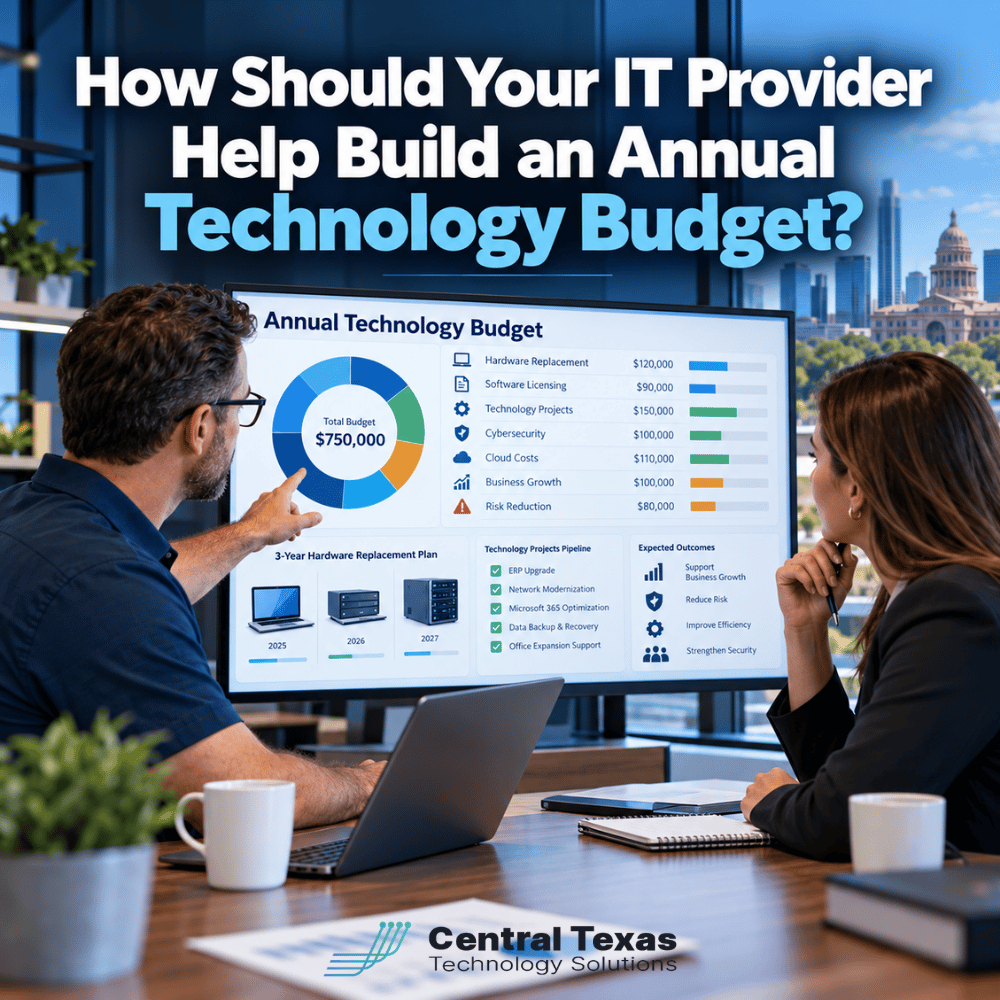
Technology expenses can be difficult to predict when your business only spends money after something breaks, a software subscription renews, or an unexpected project becomes necessary. Without a clear plan, even routine IT expenses can disrupt your budget.
An annual technology budget should do more than estimate what your business will spend on computers and software. It should connect technology investments to your company's goals, identify upcoming expenses, and reduce the risk of costly surprises.
Your managed IT provider should help you build that budget, not simply send you a monthly invoice.
For businesses in Austin and throughout Central Texas, working with an IT partner who understands your operations can make technology spending more predictable and more valuable.
Why Your IT Provider Should Be Involved in Annual Technology Budget Planning
Your accountant or financial team understands the company's financial priorities. Your IT provider should understand the condition of your technology, the risks facing your systems, and the improvements needed to support your business.
Building an effective IT budget requires both perspectives.
A proactive managed IT provider should help you answer important questions:
- Which computers, servers, and network devices need replacement?
- What software licenses and subscriptions will renew?
- Are there cybersecurity weaknesses that require additional investment?
- Will planned hiring or expansion increase technology costs?
- Are cloud services being used efficiently?
- Which technology projects should take priority?
- What expenses can be spread across multiple budget years?
Without these answers, technology budgeting often becomes an exercise in guessing.
At CTTS, we believe technology planning should be part of an ongoing relationship between your business and your IT provider. Regular technology reviews help identify upcoming needs before they become urgent expenses.
How to Budget for Hardware Replacement Before Equipment Fails
One of the most common technology budgeting mistakes is waiting until equipment fails before replacing it.
Computers, servers, firewalls, switches, and wireless access points all have useful service lives. As equipment ages, it may become less reliable, more expensive to maintain, or unable to support current security requirements.
Your IT provider should maintain an inventory of your business technology that includes purchase dates, warranty coverage, condition, and expected replacement timelines.
This information makes it possible to develop a multiyear hardware replacement schedule.
For example, a professional services firm in Georgetown might have 30 employee computers purchased over several years. Instead of replacing all 30 at once, the company could plan to replace eight to ten computers annually, based on their condition and business requirements.
That approach distributes costs across multiple years while reducing the likelihood of widespread equipment failures.
Your technology budget should account for more than the purchase price of replacement hardware. It should also include installation, configuration, data migration, and proper disposal of retired equipment.
The goal is to replace equipment according to a plan, not during an emergency.
Include Software Licensing and Cloud Costs in Your IT Budget
Software subscriptions have made technology easier to access, but they have also introduced recurring expenses that can grow without much attention.
Microsoft 365, cybersecurity applications, backup services, business software, and cloud platforms may all have different billing arrangements and renewal dates.
Your IT provider should help create a complete picture of these expenses.
| Budget Category | What Your IT Provider Should Review |
|---|---|
| Microsoft 365 licensing | License assignments, subscription levels, renewal dates, and expected employee growth |
| Business applications | Software subscriptions, unused licenses, and upcoming renewals |
| Cloud infrastructure | Storage, computing resources, data transfer, and usage trends |
| Backup services | Storage requirements, retention policies, and recovery capabilities |
| Cybersecurity tools | Existing protection, coverage gaps, and overlapping services |
| Vendor contracts | Pricing changes, contract terms, and renewal opportunities |
A company may discover that former employees still have assigned software licenses or that different departments are paying for applications with overlapping capabilities.
Addressing these issues can reduce unnecessary spending without sacrificing productivity.
Cloud budgeting deserves particular attention because costs can increase as data storage, workloads, and employee usage grow.
Your provider should review cloud consumption regularly, recommend appropriate licensing, and help forecast expenses based on expected business activity.
How Cybersecurity and Risk Reduction Affect Technology Budgets
Cybersecurity should not be treated as an optional expense that receives funding only when money is left over.
A successful cyberattack can interrupt operations, expose sensitive information, create legal obligations, and damage customer confidence.
However, spending more money on security does not automatically make a business safer.
Your IT provider should evaluate your existing protections and recommend investments based on the risks that matter most to your organization.
These may include:
- Multifactor authentication and identity protection
- Advanced endpoint and email security
- Vulnerability management and security updates
- Employee cybersecurity awareness training
- Data backup and disaster recovery
- Security monitoring and incident response planning
Different industries have different priorities.
Healthcare organizations may need additional safeguards for patient information and HIPAA compliance. Legal firms must protect confidential client records, while financial and other professional services businesses depend on secure access to sensitive information.
Construction companies often need to protect employees working across multiple jobsites. Manufacturing businesses may prioritize production continuity and operational technology security. Nonprofits must balance limited resources with the responsibility to protect donor and organizational data.
A knowledgeable IT provider should help prioritize these investments according to business impact, regulatory requirements, and available resources.
For example, improving backup recovery capabilities may deliver greater immediate value than purchasing another security application that duplicates an existing tool.
The purpose of cybersecurity budgeting is not to buy every available product. It is to reduce meaningful business risks through well-planned investments.
Plan Technology Projects Around Business Growth
Your annual technology budget should reflect where your business is going, not just where it is today.
If your company plans to hire employees, open another location, expand remote work, or introduce new services, those decisions will affect technology spending.
Consider a growing construction company in Round Rock planning to add 15 employees and establish a second office.
That expansion may require more than 15 computers. The company might also need additional Microsoft 365 licenses, network infrastructure, secure remote access, cloud storage, and upgraded internet connectivity.
If those expenses are identified early, leadership can include them in the expansion budget.
If they are overlooked, technology costs can delay hiring or disrupt the opening of the new location.
Your IT provider should work with leadership to identify upcoming projects and establish realistic estimates for equipment, software, implementation, and ongoing support.
Projects should also be prioritized based on their business value.
A critical server replacement may deserve funding before an optional application upgrade. A network improvement that eliminates recurring downtime might provide greater value than purchasing newer computers that still meet employee needs.
This is where an IT provider becomes a strategic business partner rather than simply a technical support company.
What Should Your Annual IT Budget Actually Include?
A useful annual technology budget separates predictable operating expenses from planned investments and potential unexpected costs.
Your provider should help organize expenses into categories that make the budget easier to understand and manage.
| Budget Component | Examples | Planning Approach |
|---|---|---|
| Recurring IT services | Managed IT support, monitoring, maintenance | Forecast monthly and annual costs |
| Hardware replacement | Computers, servers, network equipment | Establish a multiyear replacement schedule |
| Software and licensing | Microsoft 365, business applications | Review subscriptions and anticipated growth |
| Cybersecurity | Security tools, assessments, employee training | Prioritize according to risk |
| Cloud services | Hosting, storage, backup, computing | Forecast usage and review consumption |
| Technology projects | Migrations, upgrades, new locations | Estimate project costs and timelines |
| Business continuity | Disaster recovery improvements, redundancy | Budget according to operational risk |
| Contingency funds | Unexpected repairs or urgent replacements | Establish reserves based on business exposure |
Not every expense needs to occur during the same year.
Your IT provider should help distinguish between investments that are essential now, improvements that can be scheduled later, and optional upgrades that may not provide sufficient value.
A practical budget should also identify when expenses are expected. This allows your financial team to anticipate cash flow requirements instead of discovering major costs at the end of a quarter.
For businesses in Cedar Park and across the Austin area, this level of planning can be particularly valuable when growth, staffing, and operational expenses are changing.
Review Your Technology Budget Throughout the Year
An annual budget should not become a document that nobody looks at until the following year.
Your managed IT provider should revisit the plan during regular technology business reviews.
These conversations should examine actual spending, upcoming renewals, changing security risks, hardware conditions, and new business priorities.
If a planned expansion is postponed, technology spending may need to change. If a critical system becomes unreliable, an equipment replacement may need to move forward.
Regular reviews allow your business to make those decisions deliberately instead of reacting to unexpected problems.
Build a Technology Budget That Supports Your Business Goals
Your technology budget should provide clarity about what your business needs, what those investments will cost, and how they support your long-term success.
CTTS helps businesses throughout Austin and Central Texas take a proactive approach to technology planning. From hardware replacement and software licensing to cybersecurity and future growth, we help organizations make informed decisions that improve reliability, security, and productivity.
Stop guessing about next year's technology expenses.
Schedule a free technology consultation and start building an IT budget that supports your business.
Frequently Asked Questions About Annual IT Budget Planning
How much should a small business budget for IT each year?
There is no universal percentage that works for every business. Technology spending depends on employee count, industry requirements, existing equipment, cybersecurity needs, and planned growth. A healthcare practice with strict compliance requirements may have different expenses than a small construction company. Your IT provider should use an inventory of existing systems, current expenses, and future business plans to develop a realistic budget.
When should a business start planning its annual technology budget?
Ideally, technology budget planning should begin several months before the next fiscal year. This gives your IT provider time to review equipment, identify contract renewals, evaluate cybersecurity risks, and estimate upcoming projects. Businesses should also review their technology budgets quarterly so they can adjust spending when priorities change.
Should an MSP help with technology budgeting even if we have an internal IT department?
Yes. A co-managed IT provider can work alongside your internal IT team to evaluate infrastructure, estimate project costs, identify security risks, and develop long-term technology plans. This gives internal IT staff additional expertise and resources while helping business leadership make informed financial decisions.
Contact CTTS today for IT support and managed services in Austin, TX. Let us handle your IT so you can focus on growing your business. Visit CTTSonline.com or call us at (512) 388-5559 to get started!
Looking for clarity on your next IT move? These articles will help:
What Happens When You Submit an IT Support Ticket?
How Does an IT Provider Onboard a New Employee?
What Happens When an Employee Leaves Your Company?
How Does an IT Provider Prepare Your Business for a New Office?
What Is a Technology Business Review and What Should It Accomplish?