
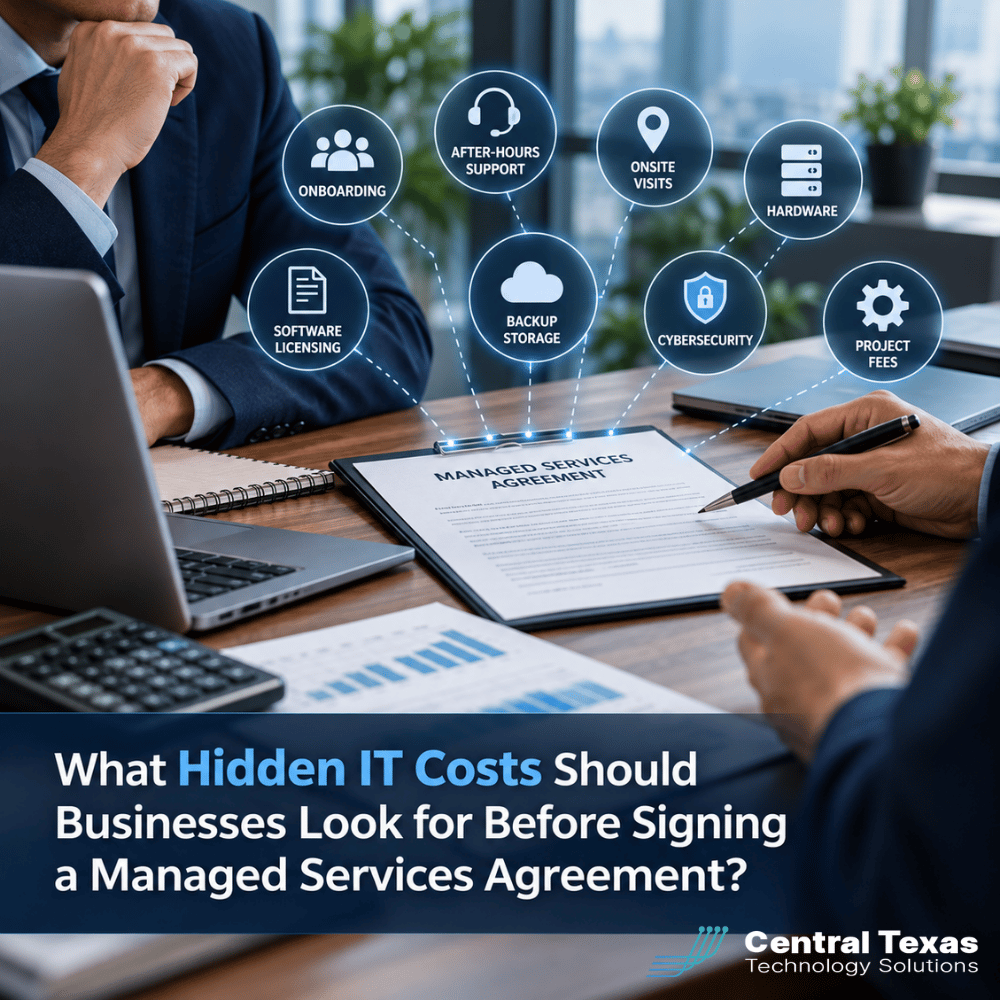
 A managed IT services agreement should make technology expenses more predictable. But what happens when the monthly price looks affordable, only to discover additional charges for support, cybersecurity, equipment, or projects?
Not every managed services provider (MSP) includes the same services in its monthly fee. Some agreements cover nearly everything a business needs for day-to-day IT operations, while others charge separately for services you might reasonably expect to be included.
For business owners, the challenge is understanding the total cost before signing a contract.
Knowing where hidden IT costs can appear helps you compare providers fairly, avoid budget surprises, and choose an IT partner that supports your business goals.
1. Onboarding and Setup Fees Can Increase Your Initial IT Costs
Switching IT providers involves more than transferring passwords and answering support calls. A new provider must understand your network, evaluate existing equipment, document systems, and establish the tools needed to manage your technology.
Some managed services agreements include onboarding in the monthly fee. Others charge a separate setup fee that can substantially increase your initial investment.
Before signing, ask whether onboarding includes:
-
Network discovery and documentation
-
Installation of monitoring and security software
-
User account and device configuration
-
Review of existing cybersecurity vulnerabilities
-
Coordination with your previous IT provider
-
Migration of existing systems or services
An onboarding fee is not necessarily unreasonable. Thorough onboarding takes time and helps prevent future problems. However, you should understand exactly what you are paying for and whether additional charges could arise.
A provider that skips important onboarding steps to offer a lower initial price may leave existing problems unresolved.
2. After-Hours Support and Onsite Visits May Cost Extra
One of the biggest differences between managed IT agreements is how technical support is handled.
A provider might advertise unlimited support, but that promise may apply only to remote assistance during standard business hours.
For businesses operating evenings, weekends, or multiple shifts, this distinction matters.
Questions worth asking include:
-
Is after-hours technical support included?
-
What qualifies as an emergency?
-
Are weekend and holiday support calls billed separately?
-
Are onsite visits included or charged hourly?
-
Are travel expenses or minimum service charges required?
-
Does unlimited support apply to every employee and device?
For example, a manufacturing company operating overnight could face significant downtime if a critical system fails and after-hours assistance requires an additional fee or is unavailable.
Likewise, healthcare organizations and law firms may need immediate help with systems that support patient care or time-sensitive legal work.
The best approach is to review the agreement's actual support coverage rather than relying on phrases such as "unlimited IT support."
A clearly defined IT help desk arrangement should explain when assistance is available, what services are covered, and which situations generate additional charges.
3. Hardware Markups and IT Project Fees Can Change the Total Price
Managed IT agreements typically focus on ongoing support and maintenance. However, businesses also need new computers, networking equipment, servers, and occasional system upgrades.
These expenses may fall outside the monthly agreement.
Hardware Purchasing and Markups
Some providers purchase equipment on behalf of clients and apply a markup. Others charge separately for procurement, configuration, or installation.
These charges may be reasonable when they cover equipment selection, compatibility testing, warranty coordination, and deployment.
However, businesses should understand how pricing works.
Ask whether hardware is sold at retail pricing, marked up by a percentage, or billed with separate installation charges.
Projects Outside the Monthly Agreement
Major technology improvements are often treated as separate projects, including:
-
Replacing servers or network infrastructure
-
Moving applications to the cloud
-
Opening a new office
-
Migrating email platforms
-
Upgrading wireless networks
-
Implementing new security systems
A business expanding from one location to three might discover that network design, equipment installation, and office connectivity require separate project agreements.
This is where proactive IT planning becomes valuable.
Rather than waiting until equipment fails, your provider should help forecast replacement schedules and upcoming projects as part of your annual technology budget.
4. Software Licensing, Backup Storage, and Cybersecurity Tools May Not Be Included
Monthly managed services pricing can become confusing when essential software and security services are billed separately.
A provider may quote a per-user monthly fee without including the licenses or tools required to deliver the level of protection your business needs.
Microsoft 365 and Other Software Licenses
Microsoft 365 subscriptions, business applications, and other cloud services may be billed separately from managed IT support.
Ask whether the agreement includes license management, subscription administration, and support for those applications.
Also clarify whether the provider charges additional fees for adding users, changing subscriptions, or managing third-party applications.
Effective cloud computing services should help businesses understand both their software expenses and how those applications are managed.
Backup Storage and Recovery Charges
Backups are another area where unexpected costs can appear.
Some agreements include backup software but charge separately for cloud storage, additional data capacity, or extended retention periods.
Others may charge for restoring data after an incident.
Before signing, determine whether data backup and recovery pricing includes:
-
Backup software and storage
-
Cloud storage capacity and overage charges
-
Backup monitoring and testing
-
Data restoration assistance
-
Recovery of servers or entire systems
-
Longer retention periods when required
A backup system is only valuable if your business can restore the information it needs within an acceptable timeframe.
Cybersecurity Tools and Protection
Cybersecurity is especially important because the term can describe very different levels of protection.
One provider may include basic antivirus software, while another includes more advanced threat detection, email filtering, and ongoing security monitoring.
Ask which cybersecurity services are included and whether additional subscriptions are required for essential protection.
The goal is not simply to find the lowest monthly price. It is to understand whether the proposed services adequately address your company's risks.
5. Contract Termination and Transition Fees Can Create Unexpected Expenses
The cost of leaving an IT provider deserves as much attention as the cost of hiring one.
Some managed services agreements include automatic renewals, early termination penalties, or minimum contract periods.
Others may charge additional fees to help transition systems and documentation to a new provider.
Before signing, review the agreement for:
-
Minimum contract length and renewal terms
-
Required cancellation notice
-
Early termination penalties
-
Ownership of hardware, software licenses, and data
-
Fees for exporting documentation or transferring services
-
Responsibilities for removing monitoring and security tools
Pay particular attention to who controls administrative accounts, domain registrations, cloud subscriptions, and backup systems.
Your business should have a clear understanding of how it can regain direct control of its technology when the relationship ends.
A reputable IT partner should be transparent about these responsibilities from the beginning.
6. How to Compare Managed IT Services Agreements Without Surprises
The smartest way to compare IT providers is to evaluate the total cost of ownership rather than focusing exclusively on the advertised monthly rate.
Consider two hypothetical providers. One quotes $125 per user each month, while another quotes $165.
The lower-priced agreement may appear more attractive. But if it excludes cybersecurity tools, onsite assistance, backup storage, and routine support activities, the actual cost could be considerably higher.
The higher-priced agreement might deliver better overall value if it includes services your business would otherwise purchase separately.
Neither pricing model is automatically better. What matters is the complete scope of services and how well it fits your needs.
For businesses in Austin, Georgetown, Cedar Park, and Taylor, comparing managed services agreements should include both technical capabilities and long-term financial planning.
This is especially important for professional services firms, construction companies, manufacturers, healthcare practices, legal offices, and nonprofits where technology interruptions can affect employees, customers, and daily operations.
Before choosing a provider, request a written breakdown of:
-
Monthly recurring fees and included services
-
One-time onboarding and setup charges
-
Additional support rates and exclusions
-
Software licensing and security subscriptions
-
Backup storage and recovery expenses
-
Hardware purchasing and project pricing
-
Contract renewal and termination conditions
At CTTS, our Complete Care Coverage approach emphasizes proactive technology management, ongoing support, and aligning IT decisions with business needs.
An important part of that relationship is helping businesses understand their technology requirements and plan for future expenses.
The objective should be fewer unexpected problems, better budgeting, and technology that supports business growth.
Choose an IT Partner That Makes Costs Predictable
A managed services agreement should provide confidence, not leave you wondering what the next invoice will include.
Understanding the full scope of services, potential additional charges, and contract responsibilities helps your business make a more informed investment.
CTTS helps Central Texas businesses plan technology expenses, reduce unnecessary risks, and make smarter IT decisions.
Schedule a free IT consultation and discuss an IT support strategy that fits your business.
Frequently Asked Questions About Hidden Managed IT Costs
What is typically included in a managed IT services agreement?
Most managed IT agreements include some combination of remote monitoring, routine maintenance, technical support, and system management. However, the specific services vary considerably between providers. Cybersecurity, backup storage, onsite visits, software licenses, and major projects may be included or billed separately. Request a detailed service agreement that identifies exactly what is covered, what is excluded, and how additional services are priced.
Are setup fees normal when hiring a managed services provider?
Yes. Some managed services providers charge onboarding fees because evaluating, documenting, and configuring an organization's technology requires substantial work. Others include onboarding in their recurring pricing or waive certain fees. The important consideration is whether the onboarding process is thorough and clearly defined. A well-executed transition can identify security risks, resolve documentation gaps, and establish a stronger foundation for ongoing IT management.
How can businesses avoid unexpected charges from their IT provider?
Start by requesting an itemized proposal that explains recurring charges, optional services, and potential additional fees. Review the support schedule, cybersecurity coverage, backup responsibilities, project exclusions, and cancellation terms. Ask the provider to explain how common situations, such as adding employees, replacing computers, or restoring data, would be billed. A trustworthy IT partner should be willing to discuss these details before you sign.
Contact CTTS today for IT support and managed services in Austin, TX. Let us handle your IT so you can focus on growing your business. Visit CTTSonline.com or call us at (512) 388-5559 to get started!
Looking for clarity on your next IT move? These articles will help:
Why Your IT Bill Changes When Your Company Adds Employees or Locations
Why Do Managed IT Providers Charge Per User, Per Device, or Both?
What Does Cybersecurity Add to the Cost of Managed IT Services?
Why Is One Managed IT Quote So Much Cheaper Than Another?
Are IT Projects Included in a Managed IT Services Agreement?