
If you have compared managed IT service providers, you may have noticed that pricing is not always structured the same way.
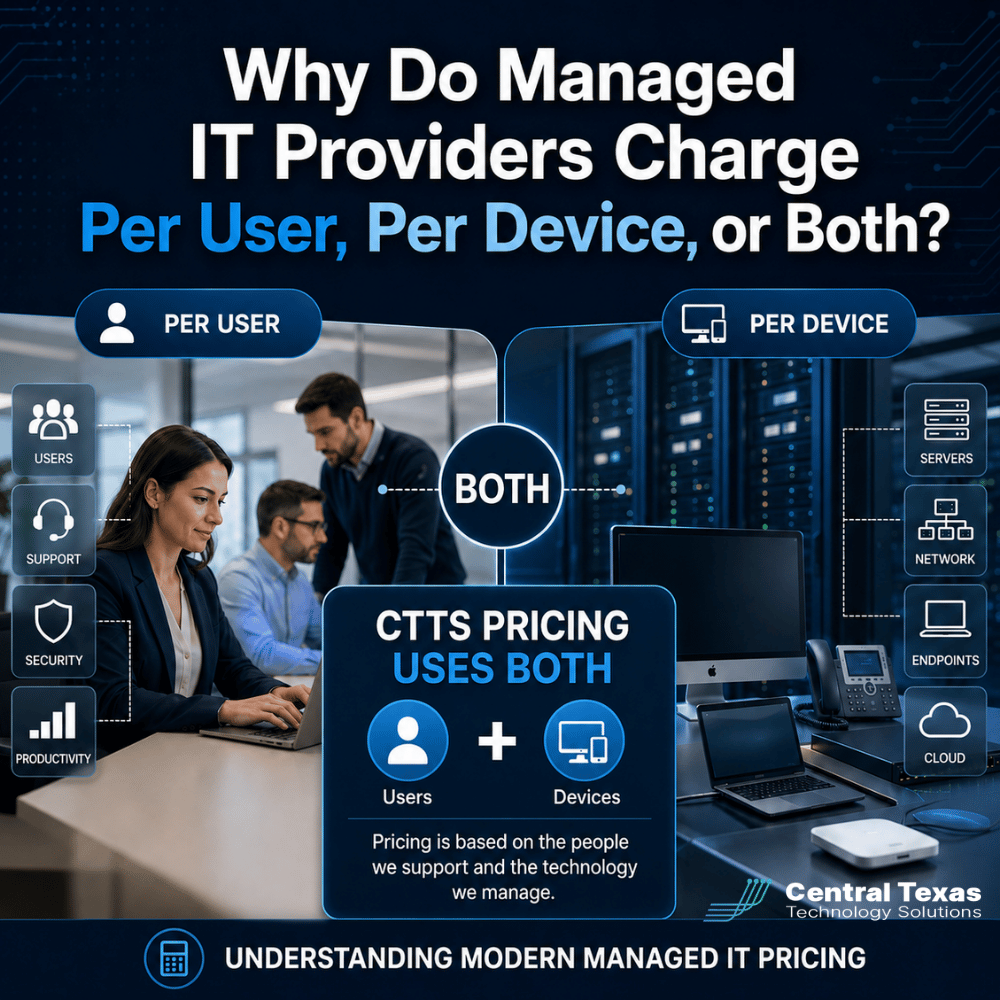
One provider may charge per employee. Another may charge per computer. Some, including CTTS, use a combination of per-user and per-device pricing.
That can make comparing proposals confusing, especially when two companies have roughly the same number of employees or computers but receive very different quotes.
The reason is simple: your IT provider is not just supporting hardware. They are supporting the people, devices, systems, security tools, and business processes your organization depends on every day.
Understanding how those costs are calculated can help you compare managed IT services more accurately.
How Does Per-User Managed IT Pricing Work?
With per-user pricing, the managed IT provider charges a monthly fee for each supported employee or technology user.
For example, a company with 40 employees who regularly use computers, Microsoft 365, email, business applications, and company technology might be billed for 40 users.
The idea behind this model is that much of modern IT support follows the person rather than a single computer.
One employee might use:
- A desktop computer in the office
- A company laptop while traveling
- Microsoft 365
- Teams
- Cloud applications
- Remote access
- Cybersecurity tools
- Help desk support
Charging per user can simplify pricing because the IT provider is supporting that employee's overall technology experience rather than counting every support interaction individually.
This approach can work especially well for businesses with remote or hybrid employees who regularly use multiple systems or locations.
What Is Typically Included in Per-User Managed IT Services?
Every provider structures its plans differently, so businesses should never assume that two per-user prices include the same services.
A managed IT agreement may include services such as:
- Help desk support
- Remote troubleshooting
- On-site support
- Microsoft 365 administration
- User account management
- Password and access assistance
- Cybersecurity monitoring
- Endpoint protection
- Email security
- Backup monitoring
- Software patching
- Technology planning
- Vendor coordination
Some providers bundle nearly everything into one monthly price. Others charge separately for security products, cloud services, backup systems, projects, after-hours support, or onsite visits.
That is why comparing managed IT providers strictly by the advertised "price per user" can be misleading.
A lower price may simply include fewer services.
Why Do Some Managed IT Providers Also Charge Per Device?
Users create one category of IT work, but devices create another.
Every managed computer, server, firewall, wireless access point, or other piece of infrastructure may require monitoring, security software, maintenance, patching, licensing, and management.
That is why CTTS pricing is based on both users and devices rather than choosing one pricing method or the other.
The user portion reflects services connected to the employee, including support, account management, and certain security or productivity services.
The device portion reflects the systems CTTS must monitor, protect, maintain, and manage.
This blended approach helps pricing more closely reflect the actual technology environment.
Consider two 30-person companies.
Company A has 30 employees and 30 computers.
Company B also has 30 employees, but it has 45 computers, several shared workstations, multiple servers, and additional network infrastructure.
A user-only pricing model might make these businesses appear identical.
From an IT management perspective, they are not.
Company B has significantly more technology that must be monitored and maintained.
Why Can Two Companies With the Same Number of Computers Have Different IT Costs?
Computer count alone tells you very little about the complexity of an organization's technology.
Two companies may each have 50 computers while having completely different support requirements.
For example, one company may operate from a single office with standardized equipment and straightforward cloud applications.
The other may have multiple locations, remote employees, specialized applications, servers, compliance requirements, and a more complicated cybersecurity environment.
Several factors can affect managed IT pricing.
Number of Users
A computer shared by several employees can create more support and account-management work than a computer assigned to one person.
More users may also mean more Microsoft 365 accounts, email protection, identity security, access management, and help desk requests.
Number and Type of Devices
A laptop is not the same as a server, firewall, or specialized production workstation.
Older devices may also require more support than standardized, current equipment.
Cybersecurity Requirements
A professional services firm with relatively simple security requirements may have different needs from a healthcare organization protecting patient information or a legal firm handling confidential client data.
Advanced security services can include tools such as endpoint detection, email protection, vulnerability management, security monitoring, multi-factor authentication, and managed threat detection.
Compliance Requirements
Healthcare, legal, manufacturing, construction, professional services, and nonprofit organizations may all face different contractual, insurance, regulatory, or customer security requirements.
Preparing for audits, cyber insurance questionnaires, vendor security reviews, or compliance frameworks can increase the level of technology management required.
Locations and Network Complexity
Supporting one office in Georgetown is different from supporting employees across Austin, Round Rock, Pflugerville, and remote locations.
Additional offices may require more:
- Firewalls
- Internet connections
- Wireless equipment
- Network monitoring
- Vendor coordination
- On-site support planning
Servers and Business Applications
A cloud-first company with few internal systems may require less infrastructure management than a manufacturer running production software on local servers or a construction company using specialized applications across offices and job sites.
The number of computers might be identical, but the underlying environment is very different.
Where Do Exceptions to Per-User and Per-Device Pricing Occur?
Even when an IT provider uses user and device pricing, some technology may fall outside the standard monthly agreement.
Common examples can include:
- Major server migrations
- New office buildouts
- Large cloud migrations
- Structured cabling
- Major hardware installations
- Specialized software projects
- New compliance initiatives
- Large Microsoft 365 migrations
- Technology related to mergers or acquisitions
There may also be special pricing situations for shared computers, kiosks, conference-room systems, seasonal employees, or devices that require monitoring but do not have a dedicated user.
A good managed IT provider should explain these exceptions before you sign an agreement.
You should be able to understand what is included in your recurring fee, what could create additional charges, and how your monthly cost changes when you hire employees or add technology.
Why CTTS Uses Both Per-User and Per-Device Managed IT Pricing
At CTTS, we believe managed IT pricing should reflect the environment we are actually responsible for supporting.
People require help desk support, account management, security, and ongoing technology assistance.
Devices require monitoring, maintenance, protection, and management.
Using both measurements allows us to build pricing around the technology a business actually operates rather than relying on a single number that may not tell the entire story.
It also makes scaling more predictable.
If your company hires employees, opens another location, adds computers, or changes its technology infrastructure, you can better understand why your IT costs may change.
For a growing construction firm in Round Rock, that might mean adding employees and mobile devices as new projects begin. A healthcare practice in Austin may need stronger security and compliance controls. A manufacturer may depend on servers and specialized workstations, while a nonprofit may primarily use Microsoft 365 and cloud applications.
The right pricing model recognizes those differences instead of pretending every 30-user company has the same technology needs.
What Should You Ask When Comparing Managed IT Pricing?
Do not ask only, "What do you charge per user?"
A better question is:
What technology, support, and security are included in the monthly price?
Then ask how the provider handles:
- Additional employees
- Additional computers
- Servers
- Shared workstations
- Remote employees
- Multiple locations
- Cybersecurity tools
- Microsoft 365 licensing
- Backup services
- Projects and upgrades
- On-site support
The goal should not be finding the lowest number attached to a user or device.
The goal is understanding what your business receives for that investment and whether the provider can help prevent technology problems instead of simply responding when something breaks.
CTTS works with businesses across Central Texas to align IT support, cybersecurity, infrastructure, and technology planning with their business goals.
That includes healthcare organizations, law firms, professional services companies, construction businesses, manufacturers, and nonprofits that need technology to remain reliable as they grow.
Get a Clearer Picture of Your Managed IT Costs
Managed IT pricing should not feel like a mystery.
You should understand what you are paying for, what is included, and how costs will change as your business grows.
If you are evaluating managed IT services in Central Texas, CTTS can review your users, devices, cybersecurity requirements, infrastructure, and business goals and explain what an appropriate support model looks like.
Schedule a consultation with CTTS to discuss your IT environment and get a clearer understanding of what managed IT services should cost for your business.
Frequently Asked Questions About Managed IT Pricing
Is per-user or per-device IT pricing better?
Neither model is automatically better. Per-user pricing reflects the people receiving support, while per-device pricing reflects the technology being managed. CTTS uses both because most businesses have costs associated with users and with the devices and infrastructure supporting them.
Does managed IT pricing increase every time we hire someone?
It can. A new employee may require help desk support, Microsoft 365 administration, cybersecurity protection, account setup, and additional devices. Your IT provider should clearly explain how adding employees or equipment affects your monthly agreement.
Why can't a managed IT provider give me a price based only on employee count?
Employee count is helpful, but it does not reveal the entire technology environment. Servers, computers, locations, cybersecurity requirements, applications, compliance needs, and network complexity can substantially affect the amount of IT management required.
Contact CTTS today for IT support and managed services in Austin, TX. Let us handle your IT so you can focus on growing your business. Visit CTTSonline.com or call us at (512) 388-5559 to get started!
Looking for clarity on your next IT move? These articles will help:
Why IT Support Costs More When Your Business Has No Documentation
What Should a Growing Business Budget for IT Support Each Year?
Does Your Business Need a Full IT Department or Just Better IT Management?
How Much Should Cybersecurity Add to Your Monthly IT Budget?
Why Cheap IT Support Feels Affordable Until Something Breaks
Why Some IT Providers Charge Setup Fees and Others Do Not
How Much Does It Cost to Switch IT Providers?
What Is the Real Cost of Supporting an Employee Who Works Remotely?
Should IT Hardware Be Included in Your Monthly Managed Services Agreement?
Why Your IT Bill Changes When Your Company Adds Employees or Locations