
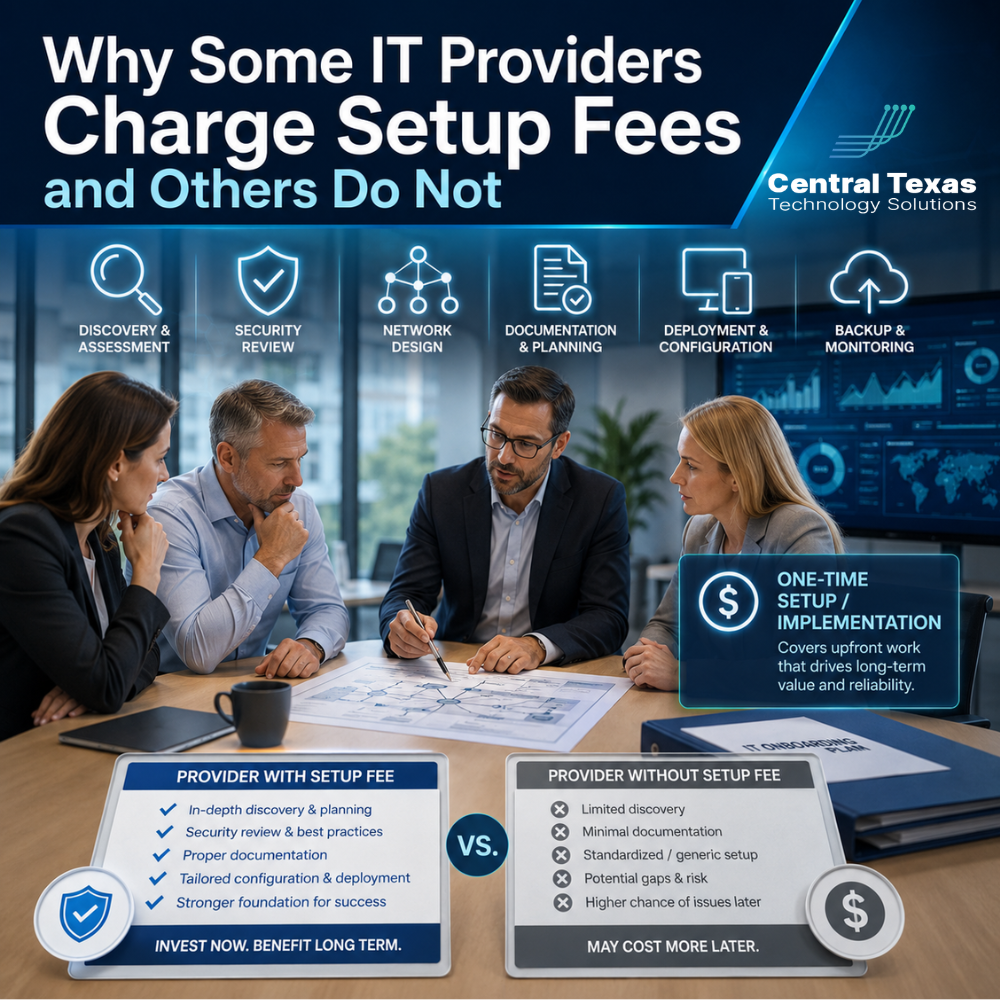
When a business hires a managed IT provider, the first invoice may include more than the regular monthly service fee. Some providers charge an onboarding or setup fee, while others advertise that setup is included at no additional cost.
That difference can make comparing proposals confusing. One provider may appear more expensive upfront, even though the onboarding process includes substantial technical work. Another may waive the fee but recover those costs through higher monthly pricing, a longer contract, or a more limited transition process.
The real question is not simply whether an IT provider charges a setup fee. Business leaders should understand what the fee covers, why it is being charged, and what measurable value they should receive in return.
What Is an IT Onboarding or Setup Fee?
An IT setup fee is a one-time charge associated with moving a business into a new provider’s management system. It may also be called an onboarding fee, implementation fee, transition fee, or discovery fee.
This fee is usually separate from the ongoing monthly cost of managed IT services because onboarding requires a concentrated amount of work at the beginning of the relationship.
Depending on the size and complexity of the business, onboarding may involve:
- Documenting computers, servers, networks, applications, and vendors
- Installing monitoring, security, and remote support tools
- Reviewing user accounts and administrative access
- Evaluating backup systems and recovery procedures
- Identifying unsupported software or aging hardware
- Creating an improvement plan based on business priorities
- Coordinating the transition from the previous IT provider
- Establishing help desk procedures and escalation contacts
A professional services firm with 15 employees may require a relatively simple setup. A manufacturer with multiple locations, specialized equipment, remote users, and compliance requirements may need a much more detailed transition.
What Should an IT Provider’s Setup Fee Cover?
A legitimate onboarding fee should pay for defined work that creates a stable foundation for the ongoing relationship. It should not feel like an unexplained administrative charge.
Technology Discovery and Documentation
The provider should build an accurate picture of the business’s technology environment. This often includes computers, servers, cloud services, network equipment, printers, business applications, warranties, licenses, and service providers.
Good documentation helps the support team respond faster when problems occur. It also reduces reliance on one employee or vendor who may be the only person who knows how a system works.
Security and Risk Assessment
A new IT provider should identify weaknesses before taking responsibility for the environment. That may include reviewing administrator accounts, password practices, endpoint protection, email security, remote access, software updates, backups, and firewall settings.
For healthcare organizations, legal firms, nonprofits, and other businesses that manage sensitive information, this review can reveal risks that need immediate attention. Construction companies and manufacturers may also have older systems or shared accounts that create unnecessary exposure.
Installation of Management and Security Tools
Managed IT providers commonly use software to monitor device health, install updates, provide remote support, protect endpoints, and generate alerts.
Installing and testing these tools across an organization takes time. The provider should also remove outdated or conflicting software when appropriate so that the new tools work correctly.
Backup and Business Continuity Review
The onboarding process should confirm that important data is being backed up, that backups are completing successfully, and that recovery procedures are realistic.
A backup report that says “successful” does not always mean the business can recover quickly after a server failure, ransomware attack, or accidental deletion. Businesses should understand what is protected, how long recovery may take, and which systems are most critical.
Transition Planning
Changing IT providers can create risk when passwords, documentation, licensing information, or vendor contacts are missing. A structured transition helps prevent service interruptions and confusion.
The new provider may need to communicate with the previous IT company, internet provider, software vendors, phone provider, and other outside partners. This coordination is often one of the most important parts of onboarding.
When Is an IT Setup Fee Justified?
A setup fee is generally justified when the provider performs substantial, clearly defined work that benefits the business beyond normal monthly support.
It may be reasonable when:
- The business has several locations or a large number of devices
- Existing documentation is incomplete or outdated
- The network requires a detailed security review
- Major tools must be deployed across the organization
- The provider must coordinate a complex transition
- The business has compliance, audit, or cybersecurity insurance requirements
- Significant cleanup is needed before ongoing support can begin
For example, an Austin healthcare practice preparing for a compliance review may need a detailed account, access, backup, and security assessment. A Round Rock manufacturer may require documentation of production systems, network equipment, and vendor dependencies. A Georgetown law firm may need careful migration of Microsoft 365 security settings and user permissions.
In these situations, onboarding is not simply adding the company to a help desk system. It is a project that deserves proper planning and execution.
Why Do Some IT Providers Waive Setup Fees?
A provider that does not charge an onboarding fee is not automatically offering a better or worse service. The cost may be handled in several different ways.
Some providers include onboarding in the monthly service price. Others require a longer contract to recover the upfront labor over time. A provider may also waive the fee as part of a promotion or because the environment is small and simple.
In other cases, the provider may perform only a limited onboarding process. They may install support software and begin responding to tickets without completing a full technology assessment.
That approach can leave hidden problems in place. Recurring downtime, weak access controls, incomplete backups, and outdated equipment may remain undiscovered until something breaks.
Businesses should avoid choosing an IT partner based only on the lowest upfront price. The quality of the transition often reveals how proactive the provider will be after the agreement is signed.
What Should Your Business Receive in Return?
Before agreeing to an onboarding fee, ask the IT provider to explain the specific deliverables. The proposal should clearly describe the work rather than using a vague line item such as “setup.”
At the end of onboarding, the business should receive or have access to:
- An accurate inventory of technology assets
- Documentation of major systems and vendors
- A summary of identified risks and priorities
- Confirmation that monitoring and security tools are active
- A review of backups and recovery capabilities
- Clear procedures for requesting support
- Defined escalation contacts and response expectations
- A roadmap for immediate and future improvements
The provider should also communicate what problems were found, which issues were corrected, and which items require future planning or investment.
A setup fee should create clarity. Business leaders should finish the onboarding process with a better understanding of their technology, risks, priorities, and next steps.
Questions to Ask Before Paying an IT Onboarding Fee
When comparing IT proposals, ask each provider the same questions:
- What specific work is included in the setup fee?
- How long will onboarding take?
- Who will manage the transition?
- Will you coordinate with our current IT provider and vendors?
- What documentation will be created?
- Will you perform a cybersecurity and backup assessment?
- What findings or recommendations will we receive?
- Are any tools, licenses, or hardware charged separately?
- What happens if serious problems are discovered?
The answers will help reveal whether the fee funds a meaningful onboarding project or simply adds revenue to the contract.
Choose an IT Partner Based on the Value of the Transition
The presence or absence of a setup fee should not be the deciding factor when choosing a managed IT provider. What matters is whether the provider takes responsibility for understanding the environment, identifying risk, and creating a reliable plan.
CTTS uses onboarding to build the foundation for proactive IT management. We help businesses in Austin, Cedar Park, Pflugerville, and Temple understand what they have, what needs attention, and how technology can better support growth, security, productivity, and business continuity.
Whether your organization operates in healthcare, legal services, professional services, construction, manufacturing, or the nonprofit sector, you should expect more than a basic software installation. You should receive a clear transition process and a technology partner prepared to prevent problems instead of simply reacting to them.
Schedule a free strategy call with CTTS to learn what a thorough managed IT onboarding process should include.
Frequently Asked Questions
How much do IT setup fees usually cost?
The cost depends on the number of users, devices, locations, systems, and security requirements involved. A small office may require a modest onboarding project, while a multi-location or regulated business may require more extensive discovery, documentation, and implementation. The provider should explain how the fee was calculated.
Is a no-setup-fee IT provider a better deal?
Not necessarily. The provider may include onboarding costs in the monthly fee, require a longer contract, or perform a limited transition. Compare the actual onboarding deliverables, monthly pricing, contract terms, and long-term value rather than focusing only on the initial fee.
Can an onboarding fee prevent future IT problems?
The fee itself cannot prevent problems, but a thorough onboarding process can uncover risks before they cause downtime or security incidents. Proper documentation, monitoring, backup verification, and security reviews give the IT provider the information needed to manage the environment proactively.
Contact CTTS today for IT support and managed services in Austin, TX. Let us handle your IT so you can focus on growing your business. Visit CTTSonline.com or call us at (512) 388-5559 to get started!
If you're evaluating IT providers, these resources will guide you:
Why Do Managed IT Service Prices Vary So Much Between Providers in Austin?
What Is Included in a Typical Per User IT Support Pricing Model?
How Do IT Support Contracts Work and What Should You Expect to Sign?
What Are the Long Term Costs of Delaying IT Upgrades?
How Do Cybersecurity Requirements Impact Your IT Budget in 2026?
Why IT Support Costs More When Your Business Has No Documentation
What Should a Growing Business Budget for IT Support Each Year?
Does Your Business Need a Full IT Department or Just Better IT Management?
How Much Should Cybersecurity Add to Your Monthly IT Budget?
Why Cheap IT Support Feels Affordable Until Something Breaks