
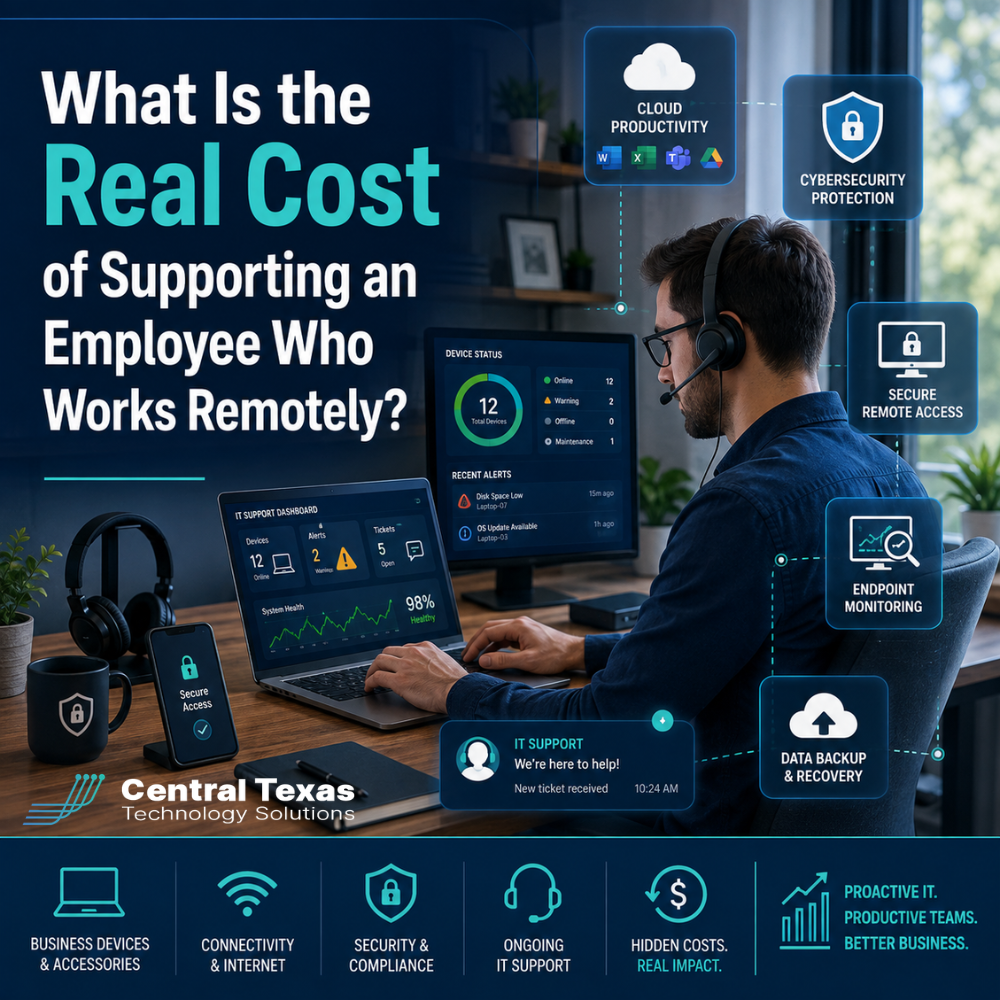
Remote work can reduce office expenses, widen your hiring pool, and give employees more flexibility. But supporting a remote employee involves more than buying a laptop and giving them a Microsoft 365 login.
For businesses in Austin, Round Rock, Georgetown, and Cedar Park, the real cost of remote work includes the technology, cybersecurity, data protection, and ongoing IT support required to keep an employee productive outside the office.
That does not mean remote work is too expensive. It means businesses need to understand the full picture so they can budget correctly and avoid costly gaps.
What Does It Cost to Equip a Remote Employee?
The first expense is usually the employee's equipment.
A typical remote employee may need:
- A business-class laptop or desktop
- One or more monitors
- Docking station
- Keyboard and mouse
- Webcam and headset
- Surge protection or battery backup
- Business-grade security software
Depending on the employee's role, equipment costs can range from relatively modest to several thousand dollars.
A legal assistant working primarily in cloud applications may need a straightforward business laptop. An engineer at a manufacturing company may need a more powerful workstation capable of running specialized applications.
The important distinction is that business equipment should be selected and configured with security and supportability in mind. Buying the least expensive computer available may save money initially, but it can create higher support costs later.
Microsoft 365 Adds an Ongoing Remote Work Cost
Microsoft 365 is often at the center of a remote employee's workday.
Employees may rely on:
- Outlook for email
- Teams for meetings and communication
- OneDrive for individual files
- SharePoint for shared documents
- Microsoft Office applications
- Intune for device management
- Microsoft Defender security tools
Microsoft 365 licensing is typically a recurring monthly expense per employee. The exact cost depends on which applications, security features, and management capabilities the business needs.
A nonprofit may primarily need email, Teams, and document collaboration. A healthcare organization may require additional security and compliance controls. Construction companies with employees moving between offices, homes, and job sites may need stronger mobile device management.
Licensing should be evaluated based on the employee's job and the organization's risk, not simply purchased as the cheapest available plan.
Remote Employee Security Costs More Than Antivirus
One of the biggest mistakes businesses make is assuming antivirus software is enough to protect a remote worker.
Remote employees operate outside the controlled environment of the traditional office. They may connect through home Wi-Fi, hotels, coffee shops, client offices, or mobile hotspots.
A secure remote work strategy may include:
- Endpoint detection and response
- Multifactor authentication
- Email security
- Web filtering
- Device encryption
- Mobile device management
- DNS protection
- Secure access controls
- Vulnerability monitoring
Modern security increasingly focuses on verifying the user, device, and application rather than trusting someone simply because they know a password.
Healthcare, legal, professional services, construction, manufacturing, and nonprofit organizations can all hold valuable information that attackers want. Remote work expands the number of places where that information can be accessed, making consistent security controls even more important.
The cost of these protections is generally much smaller than the potential cost of ransomware, account compromise, data loss, or extended downtime.
Secure Remote Access Can Add Another Layer
Not every application runs entirely in the cloud.
Some remote employees still need access to:
- Internal servers
- Accounting software
- Line-of-business applications
- File servers
- Manufacturing systems
- Databases
- Office-based workstations
Traditionally, businesses often used virtual private networks, or VPNs, to provide this access.
Today, many organizations are moving toward more modern secure access technologies that provide access based on identity, device security, and application permissions.
This can improve both security and usability.
The goal should not simply be to create a tunnel back to the office. The goal is to give each employee secure access to exactly what they need without unnecessarily exposing the rest of the network.
That access requires configuration, licensing, monitoring, and maintenance, all of which contribute to the real cost of supporting remote work.
Monitoring Helps Prevent Problems Before Employees Notice Them
Remote employees can be especially difficult to support when IT teams cannot physically see the device.
That makes proactive monitoring valuable.
A managed IT provider can monitor devices for issues such as:
- Failed security updates
- Low disk space
- Hardware problems
- Security alerts
- Missing patches
- Backup failures
- Software issues
- Device health concerns
Without monitoring, many problems are discovered only after an employee cannot work.
For example, a professional services employee may ignore repeated computer warnings until an update failure prevents the machine from starting properly before an important client meeting.
Proactive monitoring gives the IT team an opportunity to identify and resolve issues earlier.
That changes IT support from simply reacting to problems into actively preventing interruptions.
Remote Employees Still Need Backup
Microsoft 365 and cloud applications make remote work easier, but cloud storage should not automatically be treated as a complete backup strategy.
Businesses should consider what happens if:
- An employee accidentally deletes important files
- A malicious employee intentionally deletes data
- Ransomware encrypts synchronized files
- A Microsoft 365 account is compromised
- Files are overwritten
- Data needs to be recovered after a retention period expires
A proper backup strategy should protect important business information independently from the systems employees use every day.
This can include Microsoft 365 backup as well as backups for laptops, servers, cloud applications, or other systems depending on how the business operates.
For a construction company, losing project documentation could delay jobs. For a law firm, losing client files could create serious operational and professional consequences. A nonprofit may have limited staff available to recreate lost donor or program information.
Backup should be viewed as business continuity protection, not simply another software expense.
Ongoing IT Support Is Usually the Largest Long-Term Cost
Equipment is purchased occasionally. Support is ongoing.
Remote employees still need help with:
- Password problems
- Microsoft 365 issues
- New software
- Printer problems
- Teams meetings
- Security warnings
- Device performance
- Application access
- Account permissions
- Hardware replacement
- Employee onboarding and offboarding
Remote employees may actually need more structured IT support because someone cannot simply walk down the hallway and ask a coworker for help.
Good remote IT support also requires systems that allow technicians to troubleshoot devices securely without being physically present.
The real value is not measured only by how many support tickets are submitted. Reliable IT support helps employees return to productive work quickly and prevents smaller problems from becoming larger disruptions.
What Is the Real Cost of a Remote Employee?
There is no single number that applies to every business.
The total technology cost typically includes a combination of:
- Initial hardware and accessories
- Microsoft 365 licensing
- Cybersecurity tools
- Remote access technology
- Device management
- Monitoring
- Backup
- Help desk support
- Hardware replacement over time
A company should evaluate these costs as part of the total cost of employing someone remotely, just as it would consider office space, furniture, payroll, benefits, and other operating expenses.
The more useful question is not, "How cheaply can we support this employee?"
It is, "What does this employee need to work securely and productively without creating unnecessary risk for the business?"
A Proactive IT Strategy Makes Remote Work Easier to Budget
Remote work becomes expensive when every employee is supported differently.
One employee has a personal laptop. Another uses a company computer. Someone else connects through an old VPN. Different departments use different security tools. Backups are inconsistent. IT problems are addressed only after someone complains.
That approach creates unpredictable costs.
CTTS helps Central Texas businesses standardize remote work around secure devices, Microsoft 365, monitoring, backup, remote access, and ongoing support.
Instead of treating each remote employee as a separate IT project, businesses can build a repeatable technology standard that improves security, simplifies support, and makes future growth easier to plan.
That is especially valuable for healthcare, legal, professional services, construction, manufacturing, and nonprofit organizations that may be adding remote or hybrid employees as they grow.
Build a Remote Work Strategy That Protects Productivity
Remote employees can be highly productive when the right technology is working quietly in the background.
The key is planning for the complete cost of supporting them, not just the cost of a computer.
CTTS helps businesses throughout Austin, Round Rock, Georgetown, Cedar Park, and Central Texas build proactive IT environments that support secure remote and hybrid work.
Schedule a free strategy call with CTTS to evaluate what it really costs to support your remote workforce and where your current IT strategy may have gaps.
Frequently Asked Questions About Remote Employee IT Costs
How much should a business budget for remote employee technology?
The amount varies based on the employee's role, equipment requirements, software, and security needs. Businesses should budget for both one-time hardware expenses and recurring costs such as Microsoft 365, cybersecurity, backup, monitoring, and IT support.
Do remote employees need company-owned computers?
In most business environments, company-owned devices are easier to secure, monitor, support, and manage consistently. Allowing employees to work from personal computers can create additional cybersecurity, privacy, compliance, and support challenges.
Does Microsoft 365 include everything a remote employee needs?
Microsoft 365 provides many important productivity and security tools, but it may not cover every requirement. Businesses may still need additional backup, endpoint security, monitoring, remote access, email protection, and IT support depending on their environment.
Contact CTTS today for IT support and managed services in Austin, TX. Let us handle your IT so you can focus on growing your business. Visit CTTSonline.com or call us at (512) 388-5559 to get started!
Explore these expert insights before making your next IT decision:
How Do IT Support Contracts Work and What Should You Expect to Sign?
What Are the Long Term Costs of Delaying IT Upgrades?
How Do Cybersecurity Requirements Impact Your IT Budget in 2026?
Why IT Support Costs More When Your Business Has No Documentation
What Should a Growing Business Budget for IT Support Each Year?
Does Your Business Need a Full IT Department or Just Better IT Management?
How Much Should Cybersecurity Add to Your Monthly IT Budget?
Why Cheap IT Support Feels Affordable Until Something Breaks