
When something goes wrong with your technology, the first question is not, “Do we have a backup?”
The better question is, “Can we get back to work quickly without losing critical data?”
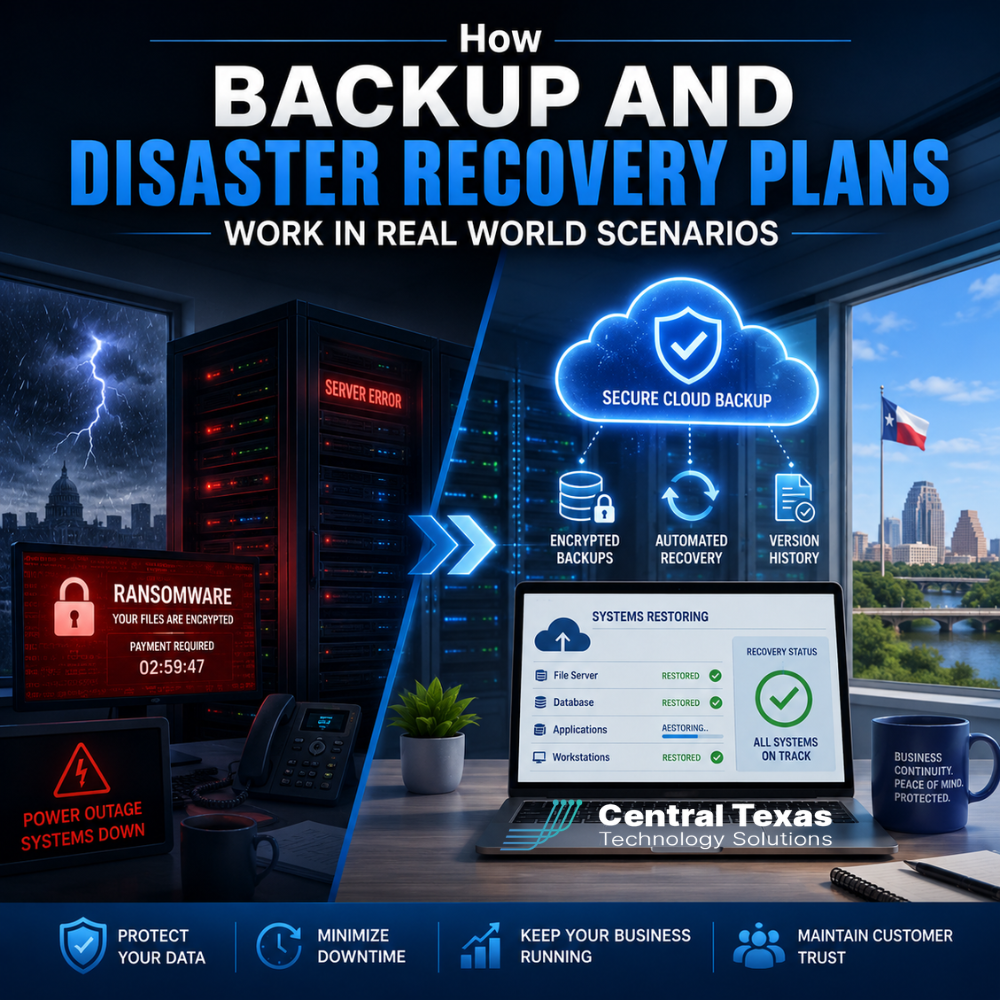
For many businesses in Austin and across Central Texas, that question becomes real after a server failure, ransomware attack, accidental deletion, power outage, cloud issue, or natural disaster. A backup may help, but a true backup and disaster recovery plan gives your business a clear path to keep operating, protect data, and reduce downtime.
This matters for healthcare practices, legal firms, professional services companies, construction teams, manufacturing businesses, and nonprofits because every hour of downtime affects people, revenue, service, and trust.
CTTS helps Central Texas businesses prepare before disruption happens, so when problems occur, your team knows what to do and how to recover with confidence.
What Is a Backup and Disaster Recovery Plan?
A backup and disaster recovery plan is a documented strategy for protecting your data and restoring your systems after an unexpected disruption.
Backups are copies of your important data.
Disaster recovery is the process of getting your business systems back online after a failure.
You need both.
A backup without a recovery plan can leave your business stuck. You may technically have data saved somewhere, but if no one knows how long recovery will take, what systems come first, or whether the backup is clean and usable, your team is still at risk.
A strong plan answers practical questions like:
- What data is being backed up?
- How often are backups created?
- Where are backups stored?
- How quickly can systems be restored?
- Who is responsible during an outage?
- Which systems must come back online first?
- How often are backups tested?
- What happens if ransomware infects files before they are backed up?
Businesses in Austin, Georgetown, Temple, and Belton cannot afford to figure this out during a crisis. The plan needs to exist before the disruption.
Why Backup and Disaster Recovery Planning Matters
Most business leaders know data is important. The bigger issue is that they often underestimate how quickly one technology problem can spread across the organization.
A healthcare clinic may lose access to patient scheduling or records.
A law firm may be unable to retrieve case documents before a deadline.
A professional services firm may lose client files or project history.
A construction company may lose access to jobsite plans, contracts, or billing systems.
A manufacturer may experience downtime that slows production.
A nonprofit may lose donor records, grant documents, or program data.
In each case, the problem is bigger than inconvenience. Downtime can lead to lost revenue, compliance concerns, missed deadlines, frustrated clients, and damaged trust.
That is why CTTS takes a proactive approach. The goal is not only to fix problems after they happen. The goal is to prevent avoidable failures, prepare for realistic risks, and align recovery planning with the way your business actually operates.
Real World Scenario 1: Accidental File Deletion
Accidental deletion is one of the most common data loss situations.
An employee may delete a folder, overwrite a document, or remove files from a shared drive without realizing others still need them. In some cases, the mistake is noticed right away. In others, it may not be discovered for days or weeks.
A good backup and disaster recovery plan helps by making sure important files are backed up frequently and can be restored quickly.
For example, a legal office in Austin may discover that a shared folder containing client documents was deleted. Without a reliable backup, the team may spend hours searching email attachments, old downloads, or local computer folders. With a tested backup plan, the missing folder can often be restored from a previous version.
The key is not just having a copy. The key is knowing how far back backups go, how quickly files can be restored, and whether the restored version is the right one.
Real World Scenario 2: Ransomware Attack
Ransomware is one of the most serious threats facing businesses today. Attackers encrypt files and demand payment to unlock them. In some cases, they also threaten to leak stolen data.
For businesses in healthcare, legal, professional services, construction, manufacturing, and nonprofits, ransomware can create a full operational shutdown.
A backup and disaster recovery plan helps reduce the pressure to make desperate decisions during an attack. If clean, recent backups are available and isolated from the infected systems, your business has more recovery options.
However, backups must be protected correctly. If ransomware can access your backup storage, those backups may be encrypted too. This is why businesses need secure backup architecture, monitoring, retention policies, and recovery testing.
CTTS helps businesses think through these issues before an incident happens. That includes evaluating where backups are stored, how they are protected, and how recovery would work if normal systems were compromised.
Real World Scenario 3: Server or Hardware Failure
Even reliable equipment eventually fails.
A server may crash. A hard drive may stop working. A network device may fail. A power issue may damage equipment. If critical systems depend on that hardware, your team may be unable to work until service is restored.
A backup and disaster recovery plan helps identify which systems are mission critical and how they should be restored.
For example, a manufacturing company near Round Rock may rely on systems that support scheduling, inventory, and order processing. If a server fails, the recovery plan should define what must come back first and how long recovery is expected to take.
This is where two important terms matter:
Recovery Time Objective: How quickly a system needs to be restored.
Recovery Point Objective: How much data the business can afford to lose based on backup timing.
A business that can tolerate one day of downtime has different needs than a healthcare practice that needs access restored within hours. CTTS helps organizations match technology planning to business expectations, not generic assumptions.
Real World Scenario 4: Cloud Application Outage or Account Issue
Many businesses assume that moving to the cloud solves backup and disaster recovery concerns. Cloud platforms are powerful, but they do not remove every risk.
Files can still be deleted.
Accounts can still be compromised.
Data can still be corrupted.
Users can still make mistakes.
A cloud provider may protect the platform, but your business still needs a strategy for protecting its own data, access, and continuity.
For example, a professional services firm in Georgetown may rely heavily on Microsoft 365 for email, documents, and collaboration. If an employee account is compromised or important files are deleted, the business needs a plan for restoring data and securing access.
Cloud backup should be part of the broader recovery conversation. CTTS helps businesses understand what is protected by the platform, what remains the company’s responsibility, and how to close the gaps.
Real World Scenario 5: Natural Disaster, Power Outage, or Building Access Issue
Not every disaster is digital.
A storm, flood, fire, power outage, internet outage, or building access issue can disrupt operations. Even if your data is safe, your team may not be able to access the office, servers, phones, or workstations.
A strong disaster recovery plan includes more than data restoration. It should also consider how employees will continue working, how clients will communicate with your business, and which tools are needed to maintain service.
For a construction company, that may mean keeping field teams connected to project documents.
For a nonprofit, that may mean maintaining access to donor systems and program records.
For a healthcare office, that may mean protecting patient communication and scheduling.
For a law firm, that may mean preserving access to deadlines, case files, and email.
The goal is business continuity. CTTS helps Central Texas businesses plan for the practical realities of disruption, not just the technical side.
What a Strong Backup and Disaster Recovery Plan Should Include
A good plan should be clear, tested, and aligned with business priorities.
It should include:
- A list of critical systems and data
- Backup frequency and retention settings
- Secure onsite and offsite backup options where appropriate
- Cloud backup coverage
- Recovery time expectations
- Recovery order for key systems
- Roles and responsibilities during an incident
- Security protections for backup storage
- Regular backup testing
- Documentation that can be followed during a stressful event
The most important part is testing.
Many businesses believe they are protected because backups are running. But a backup is only useful if it can be restored successfully. Testing confirms that the data is usable, the process works, and the recovery timeline is realistic.
Common Backup and Disaster Recovery Mistakes
Many businesses do not realize they have gaps until something goes wrong.
Common mistakes include:
- Assuming cloud platforms automatically protect everything
- Backing up data but never testing recovery
- Keeping backups connected to systems that ransomware can reach
- Not knowing how long recovery will take
- Treating all systems as equally important
- Failing to document who does what during an outage
- Ignoring remote and hybrid work needs
- Waiting until after a failure to build a recovery strategy
These mistakes are preventable. The right IT partner helps your business identify gaps early and fix them before they create expensive downtime.
How CTTS Helps Businesses Prepare for Real Disruptions
CTTS works with businesses across Austin and Central Texas to build IT strategies that support security, productivity, and business continuity.
That means looking beyond basic backups.
CTTS helps businesses evaluate what needs to be protected, how quickly systems must recover, and what risks could interrupt operations. Then CTTS helps implement, monitor, and maintain the systems that support that plan.
This proactive approach is especially important for business leaders who are growing, preparing for audits, managing compliance concerns, supporting remote teams, or dealing with recurring IT issues.
You should not have to wonder whether your business can recover after a disruption. You should have a clear plan, tested systems, and a trusted team ready to help.
Backup and Disaster Recovery Is a Business Decision, Not Just an IT Task
A backup and disaster recovery plan should reflect how your business works.
Your most important systems, your compliance responsibilities, your client expectations, and your tolerance for downtime all shape the right strategy.
That is why CTTS acts as a strategic partner, not just an IT provider. The goal is not to sell a backup tool and move on. The goal is to help your business stay prepared, protected, and productive when real problems happen.
Whether your organization is in healthcare, legal, professional services, construction, manufacturing, or nonprofits, the right plan can reduce risk and give your team confidence.
Ready to Find Out If Your Business Can Recover?
If your business lost access to critical files today, would you know exactly how long recovery would take?
If the answer is unclear, now is the time to review your backup and disaster recovery plan.
CTTS helps businesses in Austin, Georgetown, Temple, Belton, and across Central Texas build proactive IT strategies that protect data, reduce downtime, and support business continuity.
Schedule a consultation with CTTS today to review your current backup and disaster recovery readiness.
Frequently Asked Questions About Backup and Disaster Recovery Plans
What is the difference between backup and disaster recovery?
A backup is a copy of your data. Disaster recovery is the full plan for restoring systems, applications, and access after a disruption. Businesses need both because having data saved does not automatically mean operations can resume quickly.
How often should business backups be tested?
Backups should be tested regularly to confirm that data can be restored successfully. The right schedule depends on your business size, risk level, compliance needs, and how often your data changes. Testing helps prevent surprises during a real outage.
Do cloud systems still need backup and disaster recovery planning?
Yes. Cloud platforms reduce some risks, but they do not eliminate accidental deletion, account compromise, data corruption, or business continuity concerns. A cloud backup and recovery strategy helps protect the data your business is responsible for managing.
Contact CTTS today for IT support and managed services in Austin, TX. Let us handle your IT so you can focus on growing your business. Visit CTTSonline.com or call us at (512) 388-5559 to get started!
Make your next IT decision with confidence. Start with these insights:
What Do Managed IT Services Actually Include?
How Remote IT Support Works and When It Makes Sense
What IT Network Support Does for Business Stability and Growth
How IT Consulting Helps Businesses Scale Without Chaos
What Professional IT Support Services Mean for Day to Day Operations
What Does Proactive IT Support Actually Look Like Behind the Scenes?
How IT Monitoring Tools Detect Problems Before Your Team Notices Them