
 In 2026, Central Texas businesses face a cybersecurity reality that is difficult to ignore. Ransomware appears in nearly half of all confirmed data breaches, and for small and mid-sized organizations, unplanned downtime has never been more expensive. If your business has never formally defined its Recovery Time Objective (RTO) or Recovery Point Objective (RPO), you are navigating a genuine crisis risk without a map.
These two metrics are not just acronyms that belong in a vendor's pitch deck. They are the foundation of every honest conversation about whether your business can survive a serious incident, and how much it will cost to get back on your feet. At CTTS, we help businesses across Austin and Central Texas have those conversations every day, and we build the recovery infrastructure to back them up.
What Is at Stake
The numbers are sobering. The average cost of IT downtime runs approximately $5,600 per minute across industries. For a small or mid-sized business, even four hours offline can mean tens of thousands of dollars in lost productivity, missed invoices, and delayed customer commitments before the technical recovery costs even begin.
What makes this particularly dangerous in 2026 is the sophistication of ransomware attacks. Attackers have learned to specifically target backup repositories, not just production systems. Recent industry analysis shows that backup systems were targeted in 96 percent of ransomware attacks, and successfully compromised in 76 percent of those cases. Organizations that kept their backups intact paid a median recovery cost of $375,000. Those whose backups were compromised faced an average of $3 million.
The implication is significant. You cannot build a recovery plan around a backup that may not exist when you need it. That is exactly why defining your RTO and RPO, and testing the infrastructure designed to meet them, is not optional in the current threat environment.
Beyond the financial cost, FEMA estimates that 25 percent of businesses never reopen after a significant disaster. Of those that eventually fail, many had backup systems that never got tested, recovery plans that never got updated, and RTO and RPO targets that existed only as informal assumptions rather than documented commitments.
Why Central Texas Businesses Face This Challenge
The growth that has defined Central Texas over the past decade has been good for business. It has also created a specific kind of IT vulnerability. Companies in Austin, Round Rock, Georgetown, and New Braunfels that were once small enough to manage their IT manually are now operating with significantly more complexity: cloud applications, remote employees, third-party integrations, and data spread across multiple platforms.
That complexity changes the math on disaster recovery. What used to be a straightforward restore from a local backup can now involve coordinating dozens of systems, cloud environments, and vendor dependencies. A business that could get back online in two hours five years ago may now need 48 to 72 hours under the same backup approach, simply because the environment grew without the recovery plan growing alongside it.
Many Central Texas businesses also rely on a single internal IT generalist, or on the business owner themselves, to manage technology decisions. That works until an incident happens. When it does, the person who knows the systems best is also managing customer calls, insurance claims, and vendor communications simultaneously. That pressure is where untested plans fall apart.
The organizations that recover fastest from serious IT incidents are the ones who defined their RTO and RPO before they needed them, tested their recovery process before it was real, and had a managed IT service provider embedded in the business who already understood the environment and could act without a learning curve.
How CTTS Delivers IT Service in Austin and Central Texas
CTTS works with businesses across Central Texas to build disaster recovery plans that are grounded in business reality rather than technical assumptions. We start with two questions that every leadership team should be able to answer: How long can your business be down before it threatens your revenue, your customer relationships, or your ability to make payroll? And how much data can you afford to reconstruct from memory or manual records if your last backup is your only option?
The answers define your RTO and RPO. And those targets drive every technical decision that follows: what backup infrastructure you need, how often you back up, where copies are stored, and how quickly restoration can realistically occur.
From those targets, CTTS builds a recovery workflow your team can actually execute under pressure, not one that looks complete in a binder but has never been practiced. That includes evaluating your current backup solutions against your stated targets, identifying the gaps, and designing a clear step-by-step response playbook that works under real conditions.
We also conduct tabletop exercises with leadership teams so that when a real incident happens, the decisions feel familiar rather than novel. The organizations that recover fastest from serious incidents are the ones who have already made the hard choices in a low-stakes environment, before the pressure is real.
Best Practices for Disaster Recovery Planning in 2026
Define Your RTO and RPO in Writing
Start by sitting down with your leadership team and answering two questions honestly. First: how many hours of downtime would genuinely threaten your business operations, customer relationships, or ability to meet payroll? That number is your RTO. Second: if your most recent backup is three days old, can you reconstruct what was lost, or would three days of missing data create a serious problem? The point at which loss becomes unacceptable is your RPO.
For most small businesses, an RPO of four hours and an RTO of eight hours is a reasonable starting benchmark. But the right numbers depend entirely on your business model. A healthcare practice handling electronic health records may need an RPO measured in minutes. A professional services firm in Austin might tolerate a 24-hour recovery window but not a 72-hour one. A nonprofit processing time-sensitive grant disbursements has different stakes than one that primarily sends a weekly newsletter.
Write the numbers down. Make them official. Assign ownership to a specific person. Then ask the honest follow-up question: can your current infrastructure actually meet those targets?
Test Your Recovery Process Under Controlled Conditions
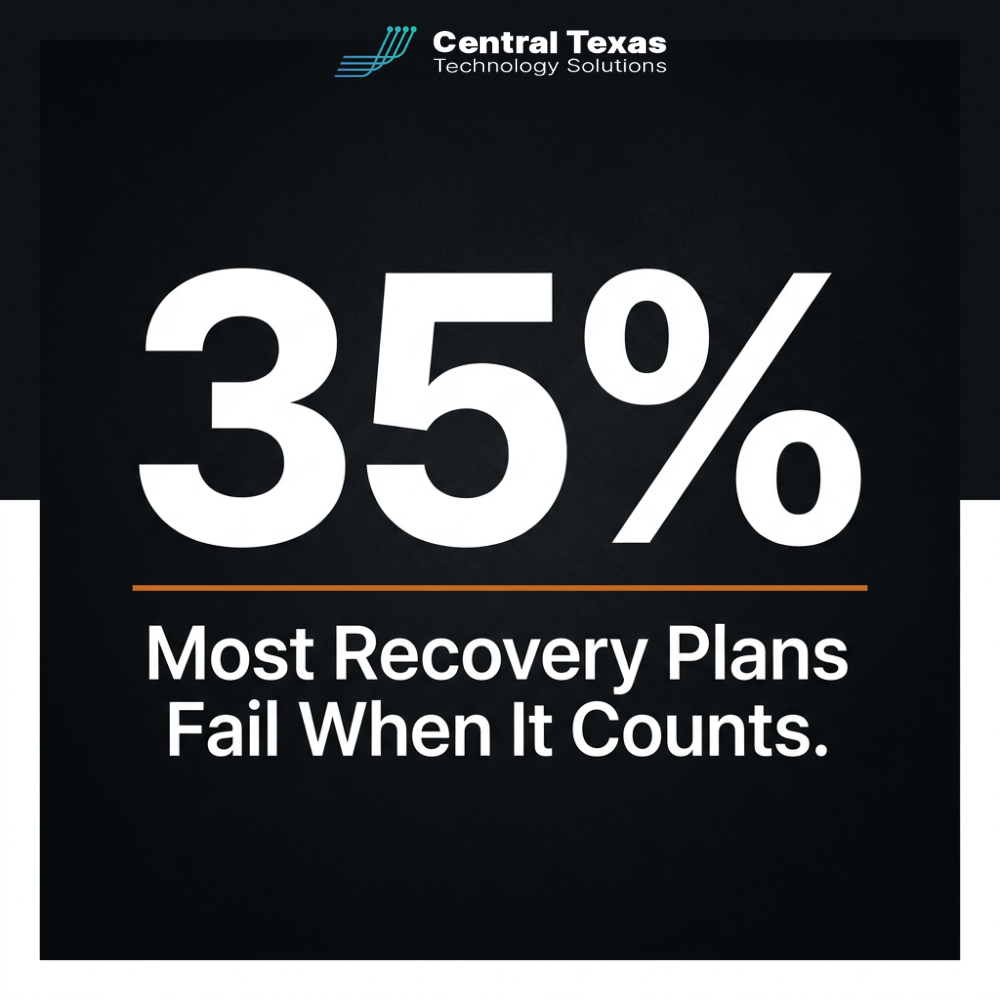
Industry data reveals a striking gap between what businesses believe about their recovery capabilities and what actually happens. More than 60 percent of organizations believe they can recover from a significant incident in under a day. In practice, fewer than 35 percent achieve that during actual events.
The gap almost always comes from backups that have never been tested under real restore conditions. Corrupted files, outdated configurations, missing data sets, and slow restore processes are invisible until you need them. CTTS recommends a full restore test on critical systems at least once per quarter, meaning you actually restore data to a test environment and verify that everything works, not simply confirm that a backup job completed successfully.
A test restore costs a few hours of planned effort. An untested restore can cost days of unplanned downtime at the worst possible time.
Apply the 3-2-1-1-0 Backup Rule
The original 3-2-1 rule called for three copies of data, stored on two different media types, with one copy kept offsite. In 2026, that standard has been updated to 3-2-1-1-0: three copies, two media types, one offsite, one immutable, and zero errors confirmed through automated testing.
The immutable copy is the critical addition for the ransomware environment. An immutable backup cannot be modified or deleted for a defined period, even by someone with full administrator credentials. Because ransomware attackers frequently spend days or weeks inside a network before triggering an attack, they often compromise or quietly delete accessible backups during that dwell period. An immutable copy breaks that strategy completely.
Zero errors means you are not simply creating backups. You are verifying through automated testing that they restore successfully, flagging problems before they become disasters rather than discovering them during one.
Calculate Your Actual Downtime Cost Per Hour
Before you can set a meaningful RTO, you need to know what each hour of downtime actually costs your business. Most business owners have never calculated this number, but the approach is straightforward. Add your hourly revenue (billings, sales, transactions), the cost of idle labor per hour (employees unable to work), and any contractual penalties or customer-facing delays that result from outages. That total is your downtime cost per hour.
Once you know that number, the economics of investing in stronger disaster recovery become clear. A business losing $6,000 per hour of downtime can easily justify a $20,000 infrastructure investment that cuts their RTO from 48 hours to four hours. The math is not complicated once you have the inputs.
Understanding your hourly downtime cost also helps you prioritize. Not every system needs enterprise-grade recovery. Knowing which systems are mission-critical, and what each hour without them costs, lets you allocate your recovery budget where it matters most rather than spreading it evenly across everything.
Partner with an IT Service Provider Who Stays Current with Your Environment
Disaster recovery is not a project with a completion date. It is an ongoing process that must evolve as your business changes: when you hire new staff, integrate new software, move to a new office, or shift workloads to the cloud. A recovery plan built for your business in 2024 may have significant gaps by 2026 if it was never updated.
A managed IT service provider who is embedded in your operations catches those changes as they happen and updates the plan before the gaps become vulnerabilities. A break-fix vendor only knows your environment changed when something fails. The difference between those two models is the difference between a recovery plan that works and one that worked for the business you were two years ago.
Take the Next Step
If your business has never formally documented its RTO and RPO, or has not run a backup restore test in the past six months, now is the right time to change that. The cost of a strategy conversation is zero. The cost of skipping it can be the business itself.
Schedule a free IT strategy session with CTTS today. We serve businesses in Austin, New Braunfels, Round Rock, Georgetown, Buda, San Marcos, Bastrop, Taylor, Temple, and Jarrell.
Frequently Asked Questions
What is the difference between RTO and RPO?
RTO (Recovery Time Objective) is how long your business can tolerate being offline before operations become unsustainable. RPO (Recovery Point Objective) is how much data loss you can accept, measured as the gap between your most recent backup and the moment the incident occurred. For example, an RPO of four hours means you back up every four hours and are prepared to potentially reconstruct or accept the loss of the most recent four hours of work. Both numbers should be defined separately for each of your mission-critical systems, because different applications carry very different tolerances for downtime and data loss.
How often should we test our disaster recovery plan?
At minimum, run a full restore test on your most critical systems once per quarter. This means actually restoring data to a test environment and confirming that everything works, not simply verifying that backup jobs completed without errors. Beyond quarterly restore tests, conduct a leadership tabletop exercise at least once a year, walking through decision-making under a simulated incident scenario. Any time your business changes significantly, such as adding a major software platform, onboarding a significant number of new employees, or moving data to a new environment, test again. The only way to know your plan works is to run it before you have to rely on it under real pressure.
Does cyber insurance replace the need for a disaster recovery plan?
No, and this distinction matters more than most business owners realize. Cyber insurance can help cover some financial costs after an incident, including certain ransom payments, legal fees, and customer notification expenses. But it does not accelerate your technical recovery, restore lost data, or compensate fully for revenue lost during downtime. Beyond that, insurers are increasingly requiring documented disaster recovery plans and evidence of regular backup testing as conditions for coverage. Businesses without a verifiable recovery plan may face higher premiums, reduced coverage limits, or claim denials. A strong disaster recovery posture and cyber insurance work together rather than substituting for one another.
Contact CTTS today for IT support and managed services in Austin, TX. Let us handle your IT so you can focus on growing your business. Visit CTTSonline.com or call us at (512) 388-5559 to get started!