
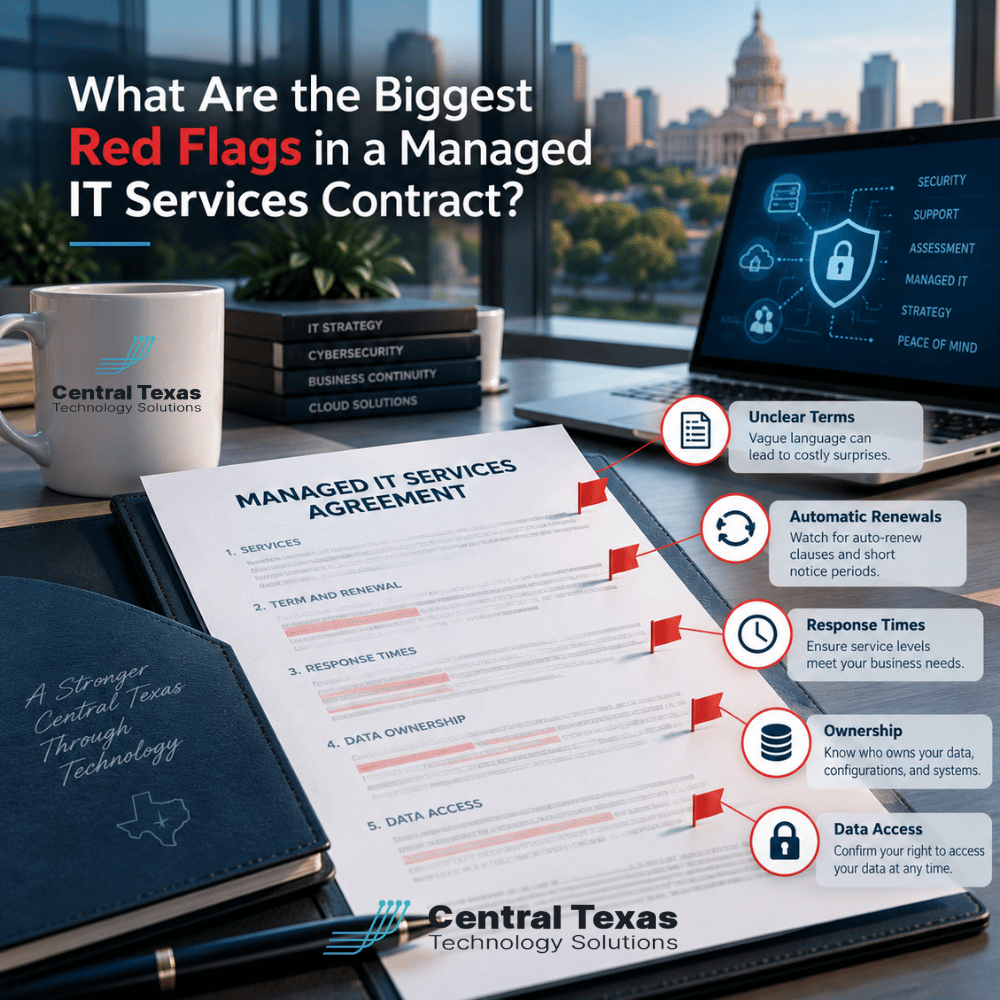
 Signing a managed IT services contract should give your business confidence that its technology will be supported, protected, and properly managed. Unfortunately, some agreements create confusion about what is covered, how much services really cost, and what happens if you decide to change providers.
The problem is that these issues often remain hidden until something goes wrong.
A contract that looks affordable today could leave your business paying unexpected fees, waiting too long for critical support, or struggling to regain control of its systems.
Before committing to a managed services provider (MSP), business owners should understand exactly what they are agreeing to. Here are seven warning signs worth investigating before signing.
1. Unclear Scope of Services and Coverage
One of the biggest red flags in a managed IT services contract is vague language describing what the provider actually delivers.
An agreement might promise "comprehensive IT support" or "complete technology management" without explaining which systems, devices, users, and services are included.
That ambiguity creates opportunities for misunderstandings and additional charges.
For example, does the monthly agreement include:
-
Unlimited employee help desk requests?
-
Server and workstation monitoring?
-
Software updates and patch management?
-
Cybersecurity services and threat monitoring?
-
Support for remote employees and mobile devices?
-
Management of Microsoft 365 accounts and licenses?
Not every managed IT agreement includes all these services, and that is not necessarily a problem. The concern is whether the provider clearly explains what is included and what costs extra.
What to look for: A detailed scope of services identifying covered systems, responsibilities, exclusions, and additional charges.
A good provider should be comfortable explaining exactly what your monthly investment covers.
2. Automatic Renewals That Make Leaving Difficult
Automatic renewals are common in managed IT services agreements. They help maintain uninterrupted support and simplify administration.
However, renewal terms become problematic when they are difficult to understand or impose unreasonable restrictions.
Watch for contracts that automatically renew for another full year unless you provide written notice 60 or 90 days before expiration.
If you miss that deadline, you could find yourself committed to another lengthy contract.
Before signing, ask these questions:
-
How long is the initial agreement?
-
Does it automatically renew?
-
How much advance notice is required to cancel?
-
Does the agreement renew monthly or for another full term?
-
Can pricing change when the contract renews?
What to look for: Clearly stated renewal dates, notice requirements, and pricing provisions.
Automatic renewal itself is not a warning sign. A renewal process that catches customers by surprise is.
3. Termination Clauses That Create Financial or Operational Risks
Every business relationship should have a reasonable exit process, including relationships with technology providers.
Unfortunately, some managed IT services contracts make termination unnecessarily expensive or complicated.
A particularly concerning provision requires customers to pay the entire remaining contract balance, even when they are dissatisfied with the provider's performance.
Other agreements may fail to explain what happens when the relationship ends.
For example, who is responsible for transferring administrative credentials, documenting the network, or coordinating with the replacement provider?
A well-written termination clause should address:
-
Required notice and acceptable methods of notification
-
Early termination fees and how they are calculated
-
Opportunities to resolve documented service failures
-
Transition assistance and any associated charges
-
The return or transfer of business information and credentials
-
When access to managed systems and services will end
What to look for: Reasonable termination terms and a documented transition process that protects business operations.
Your company should not have to risk losing access to essential technology simply because it wants to change IT providers.
4. Confusing Ownership of Software Licenses, Equipment, and Data
Ownership is one of the most overlooked issues in a managed IT services agreement.
Your provider may purchase software subscriptions, configure cloud environments, install networking equipment, and manage administrative accounts on your behalf.
But who actually owns those resources?
Consider a business that has used the same IT provider for five years. When it decides to switch providers, it discovers that critical software subscriptions are registered under the provider's account, with no clear transfer process.
That creates unnecessary complications and potentially expensive disruptions.
Your agreement should distinguish between customer-owned and provider-owned resources, including:
-
Computers, servers, firewalls, and networking equipment
-
Microsoft 365 and other cloud subscriptions
-
Domain names and DNS management accounts
-
Software licenses and vendor relationships
-
Administrative accounts and credentials
-
Business files, databases, and backups
Provider-owned tools are not inherently problematic. Some monitoring, security, and management platforms are licensed specifically to the IT provider and may not be transferable.
The important distinction is whether ownership and portability are clearly documented.
What to look for: Written confirmation of who owns each major technology asset, what can be transferred, and what must be replaced when the agreement ends.
5. Vague Response-Time Promises and Service Level Agreements
A managed IT provider might advertise fast support, priority service, or rapid response times.
Those promises sound reassuring, but they mean very little without specific definitions.
For example, a contract might promise a one-hour response time. Does that mean a technician will acknowledge the ticket within an hour, begin troubleshooting, or restore the affected service?
Those are very different commitments.
A Service Level Agreement (SLA) should clearly define how support requests are handled.
Important details include:
-
Response time: How quickly the provider acknowledges or begins addressing a request.
-
Resolution expectations: How the provider prioritizes troubleshooting and communicates progress.
-
Severity levels: How routine requests differ from business-critical outages.
-
Support hours: Whether coverage applies during business hours, evenings, weekends, or holidays.
-
Escalation procedures: What happens when a problem remains unresolved.
Resolution times cannot always be guaranteed because some issues depend on hardware vendors, internet providers, or third-party software companies.
However, the provider should still explain how urgent issues are escalated and how customers receive updates.
What to look for: Measurable service commitments, clearly defined priorities, and realistic communication expectations.
A reliable IT help desk should be accountable for more than simply opening tickets.
6. Project Exclusions and Unexpected Additional Charges
Many businesses assume their monthly managed IT fee covers every technology-related task.
That is rarely the case.
Routine support and maintenance are different from major projects, such as replacing servers, migrating cloud environments, opening new offices, or upgrading network infrastructure.
These projects may require separate planning, labor, equipment, and licensing.
The red flag is not that projects cost extra. It is that the contract fails to explain where routine services end and billable projects begin.
Before signing, determine whether the agreement covers:
-
New employee onboarding and offboarding
-
Replacement and installation of existing computers
-
Network equipment upgrades
-
Office relocations and expansions
-
Server replacements and migrations
-
New software deployments
-
Major cloud infrastructure changes
Ask whether additional work requires written approval and whether project pricing is hourly, fixed-fee, or separately quoted.
What to look for: Clear project exclusions, transparent rates, and approval requirements before additional charges are incurred.
A proactive IT partner should also help anticipate these expenses through regular technology planning and budgeting.
7. Restrictions on Administrative Access and Business Data
Your IT provider needs privileged access to manage and protect your systems.
However, that access should not prevent your business from maintaining appropriate control over its technology.
A concerning contract may give the provider exclusive control over administrative credentials without explaining how authorized business representatives can obtain access when necessary.
Another warning sign is an agreement that does not address data retrieval, backup ownership, or access during a provider transition.
For organizations handling sensitive information, these provisions deserve particular attention.
Healthcare organizations and legal firms must protect confidential records. Professional services companies and nonprofits often manage sensitive financial and personal information, while construction and manufacturing businesses depend on reliable access to operational files and systems.
In each case, losing access to critical information can interrupt operations.
A strong agreement should clarify:
-
Who controls primary administrative accounts
-
How privileged access is secured and documented
-
How authorized customer representatives can request access
-
Who owns business data and backups
-
How information can be exported or transferred
-
How access is revoked when the relationship ends
What to look for: Clear data ownership, secure administrative access procedures, and documented data retrieval rights.
Your provider should protect your systems without making your business unnecessarily dependent on them.
What Should a Good Managed IT Services Contract Include?
A good contract should establish a relationship built on transparency, accountability, and shared expectations.
It should explain what the provider does, what the customer remains responsible for, how services are measured, and how the relationship can evolve as business needs change.
For growing companies in Austin, Georgetown, Cedar Park, and Taylor, that clarity becomes especially important as technology environments expand.
A contract that worked for a business with ten employees may need adjustments when the organization grows to fifty employees, adds locations, or adopts new applications.
At CTTS, our Complete Care Coverage approach emphasizes proactive technology management and alignment with business needs.
The goal is to help organizations reduce recurring problems, manage risk, and make better technology decisions rather than simply responding when something breaks.
Before choosing any managed IT provider, ask them to walk through their agreement with you. A trustworthy partner should welcome questions and explain important provisions in plain English.
Choose an IT Partner That Makes the Agreement Clear
A managed IT services contract should protect your business, establish clear expectations, and support a productive long-term relationship.
If important provisions are confusing or your prospective provider is reluctant to explain them, those concerns deserve attention before you sign.
CTTS helps Central Texas businesses make informed technology decisions with a focus on proactive support, security, and long-term planning.
Schedule a free IT consultation with CTTS and learn how we can support your business.
Frequently Asked Questions About Managed IT Services Contracts
How long should a managed IT services contract last?
Managed IT contracts commonly use monthly, annual, or multiyear terms. The right duration depends on your business needs, the services provided, and any upfront investments. Longer agreements may offer pricing stability, but they can also reduce flexibility. Before signing, compare the contract length with its renewal provisions, termination fees, and service commitments. The most important consideration is whether the agreement provides reasonable protection for both parties.
Can I switch IT providers before my contract expires?
Possibly, but your options depend on the termination provisions in your existing agreement. Some contracts allow early cancellation with notice or a specified fee, while others require payment for the remaining term. Review the agreement before making a decision, particularly provisions concerning data access, licensing, and transition assistance. If the financial or legal implications are significant, consider having an attorney review the contract before providing notice.
Should my business own its Microsoft 365 accounts and licenses?
Your business should generally maintain control over its Microsoft 365 tenant, business data, and appropriate administrative access. However, the ownership and transferability of individual licenses depend on the licensing arrangement and reseller relationship. An IT provider may manage subscriptions on your behalf without owning your organization's data. Before signing, confirm who controls the tenant, how subscriptions are billed, and what happens if you change providers.
Contact CTTS today for IT support and managed services in Austin, TX. Let us handle your IT so you can focus on growing your business. Visit CTTSonline.com or call us at (512) 388-5559 to get started!
Get the answers business leaders are asking about IT services:
How to Tell Whether an IT Provider Can Support Multiple Offices
What Should You Ask an IT Provider Before Giving Them Administrative Access to Your Business?
How Can You Tell Whether an IT Company's Cybersecurity Claims Are Actually Meaningful?
What Should a Managed IT Provider Show You During the Sales Process?
How Long Should You Give a New IT Provider Before Deciding Whether You Made the Right Choice?