
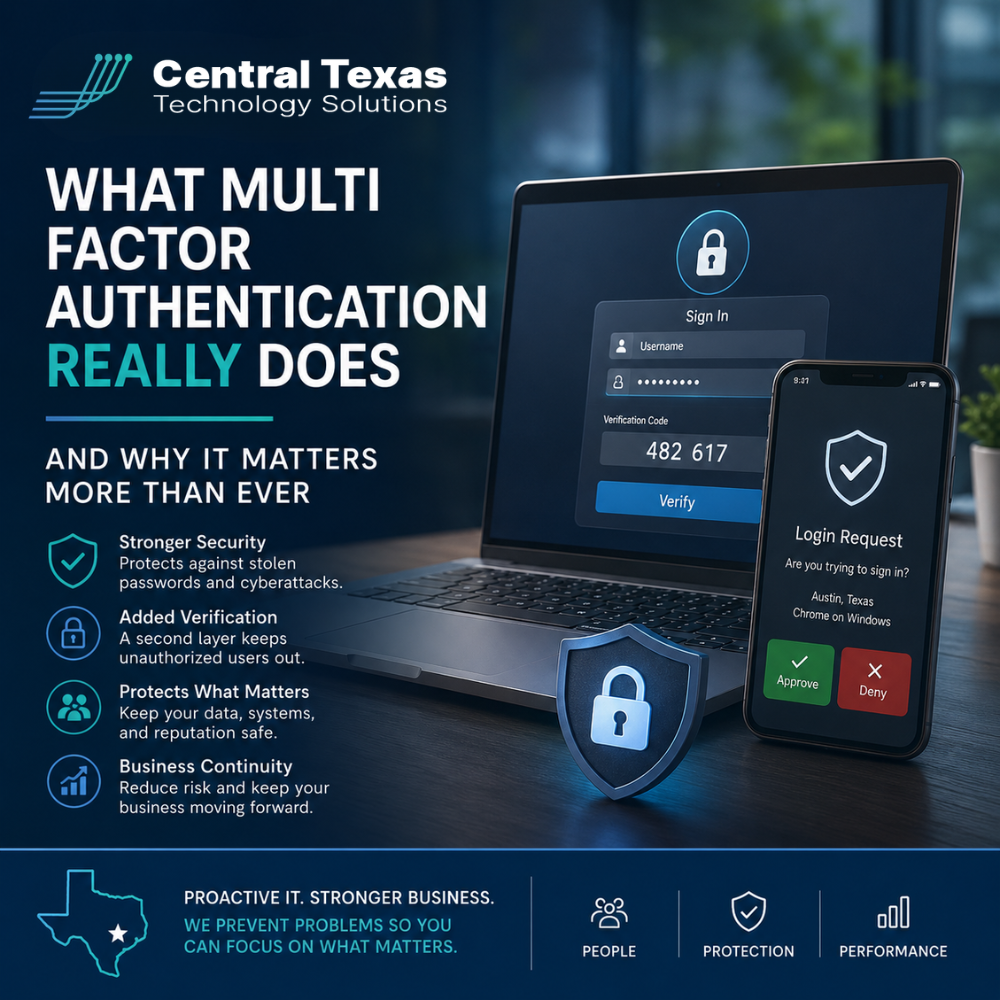
Cybersecurity threats are no longer just a problem for large corporations with massive IT budgets. Today, businesses across Austin, Georgetown, Buda, and Kyle are facing constant attacks aimed at stealing passwords, accessing financial systems, and disrupting operations.
For businesses in Healthcare, Legal, Professional Services, Construction, Manufacturing, and Nonprofits, a single compromised login can create serious consequences. Sensitive client information, financial records, operational systems, and even business reputations can all be placed at risk.
That is why Multi-Factor Authentication, commonly called MFA, has become one of the most important cybersecurity protections available today.
The problem is that many business leaders still misunderstand what MFA actually does and why it matters so much.
What Is Multi-Factor Authentication?
Multi-Factor Authentication adds an extra layer of security when someone logs into an account or system.
Normally, logging in only requires one factor:
- A username
- A password
The issue is that passwords alone are no longer enough to protect businesses. Cybercriminals routinely steal passwords through phishing emails, malware, fake login pages, and data breaches.
MFA requires a second form of verification before access is granted. This second factor is usually something the user has or something the user is.
Common examples include:
- A code sent to a mobile device
- An authentication app approval
- A fingerprint or facial recognition scan
- A hardware security key
- A temporary login code
Even if an attacker steals a password, they still cannot access the account without the second factor.
That single extra step can stop many of today’s most common cyberattacks.
Why Passwords Alone Are Failing Businesses
Many organizations still believe strong passwords are enough. Unfortunately, that assumption no longer matches reality.
Attackers have become extremely effective at tricking users into revealing login credentials. Artificial intelligence has also made phishing emails more convincing and harder to detect.
A fake Microsoft 365 login page can look nearly identical to the real thing. Employees may unknowingly enter their credentials without realizing they are handing them directly to an attacker.
Once attackers gain access, they often move quickly to:
- Steal sensitive data
- Send fraudulent payment requests
- Access cloud applications
- Deploy ransomware
- Impersonate employees or executives
Businesses in industries like Healthcare and Legal often handle confidential information that makes them especially attractive targets. Manufacturing companies may face operational disruptions, while Construction firms increasingly rely on cloud-based collaboration tools that can be compromised through stolen credentials.
Nonprofits and Professional Services organizations are also common targets because attackers know these businesses may have limited internal cybersecurity resources.
Without MFA, a stolen password can become an open door into the business.
What Multi-Factor Authentication Really Protects
Many business leaders think MFA only protects email accounts. In reality, it protects far more than that.
When properly implemented, MFA helps secure:
- Microsoft 365 accounts
- Cloud applications
- Financial systems
- VPN access
- Remote desktop connections
- Customer databases
- File sharing platforms
- Payroll systems
- Administrative accounts
For businesses managing remote or hybrid teams across Austin and Central Texas, MFA is especially important because employees often access systems from multiple devices and locations.
This extra layer of verification dramatically reduces the likelihood of unauthorized access.
According to Microsoft, MFA can block the vast majority of automated account compromise attacks.
Why MFA Matters More Than Ever in 2026
Cyberattacks are becoming more sophisticated every year.
Attackers are now using:
- AI-generated phishing emails
- Session hijacking
- MFA fatigue attacks
- Social engineering
- Credential theft marketplaces
Many attacks no longer rely on guessing passwords. Instead, they rely on tricking people.
That means businesses need security systems designed around the reality that passwords will eventually be exposed.
MFA creates a critical barrier that helps stop attackers before they gain access to sensitive systems.
For organizations facing compliance requirements, cyber insurance questionnaires, or client security expectations, MFA is often considered a baseline requirement rather than an optional feature.
Businesses that fail to implement MFA may face:
- Increased cyber insurance costs
- Compliance concerns
- Greater ransomware exposure
- Financial fraud risks
- Reputational damage
The cost of ignoring MFA is often far greater than the inconvenience of using it.
Common Misconceptions About MFA
One reason some businesses delay implementing MFA is because of outdated assumptions.
“It’s Too Inconvenient”
Modern authentication tools are far easier to use than many people realize. Most users simply approve a login request from their phone in seconds.
The small amount of added time is insignificant compared to the damage caused by a cybersecurity breach.
“We’re Too Small to Be Targeted”
Small and mid-sized businesses are frequently targeted because attackers assume they have weaker protections in place.
Cybercriminals often use automated tools to target thousands of organizations at once.
“We Already Have Antivirus Software”
Antivirus software is important, but it does not stop stolen credentials from being used.
MFA protects accounts directly, which addresses a completely different type of threat.
The Best MFA Strategies for Businesses
Not all MFA implementations are equal.
Businesses should focus on:
- Enabling MFA for all users, not just executives
- Prioritizing Microsoft 365 and cloud applications
- Using authentication apps instead of text messages when possible
- Protecting administrative accounts with stronger controls
- Training employees to recognize MFA-related phishing attempts
- Reviewing login activity regularly
A proactive cybersecurity strategy also includes monitoring, employee training, backup planning, and regular security reviews.
That is where having the right IT partner becomes critical.
Why Businesses Need a Proactive IT Strategy
Technology should help your business move forward, not create uncertainty.
At CTTS, we help businesses across Austin and Central Texas implement proactive cybersecurity strategies designed to reduce risk before problems occur.
We work with organizations in Healthcare, Legal, Professional Services, Construction, Manufacturing, and Nonprofits to align cybersecurity with business operations, compliance needs, and long-term growth goals.
Cybersecurity is no longer just an IT issue. It is a business continuity issue.
The businesses that take proactive action today will be far better positioned to avoid costly disruptions tomorrow.
Frequently Asked Questions
What is the difference between MFA and two factor authentication?
Two factor authentication uses two forms of verification. Multi-Factor Authentication is a broader term that can include two or more verification methods.
Is text message MFA secure enough?
Text message MFA is better than no MFA, but authentication apps and hardware security keys generally provide stronger protection against advanced attacks.
Should every employee use MFA?
Yes. Attackers often target lower-level employee accounts first because they may have weaker protections. Every user account should be protected with MFA.
Contact CTTS today for IT support and managed services in Austin, TX. Let us handle your IT so you can focus on growing your business. Visit CTTSonline.com or call us at (512) 388-5559 to get started!
Explore these expert insights before making your next IT decision:
How Microsoft 365 Support Improves Productivity and Security
What Network Security Really Means Beyond Firewalls and Antivirus
How Ransomware Protection Works and Why Prevention Matters
When to Bring in an IT Consulting Firm Instead of Just IT Support