
A business can lose access to its data in more ways than most leaders expect.
A server can fail. A laptop can be stolen. A file can be deleted by mistake. A ransomware attack can lock down critical systems. A storm, power issue, fire, or internet outage can interrupt access to the information your team needs to keep working.
When that happens, the question is not just, “Do we have a backup?”
The better question is, “Can we recover the right data quickly enough to protect the business?”
For many businesses in Austin, Cedar Park, Leander, Liberty Hill, and across Central Texas, the answer is not choosing between cloud backup and local backup. The stronger answer is often using both.
What Is Cloud Backup?
Cloud backup stores copies of your business data in a secure offsite environment. Instead of keeping every backup inside your office, your data is copied to a cloud-based platform that can be accessed when needed for recovery.
This is especially valuable when a local system is damaged, stolen, encrypted by ransomware, or physically unavailable.
For example, a healthcare clinic may need cloud backup to protect patient records if a local server fails. A law firm may need offsite copies of client files in case a workstation is compromised. A nonprofit may rely on cloud backup to recover donor records after accidental deletion or system corruption.
Cloud backup helps businesses protect against local disasters and gives them a recovery path when the office environment itself is part of the problem.
What Is Local Backup?
Local backup stores copies of your data on equipment that is physically near your business. This may include a backup appliance, external storage device, network attached storage, or another onsite system.
Local backup is often useful because recovery can be faster when the backup device is nearby. If a file is accidentally deleted or a server needs to be restored quickly, local backup can help reduce downtime.
For construction companies, this might mean restoring project files quickly before a bid deadline. For professional services firms, it could mean recovering shared documents before client work is delayed. For manufacturers, local backup may help restore operational files or production-related data faster than pulling everything from the cloud.
Local backup gives your business speed and convenience, but it should not be the only layer of protection.
Cloud Backup vs Local Backup: The Key Difference
The biggest difference between cloud backup and local backup is location.
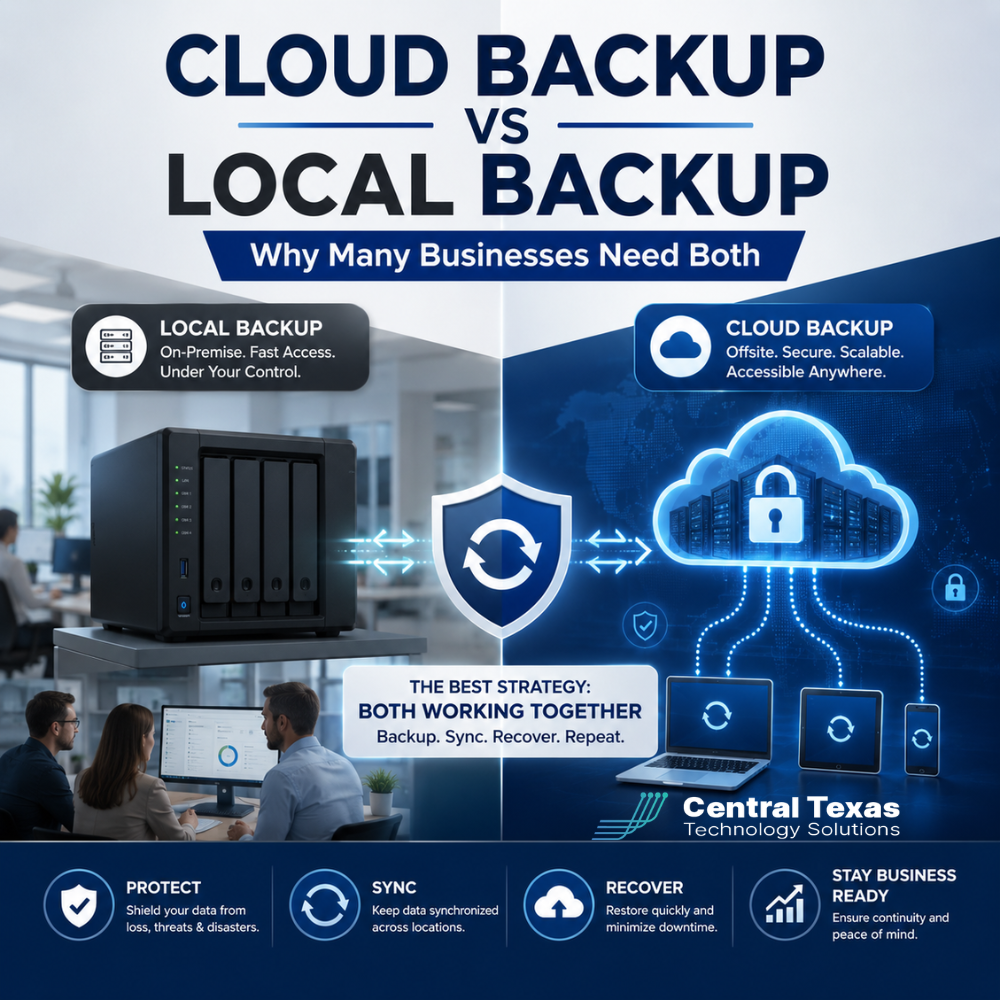
Local backup is nearby, which can make recovery faster. Cloud backup is offsite, which helps protect your data if something happens to your office, network, or onsite equipment.
Here is the simplest way to think about it:
Local backup helps you recover quickly from everyday problems.
Cloud backup helps you recover when the local environment is unavailable, damaged, or compromised.
Both solve different problems. That is why many businesses need both.
Why Local Backup Alone Is Not Enough
Local backup can be helpful, but it also carries risk if it is your only recovery plan.
If your backups are stored in the same building as your primary systems, they may be affected by the same event that damages your original data. Fire, theft, flooding, power damage, hardware failure, or ransomware can impact both your live systems and local backups.
Ransomware is an especially important concern. If a backup device is constantly connected to the network and not properly protected, an attack may encrypt the backup data too. In that situation, the business may discover too late that the backup exists but cannot be trusted.
This can create serious problems for businesses in healthcare, legal, professional services, construction, manufacturing, and nonprofits because each depends on reliable access to critical records, communications, financial data, and operational systems.
Local backup is valuable, but it needs to be part of a larger strategy.
Why Cloud Backup Alone May Not Be Enough
Cloud backup is powerful, but it is not perfect by itself.
If your business needs to restore a large amount of data, cloud recovery may depend on internet speed, cloud platform availability, recovery settings, and the amount of data involved. For smaller files, cloud recovery can be simple. For full systems, large databases, or entire servers, recovery can take longer without the right planning.
This matters when downtime has a direct business cost.
A manufacturer may not be able to wait days to recover production data. A legal office may need immediate access to case files before a deadline. A healthcare organization may need patient information available as quickly as possible. A construction firm may need project plans, schedules, and estimates restored before crews are delayed.
Cloud backup protects against major loss, but businesses still need a recovery strategy that accounts for speed.
Why Many Businesses Need Both Cloud and Local Backup
The strongest backup strategies often use both cloud and local backup because they protect against different risks.
A local backup can help your business recover quickly from common problems such as:
- Accidental file deletion
- Hardware failure
- Software corruption
- Failed updates
- Damaged workstations or servers
A cloud backup can help your business recover when the situation is more serious, such as:
- Ransomware
- Theft
- Fire or flood damage
- Office-wide outage
- Local backup failure
- Physical damage to onsite equipment
When both are designed correctly, your business has more than one recovery path. That matters because real-world IT problems do not always happen in neat, predictable ways.
A good backup strategy should answer three questions:
- How much data can we afford to lose?
- How long can we afford to be down?
- What happens if our office or local systems are unavailable?
These questions help determine the right combination of cloud and local backup.
Backup Isn't Just Storage. It's a Business Continuity Plan
One common mistake is thinking backup simply means having a copy of files.
That is only part of the picture.
A backup strategy should support business continuity, which means keeping the business running or getting it back online quickly after an interruption.
This includes:
- Backing up the right data
- Protecting backups from ransomware
- Testing backups regularly
- Documenting recovery steps
- Monitoring backup success and failure
- Aligning recovery plans with business priorities
For example, a nonprofit may need fast access to donor management systems during a fundraising campaign. A professional services firm may need client files and email restored first. A construction business may prioritize project management systems. A healthcare organization may have compliance and patient care concerns. A manufacturer may need systems that support scheduling, inventory, or production.
Not all data has the same priority. CTTS helps businesses identify what must be restored first, how quickly it needs to come back, and what backup approach best supports those goals.
The Risk of Untested Backups
A backup that has never been tested is only an assumption.
Many businesses believe they are protected because someone set up a backup years ago. But backup systems can fail quietly. Storage can fill up. Credentials can change. Software can stop working. Files can be excluded by mistake. A backup may complete successfully but still fail to restore the system the way the business needs it.
This is why proactive backup management matters.
CTTS does not treat backup as a set-it-and-forget-it task. A strong IT partner should monitor backups, review failures, test recovery processes, and make sure the backup plan still matches the current business environment.
As your company grows, your data changes. Your systems change. Your compliance needs may change. Your backup strategy should change with them.
Cloud Backup vs Local Backup for Small and Mid-Sized Businesses
For many small and mid-sized businesses in Central Texas, the best answer is a layered backup strategy.
A business may use local backup for fast recovery and cloud backup for offsite protection. This creates flexibility when something goes wrong.
The right setup depends on several factors, including:
- Number of employees
- Amount of data
- Type of systems being backed up
- Compliance requirements
- Internet speed
- Tolerance for downtime
- Cybersecurity risk
- Remote or hybrid work needs
- Budget
- Existing hardware and software
There is no one-size-fits-all answer. A five-person professional services firm will not have the same needs as a healthcare practice, manufacturing company, construction business, nonprofit, or multi-location legal office.
The goal is not to buy the most expensive backup tool. The goal is to build a recovery plan that matches the way your business actually operates.
How CTTS Helps Businesses Build the Right Backup Strategy
CTTS helps businesses move from uncertainty to confidence by creating backup and disaster recovery plans that are practical, secure, and aligned with business goals.
Instead of waiting until something fails, CTTS helps identify risk before it turns into downtime.
That includes helping businesses:
- Determine which data and systems need protection
- Choose the right mix of cloud and local backup
- Monitor backup jobs for failures
- Protect backups from ransomware exposure
- Test recovery processes
- Plan for business continuity
- Document recovery procedures
- Align backup strategy with compliance and operational needs
CTTS serves businesses across Austin, Cedar Park, Leander, Liberty Hill, and Central Texas with a proactive approach to managed IT services. The goal is simple: prevent avoidable disruption and help your team stay productive, secure, and prepared.
Do You Need Cloud Backup, Local Backup, or Both?
Most businesses should not think of cloud backup and local backup as competing options.
They are different layers of protection.
Local backup helps with speed. Cloud backup helps with resilience. Together, they give your business a stronger recovery position when files are lost, systems fail, or a major event threatens your operations.
If your business cannot afford extended downtime, lost files, compliance issues, or uncertainty during an IT emergency, it may be time to review your backup strategy.
CTTS can help you understand what you have, where the risks are, and what steps will give your business stronger protection.
Ready to Strengthen Your Backup Strategy?
Your business should not have to wonder whether its data can be recovered after a failure, cyberattack, or disaster.
CTTS helps Central Texas businesses build proactive backup and disaster recovery plans that protect productivity, security, and business continuity.
Schedule a consultation with CTTS today to review your backup strategy and find out whether your business needs cloud backup, local backup, or both.
Frequently Asked Questions About Cloud Backup vs Local Backup
Is cloud backup better than local backup?
Cloud backup is better for offsite protection, especially if your office systems are damaged, stolen, or compromised. Local backup is often better for fast recovery when the issue is limited to a device, file, or server. Many businesses need both because each one solves a different problem.
Can ransomware affect backups?
Yes. If backups are connected to the network and not properly protected, ransomware may be able to encrypt or damage them. A strong backup strategy should include security controls, offsite copies, monitoring, and recovery testing.
How often should business backups be tested?
Business backups should be tested regularly, not just assumed to be working. The right schedule depends on your systems, compliance needs, and tolerance for downtime. CTTS helps businesses test and monitor backups so recovery plans are reliable when they are needed most.
Contact CTTS today for IT support and managed services in Austin, TX. Let us handle your IT so you can focus on growing your business. Visit CTTSonline.com or call us at (512) 388-5559 to get started!
Get the answers business leaders are asking about IT services:
Managed IT Services vs Break Fix IT Support: Which Is Right for Your Business?
Local IT Support in Austin vs National IT Providers
In House IT vs Outsourced IT Support: Pros and Cons for Growing Companies
Microsoft 365 Support Through a Partner vs Doing It Yourself
Cloud First IT Consulting vs Traditional IT Infrastructure
Fully Managed IT vs Co Managed IT: Which Model Fits Your Business Best?
IT Generalists vs IT Specialists: What Does Your Business Really Need?
Should You Standardize Your Technology Stack or Stay Flexible?
One IT Vendor vs Multiple Vendors: Which Approach Reduces Risk?
Is It Better to Upgrade Your Current Systems or Start Fresh?