
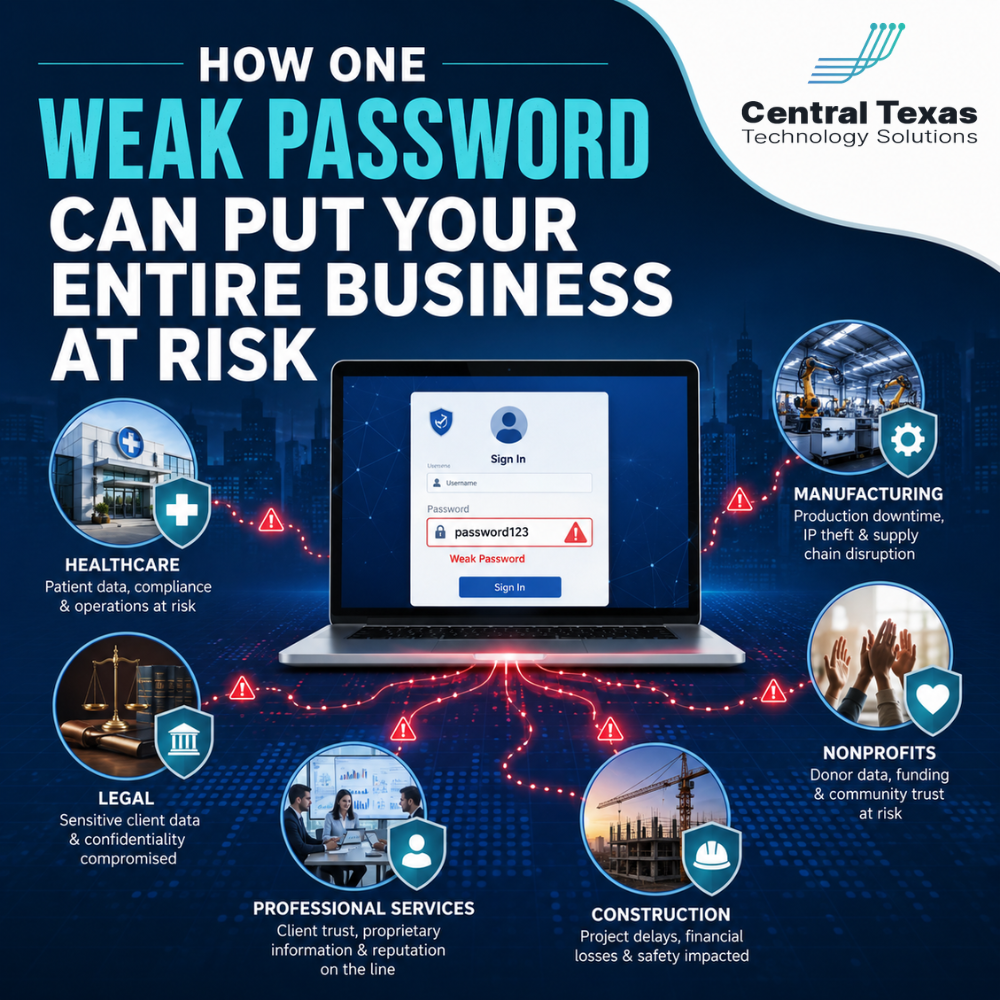
Weak passwords feel like a small problem until they become the doorway into your entire business.
A single reused, simple, or stolen password can give a cybercriminal access to email, files, financial systems, client records, employee information, and business applications. For leaders in healthcare, legal, professional services, construction, manufacturing, and nonprofits, this is not just an IT issue. It is a business risk.
Your team may be working hard, serving clients, meeting deadlines, and keeping operations moving. But if one employee password is easy to guess or has already been exposed in a previous breach, your business could be more vulnerable than you realize.
That is why password security has to be treated as part of your overall cybersecurity strategy, not just a basic login requirement.
Why Weak Passwords Are a Serious Cybersecurity Risk
Many business leaders assume hackers only target large companies. In reality, small and midsize organizations are often attractive targets because they may not have strong password policies, multi-factor authentication, or proactive monitoring in place.
A weak password can include:
- A simple password like
Company123 - A reused password from another website
- A password based on a name, birthday, pet, or sports team
- A shared password used by multiple employees
- A password stored in a spreadsheet, note app, or email
- A password that has not been changed after an employee leaves
The problem is not just that someone may guess the password. The bigger issue is that stolen passwords are often sold or shared online after other companies experience data breaches.
If an employee uses the same password for a personal account and a business account, your business could be exposed through something completely outside your control.
How One Password Can Lead to a Bigger Breach
Cybercriminals rarely stop at one account. Once they gain access, they look for ways to move deeper into the business.
For example, if an attacker gets into an employee’s email account, they may be able to:
- Review private conversations
- Reset passwords for other business tools
- Send fake invoices to customers
- Impersonate company leadership
- Access shared files and attachments
- Target other employees with convincing phishing emails
- Steal client, patient, donor, or financial information
This is especially dangerous for healthcare organizations managing sensitive patient information, law firms handling confidential legal documents, professional services firms serving multiple clients, construction companies coordinating bids and payments, manufacturers managing supply chain data, and nonprofits protecting donor records.
One weak password can become the first domino.
Why Password Reuse Creates More Risk
Password reuse is one of the most common cybersecurity mistakes.
It usually happens because employees are overwhelmed by the number of systems they use every day. They may have logins for email, payroll, project management, banking, cloud storage, customer databases, vendor portals, and industry-specific applications.
To make life easier, they use the same password in multiple places.
That may feel convenient, but it creates a serious risk. If one account is compromised, every other account using that same password could also be at risk.
A cybercriminal does not need to break into your network first. They may simply try a stolen email and password combination across multiple sites until something works.
The Business Impact of a Compromised Password
The damage from one weak password can spread quickly.
A compromised password can lead to:
- Business email compromise
- Unauthorized access to customer or client records
- Fraudulent wire transfer requests
- Ransomware attacks
- Data loss
- Compliance violations
- Downtime
- Reputation damage
- Loss of trust with clients, vendors, or donors
For business leaders, the cost is not just technical cleanup. It can include lost productivity, legal exposure, customer communication, regulatory reporting, and the difficult work of rebuilding confidence.
When a healthcare clinic, legal office, accounting firm, construction company, manufacturing business, or nonprofit cannot access its systems or protect its data, the entire organization feels the impact.
Why Strong Passwords Alone Are Not Enough
Strong passwords matter, but they are only one layer of protection.
A strong password should be long, unique, and difficult to guess. However, even strong passwords can be stolen through phishing, malware, fake login pages, or exposed third-party breaches.
That is why businesses need a layered approach.
A stronger password strategy should include:
- Unique passwords for every account
- A password manager for secure storage
- Multi-factor authentication
- Conditional access policies
- Dark web monitoring for exposed credentials
- Employee cybersecurity training
- Account access reviews
- Fast offboarding when employees leave
- Proactive monitoring for suspicious login activity
This is where many businesses get stuck. They know passwords matter, but they do not have a clear process for managing them across the organization.
How Multi-Factor Authentication Reduces Password Risk
Multi-factor authentication, often called MFA, adds another step when someone logs in. Instead of relying only on a password, the user must confirm their identity through another method, such as an authentication app, security key, or approved device.
MFA helps protect your business because a stolen password alone may not be enough for an attacker to get in.
This is especially important for:
- Email accounts
- Microsoft 365
- Remote access tools
- Financial systems
- Cloud storage
- Administrative accounts
- Healthcare, legal, and client management systems
MFA is not perfect, but it greatly improves your defenses when it is properly configured and monitored.
Why Business Leaders Should Not Leave Password Security to Employees Alone
Employees are busy. They are trying to do their jobs, serve customers, finish projects, and keep up with daily demands.
If password security depends entirely on each person making the right decision every time, your business is carrying unnecessary risk.
Leadership needs to set the standard.
That means creating policies, tools, and support that make secure behavior easier. It also means making sure your IT partner is not just reacting after something goes wrong, but helping prevent problems before they disrupt your business.
A proactive IT strategy should answer questions like:
- Who has access to critical systems?
- Are passwords unique and protected?
- Is MFA turned on for key accounts?
- Are former employees fully removed from systems?
- Are admin accounts properly secured?
- Are exposed credentials being monitored?
- Are employees trained to recognize phishing attempts?
If the answer is unclear, your business may have more risk than you think.
How CTTS Helps Businesses Strengthen Password Security
CTTS helps businesses across Austin, Round Rock, Georgetown, Cedar Park, and across Central Texas build stronger cybersecurity practices that protect daily operations.
Instead of waiting for a weak password to become a security incident, CTTS helps identify risk, improve access controls, implement stronger protections, and align cybersecurity with your business goals.
For healthcare, legal, professional services, construction, manufacturing, and nonprofit organizations, this means you can move forward with more confidence knowing your technology is being managed with prevention in mind.
CTTS helps with:
- Password policy reviews
- Multi-factor authentication setup
- Microsoft 365 security configuration
- Employee access management
- Cybersecurity training
- Endpoint protection
- Dark web credential monitoring
- Proactive IT monitoring
- Strategic security planning
The goal is simple: reduce risk before it turns into downtime, fraud, data loss, or a breach.
Strong Password Security Starts With a Better Plan
You do not need to scare your employees into caring about passwords. You need a practical plan that makes secure access easier to manage.
One weak password can put your business at risk, but the right security strategy can help prevent that small weakness from becoming a major disruption.
If you are unsure whether your current password policies, MFA settings, and account protections are strong enough, CTTS can help you find the gaps and create a clear path forward.
Schedule a consultation with CTTS today to strengthen your cybersecurity and protect your business from preventable risks.
Frequently Asked Questions About Weak Passwords and Business Cybersecurity
How can one weak password put an entire business at risk?
One weak password can give an attacker access to email, files, financial systems, or business applications. Once inside, they may reset other passwords, impersonate employees, steal data, or launch a larger cyberattack.
Is multi-factor authentication really necessary if we already use strong passwords?
Yes. Strong passwords are important, but they can still be stolen through phishing or data breaches. Multi-factor authentication adds another layer of protection, making it harder for attackers to access your systems with only a password.
What is the best way for a business to manage passwords securely?
The best approach is to use unique passwords for every account, store them in a secure password manager, require multi-factor authentication, review user access regularly, and work with a proactive IT partner who monitors for risks before they become problems.
Contact CTTS today for IT support and managed services in Austin, TX. Let us handle your IT so you can focus on growing your business. Visit CTTSonline.com or call us at (512) 388-5559 to get started!
Explore these expert insights before making your next IT decision:
What Happens When Businesses Wait Too Long to Fix Their IT Problems?
The Most Common IT Support Mistakes Austin Businesses Make
How Poor IT Network Support Puts Your Business at Risk
Why Ransomware Attacks Target Small and Mid Sized Texas Businesses
Signs Your Current IT Support Is Failing Your Business
What Happens to Your Business During a Full Day of IT Downtime?
How Do You Know If Your Business Is One Click Away From a Cyberattack?
What Are the Risks of Letting Employees Manage Their Own Technology?
How Outdated Systems Quietly Hurt Productivity and Revenue
What Could a Data Breach Actually Cost Your Business in Texas?