
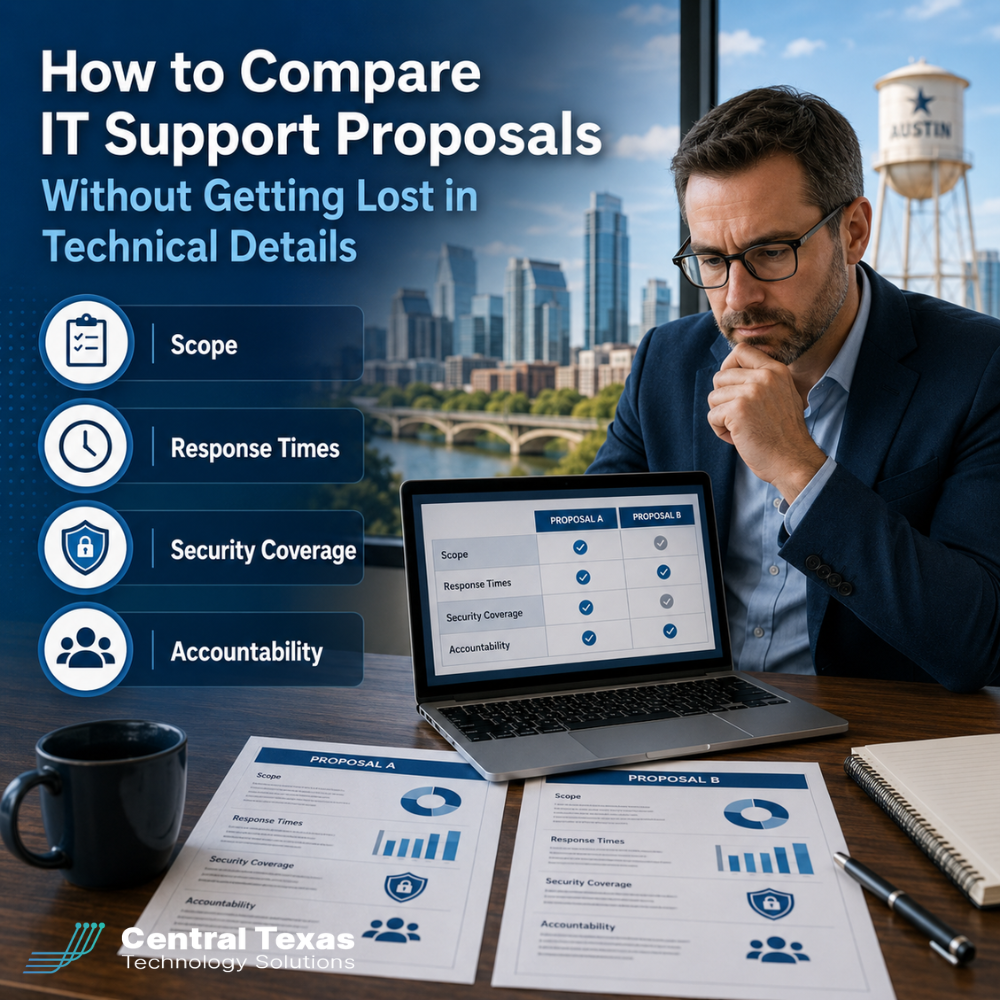
When your business asks for IT support proposals, the documents can start to look very different very quickly.
One provider may focus on tools. Another may focus on response times. Another may list pages of technical services that sound impressive but are hard to compare. Before long, you are trying to make a business decision from a stack of confusing details.
That is risky.
Choosing the wrong IT support partner can lead to slow response times, hidden costs, security gaps, recurring downtime, and frustrated employees. For businesses in healthcare, legal, professional services, construction, manufacturing, and nonprofits, the stakes are even higher because technology directly affects productivity, compliance, client service, and business continuity.
The good news is that you do not need to become an IT expert to make a smart decision. You need a practical way to compare what each proposal actually includes, how the provider will support your team, and who is accountable when something goes wrong.
Why Comparing IT Support Proposals Is So Difficult
Many IT support proposals are written from the provider’s point of view instead of the buyer’s point of view.
They may include terms like endpoint management, patching, remote monitoring, SOC, EDR, MFA, backup retention, and vulnerability scanning. Those services matter, but the real question is not whether a proposal sounds technical.
The real question is this:
Will this IT support company help your business operate more securely, efficiently, and reliably?
A business in Austin with remote employees, aging systems, and compliance concerns needs more than a help desk. A growing construction company in Georgetown may need better device management and jobsite connectivity. A legal office in Round Rock may need secure document access and fast response when attorneys cannot reach case files. A nonprofit in Cedar Park may need predictable costs and strong protection without overwhelming its staff.
The right IT proposal should make those outcomes clear.
Start by Comparing Scope of IT Support
The first thing to evaluate is scope. Scope tells you what is included, what is not included, and where extra charges may appear.
Do not assume every provider defines “managed IT services” the same way. One proposal may include unlimited remote support. Another may limit support hours or charge separately for onsite visits. One may include cybersecurity tools. Another may treat them as optional add-ons.
When reviewing scope, look for clear answers to these questions:
- Are remote support and onsite support included?
- Are servers, workstations, laptops, network equipment, and mobile devices covered?
- Is Microsoft 365 support included?
- Are backups included or billed separately?
- Are security tools part of the plan?
- Are vendor coordination and third-party software issues included?
- Are projects, upgrades, and migrations included or separate?
- Is after-hours support available, and how is it billed?
A proposal with a lower monthly cost may not be the better deal if it leaves out important services your business will need later.
For example, a manufacturing company may need support for both office systems and production-related technology. A healthcare office may need help maintaining secure access to patient information. A professional services firm may need quick support for remote employees. If those needs are not clearly included in the proposal, you may end up paying more than expected.
Look Closely at IT Support Response Times
Response time is one of the most important parts of any IT support proposal, but it is often misunderstood.
A fast initial response does not always mean a fast resolution. Some providers promise quick acknowledgment but do not clearly explain when work will actually begin or how urgent issues are prioritized.
Look for details about:
- How support requests are submitted
- How tickets are prioritized
- Expected response times by issue severity
- Expected resolution goals
- Escalation procedures
- After-hours emergency support
- Communication updates during open tickets
A strong proposal should define different levels of urgency.
For example, a company-wide outage should be handled differently than one employee needing help with a printer. A cybersecurity alert should be treated differently than a routine software question.
Business leaders should also ask how the provider prevents recurring issues. If the same problem keeps happening, you do not just need faster tickets. You need better root-cause analysis.
CTTS takes a proactive approach to IT support by looking beyond the immediate ticket. The goal is not just to fix what broke today. The goal is to prevent the same problem from disrupting your team again next week.
Evaluate Cybersecurity Coverage, Not Just IT Support
Cybersecurity should not be treated as an optional extra anymore.
Every IT support proposal should explain how the provider helps protect your users, devices, network, email, cloud systems, and data. This matters for every industry, but especially for healthcare, legal, professional services, construction, manufacturing, and nonprofits that handle sensitive information, financial data, client records, donor data, or operational systems.
At a minimum, compare whether each proposal includes:
- Multi-factor authentication support
- Endpoint protection
- Patch management
- Email security
- Backup and disaster recovery
- Security monitoring
- Vulnerability management
- User access reviews
- Employee security awareness support
- Incident response planning
The proposal should also explain who is responsible for each area.
For example, if your business uses Microsoft 365, who monitors account security? If an employee clicks a suspicious link, what happens next? If a laptop is lost, who helps protect company data? If backups fail, who notices?
A proposal that only says “cybersecurity included” is not enough. You need to understand what protections are active, how they are monitored, and how the provider responds when something looks wrong.
Compare Accountability and Strategic Guidance
Many businesses make the mistake of comparing IT proposals only by monthly price and support tools.
Accountability is just as important.
A strong IT partner should be able to explain how they will keep your business informed, what reports you will receive, and how they will help you plan for the future.
Look for signs of accountability such as:
- Regular business reviews
- Clear reporting on tickets and recurring issues
- Hardware lifecycle planning
- Security recommendations
- Budget planning for upgrades
- Documentation of your network and systems
- A defined point of contact
- Clear ownership of follow-up items
Without accountability, your business may continue reacting to problems instead of improving the way technology supports growth.
For example, if your company is preparing for an audit, opening a new location, hiring remote employees, or upgrading outdated systems, your IT provider should help you plan ahead. They should not wait until something breaks before offering guidance.
CTTS works as a strategic IT partner, not just a repair service. That means aligning technology with business goals, helping leaders understand risk, and creating a practical path forward.
Watch for Hidden Costs in IT Support Proposals
A proposal can look affordable until you discover what is not included.
Common hidden costs may include:
- Onsite labor
- After-hours support
- Project work
- Cybersecurity tools
- Backup services
- Network equipment management
- Microsoft 365 administration
- New employee onboarding
- Offboarding former employees
- Vendor support coordination
- Documentation cleanup
- Emergency response
Ask each provider to explain what would trigger additional charges.
This is especially important for growing companies. A business with 25 employees today may have 40 employees next year. If the proposal does not explain how costs scale, budgeting becomes harder.
The cheapest proposal is not always the least expensive option. Poor support, weak security, and unclear accountability can cost far more than a properly scoped IT partnership.
Use a Simple IT Support Proposal Comparison Framework
You can make proposal reviews easier by scoring each provider in four core areas.
1. Scope
Does the proposal clearly explain what is included and excluded?
A strong proposal should make it easy to understand what is covered across users, devices, servers, cloud systems, security, backups, and network equipment.
2. Response
Does the provider define how quickly they respond, how tickets are prioritized, and how urgent issues are escalated?
A strong proposal should explain both communication expectations and resolution processes.
3. Security
Does the proposal include meaningful cybersecurity coverage?
A strong proposal should show how the provider protects identities, devices, email, data, and backups.
4. Accountability
Does the provider explain how they will report, review, plan, and improve your technology over time?
A strong proposal should include strategic guidance, not just help desk support.
When you compare proposals this way, the decision becomes much clearer. Instead of getting stuck in technical terms, you can focus on business outcomes.
Questions to Ask Before Choosing an IT Support Provider
Before signing an IT support agreement, ask each provider these questions:
- What is included in the monthly agreement?
- What is not included?
- How are tickets prioritized?
- What happens during a business-critical outage?
- What cybersecurity services are included?
- How do you monitor backups and security alerts?
- How do you document our systems?
- How often will we review performance, risks, and strategy?
- Who is responsible for helping us plan future technology needs?
- What costs should we expect outside the monthly agreement?
The answers should be clear and practical. If a provider cannot explain the agreement in plain language, that may be a warning sign.
The Best IT Support Proposal Should Reduce Confusion
Your business should not have to decode technical language to make a confident decision.
The right IT support proposal should help you understand what you are buying, how your team will be supported, how your systems will be protected, and how the provider will help your business move forward.
Whether your organization is in Austin, Round Rock, Georgetown, Cedar Park, or another Central Texas community, your IT partner should help you reduce risk, improve productivity, and plan for growth.
CTTS helps business leaders compare needs, uncover gaps, and build a proactive IT strategy that supports long-term success. Instead of waiting for problems to interrupt your work, CTTS helps prevent issues before they create downtime, security risk, or unnecessary cost.
Ready to Compare IT Support Proposals With Confidence?
If you are reviewing IT support proposals and want a clearer way to evaluate your options, CTTS can help.
Schedule a consultation with CTTS today to review your current IT needs, identify gaps, and understand what your business should expect from a proactive IT support partner.
Frequently Asked Questions About Comparing IT Support Proposals
What should I look for first in an IT support proposal?
Start with scope. Make sure the proposal clearly explains what is included, what is excluded, and what may cost extra. Then compare response times, cybersecurity coverage, backup support, onsite support, and accountability.
Why do IT support proposals vary so much in price?
IT support proposals vary because providers include different levels of service, tools, security coverage, onsite support, reporting, and strategic guidance. A lower price may leave out important services that your business will eventually need.
How do I know if an IT support provider is proactive?
A proactive IT provider should offer monitoring, maintenance, patching, security reviews, backup verification, lifecycle planning, and regular business reviews. They should help prevent problems instead of only responding after something breaks.
Contact CTTS today for IT support and managed services in Austin, TX. Let us handle your IT so you can focus on growing your business. Visit CTTSonline.com or call us at (512) 388-5559 to get started!
Choosing the right IT partner starts here:
How to Choose the Right IT Consulting Firm in Austin
Questions to Ask Before Hiring an IT Support Company
What Makes a Managed Services Provider a True Business Partner?
Red Flags to Watch for When Evaluating IT Consulting Companies
What Professional IT Services Should Look Like in 2026
How Do You Evaluate an IT Provider’s Response Time Before Signing a Contract?
What Does a Strong IT Onboarding Process Look Like for Your Business?
How Can You Tell If an IT Company Is Being Proactive or Just Reactive?
What Should You Expect From Your First 90 Days With a New IT Partner?