
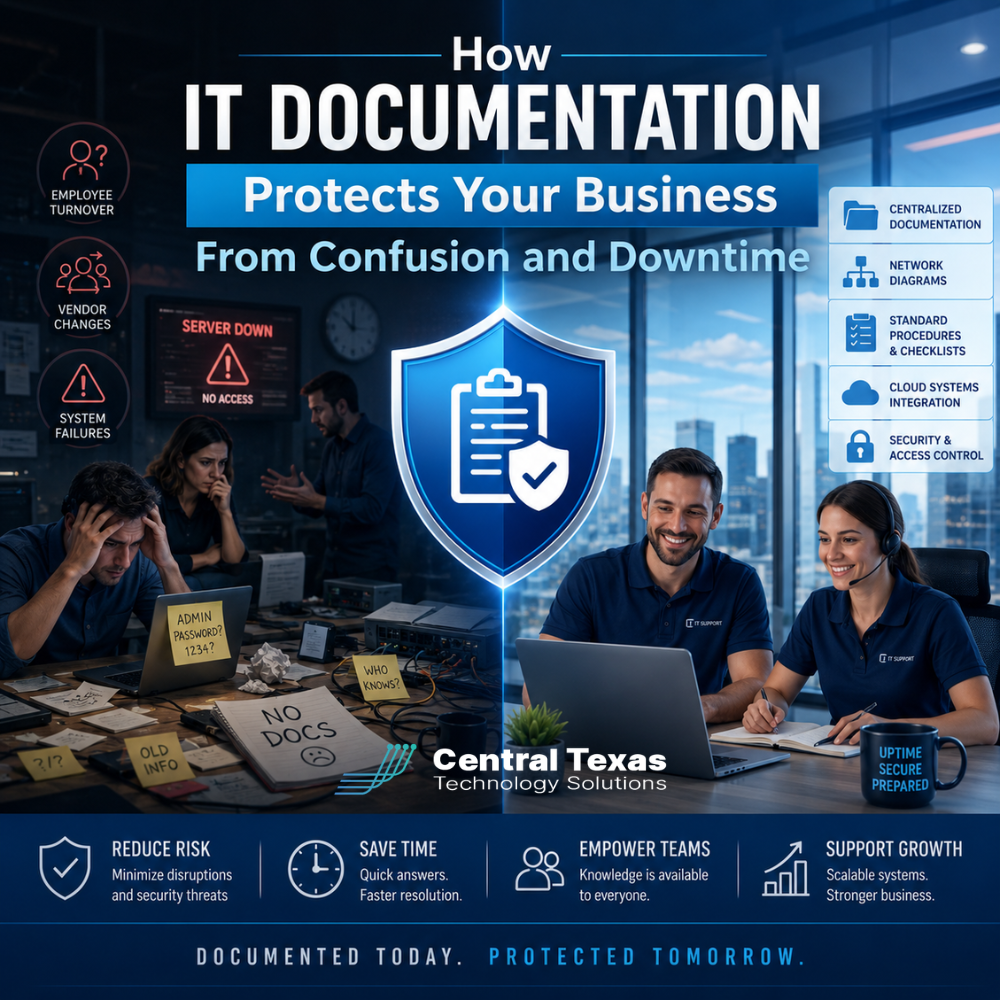
Most business owners do not think about IT documentation until something goes wrong.
An employee leaves. A vendor changes. A server fails. A password is missing. A software renewal gets overlooked. Suddenly, a simple technology issue turns into a guessing game.
Who set this up?
Where is the admin login?
What system depends on this device?
Who has access?
What happens if we change it?
For businesses in Georgetown, Round Rock, Austin, and across Central Texas, those questions can quickly become expensive. When answers live only in someone’s head, your business is exposed to confusion, downtime, security gaps, and unnecessary stress.
Good IT documentation protects your business by giving your team, your leadership, and your IT provider a reliable map of your technology environment. It helps problems get solved faster. It makes transitions smoother. It allows decisions to be made with confidence instead of guesswork.
Whether you run a healthcare practice, law firm, construction company, manufacturing business, nonprofit, or professional services firm, documentation helps keep your technology from becoming a mystery.
What Is IT Documentation?
IT documentation is the organized record of how your business technology is set up, managed, secured, and supported.
It may include:
- Network diagrams
- Server and workstation inventories
- Software licenses and renewal dates
- Vendor contacts
- Internet and phone service details
- Admin account information
- Backup settings
- Security policies
- Firewall and router configurations
- Cloud service details
- Standard processes for common IT tasks
- Notes about known issues or special setups
In plain English, IT documentation answers the question, “How does our technology actually work?”
That question matters for a medical office in Georgetown, a law firm in Round Rock, a construction company in Austin, a nonprofit in Cedar Park, a manufacturer in Temple, or a professional services firm in San Marcos. Every organization depends on technology, but not every organization has a clear record of how that technology is connected.
Without documentation, every support issue starts with investigation. With documentation, your IT provider can move more quickly toward solving the problem.
Why Documentation Matters When Employees Leave
Many businesses are more dependent on one person than they realize.
Maybe it's the office manager who knows where all the passwords are saved. Maybe it is the longtime employee who set up the shared folders. Maybe it is the internal IT person who understands the network because they built it piece by piece over many years.
That works until the person leaves, retires, gets promoted, goes on vacation, or is unavailable during an emergency.
When important technology knowledge walks out the door, your business can be left with serious questions:
- Who has access to which systems?
- Which accounts need to be disabled?
- Where are important files stored?
- What software is tied to that person’s email address?
- Which vendors did they manage?
- What processes did they handle manually?
For a healthcare clinic, that could affect access to patient systems. For a law firm, it could affect secure client files. For a construction company, it could affect project management tools, job site communications, and estimating software. For a nonprofit, it could affect donor records, email accounts, and grant files. For a manufacturer, it could affect production systems, inventory tools, or vendor portals.
This is where documentation becomes protection.
A documented environment makes employee transitions safer. It helps your business remove access, transfer responsibilities, preserve critical knowledge, and avoid scrambling to reconstruct information after the fact.
People should be able to leave a role without taking your operational memory with them.
Why Documentation Matters When Vendors Change
Businesses across Central Texas often work with multiple technology vendors. You may have one company for phones, another for internet, another for copier support, another for software, another for security cameras, and another for line-of-business applications.
When everyone only knows their own piece, no one sees the full picture.
That creates problems when something breaks.
The internet provider may say the firewall is the issue. The firewall vendor may say the modem is the issue. The software vendor may say the network is too slow. Your team gets stuck in the middle, trying to coordinate vendors without enough technical detail to know what is really happening.
This is especially frustrating for growing businesses in Austin, Round Rock, Georgetown, and the surrounding Central Texas region. As businesses grow, their technology environments often become more complex. What started as a simple setup can turn into a mix of old equipment, new cloud tools, shared drives, security software, remote users, vendor accounts, and forgotten subscriptions.
Strong IT documentation reduces the finger-pointing.
It gives your IT provider the information needed to speak clearly with vendors, identify dependencies, and resolve issues faster. It also makes vendor transitions easier because your business is not starting from scratch every time you change providers.
If you ever need to move from one vendor to another, documentation helps answer key questions:
- What services are currently active?
- When do contracts renew?
- What equipment belongs to the business?
- What equipment belongs to the vendor?
- What credentials are needed?
- What systems will be affected during the change?
- What needs to be backed up before anything is moved?
Changing vendors should not feel like pulling a thread and hoping the whole sweater does not unravel.
Why Documentation Matters When Systems Fail
Technology failures are stressful enough. Poor documentation makes them worse.
When a server goes down, a firewall fails, or a cloud service stops working, time matters. Your employees may be unable to work. Customers may be waiting. Revenue may be affected. Leadership needs answers quickly.
Without documentation, your IT support team has to spend precious time figuring out what exists before they can fix what is broken.
They may need to determine:
- Which device failed
- What it connected to
- What settings it used
- What data was stored there
- When it was last backed up
- Which users or departments are affected
- What replacement process is required
That discovery process adds delay.
For a law office in Georgetown, downtime can interrupt court deadlines, client communication, and document access. For a healthcare practice in Round Rock, it can affect scheduling, billing, patient communication, and compliance workflows. For a construction company in Austin, it can delay estimates, project updates, plans, and field coordination. For a manufacturer in Temple or Belton, downtime can affect production schedules, shipping, inventory, and customer commitments.
With documentation, support can move faster. Your IT provider can see the environment, understand the impact, locate backups, contact the right vendors, and follow an established recovery path.
Documentation does not prevent every outage, but it can reduce how long an outage lasts.
Documentation Helps Reduce Security Risk
IT documentation is not just about convenience. It is also a security issue.
If you do not know what systems you have, who has access, what software is installed, or which devices are connected, it is much harder to protect the business.
Security depends on visibility.
Good documentation helps your business answer important questions:
- Are former employees still able to access systems?
- Are there old admin accounts that should be removed?
- Are all devices being monitored?
- Are backups working?
- Are software licenses current?
- Are unsupported systems still in use?
- Are security tools installed across all endpoints?
- Are vendors using appropriate access?
A business cannot secure what it cannot see.
This matters for every industry CTTS supports. Healthcare organizations have patient privacy concerns. Legal firms have confidential client information. Professional services firms rely on secure client communication. Construction companies often have field teams, mobile devices, and cloud-based project tools. Manufacturers depend on operational continuity. Nonprofits and schools often have limited budgets but still manage sensitive data.
As companies use more cloud platforms, connected apps, remote work tools, and vendor-managed systems, their risk grows. Documentation helps keep that environment from becoming a hidden mess of accounts, permissions, devices, and forgotten access points.
Documentation Makes IT Support Faster and More Accurate
When your IT provider has accurate documentation, support becomes more efficient.
Instead of asking the same questions again and again, your provider can quickly understand the environment and take action. That matters for both everyday support and larger projects.
For example, if a user cannot access a shared folder, documentation can help identify the right permissions, server location, and group membership. If a new employee needs to be onboarded, documentation helps ensure they receive the correct accounts, devices, applications, and security settings. If a location is moving, documentation helps plan internet, phones, wireless, computers, printers, and access control before the move becomes urgent.
That kind of clarity is valuable for businesses throughout Central Texas, from a growing office in Pflugerville to a school in Leander, a nonprofit in Cedar Park, a contractor in Liberty Hill, or a professional services firm in New Braunfels.
Good documentation turns IT support from reactive guessing into organized problem-solving.
That means fewer delays, fewer repeated conversations, and fewer mistakes.
Documentation Supports Better Planning
Without documentation, technology planning often becomes reactive.
Something breaks, so you replace it. A license expires, so you renew it. A computer gets old, so someone orders a new one. A system slows down, so everyone complains until it becomes urgent.
That approach is expensive and stressful.
Documentation helps your business plan ahead. It allows leadership and IT to review what you have, what is aging, what is unsupported, what is overused, what is underused, and what needs attention before it becomes a crisis.
This can help with:
- Budgeting
- Hardware replacement planning
- Cyber insurance preparation
- Compliance readiness
- Software renewals
- Backup planning
- Security improvements
- Office moves
- Growth planning
- Vendor management
For businesses in fast-growing Central Texas communities like Taylor, Jarrell, Kyle, Buda, San Marcos, and Bastrop, planning matters. Growth can put pressure on systems that were never designed for the size your business has become. Documentation helps you see those pressure points before they create downtime.
When your technology environment is documented, you can make decisions based on facts instead of surprises.
The Hidden Cost of Poor Documentation
Poor documentation does not always show up as a line item on your budget, but it still costs money.
It shows up as:
- Longer support calls
- More downtime
- Repeated troubleshooting
- Missed renewals
- Confused employees
- Delayed projects
- Security gaps
- Duplicate software
- Vendor frustration
- Emergency decisions
- Lost institutional knowledge
The real cost is not just the time spent fixing technology. It is the business disruption that happens while everyone is trying to figure out what should have already been known.
For a growing business, that disruption adds up quickly.
If your team is constantly asking who owns a system, where a password is stored, which vendor supports an application, or why a process only works when one specific person handles it, your business does not just have an IT problem. It has a documentation problem.
What Good IT Documentation Should Include
Every business is different, but useful IT documentation should usually include several core areas.
Network Information
This includes firewalls, switches, wireless access points, internet circuits, IP address details, VPN settings, and diagrams that show how everything connects.
Hardware Inventory
This includes computers, servers, printers, network equipment, mobile devices, and other technology assets. It should also include warranty information and replacement timelines when possible.
Software and Cloud Services
This includes Microsoft 365, industry-specific software, accounting tools, CRM platforms, security tools, backup systems, and any other cloud services your business uses.
User Access and Permissions
This includes who has access to what, which roles control access, how new users are onboarded, and how former employees are removed.
Vendor and Contract Details
This includes vendor contacts, support numbers, account numbers, contract terms, renewal dates, and escalation steps.
Backup and Recovery Information
This includes what is backed up, how often backups run, where backups are stored, how restores are tested, and who is responsible for recovery.
Standard Processes
This includes repeatable steps for onboarding employees, offboarding employees, setting up devices, creating accounts, handling password resets, escalating issues, and responding to common failures.
Good documentation should be accurate, secure, and easy for the right people to access when needed.
Documentation Must Be Maintained
Documentation is not a one-time project.
A document created three years ago may be worse than no document at all if everyone assumes it is still accurate.
Your IT environment changes constantly. Employees come and go. Devices are replaced. Vendors change. Software is added. Security settings are updated. Cloud tools are connected. Office layouts shift. Passwords rotate. Contracts renew.
That means documentation needs to be part of your ongoing IT process.
When something changes, the documentation should change with it.
This is one reason businesses benefit from working with a managed IT provider that treats documentation as part of the service, not an afterthought. The goal is not to create a binder that sits on a shelf. The goal is to maintain a living source of truth for your technology environment.
Your Business Should Not Depend on Guesswork
Your employees need technology to work. Your customers expect your business to respond. Your leadership needs confidence that systems are secure, recoverable, and manageable.
That is hard to achieve when your IT environment is undocumented.
When employees leave, documentation protects your knowledge. When vendors change, documentation protects your continuity. When systems fail, documentation protects your time. When threats appear, documentation protects your security.
The right IT documentation gives your business a clear path forward before confusion turns into downtime.
At CTTS, we help businesses across Georgetown, Round Rock, Austin, and surrounding Central Texas communities build and maintain the documentation they need to support daily operations, reduce risk, and recover faster when something goes wrong.
If your healthcare practice, law firm, construction company, manufacturing business, nonprofit, school, or professional services firm is relying too much on memory, scattered notes, or one person’s knowledge, it may be time for a better plan.
Frequently Asked Questions About IT Documentation
What is IT documentation?
IT documentation is the organized record of your business technology environment. It may include network details, passwords, vendor contacts, software licenses, device inventories, backup settings, security policies, and standard processes.
Why does IT documentation matter for small businesses?
IT documentation helps small businesses avoid confusion, downtime, security gaps, and lost knowledge. It is especially important when employees leave, vendors change, systems fail, or businesses grow beyond informal processes.
What types of businesses need IT documentation?
Every business that depends on technology needs IT documentation. This includes healthcare practices, law firms, construction companies, manufacturers, nonprofits, schools, and professional services firms across Central Texas.
How often should IT documentation be updated?
IT documentation should be updated whenever your technology environment changes. This includes employee changes, new devices, software updates, vendor changes, security changes, office moves, system upgrades, and cloud service changes.
Contact CTTS today for IT support and managed services in Austin, TX. Let us handle your IT so you can focus on growing your business. Visit CTTSonline.com or call us at (512) 388-5559 to get started!
Choosing the right IT partner starts here:
What Do Managed IT Services Actually Include?
How Remote IT Support Works and When It Makes Sense
What IT Network Support Does for Business Stability and Growth
How IT Consulting Helps Businesses Scale Without Chaos
What Professional IT Support Services Mean for Day to Day Operations
What Does Proactive IT Support Actually Look Like Behind the Scenes?
How IT Monitoring Tools Detect Problems Before Your Team Notices Them
What Happens During a Routine IT Maintenance Cycle?
How Backup and Disaster Recovery Plans Work in Real World Scenarios
What Is an IT Roadmap and Why Every Growing Business Needs One