
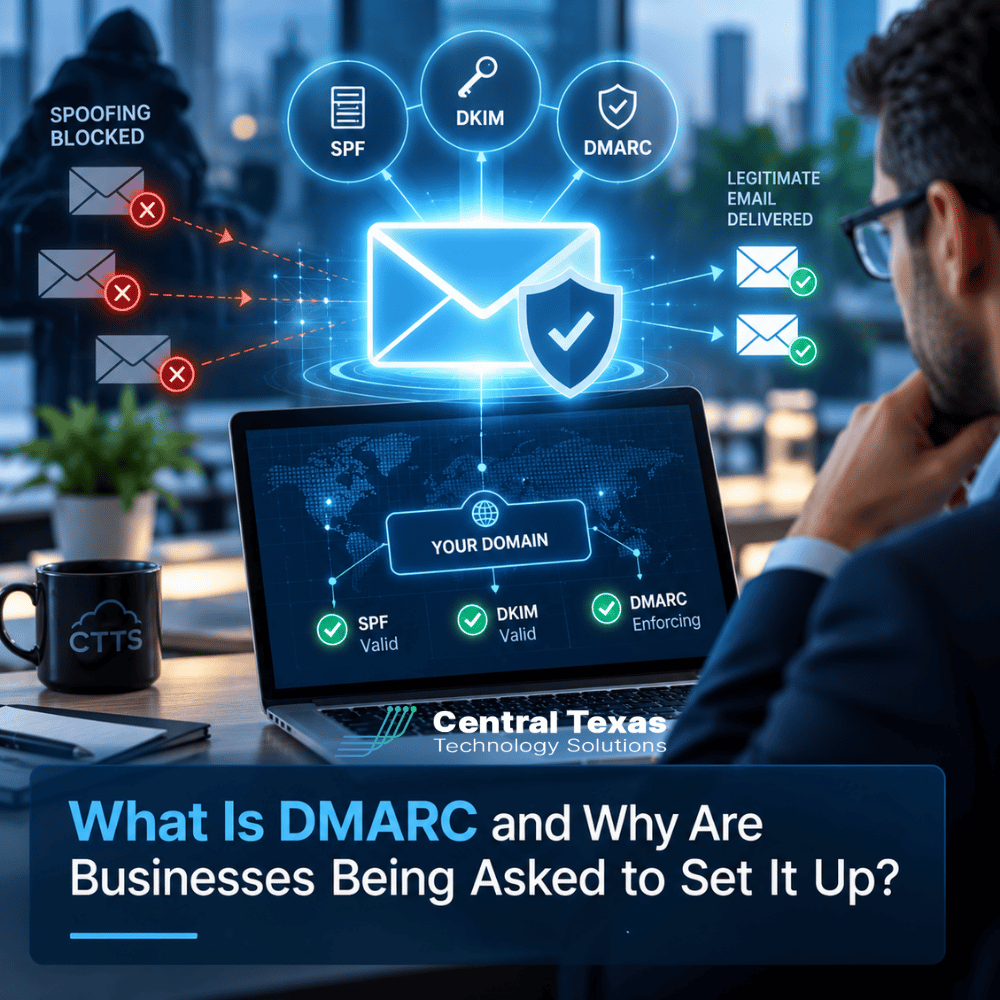
 Imagine a customer receiving an email that appears to come from your company. It has your business name, your email address, and a convincing request to update payment information. The problem? Your company never sent it.
This is one way cybercriminals use email spoofing to impersonate legitimate businesses. It can lead to fraudulent payments, stolen information, and damaged customer relationships.
DMARC is an email authentication standard designed to help prevent this type of impersonation. As major email providers strengthen their requirements, more businesses are being asked to configure it.
But what exactly does DMARC do, how does it work with SPF and DKIM, and why isn't setting it up once enough?
What Is DMARC and How Does It Protect Business Email?
DMARC stands for Domain-based Message Authentication, Reporting, and Conformance. It is a technical standard that helps receiving email systems determine whether messages claiming to come from your domain are legitimate.
Your domain is the part of your email address after the @ symbol. For example, if your business uses yourcompany.com, DMARC helps protect that domain from certain types of email impersonation.
Without proper email authentication, criminals may send messages that appear to originate from your business even though they were sent from an unauthorized system.
DMARC helps address this problem by telling receiving email providers how to handle messages that fail authentication checks.
Depending on your configuration, receiving servers can be instructed to:
-
Monitor: Collect information about authentication failures without requesting that messages be blocked.
-
Quarantine: Treat failing messages as suspicious, often placing them in spam folders.
-
Reject: Refuse messages that fail DMARC authentication.
These instructions are published in your domain's DNS records, which are publicly accessible settings that help internet services find and communicate with your domain.
DMARC is an important component of business email security, but it works alongside other authentication technologies.
How SPF, DKIM, and DMARC Work Together
Three technologies form the foundation of modern email authentication: SPF, DKIM, and DMARC.
Although their names sound complicated, each serves a specific purpose.
SPF: Identifying Authorized Email Senders
SPF stands for Sender Policy Framework.
An SPF record identifies which email servers are authorized to send messages using your domain's technical sending identity.
For example, your business might use Microsoft 365 for employee email, a customer relationship management platform for sales messages, and a marketing platform for newsletters.
Your SPF configuration must account for the legitimate services that use the relevant sending domain.
However, SPF alone does not verify that the address your recipient sees in the From field belongs to the authenticated domain.
DKIM: Verifying Email Integrity
DKIM stands for DomainKeys Identified Mail.
DKIM uses a digital signature to help receiving servers verify that an email was signed by a system controlling the signing domain and that protected portions of the message were not altered in transit.
Think of it as a digital seal attached to an email.
A valid DKIM signature provides evidence about the message's origin and integrity, but it does not automatically prove that the visible sender address is legitimate.
DMARC: Connecting Authentication to Your Domain
DMARC builds on SPF and DKIM by checking whether an authenticated domain aligns with the domain shown in the message's From address.
For a message to pass DMARC, at least one of these authentication methods must pass and align with the visible From domain.
This distinction matters because a message can pass an SPF or DKIM check while still pretending to come from another organization.
DMARC also provides reporting capabilities that help administrators identify legitimate sending services, authentication failures, and possible attempts to impersonate a domain.
Together, these technologies provide a more reliable foundation for verifying business email.
Why Are Businesses Suddenly Being Asked to Configure DMARC?
Businesses have been using SPF, DKIM, and DMARC for years. What has changed is the level of attention major email providers are giving these technologies.
Google and Yahoo introduced stronger authentication requirements for bulk senders in 2024. Microsoft subsequently introduced additional requirements for high-volume senders to its consumer email services.
These requirements generally apply to organizations sending more than 5,000 messages per day to the affected providers, although the specific rules vary.
However, smaller businesses should not assume that email authentication is unnecessary.
Even if your company sends only a few hundred emails each month, proper authentication can improve how receiving systems evaluate your messages.
Consider how much your organization depends on email for everyday operations:
-
Healthcare practices communicate with patients, employees, and business partners.
-
Legal firms exchange confidential information and time-sensitive documents.
-
Professional services companies send invoices, contracts, and financial information.
-
Construction companies coordinate projects, subcontractors, and payments.
-
Manufacturing businesses communicate with suppliers and distributors.
-
Nonprofits depend on email for donor communications, fundraising, and operations.
In every industry, fraudulent messages can create confusion, financial exposure, and operational disruption.
Email authentication is increasingly becoming a basic expectation of responsible business communication rather than an optional technical enhancement.
How DMARC Helps Prevent Email Spoofing and Protect Your Brand
Email spoofing occurs when someone falsifies sender information to make a message appear to come from a trusted organization.
A criminal might impersonate your accounting department and ask a customer to redirect a payment. Another might send employees a fraudulent password reset request that appears to come from company leadership.
These attacks exploit trust in your business name.
Properly enforced DMARC makes it harder for attackers to deliver messages that impersonate your exact domain without passing the required authentication checks.
That protection supports several business goals.
Protecting customer relationships: Customers are less likely to receive successfully delivered spoofed messages that falsely claim to originate from your domain.
Reducing financial fraud: DMARC can help disrupt certain business email compromise attempts involving unauthorized use of your domain.
Protecting your reputation: Fewer successful impersonation attempts can reduce the risk of customers associating your company with fraudulent messages.
Improving visibility: DMARC reports help reveal which systems are sending email using your domain and where authentication is failing.
There are important limitations.
DMARC does not stop criminals from registering lookalike domains, compromising legitimate email accounts, or sending malicious messages from properly authenticated domains.
It also does not replace spam filtering, employee education, or broader cybersecurity services.
Effective protection requires multiple security controls working together.
Can DMARC Improve Email Deliverability?
Yes, proper email authentication can support better deliverability, although DMARC alone does not guarantee that your messages will reach recipients' inboxes.
Email providers evaluate numerous factors when deciding whether to accept, reject, or filter messages. Authentication is one of those factors.
When SPF, DKIM, and DMARC are configured correctly, receiving servers have stronger evidence that messages are authorized to use your domain.
That can reduce authentication-related delivery problems.
However, a poorly planned DMARC implementation can create new problems.
Imagine your business uses Microsoft 365 for regular email but also sends appointment reminders through a third-party application.
If that application has not been configured to authenticate correctly, moving directly to a strict DMARC rejection policy could cause legitimate appointment reminders to be rejected.
The same issue can affect invoices, automated notifications, newsletters, and other business communications.
This is why proper implementation involves identifying every legitimate email source before enforcing strict policies.
For organizations using Microsoft 365 and other hosted platforms, coordinated cloud services management can help ensure these systems work together without interrupting business communications.
Why DMARC Configuration Is Not the Same as Ongoing Management
One of the biggest misconceptions about DMARC is that publishing a DNS record means the job is finished.
In reality, initial configuration is only the beginning.
A business can publish a DMARC record with a monitoring policy and technically have DMARC configured. But that does not mean unauthorized messages are being rejected.
Even organizations with strict enforcement policies need ongoing oversight.
Effective DMARC management generally includes:
-
Identifying legitimate email sources. Determine which services send messages using your company's domain.
-
Validating SPF and DKIM. Confirm that authorized systems authenticate correctly and align with your domain.
-
Reviewing DMARC reports. Examine authentication failures, unfamiliar sending sources, and changes in email activity.
-
Moving toward enforcement. Progress from monitoring to quarantine or rejection after resolving legitimate authentication failures.
-
Managing changes. Update configurations when the business adopts new email platforms, applications, or vendors.
-
Checking ongoing performance. Verify that legitimate messages continue to authenticate and that enforcement remains effective.
For example, a business might introduce a new billing platform six months after DMARC was implemented.
If nobody updates the email authentication configuration, invoices from that platform could begin failing authentication checks.
The business may not immediately recognize the problem. Customers might simply report that invoices never arrived.
Ongoing management helps identify and address these issues before they create larger operational problems.
This is where proactive IT management becomes particularly valuable.
Rather than treating DMARC as a one-time DNS adjustment, businesses should incorporate it into their broader email security and technology management processes.
How CTTS Helps Central Texas Businesses Manage Email Authentication
For many small and midsized businesses, email authentication falls into an uncomfortable gap between their website provider, email platform, marketing tools, and IT support.
Each vendor may manage part of the system, but nobody is necessarily responsible for ensuring everything works together.
CTTS helps businesses approach email authentication as part of a coordinated security strategy.
Through Complete Care Coverage, CTTS can help organizations evaluate their email environment, identify authentication gaps, and coordinate the changes necessary to strengthen protection.
The goal is not simply to publish a DMARC record. It is to help businesses maintain secure, dependable communications as their technology needs change.
For companies in Austin, Georgetown, Round Rock, and Cedar Park, that means having an IT partner who understands how email security affects everyday business operations.
Whether your organization is implementing DMARC for the first time or reviewing an existing configuration, the important question is whether your email authentication is working as intended.
Protect Your Business Email Before Someone Impersonates It
Your business email domain represents your organization every time an employee sends a message. Protecting that identity requires more than creating a DNS record and assuming everything is secure.
DMARC, SPF, and DKIM provide essential safeguards, but their effectiveness depends on proper configuration, enforcement, and ongoing management.
Not sure whether your company's email authentication is configured correctly?
Schedule a free IT Security Consultation and learn how to strengthen your organization's email protection.
Frequently Asked Questions About DMARC
Is DMARC required for every business?
Not universally. Major email providers have established authentication requirements for certain categories of senders, particularly high-volume senders. The requirements depend on the provider and sending activity.
However, DMARC is recommended for businesses of all sizes because it helps protect against unauthorized domain impersonation. Even organizations that send relatively few messages can benefit from proper email authentication, especially when customers and employees rely on email for financial transactions and sensitive communications.
Will setting up DMARC stop all phishing emails?
No. DMARC primarily helps protect against unauthorized messages impersonating your domain. It does not prevent every phishing technique, including attacks from lookalike domains or compromised legitimate accounts.
Businesses still need additional protections such as email filtering, multifactor authentication, employee security training, and monitoring. DMARC is most effective when incorporated into a broader cybersecurity strategy rather than treated as a complete solution by itself.
How often should DMARC reports be reviewed?
During initial implementation, reports should be reviewed frequently, often daily or several times per week, while legitimate sending sources are identified and authentication problems are corrected.
After reaching a stable enforcement policy, monitoring can become more routine, with automated alerts and periodic reviews. The appropriate frequency depends on email volume, business risk, and how often sending systems change. Reports should also be checked whenever new email services are introduced or delivery problems occur.
Contact CTTS today for IT support and managed services in Austin, TX. Let us handle your IT so you can focus on growing your business. Visit CTTSonline.com or call us at (512) 388-5559 to get started!
Choosing the right IT partner starts here:
What Is Vulnerability Management and How Is It Different From a Security Scan?
What Is SIEM and Does a Small or Mid-Sized Business Really Need It?
How Microsoft Intune Improves Device Security, Onboarding, and Hybrid Work
What Is Conditional Access in Microsoft 365 and Why Does It Matter?
What Is SASE and Is It Overkill for a Small or Mid-Sized Business?