
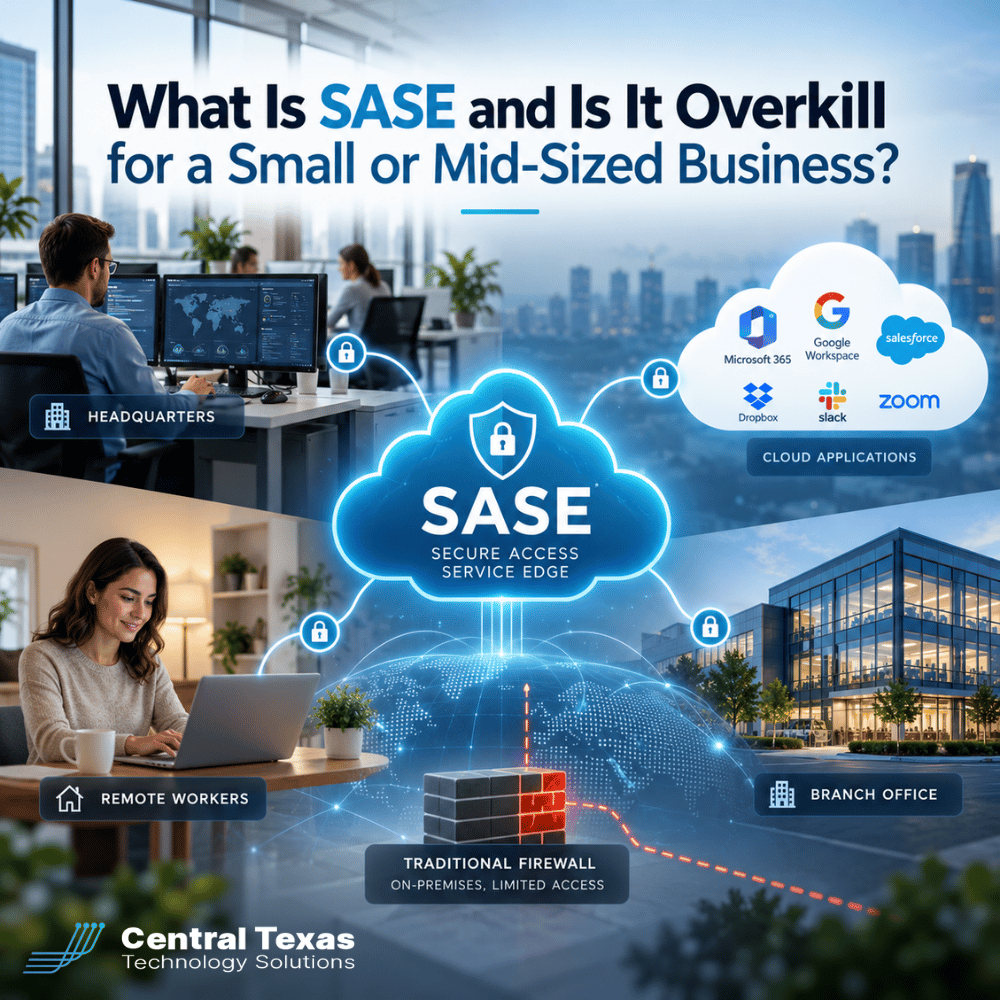
For years, businesses protected their networks by putting a firewall at the office and requiring remote employees to connect through a VPN. That approach made sense when most employees worked in one building and most applications ran on company servers.
Today, employees work from home, travel between offices, and access business applications through the cloud. Traditional network security was not designed around this level of flexibility.
That's where Secure Access Service Edge (SASE) comes in.
SASE combines networking and security technologies to help businesses protect employees, devices, and applications regardless of where work happens.
But does a small or mid-sized business really need it? Or is SASE an expensive enterprise solution that adds unnecessary complexity?
The answer depends less on company size and more on how your business operates.
What Is SASE and How Does It Work?
SASE, pronounced "sassy," stands for Secure Access Service Edge. It is a technology framework that combines network connectivity and security services into a cloud-delivered platform.
Instead of relying entirely on security equipment installed at your office, SASE applies security policies to connections between users, devices, and applications.
The goal is straightforward: Give authorized employees secure access to the resources they need without exposing the rest of your business network.
A SASE solution typically brings together several capabilities:
-
Secure Web Gateway (SWG): Helps protect employees from malicious websites and unsafe internet traffic.
-
Zero Trust Network Access (ZTNA): Provides access to specific applications based on identity, device security, and company policies.
-
Firewall as a Service (FWaaS): Delivers firewall protection through cloud infrastructure instead of relying exclusively on physical appliances.
-
Cloud Access Security Broker (CASB): Helps organizations monitor and control access to cloud applications and sensitive information.
-
Software-Defined Wide Area Networking (SD-WAN): Helps connect multiple offices and optimize network traffic across available internet connections.
These technologies can be managed through a unified platform, reducing the need to maintain separate networking and security products.
For business owners, the benefit is not the technology itself. It is having more consistent security, easier management, and reliable access to business applications.
SASE vs. Traditional Firewalls: What's the Difference?
Traditional firewalls remain valuable security tools. They monitor network traffic and help prevent unauthorized connections.
However, a traditional firewall generally protects a specific network location.
Consider a business with 35 employees. Twenty work at the main office, ten work remotely, and five regularly travel between customer locations.
The office firewall protects traffic passing through the office network. But employees accessing Microsoft 365, cloud accounting software, or other applications directly from home may never send their traffic through that firewall.
A VPN can route remote traffic through the office, but that can create performance bottlenecks and additional management requirements.
SASE takes a different approach.
| Security Consideration | Traditional Firewall Approach | SASE Approach |
|---|---|---|
| Primary protection | Office network perimeter | Users, devices, and applications |
| Remote employees | Often relies on VPN connections | Secure access from different locations |
| Multiple offices | Separate appliances or network connections | Centralized networking and security policies |
| Cloud applications | Protection depends on traffic routing | Security controls closer to cloud access |
| Management | Often requires managing multiple devices | More unified policy management |
| Growth | May require additional hardware and configuration | Can accommodate distributed users and locations |
SASE does not automatically eliminate the need for office firewalls. Local network segmentation, device protection, and other security controls may still be necessary.
The real difference is that SASE is designed for businesses where employees and applications are no longer contained within one office.
Why SASE Makes Sense for Remote Workers and Multiple Locations
Remote work and business expansion are two of the strongest reasons to evaluate SASE.
A company with one office and ten employees using a handful of cloud applications may have relatively simple security requirements.
But those requirements can change quickly.
Securing Remote and Hybrid Employees
Remote employees connect through home networks, hotel Wi-Fi, and other internet connections that businesses do not control.
SASE can provide more consistent protection by checking who is connecting, evaluating device security, and controlling which applications users can access.
For example, an employee working from home may need access to a financial application but have no reason to connect to the company's entire internal network.
With Zero Trust Network Access, the business can grant access to that specific application without providing broad network access.
This reduces unnecessary exposure if an account or device becomes compromised.
Connecting Multiple Business Locations
Imagine a professional services company headquartered in Georgetown that opens offices in Round Rock and Cedar Park.
Each office needs reliable access to shared files, cloud applications, and internal business systems.
A traditional approach might involve separate firewalls, VPN connections, and security configurations at each location.
A SASE platform can simplify this environment by combining centralized security policies with networking capabilities designed to connect distributed locations.
That means the business can expand without having to rebuild its security strategy every time it opens another office.
How SASE Helps Protect Cloud Applications
Many small and mid-sized businesses now depend on cloud applications for daily operations.
Microsoft 365, cloud-based accounting systems, customer relationship management software, and industry-specific platforms often contain some of a company's most sensitive information.
The challenge is that employees can access these applications from virtually anywhere.
A traditional office firewall cannot fully protect information stored in cloud applications when employees connect directly from outside the office.
SASE can help address this problem through identity-based access controls, web security, and cloud application visibility.
Depending on the platform and configuration, businesses can:
-
Restrict access to approved users and devices.
-
Apply security policies to employees working outside the office.
-
Identify risky or unauthorized cloud application usage.
-
Help prevent sensitive information from being transferred through unapproved channels.
-
Improve visibility into how employees access business applications.
These capabilities can be particularly valuable for healthcare providers protecting patient information, law firms managing confidential client files, and financial or professional services businesses handling sensitive records.
Construction companies with employees moving between jobsites and manufacturing businesses with multiple facilities may also benefit from more consistent access controls.
Nonprofits can use similar protections to help safeguard donor information and support employees working from different locations.
However, SASE is not a replacement for multifactor authentication, endpoint protection, data backups, or proper Microsoft 365 security configuration. Those protections still matter.
When Does SASE Start Making Business Sense?
One of the biggest misconceptions about SASE is that only large enterprises need it.
Company size matters, but network complexity and business risk are usually better indicators of whether SASE is worth considering.
A 15-person business with employees working across several locations may benefit more from SASE than a 100-person company operating entirely from one building.
Here are five situations where SASE deserves serious consideration.
1. Your employees regularly work outside the office
If remote employees frequently access sensitive applications and company resources, centralized security policies can become increasingly valuable.
2. Your business operates multiple locations
Managing separate firewalls, VPNs, and security configurations can create administrative work and inconsistent protection.
SASE can simplify security management across those locations.
3. Your company relies heavily on cloud applications
When most business applications operate outside the office network, perimeter-based security alone may no longer provide the visibility and control your organization needs.
4. Your IT environment is becoming difficult to manage
Multiple security vendors, overlapping products, and complicated remote access configurations can increase costs and make troubleshooting harder.
A consolidated SASE platform may reduce that complexity, although the financial benefit depends on licensing, implementation, and existing investments.
5. Your organization faces growing security or compliance requirements
Businesses handling sensitive information may need more consistent access controls, stronger monitoring, and clearer security policies.
SASE can support those goals, but adopting it does not automatically make a business compliant with HIPAA, CMMC, or other regulatory requirements.
When SASE Might Be Overkill for a Small Business
Not every business needs a full SASE deployment.
If your company operates from one location, has limited remote access, and uses a relatively simple set of business applications, your existing security tools may be sufficient.
A properly configured firewall, multifactor authentication, endpoint security, secure Wi-Fi, and appropriate cloud security settings can provide a strong foundation.
There are also situations where implementing every SASE capability would introduce unnecessary costs.
For example, a business with eight employees, no remote workers, and no plans to expand may gain little value from advanced SD-WAN capabilities designed for connecting multiple locations.
The better approach is to evaluate the problems you are trying to solve before choosing a technology.
Ask your IT provider:
-
What security gaps exist in our current environment?
-
Are our remote access tools creating unnecessary risk?
-
Would SASE replace existing products or simply add another expense?
-
Which SASE capabilities would actually benefit our business?
-
What would implementation, ongoing management, and licensing cost?
A knowledgeable Managed IT Services provider should be able to explain whether SASE makes financial and operational sense, including when a simpler solution would be more appropriate.
How CTTS Helps Businesses Evaluate SASE
At CTTS, we believe security investments should solve real business problems, not simply add more technology.
For businesses throughout Austin and Central Texas, that means evaluating how employees work, where applications are hosted, and what risks exist in the current IT environment.
Our team can assess remote access, firewall configurations, cloud security, and connectivity between business locations.
When appropriate, we can recommend solutions such as Cato SASE Cloud to bring networking and security capabilities together under a more unified approach.
Just as importantly, we help businesses understand when their existing security infrastructure is meeting their needs.
Our goal is to develop a practical technology strategy that supports growth, protects sensitive information, and reduces unnecessary complexity.
Is SASE Right for Your Business? Start With an IT Assessment
SASE is not automatically necessary for every small or mid-sized business. But if your employees work remotely, your organization operates multiple locations, or cloud applications are central to your operations, it may be time to reconsider how your network is secured.
CTTS can help you determine whether SASE is the right investment or whether your existing security infrastructure simply needs improvement.
Schedule an IT consultation with CTTS or call (512) 388-5559 to discuss your business security and networking needs.
Frequently Asked Questions About SASE
Is SASE only for large companies?
No. SASE can benefit small and mid-sized businesses, especially those with remote employees, multiple offices, or significant cloud application usage. The decision should be based on network complexity, security requirements, and operational needs rather than employee count alone.
Does SASE replace a traditional firewall or VPN?
SASE can replace some traditional firewall and VPN functions, depending on the platform and how it is deployed. However, businesses may still need local firewalls, network segmentation, and other protections. An IT assessment can determine which existing technologies should remain in place.
Is SASE more expensive than traditional network security?
It depends on your current environment. SASE typically involves subscription costs, but it may replace multiple security products, reduce hardware requirements, and simplify management. Businesses should compare the total cost of ownership, including licensing, implementation, support, and future expansion, before making a decision.
Contact CTTS today for IT support and managed services in Austin, TX. Let us handle your IT so you can focus on growing your business. Visit CTTSonline.com or call us at (512) 388-5559 to get started!
Not sure what to look for in IT services? Start here:
How Conditional Access Helps Protect Your Business From Unauthorized Logins
What Is Zero Trust Security and Does Your Business Really Need It?
How Business Email Compromise Happens and How to Prevent It
Why Endpoint Security Matters When Your Team Works From Anywhere
What Is Microsoft Intune and Does Your Business Need It?
What Is SASE and Why Are More Texas Businesses Using It?
What Is DMARC and How Does It Protect Your Business Email Domain?
What Is Vulnerability Management and How Is It Different From a Security Scan?
What Is SIEM and Does a Small or Mid-Sized Business Really Need It?
How Microsoft Intune Improves Device Security, Onboarding, and Hybrid Work
What Is Conditional Access in Microsoft 365 and Why Does It Matter?