
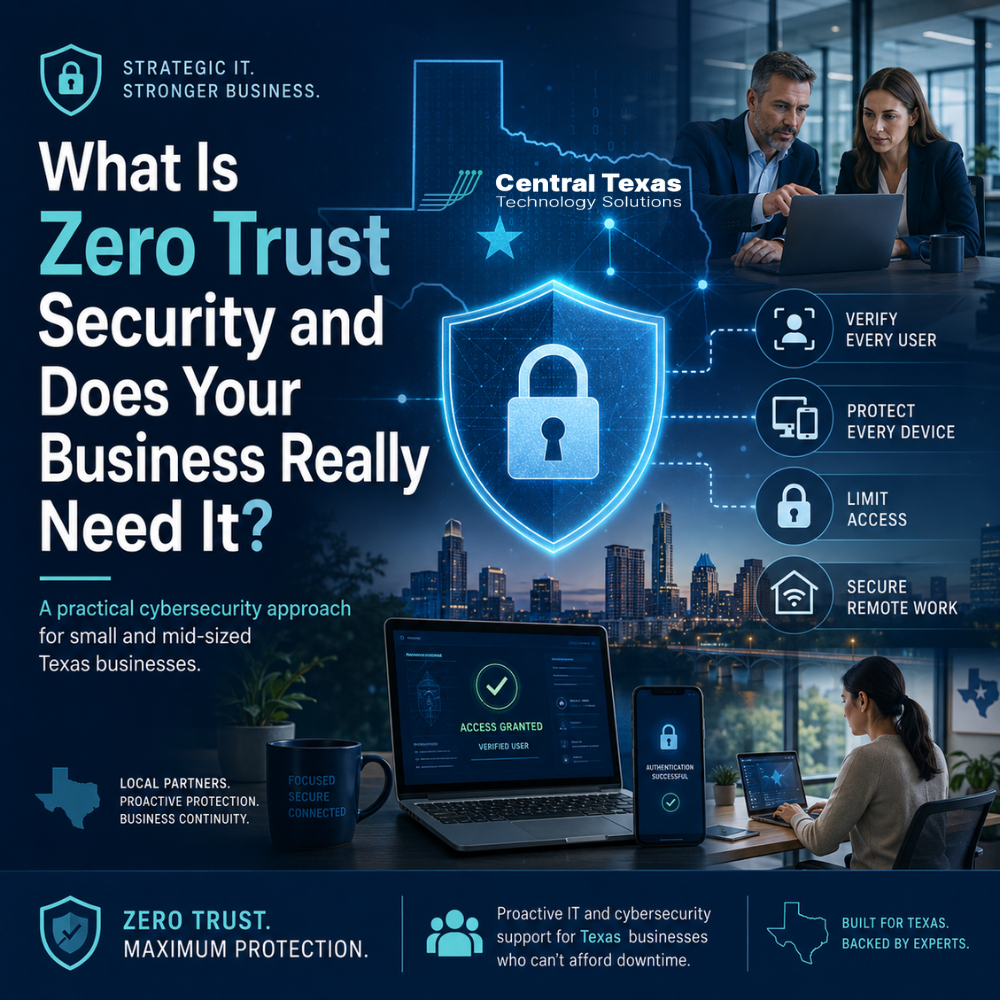
Most business leaders do not wake up thinking about cybersecurity frameworks.
They think about keeping employees productive, protecting customer data, passing compliance checks, preventing downtime, and making sure technology does not slow the business down.
That is why the phrase Zero Trust Security can sound like one more complicated cybersecurity term. But at its core, Zero Trust is not about buying another tool or making work harder for your team.
It is a practical security approach built around one simple idea:
Do not automatically trust anyone or anything just because they are already inside your network.
For small and mid-sized businesses in Austin and across Central Texas, that idea matters more than ever. Whether you run a healthcare clinic, law firm, construction company, manufacturing operation, nonprofit, or professional services firm, your people are using cloud apps, mobile devices, remote access, email, shared files, and outside vendors every day.
That makes the old security model outdated.
The question is no longer, “Is someone inside or outside our network?”
The better question is, “Should this person, device, or application have access to this specific system right now?”
That is where Zero Trust Security becomes practical.
What Is Zero Trust Security?
Zero Trust Security is a cybersecurity strategy that verifies users, devices, applications, and access requests before allowing them to reach business systems.
Instead of assuming everything inside your company network is safe, Zero Trust assumes risk can come from anywhere.
That does not mean your employees are untrusted. It means your systems are designed to verify access before allowing sensitive data or applications to be reached.
In plain English, Zero Trust means:
- Confirm the user is who they say they are
- Confirm the device is safe enough to connect
- Limit access to only what the person needs
- Watch for unusual activity
- Require stronger verification when risk increases
For example, an employee logging in from the office during normal hours on a company laptop may be treated differently than the same employee logging in from another country at 2:00 a.m. on an unknown device.
That is Zero Trust in action.
Why Traditional Cybersecurity Is No Longer Enough
Many small and mid-sized businesses still think about cybersecurity like a locked office building.
Once someone gets through the front door, they can move around freely.
That approach worked better when most employees worked in one office, most files lived on a local server, and business applications were only accessed from company-owned computers.
That is not how most businesses operate today.
Teams now use Microsoft 365, cloud software, mobile devices, home networks, shared links, remote access tools, and vendor portals. Employees may work from Austin, Buda, Kyle, New Bruanfels, or a jobsite outside the office.
That flexibility helps businesses move faster, but it also creates more doors for attackers to test.
If one password is stolen, one laptop is compromised, or one user clicks a malicious email, attackers may try to move deeper into your systems.
Zero Trust helps reduce that risk by making sure one mistake does not turn into a business-wide security event.
Does Your Texas Business Really Need Zero Trust Security?
The honest answer is yes, but not every business needs the same level of Zero Trust at the same time.
A 10-person nonprofit in Georgetown does not need the exact same security design as a healthcare group with multiple clinics in Austin or a manufacturing company with complex operational systems in Temple.
But every business needs the principles behind Zero Trust.
If your business uses email, cloud files, remote access, accounting software, customer records, legal documents, patient information, employee records, or payment systems, you need stronger control over who can access what.
Zero Trust is especially important if your business:
- Has remote or hybrid employees
- Uses Microsoft 365 or Google Workspace
- Handles sensitive client, patient, financial, or employee data
- Must meet compliance expectations
- Works with vendors or outside contractors
- Has grown beyond a simple office network
- Has experienced phishing attempts, account compromise, or recurring security concerns
For healthcare, this may involve protecting patient data and preparing for HIPAA requirements.
For legal firms, it may mean protecting confidential case files and client communication.
For professional services, it may mean securing financial records, proposals, contracts, and intellectual property.
For construction companies, it may mean protecting project documents, bids, vendor access, and field team devices.
For manufacturing businesses, it may mean protecting production systems, inventory platforms, and supplier data.
For nonprofits, it may mean safeguarding donor records, grant information, and staff access without overcomplicating daily operations.
Zero Trust is not just an enterprise concept. It is a practical way to protect the systems your business depends on.
What Zero Trust Security Looks Like in the Real World
Zero Trust does not have to mean locking everything down so tightly that your team cannot get work done.
When designed correctly, it should make security stronger while keeping work simple.
Here are some practical examples.
Multi-Factor Authentication
Multi-factor authentication requires a second step beyond a password, such as a code, app approval, or security key.
This helps protect your business even if a password is stolen.
For many businesses, this is one of the first and most important Zero Trust steps.
Conditional Access
Conditional access uses rules to decide whether a login should be allowed, blocked, or challenged.
For example, your business may require extra verification when someone logs in from a new location, a personal device, or a risky network.
This is especially helpful for businesses with remote workers or employees who travel between Austin, Leander, Round Rock, and other Central Texas communities.
Least Privilege Access
Least privilege means employees only get access to the systems and files they need to do their jobs.
Your office manager may need access to billing systems, but not every project folder.
Your field technician may need mobile access to work orders, but not payroll files.
Your outside software vendor may need temporary access to one system, but not your entire network.
This limits damage if an account is compromised.
Device Security Checks
Zero Trust looks at the device, not just the user.
A company laptop with security software, updates, encryption, and management controls is safer than an unknown personal device.
Device checks can help make sure only trusted devices can access sensitive systems.
Network Segmentation
Network segmentation separates systems so that one compromised device does not give an attacker open access to everything.
For example, guest Wi-Fi should not connect to business systems.
Accounting systems should not be treated the same as a conference room printer.
Critical systems should have stronger protections than general-use devices.
Ongoing Monitoring
Zero Trust is not a one-time setup.
It requires visibility into login attempts, device activity, suspicious behavior, and access changes.
That does not mean someone is watching employees all day. It means your IT partner is watching for signs of risk so problems can be addressed before they become outages, breaches, or compliance issues.
The Business Benefits of Zero Trust Security
Zero Trust is not just about blocking hackers.
It helps business leaders solve real operational problems.
Better Protection Against Stolen Passwords
Passwords get reused, phished, guessed, and stolen.
Zero Trust reduces the chance that one compromised password gives an attacker full access to your business.
Less Risk From Remote Work
Remote work is here to stay for many businesses.
Zero Trust allows your team to work from different locations while still applying smart security controls.
Stronger Compliance Readiness
Healthcare, legal, financial, nonprofit, and professional services organizations often need to show that access to sensitive data is controlled and monitored.
Zero Trust supports better documentation, stronger access control, and more consistent security practices.
Fewer Costly Surprises
Many security incidents are not caused by a lack of tools. They happen because no one had a clear access strategy.
Zero Trust helps prevent small issues from becoming expensive disruptions.
Better Alignment Between IT and Business Goals
Security should not slow the business down.
A good Zero Trust strategy supports growth by making it easier to add employees, manage vendors, support remote work, protect data, and scale systems with confidence.
That is where CTTS helps businesses move beyond reactive IT support.
Zero Trust Is a Strategy, Not a Single Product
One common misconception is that Zero Trust can be purchased in one box.
It cannot.
Zero Trust is not one software product. It is a strategy that may include Microsoft 365 security settings, endpoint protection, identity management, conditional access, device management, network controls, documentation, monitoring, and employee training.
Buying a cybersecurity tool without a strategy can create a false sense of security.
CTTS takes a different approach.
We help businesses understand their actual risks, build a practical plan, and put the right safeguards in place without overwhelming the team.
That means aligning security with the way your business actually works.
How CTTS Helps Businesses Implement Zero Trust Security
CTTS helps small and mid-sized businesses across Central Texas take a practical, step-by-step approach to Zero Trust Security.
We do not start by making everything complicated.
We start by asking the right questions:
- Who needs access to what?
- Which systems contain sensitive data?
- Which devices are used to access business systems?
- Where are employees working from?
- Which vendors have access?
- What compliance requirements apply?
- What would happen if an account were compromised?
From there, CTTS helps create a security plan that may include:
- Multi-factor authentication
- Conditional access policies
- Microsoft 365 security improvements
- Device management
- Endpoint protection
- Email security
- Secure remote access
- Vendor access controls
- Backup and disaster recovery planning
- Ongoing monitoring and support
- Documentation for leadership and compliance
The goal is not to make cybersecurity confusing.
The goal is to help your business operate with fewer risks, fewer surprises, and more confidence.
When Should Your Business Start Thinking About Zero Trust?
The best time to improve security is before something goes wrong.
Many businesses wait until after a phishing incident, ransomware scare, failed audit, employee departure, or vendor access problem before reviewing access controls.
That delay can be costly.
Your business should start thinking about Zero Trust if:
- Employees can access company systems from personal devices
- Former employees may still have access to accounts or files
- File permissions are unclear
- Vendors have broad or permanent access
- Multi-factor authentication is not consistently enforced
- Your team uses shared passwords
- Leadership is unsure who can access sensitive data
- You are preparing for growth, compliance, or a system upgrade
These are not just IT issues.
They are business continuity issues.
Zero Trust Security for Small and Mid-Sized Texas Businesses
Small and mid-sized businesses are often targeted because attackers know they may not have dedicated cybersecurity leadership.
That does not mean your business needs a large internal security department.
It means you need the right IT partner.
CTTS helps businesses in Austin, Georgetown, Round Rock, and Cedar Park build practical cybersecurity strategies that support growth, protect operations, and reduce risk.
Whether you lead a healthcare practice, legal office, construction company, manufacturing business, nonprofit, or professional services firm, Zero Trust can help you take control of access before access becomes a problem.
Final Thoughts: Zero Trust Is About Business Confidence
Zero Trust Security is not about paranoia.
It is about confidence.
It gives your business a smarter way to manage access, protect data, support remote work, reduce compliance risk, and prevent avoidable disruption.
You do not need to implement everything overnight.
You need a clear plan, the right priorities, and an IT partner who understands how security affects the way your business operates.
CTTS helps small and mid-sized Texas businesses move from reactive security to proactive protection.
If you are not sure who has access to your systems, whether your devices are secure, or how well your current IT setup protects your business, now is the right time to take a closer look.
Schedule a consultation with CTTS today to request an IT assessment and build a practical Zero Trust Security plan for your business.
Frequently Asked Questions About Zero Trust Security
What does Zero Trust Security mean in simple terms?
Zero Trust Security means your business verifies users, devices, and access requests before allowing people into important systems. It does not automatically trust someone just because they have a password or are already connected to the network.
Is Zero Trust only for large companies?
No. Small and mid-sized businesses also need Zero Trust principles because they use cloud apps, remote access, mobile devices, and sensitive data. The strategy should be scaled to match the size, risk, and budget of the business.
Can Zero Trust make work harder for employees?
It can if it is implemented poorly. When done correctly, Zero Trust protects the business while keeping daily work simple. CTTS helps create security policies that match the way employees actually work.
Contact CTTS today for IT support and managed services in Austin, TX. Let us handle your IT so you can focus on growing your business. Visit CTTSonline.com or call us at (512) 388-5559 to get started!
Make your next IT decision with confidence. Start with these insights:
What Network Security Really Means Beyond Firewalls and Antivirus
How Ransomware Protection Works and Why Prevention Matters
When to Bring in an IT Consulting Firm Instead of Just IT Support
How Endpoint Detection and Response Protects Your Business From Modern Threats
What Multi Factor Authentication Really Does and Why It Matters More Than Ever
How Secure Cloud Migrations Work Without Disrupting Your Business
What Role AI Is Playing in Cybersecurity for Texas Businesses
How Network Visibility Tools Help Prevent Costly IT Surprises
Why Microsoft 365 Security Defaults Are Not Enough for Most Businesses
How Conditional Access Helps Protect Your Business From Unauthorized Logins