
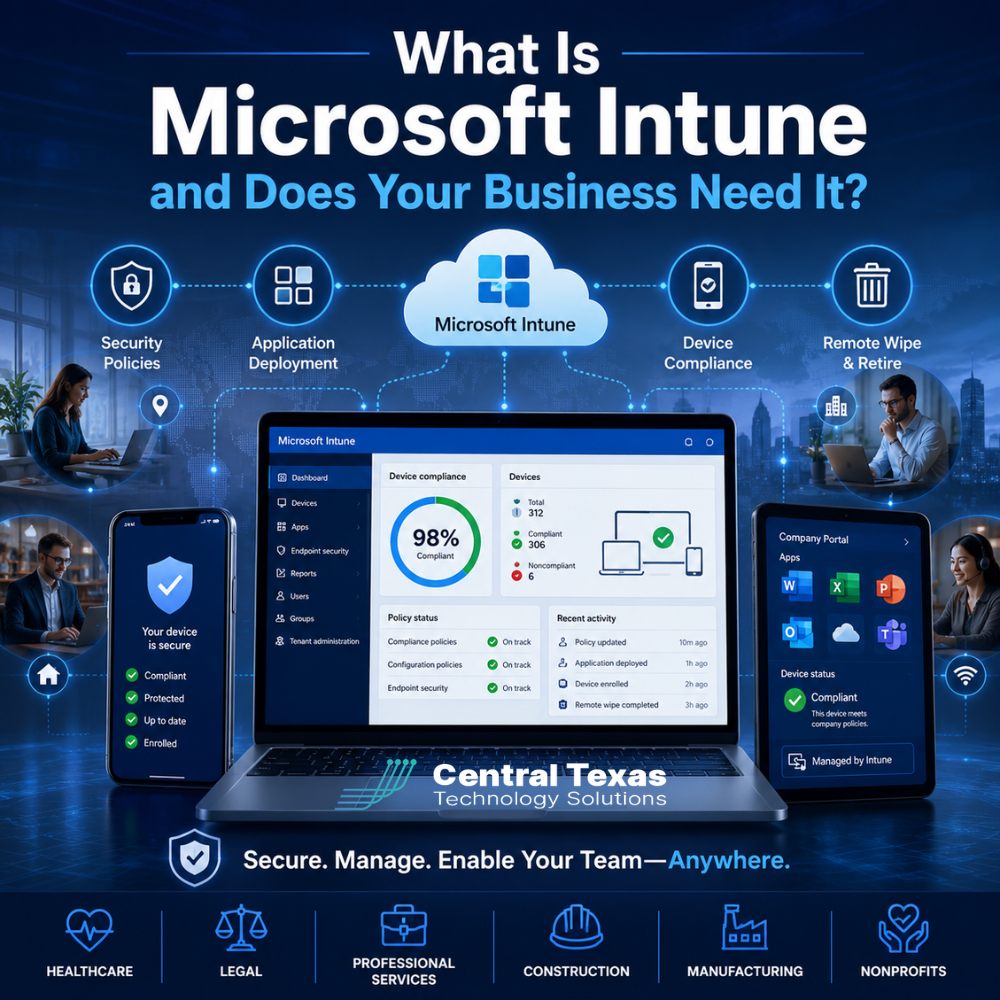
Business technology no longer stays inside the office. Employees use laptops at home, smartphones while traveling, tablets at job sites, and personal devices to check company email.
That flexibility can improve productivity, but it also creates a serious challenge. How can your business protect company data when devices are spread across Austin, Round Rock, Georgetown, Cedar Park, and beyond?
Microsoft Intune gives businesses a centralized way to manage devices, enforce security requirements, install applications, and protect company information. For organizations with remote or mobile employees, it can make technology easier to control without making work harder for the people using it.
What Is Microsoft Intune?
Microsoft Intune is a cloud-based device and application management platform. It is part of Microsoft’s broader security and productivity ecosystem and commonly works alongside Microsoft 365, Microsoft Entra ID, and Microsoft Defender.
Intune allows an IT team or managed IT provider to manage company devices from a central dashboard. Depending on how it is configured, it can manage:
- Windows computers
- Apple computers
- iPhones and iPads
- Android phones and tablets
- Company-owned devices
- Approved personal devices used for work
The goal is not simply to track devices. Intune helps businesses create consistent security standards across every device that accesses company systems.
Without centralized management, each device may be configured differently. One employee might have strong password protection and current updates, while another might use an outdated operating system with limited security.
Intune helps eliminate those inconsistencies.
How Does Microsoft Intune Manage Business Devices?
Device management gives your business visibility and control over the computers, phones, and tablets employees use for work.
When a device is enrolled in Intune, administrators can apply settings and confirm whether the device meets company requirements. This can include checking that the device:
- Uses a secure password or PIN
- Has device encryption enabled
- Runs an approved operating system
- Installs important security updates
- Has antivirus or endpoint protection active
- Locks automatically after inactivity
- Has not been altered in an unsafe way
These controls are especially important for businesses with employees who work remotely, travel between locations, visit client offices, or spend time at construction sites.
Healthcare organizations may need to protect patient information on mobile devices. Legal firms must secure confidential client documents. Manufacturers may use tablets on production floors. Construction teams often rely on laptops and phones at multiple job sites.
Intune gives each of these businesses a structured way to protect devices without manually configuring every setting one at a time.
How Does Intune Enforce Security Policies?
Security policies define the minimum requirements a device must meet before it can access company information.
For example, your business could require all devices to use encryption, current security updates, multifactor authentication, and approved endpoint protection. A device that does not meet those requirements may be marked as noncompliant.
Intune can work with Microsoft Entra ID to prevent a noncompliant device from accessing certain business applications or files. This process is often called conditional access.
Instead of trusting a device simply because someone knows the correct password, your business can also verify that the device itself meets security standards.
This provides an additional layer of protection when:
- An employee loses a laptop
- A password is stolen
- Someone tries to sign in from an unmanaged device
- A former employee still has company information
- A device has missed critical updates
- Malware disables security software
Professional service firms and nonprofits may not have large internal security teams, but they still handle sensitive financial, employee, donor, or client data. Intune helps apply security policies consistently without relying on every employee to configure their device correctly.
Can Microsoft Intune Install and Manage Applications?
Application deployment is another valuable Intune capability.
Instead of asking employees to download and configure applications themselves, your IT team can use Intune to deploy approved software directly to managed devices.
This may include:
- Microsoft 365 applications
- Microsoft Teams
- Security software
- Virtual private network software
- Line-of-business applications
- Remote support tools
- Web browser settings
- Mobile applications
Applications can be assigned to specific users, departments, or device groups. A legal team may receive case management software, while accounting employees receive financial applications.
Intune can also remove applications that are no longer approved or needed.
Centralized application deployment reduces setup time when hiring employees. A properly configured device can automatically receive the applications and policies the employee needs based on their role.
This makes onboarding more consistent and reduces the risk of employees installing unauthorized or unsafe software.
What Happens When a Device Is Lost or Stolen?
A lost phone or laptop can quickly become a data breach if the device contains company email, documents, passwords, or customer information.
Microsoft Intune gives authorized administrators several remote actions, depending on the device type and configuration.
These actions may include:
- Locking the device
- Resetting a password
- Removing company applications
- Removing company data
- Retiring the device from management
- Performing a complete remote wipe
A selective wipe can remove business information while leaving personal photos, applications, and other private data intact. This may be useful when employees use personal devices for work.
A full wipe restores the device to its factory settings and removes all information. This is commonly used for lost or stolen company-owned equipment.
Remote wiping should not replace strong security, encryption, and backups. However, it provides an important response option when a device is no longer under the company’s physical control.
How Does Intune Support Remote and Mobile Teams?
Many businesses now operate across homes, satellite offices, client locations, and job sites. Traditional device management tools often worked best when every computer regularly connected to the same office network.
Intune is cloud-based, which means policies and updates can reach internet-connected devices even when employees are not in the office.
This helps businesses support mobile teams by making it easier to:
- Configure new devices remotely
- Apply consistent security settings
- Install required applications
- Check device compliance
- Support employees in different locations
- Remove access when an employee leaves
- Protect company data on personal devices
A construction company might manage tablets used by field supervisors. A healthcare practice might protect smartphones used by administrators. A manufacturing business might manage laptops used by traveling sales representatives.
Intune can also help growing companies avoid a patchwork of devices that were set up differently over several years.
Does Your Business Need Microsoft Intune?
Not every business needs the same Intune configuration, but many organizations benefit from centralized device management.
Your business should consider Intune when:
- Employees work remotely or in multiple locations
- Staff members use smartphones or tablets for business
- Employees access company data from personal devices
- Device setup is inconsistent
- New employee onboarding takes too long
- Former employees may retain company information
- Your business must follow security or compliance requirements
- You need better control over software installations
- Lost devices could expose sensitive information
- You want to connect device security with Microsoft 365 access
Businesses in healthcare, legal services, professional services, construction, manufacturing, and the nonprofit sector all face different operational challenges. However, each depends on secure and reliable access to business information.
The question is not simply whether your company owns enough devices to justify Intune. The more important question is whether those devices create risks that your current processes cannot manage consistently.
Intune Still Requires the Right Strategy
Purchasing Microsoft Intune does not automatically secure your business.
Policies must be planned, tested, documented, and maintained. Security settings that are too weak may leave information exposed. Settings that are too restrictive can frustrate employees and interrupt legitimate work.
A successful deployment should consider:
- Which devices should be managed
- Whether personal devices are permitted
- What security policies are appropriate
- Which applications employees need
- How conditional access will work
- How lost devices will be handled
- How employee departures will be managed
- Who will respond to compliance alerts
- How exceptions will be documented
CTTS helps Central Texas businesses evaluate, deploy, and manage Microsoft Intune as part of a broader IT and cybersecurity strategy. We focus on preventing problems, protecting company data, and keeping employees productive wherever they work.
Rather than applying the same settings to every business, we align device management with your employees, applications, security risks, and business goals.
Protect Business Data Wherever Your Employees Work
Your employees need the freedom to work from the office, home, client sites, and job locations. Your business also needs confidence that every device accessing company information meets appropriate security standards.
Microsoft Intune can provide that control, but only when it is configured around the way your business actually operates.
Schedule a free strategy call with CTTS today to determine whether Microsoft Intune is the right fit for your devices, employees, and security goals.
Frequently Asked Questions About Microsoft Intune
Is Microsoft Intune only for large businesses?
No. Small and midsized businesses can benefit from Intune, especially when employees work remotely, use mobile devices, or access sensitive information. The value comes from having consistent device security and management, not simply from the number of employees.
Can Intune manage an employee’s personal phone?
Yes, but the level of management depends on your policies and enrollment method. Intune can protect business applications and data without giving the company complete control over the employee’s personal content. A selective wipe can remove company information while leaving personal data in place.
Is Intune included with Microsoft 365?
Intune is included in certain Microsoft 365 and security licensing plans, but not every subscription includes it. Licensing can be confusing, so businesses should review their current Microsoft plans and security needs before purchasing additional licenses.
Contact CTTS today for IT support and managed services in Austin, TX. Let us handle your IT so you can focus on growing your business. Visit CTTSonline.com or call us at (512) 388-5559 to get started!
Get the answers business leaders are asking about IT services:
How Endpoint Detection and Response Protects Your Business From Modern Threats
What Multi Factor Authentication Really Does and Why It Matters More Than Ever
How Secure Cloud Migrations Work Without Disrupting Your Business
What Role AI Is Playing in Cybersecurity for Texas Businesses
How Network Visibility Tools Help Prevent Costly IT Surprises
Why Microsoft 365 Security Defaults Are Not Enough for Most Businesses
How Conditional Access Helps Protect Your Business From Unauthorized Logins
What Is Zero Trust Security and Does Your Business Really Need It?
How Business Email Compromise Happens and How to Prevent It
Why Endpoint Security Matters When Your Team Works From Anywhere