
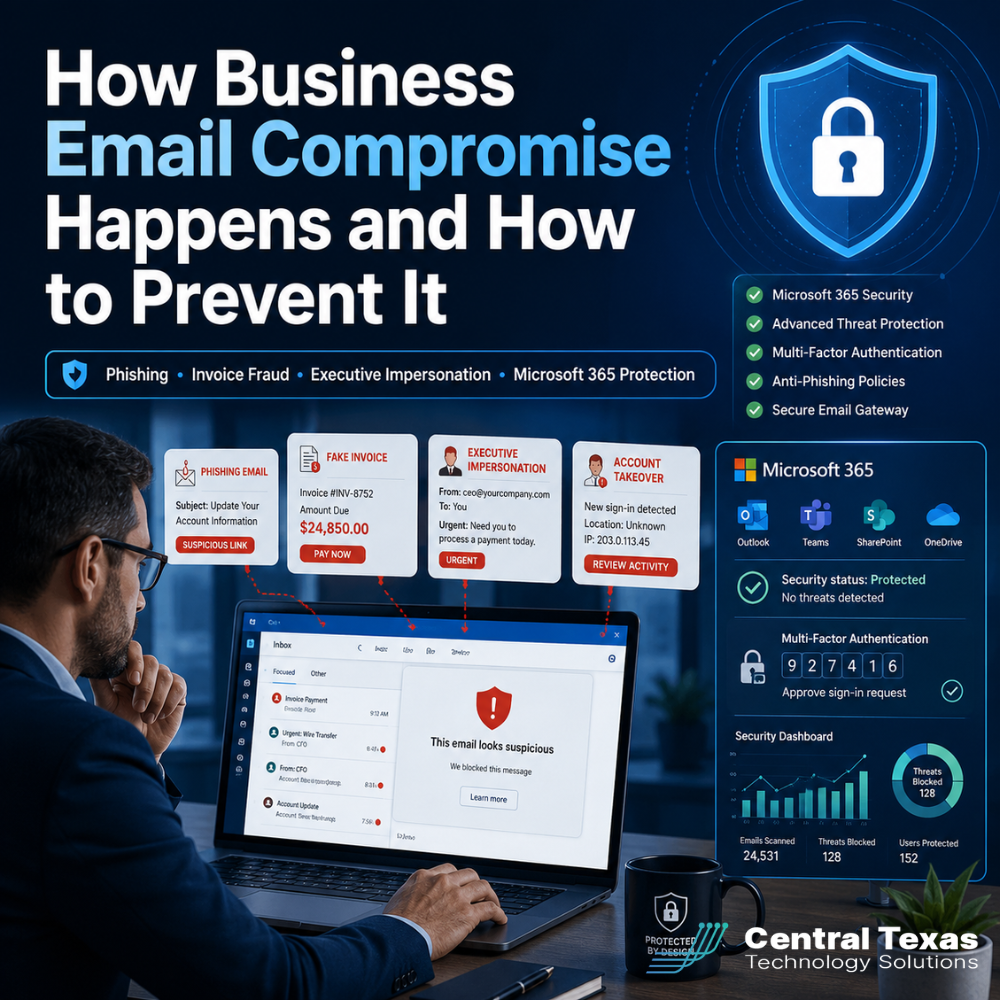
Business email is one of the most trusted tools in your company. Employees use it to approve payments, share documents, communicate with vendors, and make important decisions.
Cybercriminals know that.
Instead of trying to break through a firewall, many attackers simply pretend to be someone your team already trusts. They may impersonate an executive, copy a vendor’s email style, or take control of a real Microsoft 365 account. Their goal is to convince an employee to send money, reveal information, or change a payment process.
This type of attack is known as business email compromise, or BEC.
Business email compromise can affect organizations of every size. Healthcare providers, legal firms, professional services companies, construction businesses, manufacturers, and nonprofits all rely heavily on email. One convincing message can lead to a fraudulent wire transfer, exposed client information, interrupted operations, and lasting reputational damage.
The good news is that most business email compromise attacks follow recognizable patterns. With the right Microsoft 365 protection, employee training, and payment procedures, your business can stop many of these attacks before money or information leaves the company.
What Is Business Email Compromise?
Business email compromise is a targeted scam in which an attacker uses email to impersonate a trusted person or organization.
The attacker may pretend to be:
- A company executive
- A manager
- A vendor
- A client
- An employee
- A bank or financial institution
- A payroll or benefits provider
- An attorney or outside consultant
Unlike basic spam, BEC messages are often carefully researched. Attackers may study your website, LinkedIn profiles, social media posts, employee titles, vendor relationships, and public business information.
They use those details to create an email that feels familiar and urgent.
The message may ask someone to:
- Pay an invoice
- Change a vendor’s banking information
- Purchase gift cards
- Send payroll records
- Share login credentials
- Update a direct deposit account
- Wire money for a confidential transaction
- Open a document or sign in to Microsoft 365
The email may not contain a suspicious attachment or obvious virus. That is what makes business email compromise especially dangerous. The attacker is targeting human trust rather than relying only on malicious software.
How Business Email Compromise Happens
Most business email compromise attacks begin in one of two ways.
The attacker either creates a convincing fake identity or gains access to a real email account.
Email Spoofing and Lookalike Domains
An attacker may create an email address that looks almost identical to a legitimate address.
For example:
jwilson@company.comjwilson@cornpany.com
The second address replaces the letter “m” with “rn.” That small difference can be easy to miss, especially on a phone.
Attackers may also change the sender’s display name. An email may appear to come from “Company CEO” even though the actual email address belongs to an unrelated account.
Without strong email security controls, employees may see the familiar name and assume the message is legitimate.
Compromised Microsoft 365 Accounts
A more serious attack happens when a criminal gains access to a real Microsoft 365 mailbox.
The attacker may steal the password through a fake login page, reuse credentials from another data breach, or trick an employee into approving a fraudulent sign-in.
Once inside, the attacker may:
- Read previous conversations
- Study payment procedures
- Identify vendors and clients
- Create inbox rules that hide replies
- Send messages from the real account
- Monitor upcoming transactions
- Reset passwords for connected services
Because the message comes from a legitimate mailbox, it can be difficult for employees, clients, and vendors to recognize the fraud.
This is why password protection alone is not enough.
How Phishing Leads to Business Email Compromise
Phishing is one of the most common entry points for business email compromise.
An employee receives a message that appears to come from Microsoft, a delivery company, a payroll platform, or another trusted service. The email claims that the recipient needs to review a document, verify an account, or resolve a security problem.
The employee clicks a link and lands on a fake Microsoft 365 sign-in page.
The page may look almost identical to the real Microsoft login screen. When the employee enters a username and password, the information is sent directly to the attacker.
Some phishing campaigns go even further. They attempt to capture multifactor authentication codes or repeatedly send approval notifications until the employee accepts one.
Once the attacker gains access, the phishing email may be deleted. The employee may never realize the account has been compromised until fraudulent messages have already been sent.
Common Phishing Warning Signs
Employees should slow down when an email includes:
- Unexpected password reset requests
- Unusual Microsoft 365 login alerts
- Shared documents from unknown contacts
- Requests to bypass normal procedures
- Links that do not match the sender
- Messages that create fear or urgency
- Unexpected multifactor authentication prompts
- Attachments that require login credentials
- Requests to keep the conversation confidential
No single warning sign proves that an email is fraudulent. However, unusual requests should always be verified through a separate communication method.
How Invoice Fraud Works
Invoice fraud occurs when an attacker convinces your business to send a legitimate payment to a fraudulent bank account.
The attacker may impersonate a vendor and claim that banking information has changed. In other cases, the criminal may gain access to a real vendor’s mailbox and respond inside an existing email conversation.
The message might say:
We recently changed banks. Please use the updated account information attached for all future payments.
The request may appear routine. The invoice may look correct. The sender may even reference real project details.
A construction company may receive revised payment instructions from someone pretending to be a subcontractor. A manufacturer may receive a fraudulent invoice from a materials supplier. A healthcare organization may be targeted through a medical equipment vendor. A legal firm or professional services company may receive false instructions involving a client transaction. A nonprofit may be asked to redirect a grant, donation, or service payment.
The employee processing the payment may believe they are helping a trusted vendor. By the time the real vendor asks why the invoice has not been paid, the money may be difficult or impossible to recover.
How to Prevent Invoice Fraud
Every business should have a written process for changing payment information.
That process should require:
- Verbal confirmation using a known phone number
- Approval from more than one employee
- Documentation of the change
- Review of the sender’s full email address
- Additional verification for large or unusual payments
Employees should never confirm banking changes by replying to the same email that requested the change. If the email account has been compromised, the attacker may respond and continue the deception.
How Executive Impersonation Scams Work
Executive impersonation happens when an attacker pretends to be an owner, CEO, CFO, department leader, or other senior employee.
These messages often target employees in accounting, human resources, operations, or administration.
The email may ask the employee to:
- Send a wire transfer
- Purchase gift cards
- Share employee tax information
- Update payroll details
- Pay a confidential invoice
- Provide customer or financial records
- Keep the request private
The message usually creates urgency.
The attacker may claim to be in a meeting, traveling, dealing with an acquisition, or unable to speak by phone. This gives the employee a reason not to verify the request.
Executive impersonation works because many employees want to be responsive. They may worry that asking questions will delay an important transaction or frustrate a senior leader.
Business leaders should make it clear that employees will never be punished for verifying a financial or sensitive request.
A healthy security culture gives people permission to pause.
Microsoft 365 Protection Against Business Email Compromise
Microsoft 365 includes valuable security capabilities, but those protections must be configured, monitored, and managed correctly.
Simply purchasing Microsoft 365 does not automatically mean your organization is fully protected.
A strong Microsoft 365 security strategy should include several layers.
Require Multi-factor Authentication
Multi-factor authentication adds an additional verification step when someone signs in.
Even if an attacker steals a password, MFA may prevent access to the account.
However, basic MFA is not perfect. Employees can still be tricked into approving fraudulent requests. Businesses should use stronger authentication methods when possible, including number matching, passkeys, security keys, and other phishing-resistant options.
Use Conditional Access Policies
Conditional Access allows your business to control how and when users can access Microsoft 365.
Policies can evaluate factors such as:
- User identity
- Device health
- Geographic location
- Sign-in risk
- Application being accessed
- Network location
For example, your business may block logins from unexpected countries, require stronger authentication for risky sign-ins, or limit access from unmanaged devices.
Conditional Access helps turn Microsoft 365 security into a proactive system rather than a collection of basic settings.
Enable Advanced Email Protection
Microsoft 365 email protection should be configured to identify suspicious links, attachments, impersonation attempts, and spoofed domains.
Effective email protection can help detect:
- Lookalike domains
- Executive impersonation
- Vendor impersonation
- Malicious attachments
- Dangerous links
- Unusual sending patterns
- Newly registered domains
Email filtering should be adjusted to reflect your actual organization. Protecting the names, domains, and email addresses of key executives and financial employees can reduce the risk of impersonation attacks.
Configure DMARC, DKIM, and SPF
SPF, DKIM, and DMARC are email authentication standards that help receiving mail systems determine whether a message was authorized by the sending domain.
When properly configured, they can make it harder for criminals to impersonate your company’s domain.
These controls also help protect your clients and vendors from receiving fraudulent messages that appear to come from your business.
DMARC should be monitored and gradually moved toward an enforcement policy. A poorly planned implementation can interrupt legitimate email, so it should be managed carefully.
Monitor Sign-Ins and Mailbox Activity
Microsoft 365 logs can reveal signs of account compromise, including:
- Sign-ins from unusual locations
- Multiple failed login attempts
- New inbox forwarding rules
- Changes to authentication methods
- Suspicious application approvals
- Unexpected mailbox access
- Large downloads or unusual activity
These signals are most valuable when someone is actively reviewing them.
A log that no one monitors does not provide much protection.
Disable Automatic External Forwarding
Attackers sometimes create forwarding rules that silently send copies of email to an outside address.
This allows them to continue monitoring conversations even after a password has been changed.
Blocking or tightly controlling external forwarding can help prevent ongoing data exposure.
Apply Least-Privilege Access
Employees should only have access to the information and systems required for their roles.
An administrative assistant should not automatically have the same Microsoft 365 privileges as an IT administrator. A temporary employee should not retain access after a project ends.
Reducing unnecessary permissions limits the damage an attacker can cause if one account is compromised.
Why Technology Alone Cannot Stop Business Email Compromise
Security software is important, but BEC is designed to manipulate people.
An email security system may allow a message through because it contains no malicious attachment. A stolen account may appear legitimate because the attacker is using the correct username and password.
Your employees need a clear process for handling unusual requests.
Effective security awareness training should teach employees how to:
- Inspect sender addresses
- Recognize urgency tactics
- Verify payment changes
- Report suspicious messages
- Respond to unexpected MFA requests
- Avoid signing in through email links
- Question requests that break normal procedures
Training should be ongoing and based on situations employees actually face. A yearly presentation is not enough.
Healthcare employees may need examples involving patient records or medical vendors. Legal teams may need scenarios involving settlement funds or confidential documents. Construction and manufacturing employees may need invoice and supplier examples. Professional services firms may need client payment scenarios. Nonprofits may need examples involving donations, grants, and executive requests.
Relevant training helps employees recognize the attack when it reaches their inbox.
Create a Business Email Compromise Response Plan
Even well-protected organizations can experience a security incident.
Your business should know exactly what to do if an employee clicks a phishing link, approves a suspicious login, or sends money to the wrong account.
A BEC response plan should include:
- Contact the IT and security team immediately.
- Disable or secure the affected account.
- Reset passwords and revoke active sessions.
- Review authentication methods and connected applications.
- Check for forwarding rules and mailbox changes.
- Identify messages sent by the attacker.
- Notify affected clients, vendors, or employees.
- Contact the bank if money was transferred.
- Preserve logs and evidence.
- Document the incident and update security procedures.
Speed matters.
Employees should be encouraged to report mistakes immediately. Delayed reporting gives an attacker more time to read email, contact vendors, steal information, and hide evidence.
How a Proactive IT Partner Reduces Email Risk
Many businesses assume their email provider is handling security automatically.
That assumption creates a dangerous gap.
Microsoft provides the platform, but your business is still responsible for configuration, monitoring, employee access, training, and incident response.
A proactive IT partner can help by:
- Reviewing Microsoft 365 security settings
- Enforcing multifactor authentication
- Building Conditional Access policies
- Monitoring suspicious sign-ins
- Configuring email authentication
- Protecting executives and financial employees
- Testing backup and recovery procedures
- Training employees
- Reviewing vendor payment processes
- Responding quickly to suspected compromise
CTTS helps businesses across Austin, Georgetown, Round Rock, Cedar Park, and the surrounding Central Texas area strengthen Microsoft 365 security before a fraudulent email becomes a financial loss.
The goal is not simply to react after an employee reports a suspicious message. The goal is to create multiple layers of protection that make attacks harder to launch, easier to detect, and faster to contain.
Business Email Compromise Prevention Checklist
Use this checklist to evaluate your current protection:
- Is multifactor authentication required for every employee?
- Are risky logins automatically blocked or challenged?
- Are executive names and domains protected from impersonation?
- Are SPF, DKIM, and DMARC configured correctly?
- Are external forwarding rules restricted?
- Are Microsoft 365 sign-ins actively monitored?
- Do employees know how to report suspicious emails?
- Are payment changes verified by phone?
- Do large payments require two approvals?
- Are former employees removed promptly?
- Are administrator privileges limited?
- Is there a documented incident response plan?
- Are employees trained with realistic phishing examples?
A “no” answer does not necessarily mean your business is already compromised. It does show where an attacker may have an easier path.
Protect Your Business Before the Next Email Arrives
Business email compromise succeeds when a believable message reaches an unprepared employee.
You do not have to rely on employees noticing every small detail. Strong Microsoft 365 security, verified payment procedures, ongoing training, and active monitoring can dramatically reduce your exposure.
CTTS helps Central Texas businesses build proactive email security strategies that protect money, information, productivity, and business continuity.
Schedule a consultation with CTTS to review your Microsoft 365 environment and identify the gaps that could leave your business vulnerable to phishing, invoice fraud, and executive impersonation.
Frequently Asked Questions About Business Email Compromise
What is the difference between phishing and business email compromise?
Phishing is often used to steal passwords or trick someone into clicking a malicious link. Business email compromise is usually a more targeted effort to impersonate a trusted person, access a mailbox, redirect payments, or steal sensitive information. Phishing is frequently the first step in a larger BEC attack.
Can multifactor authentication stop business email compromise?
Multifactor authentication can stop many account takeover attempts, but it is not a complete solution. Attackers may use fake login pages, session theft, fraudulent approval prompts, and impersonation tactics that do not require account access. MFA should be combined with Conditional Access, email protection, monitoring, and employee training.
What should we do if an employee sends money to a fraudulent account?
Contact your bank immediately and request that the transfer be recalled or frozen. Notify your IT and security provider, secure the affected email accounts, preserve evidence, and determine whether clients, vendors, insurers, or law enforcement need to be contacted. The faster your team responds, the better the chance of limiting the loss.
Contact CTTS today for IT support and managed services in Austin, TX. Let us handle your IT so you can focus on growing your business. Visit CTTSonline.com or call us at (512) 388-5559 to get started!
If you're evaluating IT providers, these resources will guide you:
How Ransomware Protection Works and Why Prevention Matters
When to Bring in an IT Consulting Firm Instead of Just IT Support
How Endpoint Detection and Response Protects Your Business From Modern Threats
What Multi Factor Authentication Really Does and Why It Matters More Than Ever
How Secure Cloud Migrations Work Without Disrupting Your Business
What Role AI Is Playing in Cybersecurity for Texas Businesses
How Network Visibility Tools Help Prevent Costly IT Surprises
Why Microsoft 365 Security Defaults Are Not Enough for Most Businesses
How Conditional Access Helps Protect Your Business From Unauthorized Logins
What Is Zero Trust Security and Does Your Business Really Need It?