
Many business leaders know something is not quite right with their technology, but they are not always sure where the problems are hiding.
Maybe your team complains about slow systems. Maybe your software tools do not work well together. Maybe you are worried about cybersecurity, compliance, backups, or whether your current IT provider is only fixing problems after they happen.
That is where an IT assessment can help.
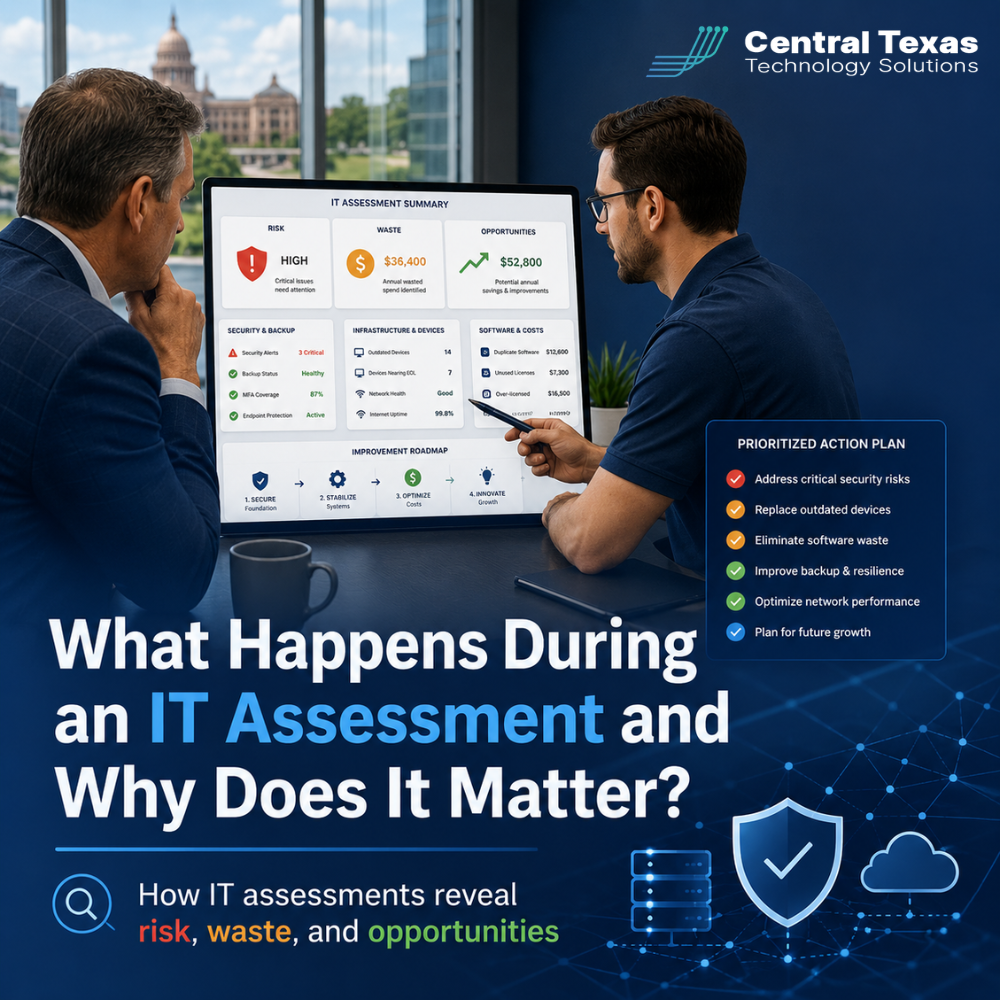
An IT assessment gives your business a clear picture of what is working, what is creating risk, what is wasting money, and where technology could better support your goals. For businesses in Austin, Round Rock, Georgetown, Cedar Park, and across Central Texas, it is one of the most practical ways to make smarter technology decisions before problems become expensive.
Whether you run a healthcare practice, law firm, professional services company, construction business, manufacturing operation, or nonprofit organization, your technology should help your team work securely, efficiently, and confidently. An IT assessment helps you understand whether it actually is.
What Is an IT Assessment?
An IT assessment is a structured review of your business technology environment.
It looks at your systems, security, hardware, software, network, backups, users, vendors, and IT processes. The goal is not to overwhelm you with technical details. The goal is to translate what is happening behind the scenes into clear business insight.
A good IT assessment answers questions like:
- Are there security gaps we need to address?
- Are we paying for tools we do not use?
- Is our network reliable enough for daily operations?
- Are our backups working and recoverable?
- Are old devices slowing down productivity?
- Are former employees still able to access systems?
- Are we ready for growth, audits, compliance needs, or a major system upgrade?
At CTTS, we view an IT assessment as more than a technical checklist. It is the starting point for building an IT strategy that supports your business goals.
Why an IT Assessment Matters for Growing Businesses
Technology issues rarely appear out of nowhere.
A server crash, ransomware attack, failed backup, compliance problem, or major outage is often the result of smaller problems that went unnoticed for too long. An IT assessment helps reveal those problems early.
For example, a growing professional services firm may discover that employees are storing client files in multiple locations with no consistent security controls. A construction company may find that field teams are using personal devices without proper protection. A healthcare office may learn that backup systems are running, but no one has tested whether patient data can actually be restored. A manufacturing business may uncover aging network equipment that could interrupt production. A nonprofit may realize it is paying for duplicate software subscriptions while still lacking basic cybersecurity protections.
These are not just technical issues. They affect productivity, security, client trust, compliance, and business continuity.
An IT assessment matters because it gives leaders the clarity they need to make better decisions.
What Happens During an IT Assessment?
A professional IT assessment usually follows a clear process. The details may vary depending on the size and complexity of your business, but the purpose is always the same: understand your current environment and identify practical next steps.
Step 1: Business Goals and Pain Points Are Discussed
The process should begin with a conversation, not a scan.
Before reviewing devices or systems, CTTS wants to understand how your business operates. This includes your goals, challenges, frustrations, and concerns.
Common topics include:
- Recent growth or expansion plans
- Recurring downtime or slow systems
- Cybersecurity concerns
- Compliance requirements
- Remote or hybrid work challenges
- Upcoming audits
- Aging hardware
- Software frustrations
- Vendor confusion
- Budget concerns
This matters because technology should not be evaluated in isolation. A law firm, healthcare provider, manufacturer, construction company, nonprofit, and professional services business may all use similar tools, but their risks and priorities are different.
A strong IT assessment connects technology to the way your business actually works.
Step 2: Devices, Users, and Systems Are Reviewed
Next, the assessment looks at the technology your team uses every day.
This may include:
- Workstations and laptops
- Servers
- Network equipment
- Microsoft 365 accounts
- Email systems
- Cloud platforms
- Phones and communication tools
- Printers and shared devices
- Line of business software
- Remote access tools
This step helps uncover issues like outdated computers, unsupported software, inactive user accounts, unmanaged devices, or inconsistent configurations.
For many businesses, this is where the first signs of waste begin to appear. You may discover unused licenses, redundant applications, old equipment that costs more to support than replace, or tools that no longer match your needs.
Step 3: Cybersecurity Risks Are Identified
Security is one of the most important parts of an IT assessment.
Many businesses assume they are protected because they have antivirus software, firewalls, or cloud tools in place. The problem is that cybersecurity requires more than one product. It requires layers of protection, clear policies, active monitoring, and consistent follow through.
During an assessment, security review may include:
- Password policies
- Multi-factor authentication
- Email security
- Endpoint protection
- Firewall configuration
- Remote access controls
- User permissions
- Former employee access
- Patch management
- Backup protection
- Security awareness gaps
This is where hidden risk often becomes visible.
For example, your team may have multi-factor authentication turned on for some accounts but not others. Former employees may still have access to email or cloud files. Important software updates may be missing. Sensitive data may be accessible to more people than necessary.
These issues are common, but they should not be ignored.
An IT assessment helps you find security gaps before attackers, auditors, or system failures expose them for you.
Step 4: Network Performance and Reliability Are Evaluated
Your network is the foundation your business runs on.
If your network is slow, unreliable, poorly configured, or aging, your team feels it every day. Calls drop. Files load slowly. Cloud applications lag. Teams lose time. Productivity suffers.
An IT assessment reviews your network to understand whether it can support your current operations and future growth.
This may include:
- Internet reliability
- Wi-Fi coverage
- Firewall health
- Switches and cabling
- Network segmentation
- Remote access performance
- Device connectivity
- Bottlenecks or weak points
For businesses in Austin, Round Rock, Georgetown, and Cedar Park, this can be especially important when teams are spread across offices, job sites, home offices, and mobile environments.
A reliable network is not just a convenience. It is a business continuity issue.
Step 5: Backup and Disaster Recovery Are Checked
Many businesses believe they have backups. Fewer businesses know whether those backups are complete, protected, and recoverable.
An IT assessment should review how your business data is backed up and what would happen if systems went down.
Important questions include:
- What data is being backed up?
- How often do backups run?
- Where are backups stored?
- Are backups protected from ransomware?
- Has anyone tested restoration?
- How long would it take to recover after an outage?
- Which systems must come back online first?
This matters because backups are only useful if they work when needed.
A healthcare clinic, law office, manufacturer, construction firm, nonprofit, or professional services company cannot afford to discover during a crisis that critical files were never backed up properly.
Step 6: IT Spending and Tool Overlap Are Reviewed
An IT assessment is not only about risk. It can also reveal waste.
Many businesses accumulate technology over time. New software gets added. Old subscriptions stay active. Different departments choose different tools. Vendors overlap. Licenses go unused. Hardware gets replaced only when it fails.
Over time, this creates unnecessary cost and confusion.
An assessment may uncover:
- Duplicate software subscriptions
- Unused Microsoft 365 licenses
- Outdated hardware still under support
- Tools that no longer fit the business
- Vendor contracts that overlap
- Inefficient systems that slow employees down
- Manual processes that could be simplified
These findings help business leaders make better budget decisions.
The goal is not always to spend less. The goal is to spend smarter.
Step 7: Compliance and Policy Gaps Are Considered
Some industries face specific regulatory or contractual requirements. Healthcare organizations may need to think about HIPAA. Legal firms must protect confidential client data. Manufacturing and construction companies may have vendor, insurance, or contractual requirements. Nonprofits may need to protect donor data and financial records. Professional services firms often handle sensitive client information.
An IT assessment helps identify gaps in policies, controls, documentation, and security practices.
This may include:
- Access control policies
- Data retention practices
- Password and authentication standards
- Backup documentation
- Incident response planning
- Cyber insurance requirements
- Employee onboarding and offboarding processes
- Vendor access controls
Even if your business is not heavily regulated, clear IT policies reduce confusion and help protect your organization.
Step 8: Findings Are Translated Into a Clear Action Plan
The most important part of an IT assessment is what happens after the review.
A long technical report that no one understands is not helpful. Business leaders need clarity. They need to know what matters most, what can wait, what creates the biggest risk, and what steps should come next.
A useful IT assessment should organize findings by priority.
For example:
- Critical risks that need immediate attention
- Costly inefficiencies that should be reviewed
- Security improvements that reduce exposure
- System upgrades that support growth
- Process changes that improve productivity
- Long-term recommendations for planning and budgeting
This is where CTTS helps businesses move from confusion to confidence.
Instead of reacting to IT problems one at a time, you gain a practical roadmap for improving your technology environment.
How an IT Assessment Reveals Risk
Risk often hides in ordinary places.
It may be an old administrator account. A missing backup test. A firewall rule no one remembers creating. A laptop without proper protection. A shared password. A server approaching end of life. A former employee account that was never disabled.
An IT assessment brings these issues into view.
Once risks are visible, they can be prioritized and addressed before they disrupt your business.
This proactive approach is one of the biggest differences between strategic IT support and basic break-fix service. Break-fix support waits for something to fail. A proactive IT partner looks for the conditions that make failure more likely and works to prevent it.
How an IT Assessment Reveals Waste
Waste does not always look obvious.
Sometimes it looks like extra licenses. Sometimes it looks like employees losing time to slow systems. Sometimes it looks like paying multiple vendors for overlapping services. Sometimes it looks like keeping old hardware alive because no one has compared the cost of repair against the value of replacement.
An IT assessment helps identify where money, time, and effort are being lost.
For example, a business may discover it is paying for premium software features employees never use. Another may realize that old computers are costing hours of lost productivity every month. Another may find that three different vendors are managing pieces of the same problem with no clear accountability.
Reducing waste gives your business more room to invest in technology that actually moves you forward.
How an IT Assessment Reveals Opportunity
The best IT assessments do more than point out problems.
They also reveal opportunities.
Your business may be able to improve collaboration with Microsoft 365. You may be able to strengthen security with better access controls. You may be able to simplify vendor management. You may be ready to move certain workloads to the cloud. You may need an IT roadmap before opening another location. You may be able to reduce downtime with better monitoring and maintenance.
The assessment helps answer an important question:
Is your technology helping your business grow, or is it quietly holding you back?
When technology is aligned with your business goals, it becomes a tool for efficiency, security, productivity, and continuity.
When Should Your Business Schedule an IT Assessment?
An IT assessment is valuable any time you need clarity, but it is especially useful during key moments of change.
Consider scheduling an assessment if:
- Your business is growing
- You are changing IT providers
- You are preparing for an audit
- Your team is dealing with recurring IT issues
- You are worried about cybersecurity
- You have not reviewed your systems in more than a year
- You are planning a cloud migration
- You are opening a new location
- You are hiring remote or hybrid employees
- You are unsure whether your current IT spending makes sense
You do not need to wait until something breaks. In fact, the best time to assess your IT environment is before a major problem forces the issue.
What Makes CTTS Different?
CTTS helps Central Texas businesses take a proactive approach to technology.
Instead of simply responding when something goes wrong, CTTS looks for ways to prevent problems, reduce risk, improve performance, and align IT with your business goals.
That means your assessment is not just a technical review. It is a business conversation.
CTTS works with leaders in healthcare, legal, professional services, construction, manufacturing, nonprofits, and other industries that depend on secure, reliable technology. The goal is to give you clear answers, practical priorities, and a path forward.
You do not have to guess where your risks are hiding. You do not have to wonder whether your IT spending is being used well. You do not have to wait for downtime, security problems, or frustrated employees to reveal what needs attention.
An IT assessment gives you the clarity to act before problems grow.
Get Clear About Your Technology Before Problems Get Expensive
Your business depends on technology every day. When systems are secure, reliable, and aligned with your goals, your team can work with confidence. When they are not, small issues can quietly grow into costly problems.
An IT assessment helps reveal risk, waste, and opportunity in plain language.
If your business is in Austin, Round Rock, Georgetown, Cedar Park, or the surrounding Central Texas area, CTTS can help you understand where your technology stands and what steps make the most sense next.
Schedule an IT assessment with CTTS today and move forward with a clearer, smarter technology plan.
Frequently Asked Questions About IT Assessments
How long does an IT assessment take?
The length of an IT assessment depends on the size and complexity of your business. A smaller office may require a simpler review, while a larger organization with multiple locations, remote employees, servers, compliance needs, and many software tools may need a deeper assessment. The goal is to gather enough information to provide useful recommendations without disrupting your team.
Will an IT assessment disrupt our business operations?
A well-planned IT assessment should not disrupt your daily work. Much of the review can happen through discovery tools, documentation review, system checks, and conversations with leadership or key users. CTTS works to keep the process practical and respectful of your team’s time.
What do we receive after an IT assessment?
You should receive clear findings and practical recommendations. This may include identified risks, outdated systems, security gaps, wasteful spending, backup concerns, network issues, and opportunities for improvement. Most importantly, the results should be explained in plain language so your leadership team can make confident decisions.
Contact CTTS today for IT support and managed services in Austin, TX. Let us handle your IT so you can focus on growing your business. Visit CTTSonline.com or call us at (512) 388-5559 to get started!
Looking for clarity on your next IT move? These articles will help:
What Do Managed IT Services Actually Include?
How Remote IT Support Works and When It Makes Sense
What IT Network Support Does for Business Stability and Growth
How IT Consulting Helps Businesses Scale Without Chaos
What Professional IT Support Services Mean for Day to Day Operations
What Does Proactive IT Support Actually Look Like Behind the Scenes?
How IT Monitoring Tools Detect Problems Before Your Team Notices Them
What Happens During a Routine IT Maintenance Cycle?
How Backup and Disaster Recovery Plans Work in Real World Scenarios
What Is an IT Roadmap and Why Every Growing Business Needs One