
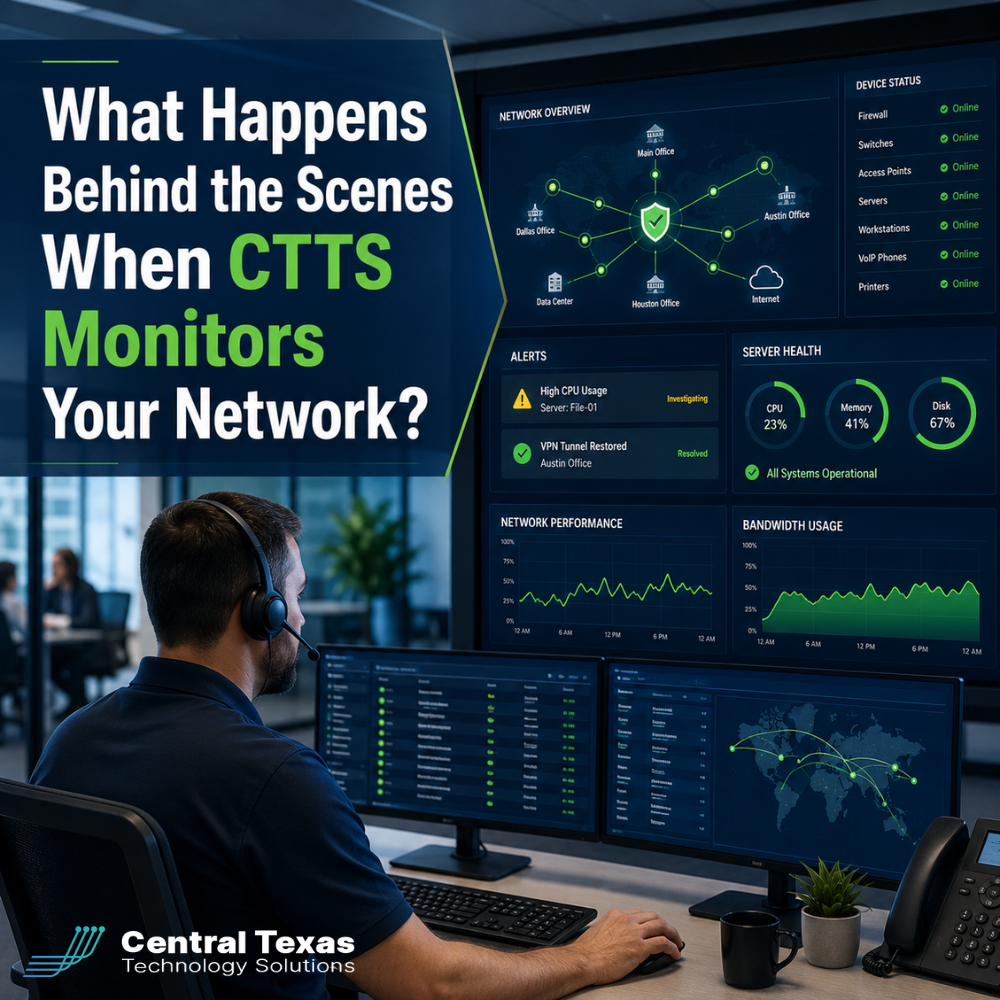
Most business leaders only notice their network when something stops working.
Employees cannot access files. Cloud applications slow down. Phones disconnect. A critical system goes offline during the busiest part of the day.
By the time these symptoms appear, the underlying problem may have been developing for hours, days, or even weeks.
Network monitoring gives CTTS a way to identify those warning signs earlier. Instead of waiting for someone to report a problem, our team watches the health and performance of your technology environment so issues can be investigated and resolved before they create downtime.
For businesses in Austin, Georgetown, Round Rock, and Cedar Park, this proactive approach can mean the difference between a quiet repair and a costly interruption.
What Is Managed Network Monitoring?
Managed network monitoring is the ongoing process of watching the devices, connections, and systems that keep your business operating.
Depending on your environment, CTTS may monitor:
- Internet connections
- Firewalls
- Servers
- Network switches
- Wireless access points
- Backup systems
- Storage capacity
- Device health
- Security events
- Critical business applications
Monitoring tools collect information about how these systems are performing. They look for unusual activity, failed services, declining performance, and other signs that something may be wrong.
The goal is not simply to generate more technical data. The goal is to turn that data into action before employees, customers, or business operations are affected.
How Network Alerts Help CTTS Find Problems Early
A network alert is triggered when a monitored device or system moves outside an expected range.
For example, CTTS may receive an alert when:
- A server is running low on storage
- A firewall stops responding
- An internet connection becomes unstable
- A backup fails to complete
- A network device begins using unusually high resources
- A critical service shuts down
- A device repeatedly disconnects
- Security activity appears suspicious
Not every alert represents an emergency. Some alerts are early warnings that give the technical team time to investigate.
That distinction matters. A server with low storage may still be working normally today, but it could stop processing files, completing backups, or installing updates once the available space is gone.
Without monitoring, the first sign of trouble may be an employee reporting that a system has already failed. With monitoring, CTTS can often see the condition earlier and address it while the business is still running.
How CTTS Reviews and Prioritizes Network Alerts
Monitoring software can detect technical changes, but effective monitoring requires more than software.
Someone has to determine what the alert means, how urgent it is, and what should happen next.
When CTTS receives an alert, the team evaluates factors such as:
- Which system is affected
- Whether the issue is getting worse
- How many users could be impacted
- Whether security or business data is at risk
- Whether the issue is part of a larger pattern
- Whether immediate action is required
A failed backup, for example, may require different action than a temporary spike in server usage. A disconnected switch supporting an entire office is more urgent than a brief interruption affecting one noncritical device.
This review process helps CTTS focus on the alerts that present the greatest risk while still tracking smaller issues that could become larger problems later.
How Proactive Network Monitoring Prevents Downtime
Downtime often begins with a small condition that was not addressed.
A storage drive fills up. A backup starts failing. A network device becomes unstable. A software service stops and does not restart correctly.
Each problem may appear minor at first, but the business impact can grow quickly.
Proactive monitoring gives CTTS an opportunity to intervene before that happens. Depending on the situation, the response may include:
- Restarting a failed service
- Freeing or expanding storage capacity
- Reconfiguring a network device
- Replacing failing hardware
- Correcting a backup error
- Applying a necessary update
- Escalating a security concern
- Scheduling maintenance outside business hours
Consider a professional services firm whose file server is running out of space. Employees may not notice anything at first. However, once the drive reaches capacity, documents may fail to save and backups may stop working.
A monitoring alert allows CTTS to address the storage problem before employees lose access to the files they need.
That is the practical value of prevention. The repair happens before the disruption.
What Happens When CTTS Detects a Network Issue?
The resolution process depends on the type and severity of the issue, but it generally follows a clear path.
First, the alert is reviewed to confirm the condition and determine its impact. The team then investigates the likely cause and checks related systems.
In many cases, CTTS may be able to resolve the problem remotely. This can include changing a configuration, restarting a service, applying a fix, or correcting a failed process.
If the issue requires onsite support, hardware replacement, vendor assistance, or a larger project, CTTS coordinates the next steps and communicates with the appropriate business contacts.
The process does not end when the alert disappears. The team may also review why the issue happened and whether additional changes could reduce the chance of it happening again.
That is the difference between simply closing a ticket and managing technology strategically.
Why Network Monitoring Matters Across Different Industries
Every organization depends on technology differently, but the consequences of downtime are often similar.
Healthcare practices may lose access to scheduling systems, patient information, or secure communications. Legal firms may be unable to reach case files or meet important deadlines.
Construction companies may experience delays when field teams cannot access plans, estimates, or project management tools. Manufacturing businesses may face production interruptions if connected systems or network equipment fail.
Professional services firms depend on reliable access to cloud applications, email, files, and client systems. Nonprofits need stable technology to support donors, volunteers, staff, and community programs.
In each case, network monitoring helps protect productivity and business continuity by identifying problems before they become visible across the organization.
Monitoring Is More Effective When It Supports a Larger IT Strategy
Monitoring is valuable, but it should not operate in isolation.
A monitoring tool may identify a failing device, but a complete IT strategy also considers questions such as:
- Is the equipment near the end of its useful life?
- Is the network designed to support future growth?
- Are backups tested and recoverable?
- Are security protections properly configured?
- Are recurring alerts pointing to a larger weakness?
- Does the business have a plan for major outages?
CTTS uses monitoring as one part of a broader managed IT approach. The goal is not to watch systems indefinitely while the same issues continue to return.
The goal is to use what the monitoring reveals to improve reliability, security, planning, and long-term performance.
Stop Waiting for IT Problems to Announce Themselves
Your network should support your business without becoming a daily distraction.
CTTS monitors your technology environment, reviews alerts, investigates warning signs, and resolves issues before they have the chance to slow your team down.
If your current IT support only responds after something breaks, it may be time for a more proactive approach.
Schedule a consultation with CTTS today to learn how managed network monitoring can help protect your productivity, security, and business continuity.
Frequently Asked Questions About Network Monitoring
Does network monitoring mean CTTS can see employee activity?
Network monitoring focuses on the health, availability, and security of business technology. It is used to identify issues such as device failures, performance problems, backup errors, and suspicious technical activity. The exact systems and information monitored depend on the services and tools included in your IT environment.
Can network monitoring prevent every outage?
No technology can prevent every outage. Hardware can fail suddenly, internet providers can experience disruptions, and unexpected events can occur. However, network monitoring can identify many warning signs early and significantly reduce the risk, duration, and impact of avoidable downtime.
Will employees know when CTTS resolves an issue?
Sometimes an issue can be corrected before employees notice anything. In other cases, CTTS may need to communicate with users, schedule maintenance, or coordinate a larger repair. The response depends on the severity of the issue and whether business operations are affected.
Contact CTTS today for IT support and managed services in Austin, TX. Let us handle your IT so you can focus on growing your business. Visit CTTSonline.com or call us at (512) 388-5559 to get started!
Looking for clarity on your next IT move? These articles will help:
What Professional IT Support Services Mean for Day to Day Operations
What Does Proactive IT Support Actually Look Like Behind the Scenes?
How IT Monitoring Tools Detect Problems Before Your Team Notices Them
What Happens During a Routine IT Maintenance Cycle?
How Backup and Disaster Recovery Plans Work in Real World Scenarios
What Is an IT Roadmap and Why Every Growing Business Needs One
What Happens During an IT Assessment and Why Does It Matter?
How IT Documentation Protects Your Business From Confusion and Downtime
What Is Vendor Management and Why Should Your IT Partner Handle It?
How a Proactive IT Partner Plans for Business Growth