
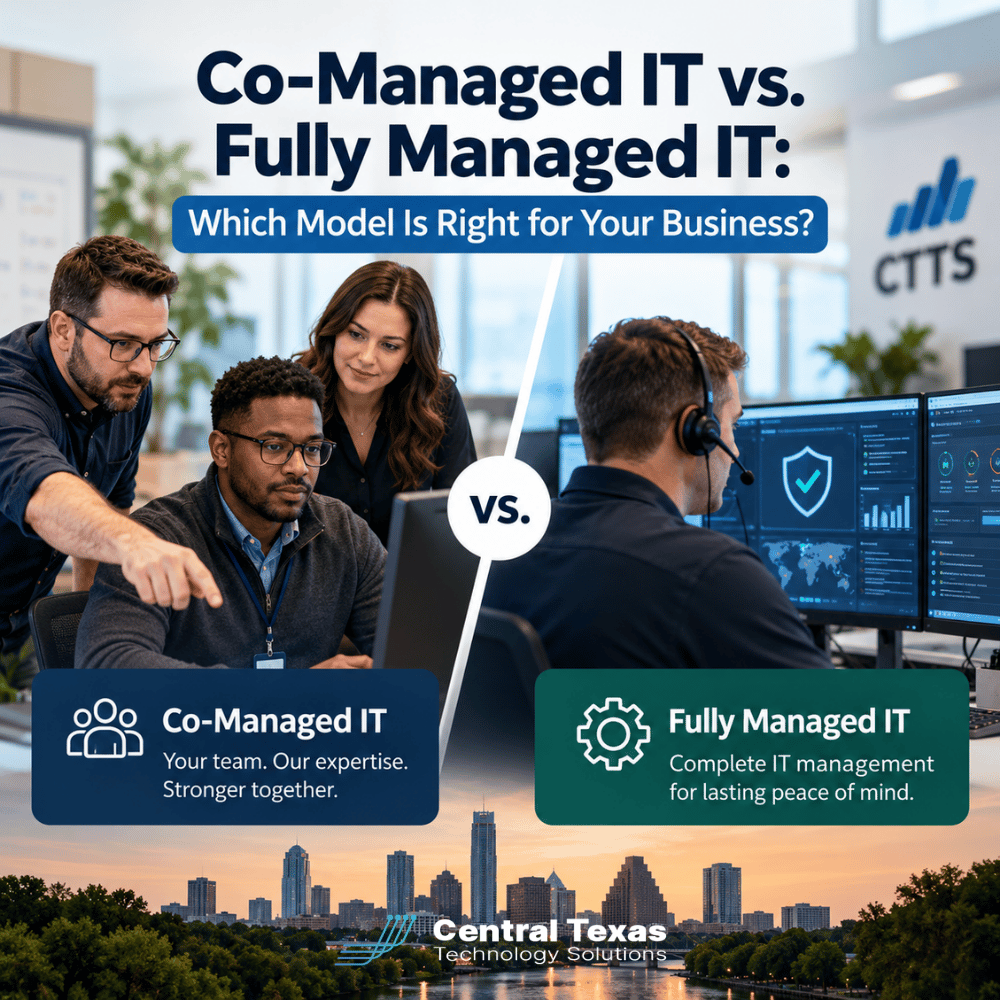
 Your business has an internal IT person or department, but technology demands keep growing. Cybersecurity threats are becoming more complex, employees need faster support, and important projects compete with everyday troubleshooting. Is it time to hire more IT staff, bring in outside expertise, or outsource IT management altogether?
For many growing businesses, the decision comes down to two options: co-managed IT and fully managed IT.
Both models provide professional technology support, but they solve different business challenges. Understanding how each works can help you protect your existing IT investments, reduce operational risks, and give your employees the support they need.
The right choice depends less on company size and more on your internal capabilities, technology requirements, and long-term business goals.
What Is Co-Managed IT, and How Does It Work?
Co-managed IT is a partnership between your existing internal IT team and an external managed services provider (MSP). Instead of replacing your employees, the provider supplements their capabilities with additional expertise, tools, and resources.
Your internal IT staff continues handling responsibilities they know best, while the outside provider takes ownership of agreed-upon services.
For example, your internal IT manager might handle employee onboarding, software applications, and daily technology requests. Meanwhile, an MSP could provide:
-
Advanced cybersecurity: Threat monitoring, endpoint protection, and security assessments.
-
Network management: Monitoring and maintaining network infrastructure to identify problems before they disrupt operations.
-
Backup and disaster recovery: Protecting critical business information and preparing for unexpected outages.
-
Specialized technical expertise: Assistance with complex projects, cloud migrations, and infrastructure upgrades.
-
Additional help desk capacity: Supporting employees when internal staff are unavailable or overwhelmed.
The responsibilities are flexible. A company might outsource only cybersecurity and backups or establish a broader arrangement covering several technical functions.
The key is clearly defining who handles each responsibility. Without that clarity, co-managed IT can create confusion, duplicated effort, and gaps in accountability.
When Co-Managed IT Makes Sense
Co-managed IT is often a strong choice for businesses with capable internal IT personnel who simply need more resources.
Your IT director may understand your company's operations extremely well but lack the time or specialized training to manage every cybersecurity threat, cloud platform, and infrastructure project.
Rather than hiring multiple specialists, co-managed IT provides access to expertise that would be difficult or expensive to maintain internally.
It also helps internal IT employees spend more time on strategic initiatives instead of constantly reacting to technical problems.
What Is Fully Managed IT, and How Is It Different?
Fully managed IT takes a more comprehensive approach. Instead of dividing technical responsibilities between internal employees and an outside provider, the MSP assumes primary responsibility for managing your business technology.
This typically includes monitoring systems, maintaining equipment, supporting users, managing security, and planning future technology improvements.
At CTTS, our Complete Care Coverage offering is designed to provide businesses with proactive IT management and ongoing support.
Depending on the service agreement, fully managed IT can include:
-
IT help desk services: Assistance when employees experience computer, software, or connectivity problems.
-
Cybersecurity services: Layered protection against malware, ransomware, unauthorized access, and other threats.
-
Proactive monitoring and maintenance: Identifying and addressing potential issues before they cause significant downtime.
-
Cloud computing services: Managing cloud platforms, Microsoft 365 environments, and related technology.
-
Technology planning: Developing hardware replacement schedules, reviewing licensing costs, and aligning IT investments with business objectives.
With fully managed IT, your business gains access to a broader team of technology professionals without having to build and maintain an equivalent internal department.
When Fully Managed IT Makes Sense
Fully managed IT is generally a better fit for businesses without dedicated internal IT personnel or those that want to eliminate the burden of managing technology themselves.
It can also make sense when a company has outgrown an informal arrangement in which an office manager, operations director, or technically knowledgeable employee handles IT responsibilities.
These arrangements may work temporarily, but they become risky as the organization grows.
Fully managed IT creates a more structured approach to technology oversight, with defined responsibilities, regular maintenance, and access to professional support.
Co-Managed IT vs. Fully Managed IT: Comparing the Two Models
Although both approaches can improve technology reliability and security, the primary difference is who maintains day-to-day responsibility for IT operations.
| Consideration | Co-Managed IT | Fully Managed IT |
|---|---|---|
| Internal IT staff | Existing team remains in place | Dedicated internal team generally not required |
| Primary responsibility | Shared between internal IT and MSP | MSP assumes primary IT management responsibility |
| Help desk support | Internal, external, or shared | Primarily provided by MSP |
| Cybersecurity | Responsibilities divided by agreement | Typically managed by MSP |
| Technology strategy | Internal leadership and MSP collaborate | MSP advises business leadership |
| Specialized expertise | Supplements existing capabilities | Included or available through provider |
| Staffing requirements | Internal IT employees remain necessary | Reduces need for dedicated internal IT staffing |
| Cost structure | Depends on supplemental services and internal payroll | Typically based on coverage, users, devices, and services |
| Best suited for | Businesses with established internal IT capabilities | Businesses seeking comprehensive IT outsourcing |
Neither model is automatically better or less expensive.
A business with a strong internal IT team might spend less by outsourcing only specialized functions. Another company might find fully managed IT more economical than hiring employees to cover the same responsibilities.
The important comparison is the total cost of delivering reliable IT services, including staffing, software, security, training, and business continuity.
How to Decide Whether Your Internal IT Team Needs Additional Support
Before selecting a service model, evaluate what your existing IT department does well and where it struggles.
A good internal IT professional may be excellent at supporting employees and maintaining business applications but lack specialized expertise in security architecture or advanced network troubleshooting.
That does not mean the employee needs to be replaced. It means the business should identify the gaps and determine how best to fill them.
Consider these five questions:
-
Is your internal IT team constantly overwhelmed? If routine support requests prevent important projects from moving forward, additional resources may be necessary.
-
Do you have specialized cybersecurity expertise? Modern security requires ongoing attention to identity protection, endpoint threats, access controls, and incident response.
-
What happens when your IT employee takes vacation or leaves? Depending on one person creates a significant continuity risk.
-
Are technology projects consistently delayed? Server upgrades, cloud migrations, and system improvements should not remain unfinished because daily support consumes available time.
-
Does your IT team participate in business planning? Technology decisions should support growth, operational efficiency, and predictable spending.
If your internal team performs well but needs additional expertise or capacity, co-managed IT may be the logical choice.
If your organization struggles with most technology responsibilities and lacks the staff to address them, fully managed IT may provide a more sustainable solution.
Why Cybersecurity and Business Continuity Matter in Both Models
One of the biggest mistakes businesses make is assuming that having an IT employee automatically means their technology is adequately protected.
IT support and cybersecurity require overlapping but different skills.
A technician who excels at fixing computers may not have the specialized experience necessary to investigate suspicious account activity, evaluate security configurations, or coordinate a ransomware response.
That distinction matters for healthcare organizations protecting patient information, law firms handling confidential client records, and professional services companies managing sensitive financial data.
Construction firms coordinating multiple job sites, manufacturers dependent on connected production systems, and nonprofits with limited technology budgets face their own security and continuity challenges.
Whether you choose co-managed or fully managed IT, make sure the agreement establishes clear responsibility for:
-
Monitoring security threats and responding to incidents.
-
Maintaining software updates and security patches.
-
Managing employee access and account permissions.
-
Testing data backup and recovery procedures.
-
Documenting systems and maintaining recovery plans.
For co-managed arrangements, these responsibilities should be assigned to specific parties rather than assumed to be shared.
For fully managed arrangements, confirm which protections are included in the agreement and which require additional services.
The objective is not simply to have someone available when something breaks. It is to reduce the likelihood of serious problems and minimize their impact when they occur.
Choosing an IT Management Model That Supports Business Growth
Your technology needs today may look very different from those you will face three years from now.
A company with 25 employees and one office may have relatively straightforward support requirements. As it adds employees, locations, cloud applications, and security obligations, managing technology becomes more demanding.
This is especially relevant for growing businesses throughout Austin, Round Rock, Georgetown, and Cedar Park.
A business expanding from one location to several may need centralized network monitoring, consistent security policies, and better coordination between offices.
Co-managed IT can help an existing IT department accommodate that growth without immediately hiring additional employees.
Fully managed IT can provide similar capabilities for businesses that prefer to concentrate their internal resources on customers, employees, and operations rather than managing technology.
Look Beyond the Monthly IT Service Fee
When comparing proposals, avoid focusing exclusively on the monthly price.
Consider the financial impact of employee downtime, unexpected equipment failures, cybersecurity incidents, and delayed technology projects.
Also evaluate the provider's approach to strategic planning.
A valuable IT partner should help you understand which systems need replacement, where security improvements are necessary, and how technology investments can support future growth.
The right arrangement should make your technology more predictable, not simply move expenses from one budget category to another.
Find the Right IT Partnership for Your Business
Choosing between co-managed IT and fully managed IT is not about deciding whether internal or outsourced IT is better. It is about finding the right combination of expertise, accountability, and support for your organization.
CTTS helps Central Texas businesses evaluate their technology needs, identify gaps in their existing support structure, and develop practical solutions that align with their goals.
Not sure which model makes sense for your company? Schedule a free IT consultation with CTTS today and let's discuss your IT management options.
Frequently Asked Questions About Co-Managed and Fully Managed IT
Is co-managed IT less expensive than fully managed IT?
Not necessarily. Co-managed IT may have a lower external service fee because your internal team handles some responsibilities. However, you must also account for employee salaries, benefits, training, software, and other operational costs. Fully managed IT may offer better overall value for companies that would otherwise need to hire multiple IT professionals. The best comparison considers total IT spending, service coverage, and the level of risk each arrangement addresses.
Will co-managed IT replace our existing IT employees?
No. Co-managed IT is specifically designed to complement an existing internal IT team rather than replace it. Your employees retain responsibility for agreed-upon functions while the outside provider supplies additional technical resources, specialized expertise, or operational support. This can help internal IT personnel focus on business-specific applications, technology planning, and projects that require their knowledge of your organization.
Can a business switch from co-managed IT to fully managed IT later?
Yes. Businesses can transition between the two models as their staffing, technology requirements, and operational priorities change. For example, an organization may initially use co-managed IT to support an internal IT director, then move toward fully managed services when that employee retires or the company restructures. A well-documented technology environment and clear service agreements can make that transition easier.
Contact CTTS today for IT support and managed services in Austin, TX. Let us handle your IT so you can focus on growing your business. Visit CTTSonline.com or call us at (512) 388-5559 to get started!
Get the answers business leaders are asking about IT services:
Managed IT Services vs. Hiring Another Internal IT Employee: Which Makes More Sense?
Local IT Provider vs. National Managed Service Provider: Which Is Better for a Texas Business?
Microsoft 365 Business Premium vs. Enterprise Plans: What Does a Growing Business Actually Need?
VPN vs. Zero Trust Network Access: What Should Businesses Use for Remote Work?