
 Remote work has changed how businesses operate, but many companies still rely on security tools designed for a time when nearly everyone worked inside the same office.
Virtual Private Networks (VPNs) have long been the standard way to connect remote employees to company systems. Today, Zero Trust Network Access (ZTNA) offers another approach that can provide more precise control over what employees can access.
Does that mean your business should replace its VPN?
Not necessarily. The right choice depends on how your employees work, which applications they use, and how much security your organization needs.
Understanding the practical differences can help you make a better decision without investing in technology your business does not need.
VPN vs. Zero Trust Network Access: What's the Difference?
Both VPNs and ZTNA help employees securely access company resources from outside the office. The biggest difference is how they grant that access.
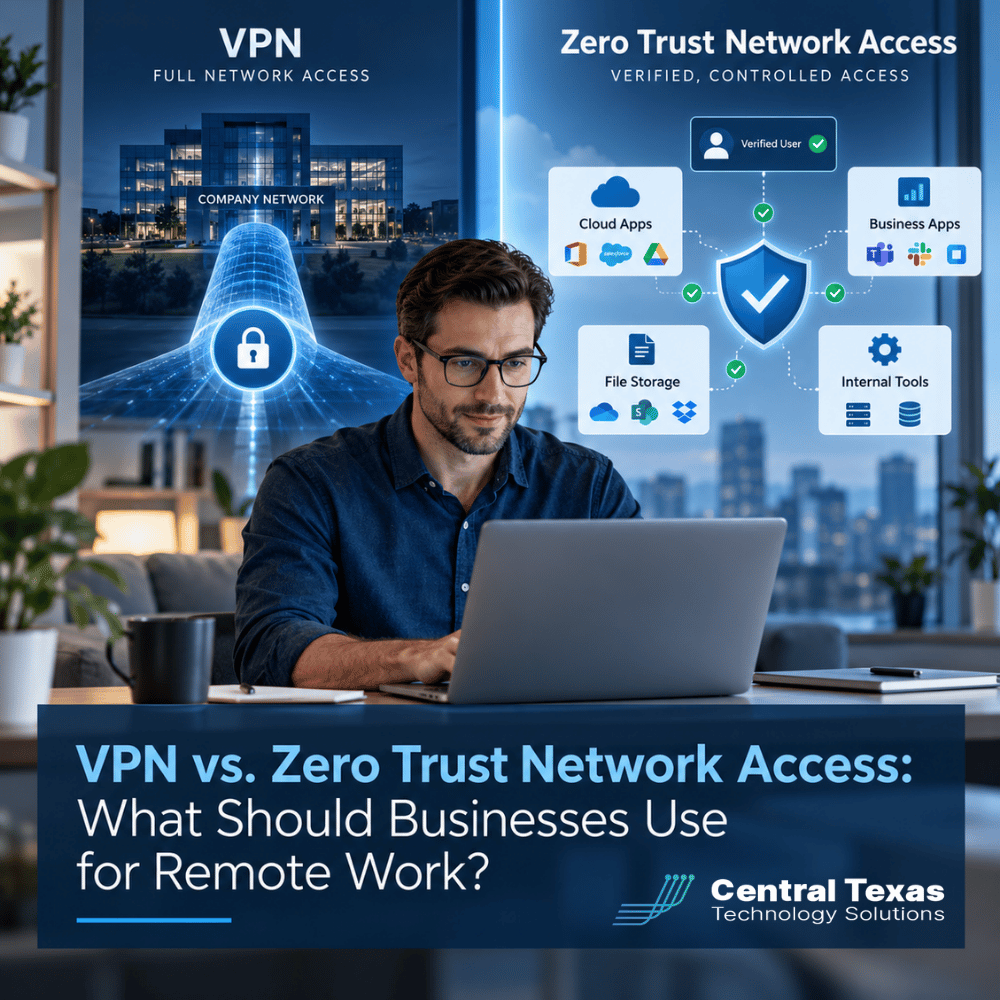
A traditional VPN creates an encrypted connection between an employee's device and the company's network. Once connected, the employee may be able to reach multiple internal systems, depending on how the VPN is configured.
ZTNA takes a more selective approach. Instead of connecting employees to a broader network, it grants access to specific applications or resources based on their identity, device security, and company policies.
Think of it this way:
-
VPN: An employee enters a secured office building and can access the rooms their network permissions allow.
-
ZTNA: An employee receives access to only the specific rooms needed to do their job, with access checked against security requirements.
A well-configured VPN can also restrict access to specific resources. The difference is that ZTNA makes this application-level control a central part of its design.
For business leaders, the goal is the same: Give employees reliable access to the tools they need without exposing unnecessary parts of the company's network.
How Does a VPN Work for Remote Employees?
VPN technology remains widely used because it solves a straightforward problem.
An employee working from home needs to access a file server, accounting application, or other resource located inside the company's office. The VPN establishes an encrypted connection that allows the employee to reach those resources.
For businesses with centralized systems and relatively simple remote access requirements, this can work well.
However, traditional VPN environments can introduce challenges.
Broader Network Access
Depending on its configuration, a VPN connection may provide access to more internal resources than an employee actually needs. If an account or device is compromised, that additional access can increase the potential damage.
Performance Concerns
Some VPN configurations route employee traffic through the office network, even when employees primarily use cloud applications. This can create unnecessary delays and increase network congestion.
Management Complexity
As businesses add remote employees, locations, and applications, managing VPN connections and access rules can become more complicated.
These limitations do not make VPNs inherently insecure. They highlight why businesses should regularly evaluate whether their existing remote access approach still fits their operations.
Why Zero Trust Network Access Can Improve Remote Work Security
Zero Trust Network Access follows a simple principle: Access should be granted based on verified identity and specific business needs, rather than assuming a user or device is trustworthy because it has connected to the network.
Instead of providing broad network connectivity, ZTNA typically connects employees directly to approved applications.
For example, consider an accounting firm with employees working from home.
A staff member needs access to the company's accounting software but has no reason to connect to internal administrative systems.
With ZTNA, the company can configure access so that employee reaches the accounting application without receiving general access to the office network.
This approach offers several practical advantages.
-
More precise access controls: Employees can access only the applications and resources authorized for their roles.
-
Reduced exposure: Limiting unnecessary network access can make it harder for attackers to move between internal systems.
-
Device security checks: Depending on the solution, access policies can consider whether a device meets company security requirements.
-
Better support for distributed teams: Employees can connect securely from home, client offices, or other approved locations.
-
Centralized policy management: Businesses can apply consistent access rules across employees and locations.
ZTNA is not a complete cybersecurity solution by itself. Businesses still need strong authentication, endpoint protection, monitoring, and appropriate application permissions.
That is why ZTNA works best as part of a broader cybersecurity strategy rather than as a standalone security purchase.
VPN vs. ZTNA: Which Is Better for Your Business?
The decision becomes easier when you compare the two approaches against actual business requirements.
| Business Consideration | Traditional VPN | Zero Trust Network Access |
|---|---|---|
| Primary purpose | Secure connection to a private network | Secure access to specific applications |
| Access control | Network access with configurable restrictions | Application-focused access policies |
| Remote employees | Supports remote access to internal resources | Supports controlled access from distributed locations |
| Security approach | Relies on authentication and network security controls | Uses identity and context-based access decisions |
| Cloud applications | May require routing through the corporate network | Can provide more direct access to supported private applications |
| Implementation | Often simpler when infrastructure already exists | May require application integration and policy planning |
| Best fit | Established networks with straightforward remote access needs | Organizations seeking granular access control across users and locations |
Neither option automatically guarantees better security.
A properly maintained VPN with multifactor authentication, restricted permissions, and device protection may provide appropriate security for many businesses.
Likewise, a poorly configured ZTNA solution can create security gaps or frustrate employees.
The quality of the implementation matters as much as the technology itself.
When Should a Business Consider Moving From VPN to ZTNA?
Not every organization needs to replace its VPN immediately. However, certain changes in business operations can make ZTNA worth evaluating.
Your workforce is becoming more distributed
Businesses with employees working from home, traveling between job sites, or operating from multiple offices often need more flexible access controls.
For example, construction companies may need to give project managers access to scheduling and document systems without exposing unrelated internal resources.
You handle sensitive or regulated information
Healthcare organizations, legal firms, and professional services businesses frequently manage confidential information.
ZTNA can help limit access to specific applications and reduce unnecessary network exposure. It does not automatically satisfy HIPAA or other regulatory requirements, but it can support a stronger security program.
You regularly work with outside contractors
Manufacturing companies, nonprofits, and other organizations sometimes need to provide temporary access to vendors or consultants.
ZTNA can make it easier to limit those connections to specific applications rather than granting broader network access.
Your existing VPN is becoming difficult to manage
Frequent connection problems, complicated access permissions, or performance complaints may indicate that the current system needs attention.
Before replacing it, determine whether the problem comes from the VPN technology itself, its configuration, or the underlying network.
CTTS helps businesses evaluate these issues through proactive managed network services that focus on reliability, security, and long-term performance.
You are planning broader security improvements
If your organization is already reviewing cloud access, remote work policies, or security architecture, it may make sense to evaluate ZTNA as part of that process.
In some cases, ZTNA is introduced through Secure Access Service Edge (SASE), an approach that brings networking and security capabilities together.
However, adopting ZTNA does not necessarily mean purchasing a complete SASE platform.
How CTTS Helps Businesses Choose the Right Remote Access Solution
For business leaders, the real question is not whether ZTNA is newer or more advanced than a VPN.
It is whether your current remote access solution provides the right balance of security, productivity, reliability, and cost.
CTTS helps businesses across Austin, Georgetown, Cedar Park, and Temple make technology decisions based on how their organizations actually operate.
Our approach begins with understanding your business requirements.
We evaluate how employees connect to company systems, identify unnecessary security exposure, and determine whether your existing technology can meet your needs.
Sometimes that means strengthening an existing VPN with better authentication, access restrictions, and monitoring.
Other times, it means developing a practical transition toward ZTNA.
Through our Complete Care Coverage offering, CTTS helps organizations manage technology proactively, reduce recurring problems, and plan improvements that support business growth.
The objective is not to introduce complexity. It is to make secure remote work easier to manage.
Make Remote Work Secure Without Making It Complicated
Your employees need dependable access to company resources, and your business needs confidence that sensitive information remains protected.
Whether that means improving your existing VPN or moving toward Zero Trust Network Access, the right solution should support the way your organization works today while preparing it for tomorrow.
Schedule a free IT Risk Assessment and find out whether your remote access strategy is keeping up with your business.
Frequently Asked Questions About VPN and Zero Trust Network Access
Is Zero Trust Network Access more secure than a VPN?
ZTNA can reduce security risks by limiting employees to specific applications instead of providing broader network connectivity. However, security depends on proper configuration, authentication, device protection, and ongoing monitoring. A well-managed VPN can still provide strong protection. ZTNA is particularly useful when organizations need more detailed control over access to internal applications.
Do small businesses need Zero Trust Network Access?
Not necessarily. A small business with a handful of remote employees and straightforward network requirements may be well served by a properly secured VPN. ZTNA becomes more attractive as the business grows, adds remote locations, handles sensitive information, or needs more precise application access controls. The decision should be based on actual risks and operational needs.
Can a business use both VPN and ZTNA?
Yes. Many businesses can operate both technologies during a transition or use them for different purposes. For example, employees might access certain applications through ZTNA while IT administrators continue using a restricted VPN connection for specialized network maintenance. This allows organizations to modernize remote access gradually without disrupting important business systems.
Contact CTTS today for IT support and managed services in Austin, TX. Let us handle your IT so you can focus on growing your business. Visit CTTSonline.com or call us at (512) 388-5559 to get started!
Explore these expert insights before making your next IT decision:
Hourly IT Support vs Monthly Managed IT Services: Which Gives You Better Control?
Microsoft 365 Basic Setup vs Managed Microsoft 365 Support: What Are You Missing?
Cybersecurity Insurance vs Cybersecurity Protection: Why Your Business May Need Both
Microsoft 365 Backup vs Microsoft’s Built-In Recovery Tools
VPN vs Zero Trust Network Access: Which Is Better for Remote Employees?
Replacing Servers vs Moving to the Cloud: Which Is Better for a Growing Business?
Managed IT Services vs. Hiring Another Internal IT Employee: Which Makes More Sense?
Local IT Provider vs. National Managed Service Provider: Which Is Better for a Texas Business?
Microsoft 365 Business Premium vs. Enterprise Plans: What Does a Growing Business Actually Need?