
When an employee cannot access email, connect to a printer, open an application, or get their computer working properly, they usually have one question: Who do I call?
That sounds simple, but businesses evaluating IT providers often encounter two different terms: IT help desk and desktop support.
The services overlap, but they are not exactly the same.
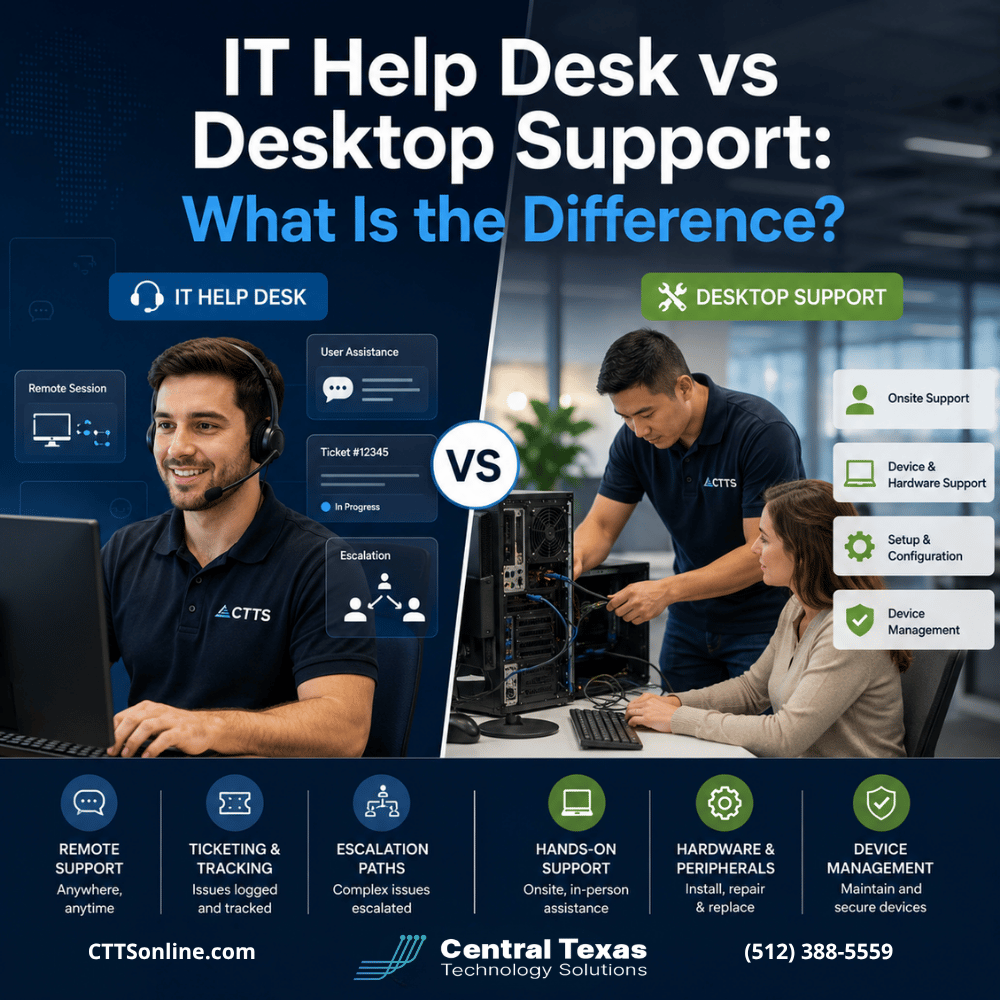
An IT help desk typically focuses on remote troubleshooting and user assistance, while desktop support is more closely associated with computers, devices, and problems that may require hands on help.
Understanding the difference can help businesses in Austin, Georgetown, Cedar Park, Temple, and throughout Central Texas evaluate whether an IT provider can actually support employees when problems happen.
What Is an IT Help Desk?
An IT help desk is usually the first place employees contact when something technology related stops working.
Most help desk support happens remotely through phone calls, email, chat, support tickets, or secure remote access to an employee's computer.
Common IT help desk requests include:
- Password resets and account lockouts
- Microsoft 365 problems
- Email troubleshooting
- Printer connection issues
- Software errors
- VPN and remote access problems
- Wi-Fi connectivity
- Application access
- Basic cybersecurity questions
- File and folder access
The goal is to restore productivity as quickly as possible without requiring someone to travel to the employee's location.
For example, an employee at an Austin law firm who suddenly can't open Outlook may contact the help desk. A technician can remotely connect to the computer, identify the problem, correct the configuration, and get the employee working again.
No onsite visit is necessary.
What Is Desktop Support?
Desktop support focuses more specifically on the computers, laptops, workstations, peripherals, and other devices employees use.
Some desktop support can be provided remotely, but the term often includes hands on assistance when a physical device needs attention.
Desktop support might involve:
- Setting up new computers
- Replacing failed hardware
- Troubleshooting monitors and docking stations
- Installing approved applications
- Configuring printers and scanners
- Preparing devices for new employees
- Diagnosing hardware failures
- Replacing aging computers
- Connecting equipment at employee workstations
Consider a Georgetown construction company with an estimator whose laptop will no longer turn on. A help desk technician can perform initial troubleshooting remotely or over the phone, but someone may eventually need to inspect or replace the physical device.
That becomes a desktop support issue.
IT Help Desk vs Desktop Support: Remote Troubleshooting and Onsite Support
The easiest way to understand the difference is to think about where the problem can be solved.
An IT help desk is designed to resolve as many problems remotely as possible. Desktop support handles device related issues that may require deeper troubleshooting or physical assistance.
A strong IT support provider should offer both.
Remote troubleshooting is often faster and more efficient because technicians can begin working on the issue immediately. Employees do not need to wait for someone to drive across town.
However, not every problem can be solved remotely.
A failing hard drive, damaged network cable, malfunctioning docking station, or computer that will not power on may require onsite support.
Businesses should therefore look beyond whether an IT company simply has a "help desk." Ask what happens when remote troubleshooting does not solve the problem.
The answer reveals a lot about the provider's actual support capabilities.
How User Assistance Fits Into IT Support
Technology problems are not always caused by broken equipment.
Sometimes employees simply need help using the systems they depend on.
Examples include:
- Connecting to a company VPN
- Finding a shared folder
- Setting up Microsoft Teams
- Accessing SharePoint
- Connecting a mobile device
- Installing an approved application
- Understanding a security prompt
- Setting up multifactor authentication
These requests may seem small individually, but they can consume significant employee time.
Healthcare practices, legal firms, professional services companies, construction businesses, manufacturers, and nonprofits all rely on employees being able to use technology without repeatedly stopping to troubleshoot it themselves.
A responsive help desk gives employees somewhere to turn when they get stuck.
Instead of asking coworkers for help or searching online for solutions, employees can contact someone who already understands the company's technology environment.
That reduces frustration and helps employees stay productive.
Device Management Goes Beyond Fixing Computers
Good desktop support should not begin only after a device fails.
Device management should be proactive.
A managed IT provider can monitor and maintain computers throughout their lifecycle, including configuration, security, updates, inventory, and eventual replacement.
That may include:
- Applying operating system updates
- Installing security patches
- Monitoring device health
- Managing antivirus and endpoint security
- Standardizing software configurations
- Tracking warranties
- Maintaining hardware inventory
- Planning computer replacements
- Removing access when employees leave
This becomes particularly important as organizations grow.
A Cedar Park professional services firm with 12 employees might be able to keep track of computers informally. At 50 or 100 employees, that approach becomes much harder.
Manufacturers may have devices spread across offices and production environments. Construction companies may have laptops moving between offices and jobsites. Healthcare and legal organizations may also have compliance requirements that make consistent device security especially important.
Managing those devices proactively reduces the likelihood that forgotten computers, outdated software, or inconsistent security settings create unnecessary risk.
What Happens When Help Desk Support Needs Escalation?
Not every technology problem can be solved by the first technician who answers the phone.
That is normal.
What matters is whether the IT provider has a clear escalation process.
A typical support structure might look something like this:
- Initial help desk support
A technician gathers information and attempts standard troubleshooting. - Advanced technical escalation
More complex issues are transferred to technicians with deeper expertise. - Desktop or onsite support
A technician visits the location if physical equipment needs attention. - Engineering or specialist escalation
Network, server, cybersecurity, cloud, or application specialists become involved when necessary.
The employee should not have to figure out which technician to call.
The IT provider should own the issue from beginning to resolution.
This is one reason businesses should be cautious about IT providers that operate primarily as break fix companies. Fixing the immediate problem is important, but recurring problems should also be investigated.
If five employees keep experiencing the same Microsoft 365 issue, the answer should not simply be five separate help desk tickets.
Someone should ask why the issue keeps happening.
That is where proactive IT management becomes different from reactive technical support.
IT Help Desk vs Desktop Support: Which Does Your Business Need?
Most businesses should not have to choose between the two.
They need an IT support model that combines remote help desk assistance, desktop support, device management, onsite service, and access to higher level technical expertise.
When comparing IT providers, ask questions such as:
- Is remote help desk support included?
- Are onsite visits available?
- What happens when the first technician cannot solve the problem?
- Who manages employee computers and laptops?
- Are devices monitored for problems before they fail?
- How are security updates handled?
- How quickly are support requests acknowledged?
- Are recurring problems investigated?
- Is support available for remote and hybrid employees?
The best support relationship is not simply about having someone available when technology breaks.
It is about reducing how often employees experience preventable problems in the first place.
CTTS combines responsive user support with proactive IT management. That means helping employees when they need assistance while also monitoring devices, maintaining systems, addressing recurring issues, and aligning technology with the needs of the business.
The goal is fewer interruptions, stronger security, and a technology environment employees can depend on.
Frequently Asked Questions About IT Help Desk and Desktop Support
Is desktop support the same as an IT help desk?
Not exactly. Help desk support usually focuses on remote troubleshooting and employee assistance. Desktop support focuses more heavily on computers, laptops, peripherals, device configuration, and problems that may require hands on attention. Many managed IT providers combine both services.
Can most IT problems be solved remotely?
Many common problems can be resolved remotely, including password issues, email problems, application errors, permissions, VPN connections, and software configuration. Hardware failures and certain networking or equipment problems may still require onsite assistance.
What should happen if the help desk cannot solve my problem?
The provider should escalate the issue to a more experienced technician, specialist, or onsite support resource. Employees should not have to repeatedly explain the problem or search for the right person. A good IT provider maintains ownership of the issue until it is resolved.
Build an IT Support System Your Employees Can Rely On
Employees should not lose hours trying to solve technology problems themselves.
CTTS provides managed IT services that combine help desk support, desktop support, device management, onsite assistance, and strategic technology planning for organizations throughout Central Texas.
If recurring IT problems, slow response times, or inconsistent computer management are affecting your team, schedule a free strategy call with CTTS to discuss a better approach.
Contact CTTS today for IT support and managed services in Austin, TX. Let us handle your IT so you can focus on growing your business. Visit CTTSonline.com or call us at (512) 388-5559 to get started!
Looking for clarity on your next IT move? These articles will help:
Is It Better to Upgrade Your Current Systems or Start Fresh?
Cloud Backup vs Local Backup: Which Does Your Business Need?
Managed IT Services vs Hiring One IT Person: Which Is Safer for a Growing Business?
Cybersecurity Software vs Cybersecurity Strategy: What Is the Difference?
Hourly IT Support vs Monthly Managed IT Services: Which Gives You Better Control?
Microsoft 365 Basic Setup vs Managed Microsoft 365 Support: What Are You Missing?
Cybersecurity Insurance vs Cybersecurity Protection: Why Your Business May Need Both
Microsoft 365 Backup vs Microsoft’s Built-In Recovery Tools
VPN vs Zero Trust Network Access: Which Is Better for Remote Employees?
Replacing Servers vs Moving to the Cloud: Which Is Better for a Growing Business?