
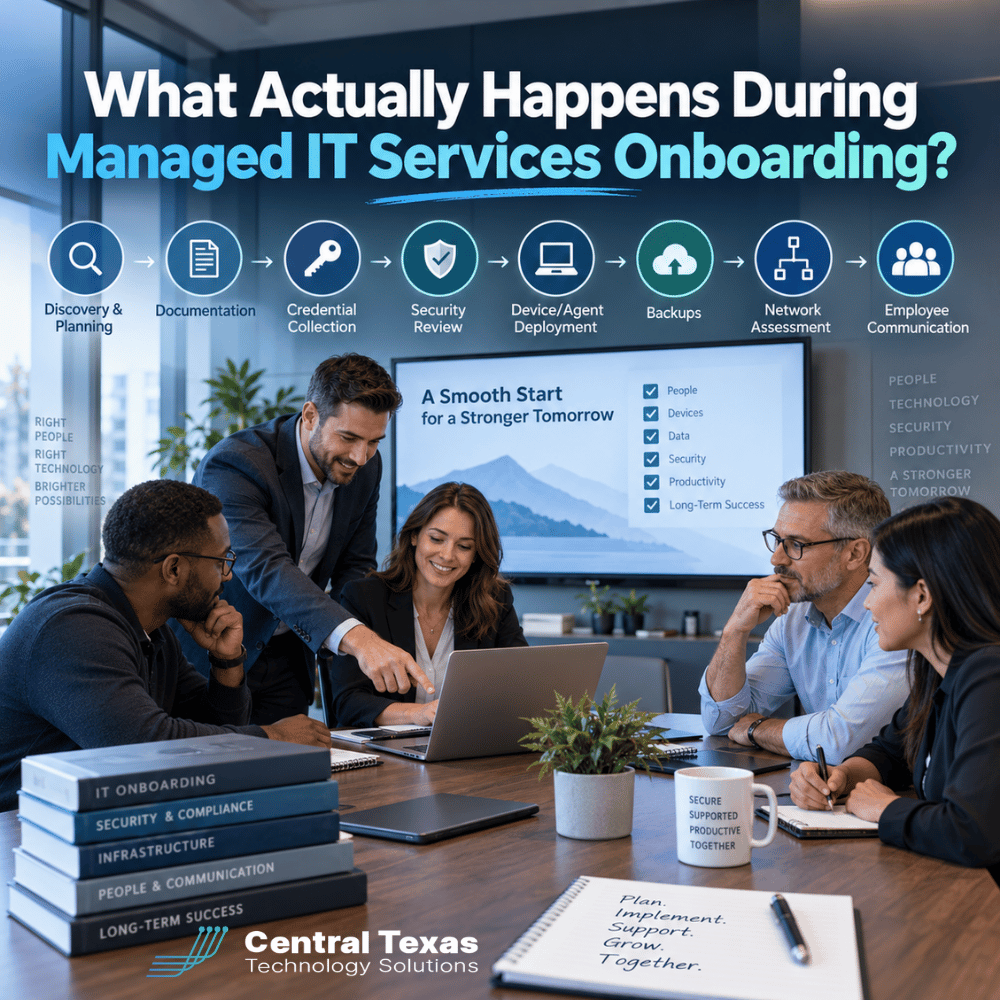
Switching to a managed IT services provider can feel like a major undertaking.
You may be wondering what happens to your existing systems, who gets access to your network, whether employees will experience disruptions, and how long it takes before your new IT partner truly understands your business.
A good managed IT services onboarding process should answer those questions quickly and reduce uncertainty from the beginning.
For businesses in Austin, Cedar Park, Leander, Liberty Hill and across Central Texas, onboarding is more than installing monitoring software. It is the process of learning how your organization works, documenting your technology, identifying risks, securing access, and building a plan for supporting your business going forward.
Here is what that process should look like.
1. Managed IT Services Onboarding Starts With Discovery
The first step is understanding your business before making changes to your technology.
Your IT provider should meet with key decision-makers to learn about your organization, priorities, current frustrations, and upcoming plans.
That conversation may include questions such as:
- How many employees and locations do you support?
- Which applications are critical to daily operations?
- Are employees working remotely or from multiple offices?
- What recurring IT problems are slowing people down?
- Are you preparing for growth, an audit, or a major system upgrade?
- What security or compliance requirements apply to your organization?
This is where the IT provider begins connecting technology decisions to business goals.
A healthcare practice may be concerned about protecting patient data. A legal firm may need secure access to sensitive case files. A construction company may depend on field employees accessing cloud applications from job sites. Manufacturers may be concerned about downtime affecting production.
Professional services firms and nonprofits may have different priorities, but the goal is the same: understand how technology supports the organization before changing it.
2. Your IT Environment Is Documented
Once discovery begins, the managed IT provider should build or update documentation covering your technology environment.
That usually includes information about:
- Computers and servers
- Network equipment
- Internet providers
- Microsoft 365 or other cloud services
- Software applications
- Vendors
- Domain names
- Email systems
- Backup solutions
- Security tools
- Printers and other connected devices
Documentation matters because your IT provider should not have to rediscover your environment every time something goes wrong.
Good documentation also helps reduce dependence on any one technician. If someone is unavailable, another qualified technician should still be able to understand your systems and respond.
This is one of the biggest differences between reactive IT support and a professionally managed IT environment.
3. Administrative Credentials Are Collected and Secured
Your new IT provider will need administrative access to many of your systems.
That can include credentials for:
- Microsoft 365
- Firewalls and network equipment
- Servers
- Domain registrars
- DNS providers
- Backup systems
- Security applications
- Line-of-business software
- Cloud platforms
Those credentials should never be stored casually in spreadsheets, email messages, or shared documents.
A reputable managed IT services provider should use secure credential management systems and limit administrative access based on employee roles and responsibilities.
This step is also a good opportunity to identify old accounts, shared passwords, former employee access, or credentials nobody has changed in years.
Sometimes onboarding uncovers an uncomfortable truth: the business does not actually control all of its own technology accounts.
That issue should be corrected early.
4. A Security Review Identifies Immediate Risks
One of the most important parts of managed IT services onboarding is the initial security assessment.
The provider should review your environment for obvious vulnerabilities and configuration problems before simply assuming everything is secure.
The review may include:
- Multi-factor authentication
- Administrator accounts
- Endpoint protection
- Email security
- Firewall configuration
- Software patching
- Remote access
- Password policies
- Former employee accounts
- Security logging
- Vulnerability exposure
The goal is not to change everything at once.
The goal is to identify the most serious risks first and create a practical plan for addressing them.
For example, discovering that former employees still have active accounts should usually receive more immediate attention than replacing a piece of network equipment that is still functioning properly.
5. Monitoring and Security Agents Are Deployed
Managed IT providers typically install software agents on computers and servers.
These tools help technicians monitor system health, install updates, provide remote support, and detect potential security problems.
Employees may see little or no difference after these tools are installed.
Behind the scenes, however, the provider gains much better visibility into the environment.
Instead of waiting for an employee to report that a computer is running out of storage, missing updates, or experiencing repeated errors, the IT team may be able to identify and address the issue proactively.
That proactive visibility is one of the primary reasons businesses move from break-fix IT support to managed services.
6. Backups Are Reviewed and Tested
Having backup software installed does not automatically mean your data is protected.
During onboarding, your IT provider should identify what is being backed up, where those backups are stored, how long data is retained, and whether recovery procedures actually work.
Important questions include:
- Are servers backed up?
- Are critical cloud systems protected?
- Is Microsoft 365 data backed up separately?
- Are backups stored away from the production environment?
- When was the last successful recovery test?
- How long would restoration take after a major outage?
This is especially important for organizations that cannot tolerate long periods of downtime.
A manufacturer losing access to production systems, a healthcare office losing patient information, or a legal firm losing critical documents could face far more than an inconvenient IT problem.
Backup planning should focus on business continuity, not simply checking a box.
7. The Network Is Assessed
Your managed IT provider should also review the health and design of your network.
That includes equipment such as firewalls, switches, wireless access points, internet connections, and sometimes cabling.
The assessment looks for issues such as:
- Aging hardware
- Unsupported equipment
- Poor wireless coverage
- Security weaknesses
- Network bottlenecks
- Single points of failure
- Devices that were never properly documented
Not everything discovered during onboarding needs immediate replacement.
A good IT provider should distinguish between urgent problems, near-term recommendations, and longer-term improvements.
That creates a technology roadmap instead of an unexpected shopping list.
8. Employees Learn How to Get IT Support
Technical onboarding is only part of the process.
Employees also need to understand what is changing.
Your managed IT provider should clearly explain:
- How to submit support requests
- Who employees should contact
- What phone numbers or email addresses to use
- When support is available
- What employees should expect when technicians connect remotely
- How suspicious emails or security concerns should be reported
Good employee communication prevents confusion and helps establish the new support process quickly.
It can also improve security.
When employees know exactly where to report suspicious messages, strange login prompts, or unusual computer behavior, your IT team has a better chance of responding before a small problem becomes a major incident.
What Happens After Managed IT Services Onboarding?
Onboarding should not end with a folder full of documentation.
The information gathered during the process should become the foundation for ongoing IT planning.
CTTS uses that understanding to help Central Texas businesses move away from reactive technology management.
Instead of waiting for systems to fail, the goal is to identify risks earlier, maintain systems proactively, improve security, and align technology decisions with what the business is trying to accomplish.
That matters whether you operate a growing professional services company in Austin, a healthcare organization in Leander, a construction company in Liberty Hill, a manufacturer in Cedar Park, a legal practice, or a nonprofit serving communities throughout Central Texas.
The best managed IT relationship should become more valuable after onboarding, not less.
Frequently Asked Questions About Managed IT Services Onboarding
How long does managed IT services onboarding take?
The timeline depends on the size and complexity of the organization. A smaller business with one location may move through onboarding relatively quickly, while organizations with multiple offices, complicated networks, or limited existing documentation may require more time. The priority should be completing the process carefully without unnecessarily disrupting employees.
Will employees experience downtime during IT onboarding?
Most onboarding activities can be completed with little or no downtime. Some changes, such as firewall replacements, server upgrades, or security configuration changes, may require scheduled maintenance. A good provider should communicate those changes in advance and plan them around business operations whenever possible.
What should we prepare before managed IT services onboarding begins?
Gather any existing network documentation, administrative credentials, vendor contacts, software information, backup details, and information about recurring technology problems. Do not worry if documentation is incomplete. Discovering and correcting those gaps is part of the onboarding process.
Start With a Clear Picture of Your IT Environment
Changing IT providers should not create more uncertainty.
A structured managed IT services onboarding process gives your new provider the information needed to protect your systems, support your employees, and make better technology recommendations.
CTTS helps businesses throughout Central Texas build secure, reliable, and manageable IT environments with a proactive approach focused on preventing problems before they interrupt the business.
Ready to find out where your technology stands? Schedule an IT consultation with CTTS.
Contact CTTS today for IT support and managed services in Austin, TX. Let us handle your IT so you can focus on growing your business. Visit CTTSonline.com or call us at (512) 388-5559 to get started!
Looking for clarity on your next IT move? These articles will help:
What Happens During an IT Assessment and Why Does It Matter?
How IT Documentation Protects Your Business From Confusion and Downtime
What Is Vendor Management and Why Should Your IT Partner Handle It?
How a Proactive IT Partner Plans for Business Growth
What Happens Behind the Scenes When CTTS Monitors Your Network?
What Happens When You Submit an IT Support Ticket?
How Does an IT Provider Onboard a New Employee?
What Happens When an Employee Leaves Your Company?
How Does an IT Provider Prepare Your Business for a New Office?
What Is a Technology Business Review and What Should It Accomplish?