
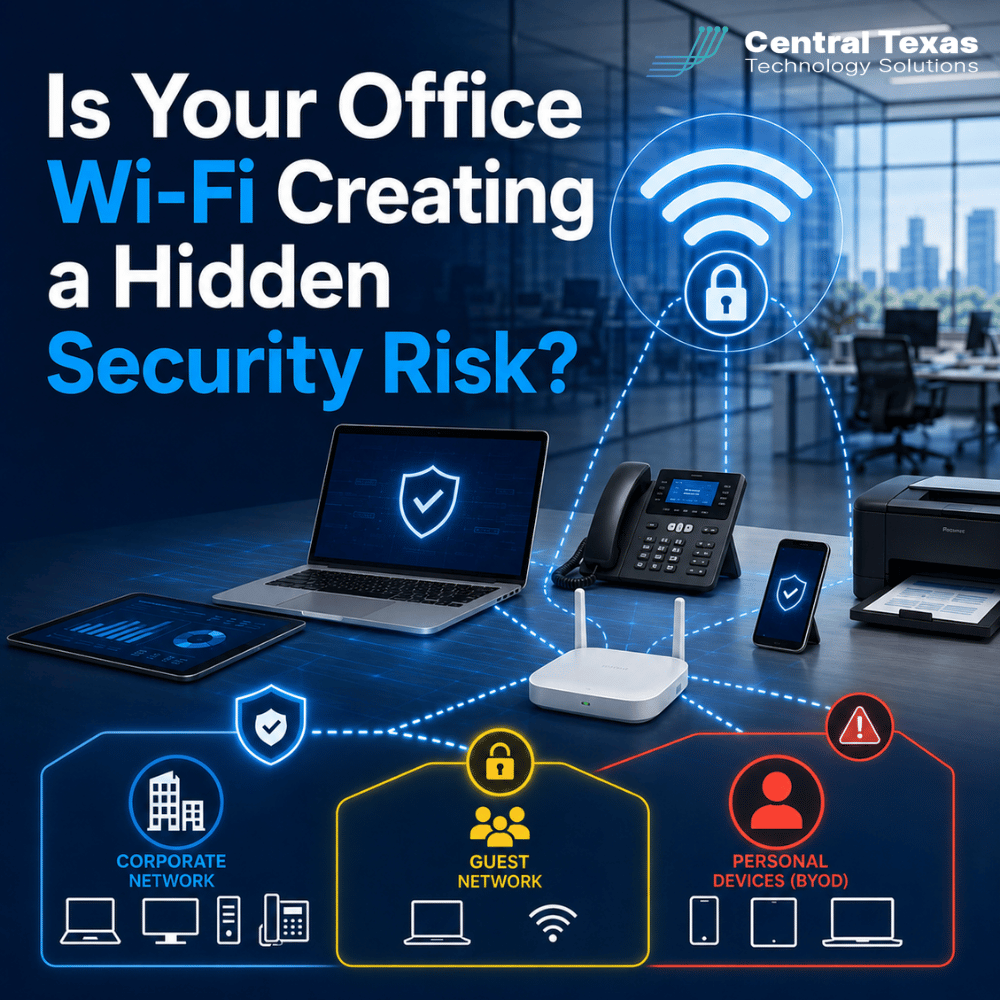
Office Wi-Fi is easy to take for granted. Employees connect in the morning, phones and laptops stay online all day, and visitors may be given access without much thought.
But the same wireless network that keeps your team productive can also create a hidden path into your business.
Weak passwords, aging equipment, personal devices, poorly managed guest access, and a lack of network segmentation can expose sensitive systems without causing any obvious warning signs. For businesses in Austin, Round Rock, Cedar Park, and Georgetown, Wi-Fi security should be treated as part of the overall cybersecurity strategy, not simply as an internet convenience.
Why Office Wi-Fi Security Matters More Than Most Businesses Realize
A wireless network connects far more than employee laptops.
Depending on your business, Wi-Fi may support:
- Smartphones and tablets
- Printers and scanners
- Security cameras
- Conference room equipment
- Voice over IP phones
- Smart TVs
- Building controls
- Employee-owned devices
- Visitor devices
- Operational or production equipment
Every connected device creates another potential point of access.
A healthcare organization may have devices connected near systems containing protected patient information. A law firm may handle confidential client documents. A construction company may rely on cloud-based project management platforms in the field and office. Manufacturers may have connected equipment on production networks.
Professional services firms and nonprofits also depend heavily on cloud applications, email, and shared files. If someone gains access through an insecure wireless connection, the Wi-Fi network can become the starting point for a much larger security incident.
Weak Wi-Fi Passwords Can Make Unauthorized Access Too Easy
One of the simplest Wi-Fi security problems is also one of the most common: a password that is easy to guess or rarely changed.
Passwords such as a company name, street address, phone number, or simple phrase may be convenient for employees, but convenience also makes them easier to share and potentially easier to compromise.
The bigger problem appears when the same wireless password is used indefinitely.
Former employees may still know it. Contractors may have received it months ago. Visitors may have saved it to their devices. Once a Wi-Fi password spreads outside the group that actually needs it, the business has very little control over who can connect.
A better approach includes:
- Strong, unique wireless credentials
- Separate access for employees and guests
- Regular password changes where appropriate
- Individual authentication instead of one shared password when the environment supports it
- Immediate removal of access when employees leave
A proactive IT strategy looks beyond whether Wi-Fi works. It asks who can connect, what they can reach, and how access is controlled.
Shared Wi-Fi Networks Can Put Sensitive Systems at Risk
A common small-business setup places almost everything on one wireless network.
Employees, printers, conference room devices, personal phones, smart televisions, security cameras, and sometimes guests all connect to the same environment.
That may be simple to manage, but it can increase risk.
If one poorly secured device becomes compromised, an attacker may be able to look for other devices or systems on the same network.
Consider a manufacturing company where a visitor's laptop connects to the same network used by business computers and production systems. Or imagine a legal office where employee laptops containing confidential information share network access with personal phones and miscellaneous connected devices.
The problem is not necessarily the Wi-Fi itself. The problem is allowing devices with very different levels of trust to communicate too freely.
Outdated Wi-Fi Equipment Can Become a Security Weakness
Wireless equipment does not last forever.
Older access points, routers, and firewalls may continue providing an internet connection long after they should have been replaced. That can create the false impression that the equipment is still doing its job.
Security is different from connectivity.
Older devices may:
- No longer receive security updates
- Use outdated encryption standards
- Lack modern access controls
- Provide limited visibility into connected devices
- Struggle to support newer security technologies
- Become unreliable as the business adds more users and devices
This often happens gradually. A business grows from 15 employees to 40, adds another office, allows more remote work, and installs additional connected devices. The network infrastructure may never receive the same attention.
CTTS helps businesses evaluate technology as part of a larger lifecycle strategy. Replacing aging network equipment before it causes security or reliability problems is usually far less disruptive than responding after a failure or breach.
Guest Wi-Fi Should Be Separate From Your Business Network
Offering Wi-Fi to customers, vendors, contractors, and visitors is perfectly reasonable.
Giving them access to the same network used by employees is not.
A properly configured guest network should isolate visitors from internal systems. Guests may need internet access, but they generally do not need access to file servers, printers, business applications, security systems, or employee computers.
This is particularly important for businesses that see frequent visitors.
Healthcare offices may have patients and vendors onsite throughout the day. Construction firms often work with subcontractors. Professional services companies may host clients. Nonprofits frequently work with volunteers. Manufacturing facilities may accommodate suppliers and service providers.
Those users need connectivity without receiving unnecessary access to internal resources.
Guest Wi-Fi should be designed intentionally, not created simply by giving visitors the employee password.
Personal Devices Can Introduce Risks You Cannot See
Employees often connect personal phones, tablets, watches, and sometimes laptops to company Wi-Fi.
That creates another layer of uncertainty.
Your business may carefully manage company-owned computers with security software, updates, access controls, and monitoring. Personal devices usually fall outside those protections.
You may not know:
- Whether the device is fully updated
- What applications are installed
- Whether malware is present
- Who else uses the device
- Whether it has been lost or compromised
- What business systems it can access
This does not mean businesses must prohibit every personal device.
It does mean those devices should not automatically receive the same network access as trusted company equipment.
A well-designed network can place employee-owned devices into a separate environment with limited access while still allowing people to connect to the internet.
Network Segmentation Limits How Far a Security Problem Can Spread
Network segmentation is one of the most important concepts in office Wi-Fi security.
It simply means separating devices and systems based on what they need to access.
Instead of treating the office as one large network, segmentation can create different zones for:
- Company computers
- Servers and critical systems
- Guest Wi-Fi
- Employee personal devices
- Phones
- Printers
- Cameras and other connected devices
- Specialized operational equipment
The goal is to prevent unnecessary communication between systems.
For example, a guest's smartphone has no reason to communicate with your accounting server. A smart television should not need access to confidential client files. A security camera may need to communicate with a monitoring system, but it should not necessarily have access to employee computers.
Segmentation helps contain problems.
If one device becomes compromised, properly designed network controls can make it much harder for an attacker to move deeper into the business.
Secure Wi-Fi Requires More Than Installing a New Router
Buying newer equipment can help, but office Wi-Fi security is not just a hardware problem.
The network should be designed around the business.
That means understanding:
- Who needs access
- Which devices are connecting
- Which systems contain sensitive information
- How guests should be handled
- Whether personal devices are permitted
- Which systems should be separated
- How access changes when employees join or leave
- Whether equipment is being updated and monitored
This is where a proactive Managed IT Services strategy makes a significant difference.
CTTS looks at the network as part of the larger technology environment. The goal is not simply to fix Wi-Fi when employees complain about slow speeds. It is to help prevent security weaknesses, improve reliability, support future growth, and align the network with how the business actually operates.
For organizations across Central Texas, that approach can improve security without making technology unnecessarily difficult for employees.
Find the Hidden Risks Before They Become Bigger Problems
Your office Wi-Fi should support productivity without creating unnecessary exposure.
If employees, guests, personal devices, and business systems are all sharing the same network, or if your wireless equipment has not been reviewed in years, it may be time for a closer look.
CTTS helps businesses throughout Austin, Round Rock, Cedar Park, Georgetown, and Central Texas build secure, reliable networks that support employees today while preparing for future growth.
Schedule a free strategy call with CTTS to review your office network and identify security risks before they turn into bigger problems.
Frequently Asked Questions About Office Wi-Fi Security
Should employees and guests use the same Wi-Fi network?
Usually, no. Guest devices should generally be isolated from internal business systems. A separate guest network can provide internet access while reducing the likelihood that visitors can reach company computers, servers, printers, or sensitive applications.
Is changing the Wi-Fi password enough to secure an office network?
Changing weak or widely shared passwords is important, but it is only one step. Businesses should also consider equipment age, network segmentation, guest access, personal devices, encryption, software updates, firewalls, and ongoing monitoring.
How often should business Wi-Fi equipment be reviewed?
There is no single replacement schedule for every organization. Your IT provider should periodically review hardware age, manufacturer support, security updates, capacity, performance, and changing business needs. Equipment that still connects to the internet may nevertheless be outdated from a security perspective.
Contact CTTS today for IT support and managed services in Austin, TX. Let us handle your IT so you can focus on growing your business. Visit CTTSonline.com or call us at (512) 388-5559 to get started!
Explore these expert insights before making your next IT decision:
What Could a Data Breach Actually Cost Your Business in Texas?
How One Weak Password Can Put Your Entire Business at Risk
What Are the Warning Signs Your Business Has Outgrown Its Current IT Support?
What Happens When Your IT Provider Does Not Understand Your Industry?
Why Small IT Problems Keep Coming Back and What That Really Means
Could Your Business Keep Running If Your Main Server Failed Today?
What Happens When Your Only IT Employee Leaves Without Warning?
Could a Former Employee Still Have Access to Your Business Systems?