
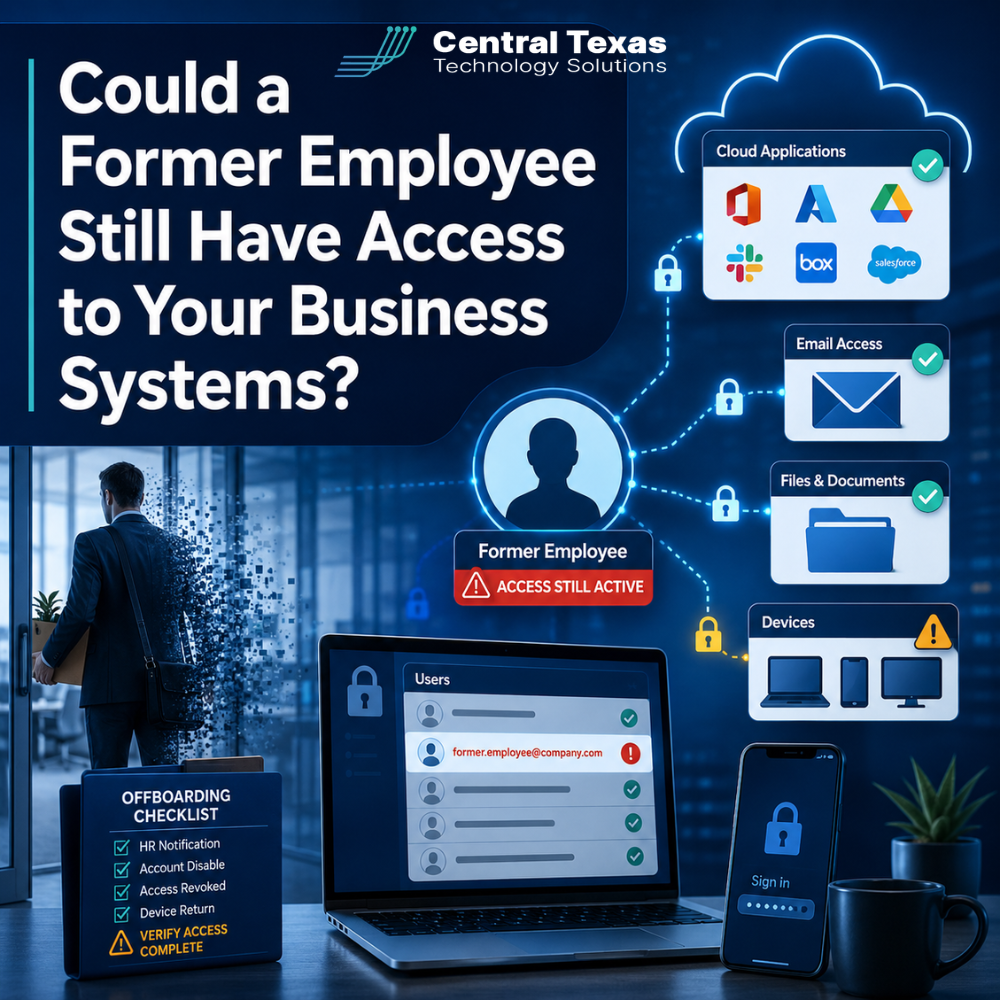
When an employee leaves your company, collecting their laptop and office keys may feel like the end of the offboarding process. Unfortunately, access to your business systems can remain active long after their final day.
Former employees may still be able to open email, download cloud files, sign in to software platforms, or access company data from personal devices. In many cases, this access is not left open intentionally. It happens because accounts were overlooked, passwords were shared, or no one had a complete list of the systems the employee used.
For businesses in Austin, Georgetown, Cedar Park, and Temple, incomplete employee offboarding can create serious security, compliance, and productivity risks. A clear, repeatable process helps protect your data before access becomes a problem.
Why Incomplete Employee Offboarding Creates Security Risks
Not every former employee intends to harm the business. Some may simply continue receiving email notifications or remain signed in to an application without realizing it.
However, even accidental access creates exposure.
A former employee with active credentials may still be able to:
- View confidential company documents
- Access customer or patient information
- Download financial records
- Read internal email conversations
- Change or delete files
- Connect to business systems remotely
- Share information with a new employer
- Use company software licenses
The risk becomes more serious when an employee leaves under difficult circumstances. A former employee who is frustrated, competing with the company, or facing financial pressure may misuse access that should have been removed.
Healthcare organizations, legal firms, professional services companies, construction businesses, manufacturers, and nonprofits all manage information that should remain protected. Depending on the organization, that information may include medical records, legal documents, donor lists, pricing information, project plans, employee records, or customer contracts.
Shared Accounts Make Employee Access Harder to Control
Shared accounts are one of the most common reasons former employees retain access.
A team may use one username and password for a vendor portal, social media account, scheduling tool, accounting platform, or cloud application. When someone leaves, the business may disable that employee’s individual email account but forget about the shared credentials.
Even when the password is changed, the former employee may still have access through:
- A saved browser session
- A password manager
- An authenticated mobile application
- A connected third-party service
- A personal device that remains signed in
Shared accounts also make it difficult to determine who made a change. If several people use the same login, there may be no reliable way to identify who downloaded a file, changed a setting, or deleted information.
Each employee should have an individual account whenever possible. Individual accounts provide better visibility, stronger accountability, and faster access removal.
When a shared account cannot be avoided, the password should be changed immediately when someone with access leaves the company. Active sessions should also be revoked so previously signed-in devices are forced to authenticate again.
Cloud Applications Can Be Easy to Overlook
Most businesses use more cloud applications than they realize.
Microsoft 365, Google Workspace, accounting systems, customer relationship management platforms, file-sharing services, payroll tools, project management software, and industry-specific applications may all contain sensitive information.
The challenge is that no single person may know every platform an employee used.
For example, a construction project manager may have access to estimating software, cloud storage, vendor portals, and project documentation. A nonprofit employee may use donor management software, email marketing tools, and online payment systems. A manufacturing employee may have access to inventory records, production systems, and supplier information.
If your offboarding process only disables the employee’s Windows login, many of those cloud accounts may remain active.
A complete process should identify all business applications tied to the employee, including tools purchased directly by a department without the IT provider’s knowledge. This is sometimes called shadow IT.
CTTS helps businesses create a centralized record of users, applications, licenses, and permissions so important accounts are less likely to be missed.
Former Employees May Still Have Email Access
Email access is especially sensitive because email accounts are often connected to many other systems.
An active email account may allow a former employee to:
- Read confidential conversations
- Receive password reset links
- Access invoices and customer requests
- Impersonate the company
- Reset passwords for cloud applications
- Download old attachments
- View calendar appointments and contacts
Forwarding rules can also remain in place after an employee leaves. A mailbox may automatically forward messages to a personal email address without the company realizing it.
Proper email offboarding should include more than changing a password. The process may require disabling sign-in, revoking active sessions, reviewing forwarding rules, removing mobile access, preserving business records, and assigning mailbox responsibilities to another employee.
The company should also decide how incoming messages will be handled. Some organizations convert the mailbox to a shared mailbox or create a temporary automatic reply directing customers to a new contact.
Unmanaged Devices Can Keep Business Data Outside Your Control
Remote and hybrid work have made employee offboarding more complicated.
An employee may have accessed company email, documents, chat platforms, and cloud applications from a personal phone, home computer, or tablet. Even after the employee’s main account is disabled, company data may remain stored on the device.
Examples include:
- Downloaded email attachments
- Synced OneDrive or SharePoint folders
- Saved browser passwords
- Cached documents
- Screenshots
- Offline copies of files
- Mobile email data
Without device management, the company may have no way to remove business information from a personal device.
Microsoft Intune and similar device management tools can help businesses control how company information is accessed. Depending on the setup, administrators may be able to remove company data, require encryption, enforce security settings, and block access from devices that do not meet company requirements.
This is particularly important for healthcare, legal, and professional services organizations with compliance obligations. It also matters for construction teams working from jobsites, manufacturing leaders accessing systems from multiple facilities, and nonprofit employees handling donor information remotely.
What Should a Complete Employee Offboarding Process Include?
Employee offboarding should begin as soon as the departure is confirmed. IT, management, and human resources should coordinate the timing based on the circumstances.
A strong checklist usually includes:
- Disable the employee’s primary network account
- Revoke Microsoft 365 or Google Workspace sessions
- Remove access to cloud applications
- Review shared accounts and change passwords
- Disable virtual private network access
- Remove remote desktop permissions
- Review email forwarding and mailbox rules
- Recover company computers, phones, and access cards
- Remove company data from managed mobile devices
- Transfer ownership of files and documents
- Reassign software licenses
- Remove access to password managers
- Review administrative privileges
- Document when each step was completed
High-level employees may require additional attention because they often have broader access. Executives, finance staff, office managers, and IT administrators may hold passwords or permissions that are not documented elsewhere.
The goal is not simply to shut down one account. The goal is to remove access without disrupting the files, communication, and responsibilities the business still needs.
Proactive IT Management Makes Offboarding More Reliable
Businesses often discover offboarding gaps only after something goes wrong. A former employee may appear in an application months later, or the company may find that no one knows who owns an important account.
That reactive approach creates unnecessary risk.
CTTS helps Central Texas businesses build documented onboarding and offboarding procedures that can be followed consistently. We review user accounts, cloud applications, device access, security permissions, and shared credentials so your team knows what needs to happen when an employee leaves.
Technology should support your business goals, not create uncertainty every time your workforce changes. A proactive IT partner can help you maintain control while keeping the transition smooth for employees, managers, and customers.
Protect Your Business Before Access Becomes a Problem
A former employee should not retain access simply because an account, application, or device was overlooked.
CTTS helps businesses across Central Texas create a secure, documented employee offboarding process that protects company data and supports business continuity.
Schedule a free strategy call with CTTS to review how your organization manages employee access.
Frequently Asked Questions
How quickly should former employee access be removed?
Access should usually be disabled at the time the employee’s departure becomes effective. For an involuntary termination, IT access may need to be removed immediately before or during the termination meeting. Planned departures can be coordinated in advance so files and responsibilities are transferred without leaving accounts active unnecessarily.
Is changing the employee’s password enough?
No. Changing a password may not end existing sessions on phones, computers, browsers, or cloud applications. A complete offboarding process should revoke active sessions, remove devices, review application access, and disable password reset methods. Shared accounts and third-party tools should also be checked.
Should a former employee’s email account be deleted?
Not immediately in most cases. The business may need to preserve messages, transfer contacts, maintain records, or redirect customer communication. The account should be secured first, then converted, archived, or deleted according to the company’s retention requirements and business needs.
Contact CTTS today for IT support and managed services in Austin, TX. Let us handle your IT so you can focus on growing your business. Visit CTTSonline.com or call us at (512) 388-5559 to get started!
Get the answers business leaders are asking about IT services:
How Do You Know If Your Business Is One Click Away From a Cyberattack?
What Are the Risks of Letting Employees Manage Their Own Technology?
How Outdated Systems Quietly Hurt Productivity and Revenue
What Could a Data Breach Actually Cost Your Business in Texas?
How One Weak Password Can Put Your Entire Business at Risk
What Are the Warning Signs Your Business Has Outgrown Its Current IT Support?
What Happens When Your IT Provider Does Not Understand Your Industry?
Why Small IT Problems Keep Coming Back and What That Really Means
Could Your Business Keep Running If Your Main Server Failed Today?
What Happens When Your Only IT Employee Leaves Without Warning?