
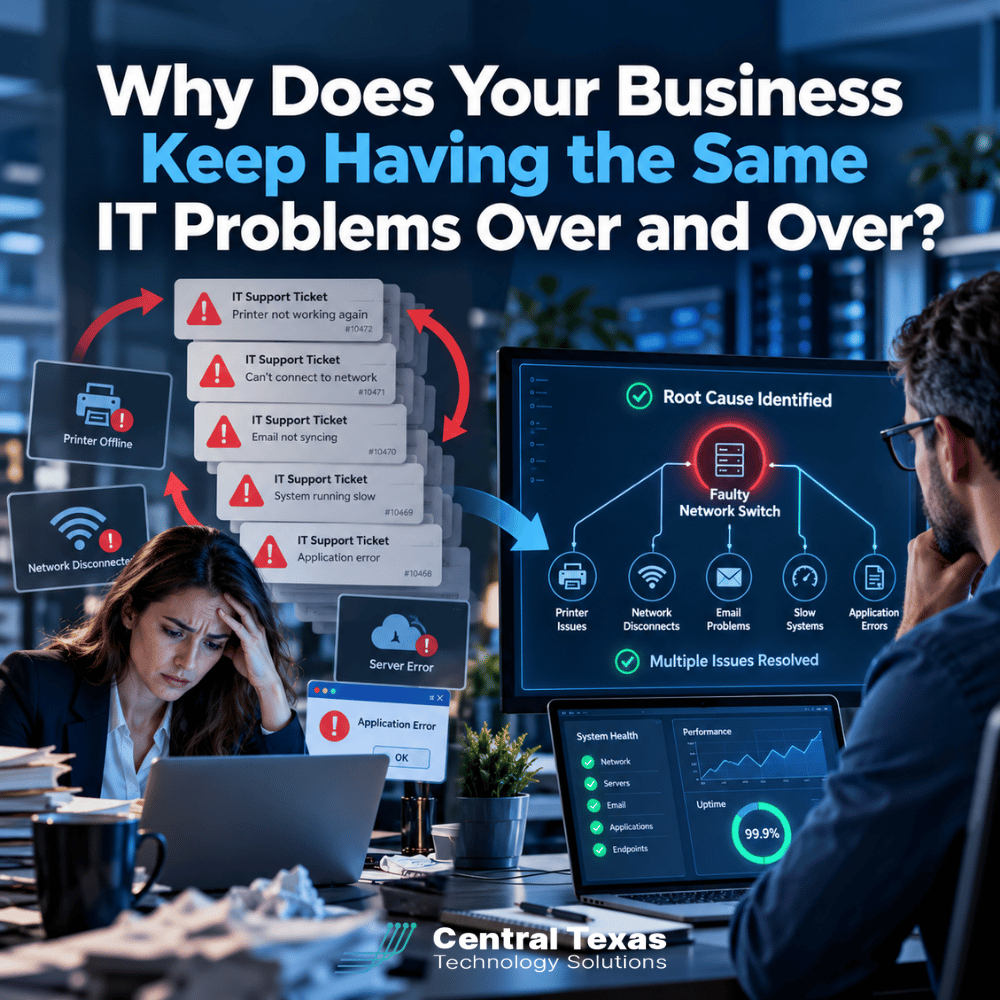
If your employees keep reporting the same slow computers, Wi-Fi problems, Microsoft 365 issues, printer failures, dropped connections, or application errors, the problem may not be your technology.
It may be the way your IT support is being delivered.
Traditional break-fix IT is designed around a simple cycle: something breaks, someone opens a ticket, a technician fixes the immediate problem, and the ticket gets closed.
That can make the support numbers look good. But if the same problem returns next week or next month, was it really fixed?
For businesses in Austin, Round Rock, Georgetown, Cedar Park, and across Central Texas, effective IT support should do more than close tickets. It should identify why problems keep happening and address the root cause before they continue costing your business time and money.
Why Do the Same IT Problems Keep Coming Back?
Recurring IT problems usually happen because someone is treating the symptom instead of the underlying cause.
Imagine an employee repeatedly loses access to a shared application. Each time, IT reconnects the application, confirms that it works, and closes the ticket.
From a help desk perspective, the problem is solved.
From the business owner's perspective, it is not.
The better questions are:
- Why does the connection keep failing?
- Are other employees experiencing the same issue?
- Is there a network, server, configuration, or software problem behind it?
- Did something change recently?
- Can the problem be prevented rather than repeatedly repaired?
Those questions require a different mindset.
The goal is no longer simply to get the employee working again. The goal is to get the employee working again and reduce the likelihood that the problem happens again.
Break-Fix IT Support Rewards the Wrong Outcome
There is an uncomfortable truth about traditional break-fix IT: the provider gets paid when something goes wrong.
The more problems you have, the more support you may need.
That does not mean a break-fix provider intentionally allows problems to happen. It means the business model is primarily designed around responding to problems rather than preventing them.
A technician receives a ticket saying a computer cannot connect to a printer. The technician reconnects the printer. The employee confirms that printing works. The ticket is closed.
Mission accomplished.
Except three other employees report the same problem over the next two weeks.
A proactive Managed IT Services provider looks beyond each individual ticket and asks whether those tickets are connected. Perhaps the printer has an incorrect network configuration. Maybe a recent network change is causing devices to lose connectivity. Perhaps the printer itself is reaching the end of its useful life.
Closing four tickets is not as valuable as eliminating the reason those four tickets existed.
Closing IT Tickets Is Not the Same as Solving IT Problems
Ticket metrics can be useful. Response times, resolution times, and ticket volumes help an IT provider measure support performance.
But businesses should not confuse good ticket statistics with a healthy IT environment.
Consider two companies.
Company A generates 100 support tickets each month, and its IT provider closes them quickly.
Company B generates 40 tickets because its IT provider identified recurring problems, replaced unreliable equipment, corrected configuration issues, improved employee training, and proactively maintained its systems.
Which company has better IT?
The answer is probably Company B, even if Company A can show impressive ticket-resolution statistics.
Your employees do not care how efficiently a ticket was closed if they have to report the same problem again on Friday.
They want technology that works.
How Root Cause Analysis Changes Managed IT Support
Root cause analysis means looking beyond what happened and determining why it happened.
Sometimes the answer is straightforward. Other times, finding it requires looking at patterns across users, devices, applications, networks, and previous support requests.
A proactive IT provider may look for:
- Multiple tickets involving the same device or application
- Employees experiencing similar problems
- Aging computers, servers, switches, or other equipment
- Software that has not been properly updated
- Network capacity or connectivity problems
- Incorrect Microsoft 365 or security configurations
- Problems introduced by previous changes
- Recurring cybersecurity alerts
- Gaps in employee training
- Vendors or applications that repeatedly cause disruptions
The objective is not necessarily to eliminate every support ticket. That is unrealistic.
The objective is to eliminate the unnecessary ones.
This distinction becomes especially important as businesses grow. A recurring issue affecting two employees might be annoying. The same issue affecting 50 employees can become a serious productivity problem.
Recurring IT Problems Can Point to Bigger Business Risks
Repeated technology problems are not always minor inconveniences.
Sometimes they are warning signs.
Repeated account lockouts, for example, could indicate an authentication problem, but they can also deserve a closer security review. Frequent backup failures might appear as routine support tickets until the company needs to recover critical information.
For a healthcare practice, recurring technology problems can interfere with access to patient information and create compliance concerns. A legal firm cannot afford unreliable access to case files and communications. Professional services firms depend heavily on employee productivity and client responsiveness.
Construction companies may need reliable connectivity between offices, jobsites, and remote employees. Manufacturers depend on stable systems to keep operations moving. Nonprofits need to protect donor information while making limited technology budgets go as far as possible.
In each case, repeatedly repairing the symptom can hide a larger operational, security, or business continuity problem.
What Proactive Managed IT Services Should Look Like
Moving beyond break-fix IT requires more than signing a managed services agreement.
A company can call itself a Managed Service Provider and still operate reactively.
The real difference is what happens when nothing is broken.
At CTTS, we believe IT should be managed as part of the business rather than treated as an emergency service. That means monitoring systems, reviewing recurring support issues, maintaining security, planning equipment replacements, managing backups, and helping leadership make informed technology decisions.
It also means looking for patterns.
If ticket data shows that a particular group of computers is generating significantly more support requests, replacing those computers may cost less than continuing to troubleshoot them.
If employees repeatedly struggle with the same Microsoft 365 process, the solution might be training or a configuration change rather than another help desk ticket.
If an aging network device causes intermittent outages, waiting for complete failure could turn a manageable replacement into an expensive business interruption.
Proactive IT connects those technical decisions to business outcomes.
Your IT Provider Should Help You Have Fewer IT Problems
The best support ticket is often the one your employees never have to submit.
That does not mean your IT provider should make it difficult to request help. Employees should have fast, convenient access to knowledgeable support whenever they need it.
But behind that help desk should be a broader strategy focused on reducing downtime, strengthening security, improving reliability, and planning ahead.
If your business has been experiencing the same technology problems for months or years, asking for faster fixes may not be enough.
Ask why those problems are still happening.
CTTS helps businesses throughout Austin, Round Rock, Georgetown, Cedar Park, and Central Texas move away from reactive IT and toward a proactive technology strategy built around prevention, security, productivity, and business continuity.
Stop Fixing the Same IT Problem Twice
If your employees keep experiencing the same technology problems, another temporary fix is not the answer.
CTTS can assess your IT environment, identify recurring issues and underlying risks, and help build a technology strategy designed to prevent problems instead of repeatedly reacting to them.
Schedule an IT consultation with CTTS and find out what is really causing your recurring IT problems.
Frequently Asked Questions
Why do IT problems keep coming back after they have been fixed?
Often, the immediate symptom was corrected without addressing the underlying cause. Recurring problems can result from aging hardware, incorrect configurations, software conflicts, network issues, inadequate maintenance, or other systemic problems. Root cause analysis looks for the reason behind repeated incidents so the underlying issue can be addressed.
What is the difference between break-fix IT and Managed IT Services?
Break-fix IT primarily responds when something stops working. Proactive Managed IT Services combine support with monitoring, maintenance, cybersecurity, planning, and ongoing improvement. The goal is not simply to respond faster when technology fails, but to reduce how often preventable failures happen.
Can a Managed IT provider eliminate IT problems completely?
No reputable provider can promise that nothing will ever go wrong. Hardware fails, software has bugs, vendors experience outages, and people make mistakes. A strong Managed IT provider reduces preventable problems, identifies risks earlier, and builds systems that allow the business to recover quickly when something does happen.
Contact CTTS today for IT support and managed services in Austin, TX. Let us handle your IT so you can focus on growing your business. Visit CTTSonline.com or call us at (512) 388-5559 to get started!
Explore these expert insights before making your next IT decision:
What Happens When Your IT Provider Does Not Understand Your Industry?
Why Small IT Problems Keep Coming Back and What That Really Means
Could Your Business Keep Running If Your Main Server Failed Today?
What Happens When Your Only IT Employee Leaves Without Warning?
Could a Former Employee Still Have Access to Your Business Systems?
Why Cyber Insurance Claims Get Denied After a Data Breach
What Happens If Your Business Backup Has Never Been Tested?
Is Your Office Wi-Fi Creating a Hidden Security Risk?
What Happens If Your IT Provider Goes Out of Business?
Could One Employee's Microsoft 365 Account Put Your Entire Business at Risk?